
Vanilla Finest
Perfected vanilla forever pack with Voxy, best shaders and optional Bare Bones trailer graphics.
截图
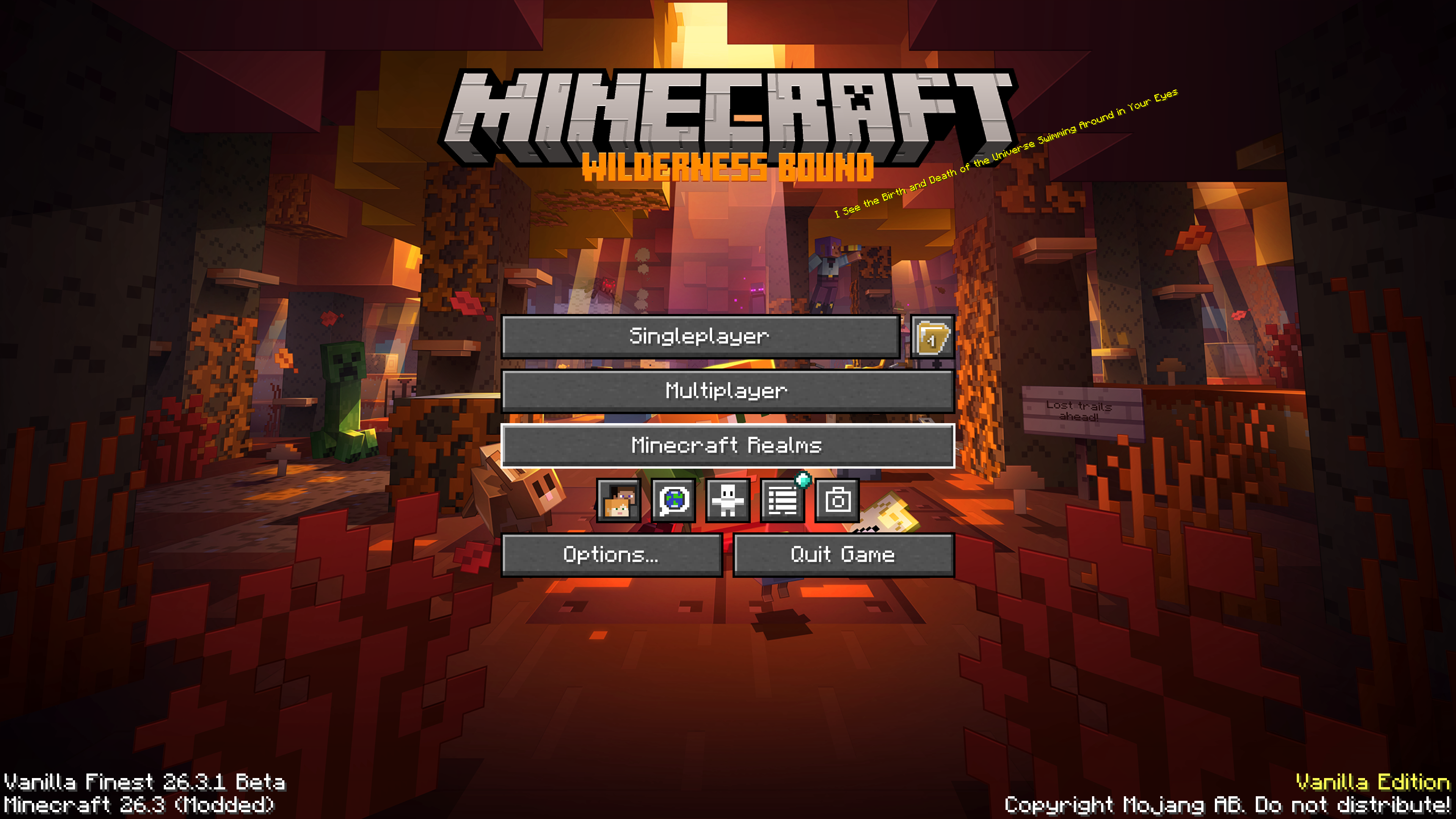
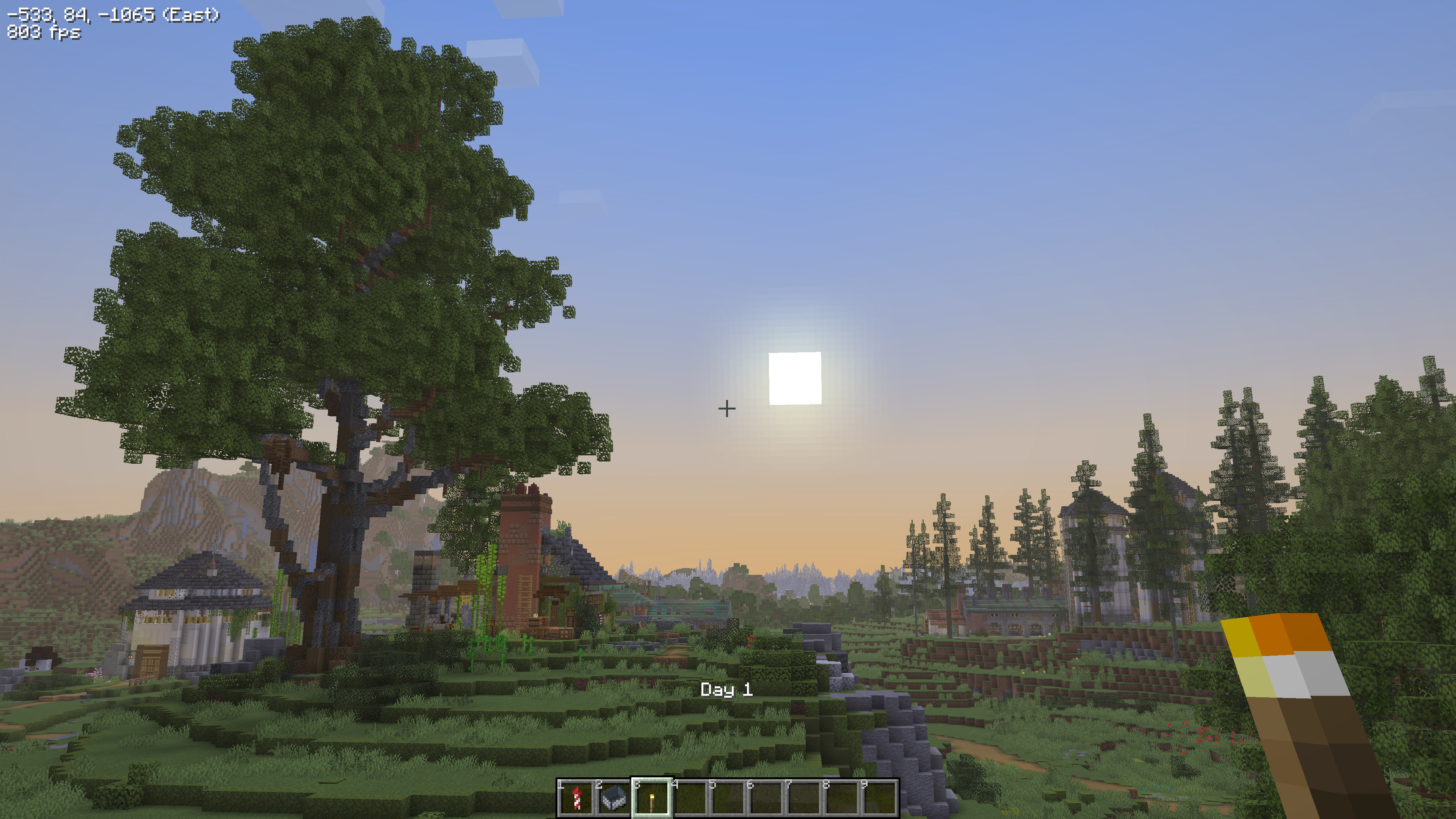
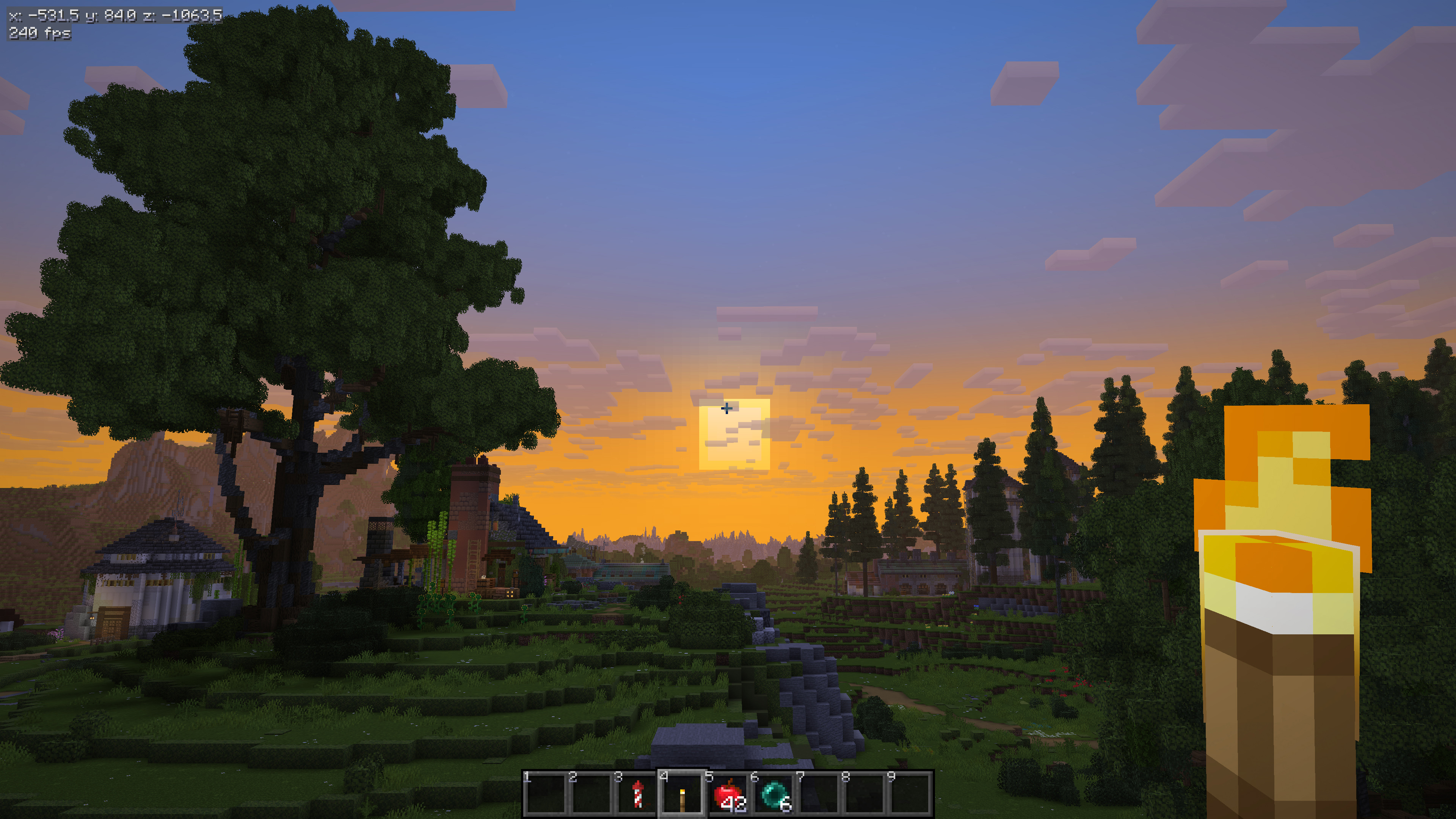
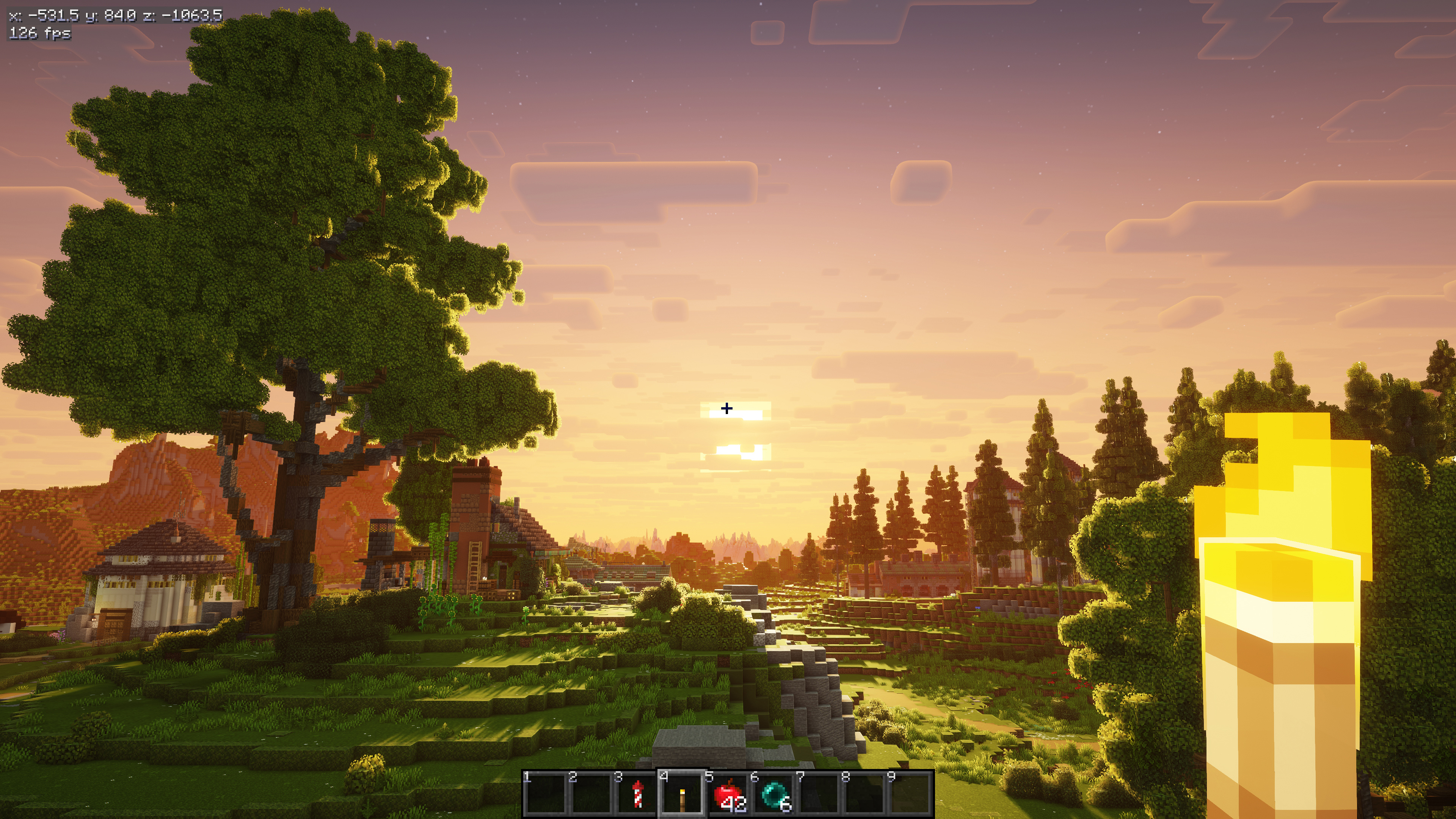
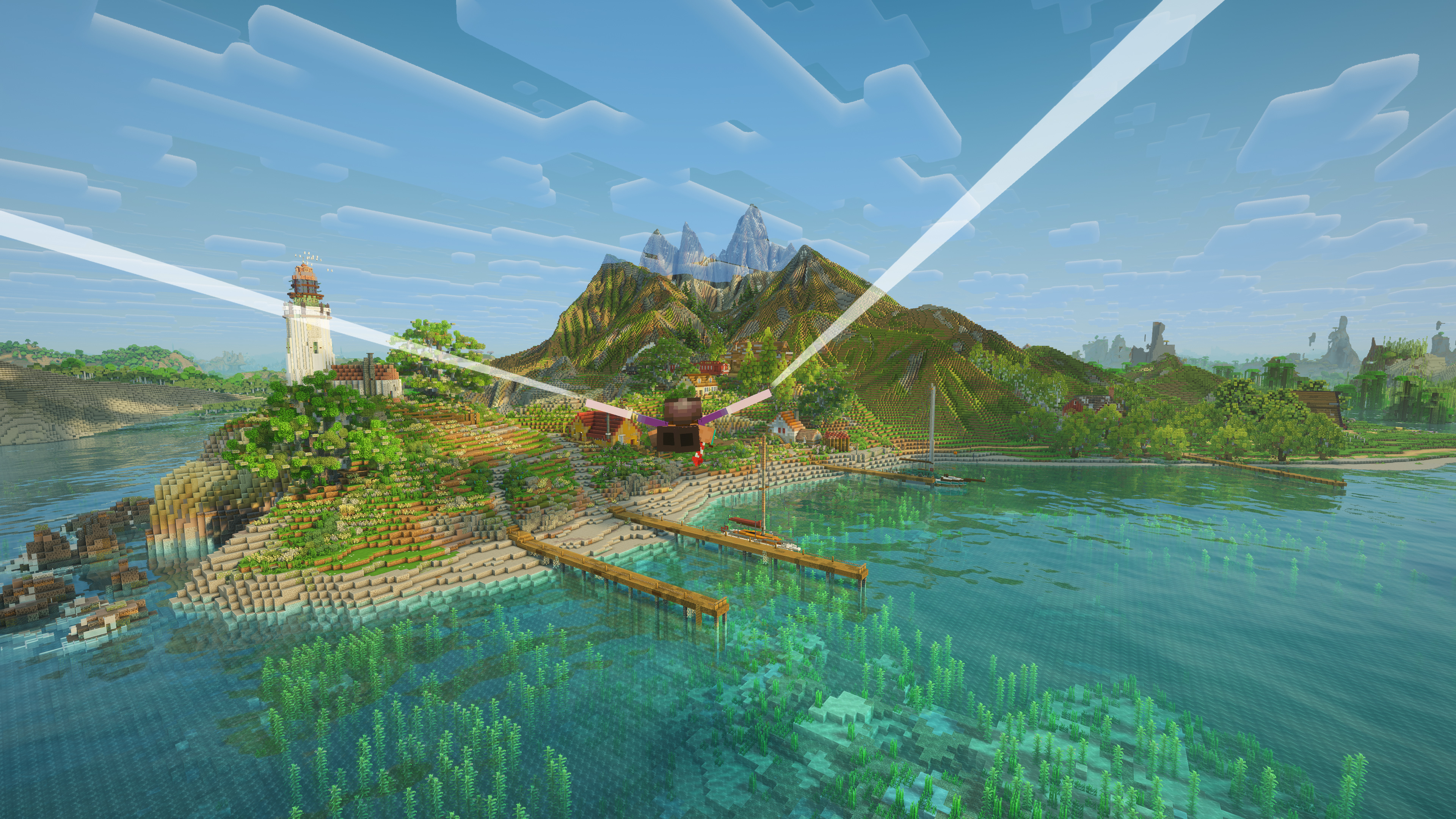
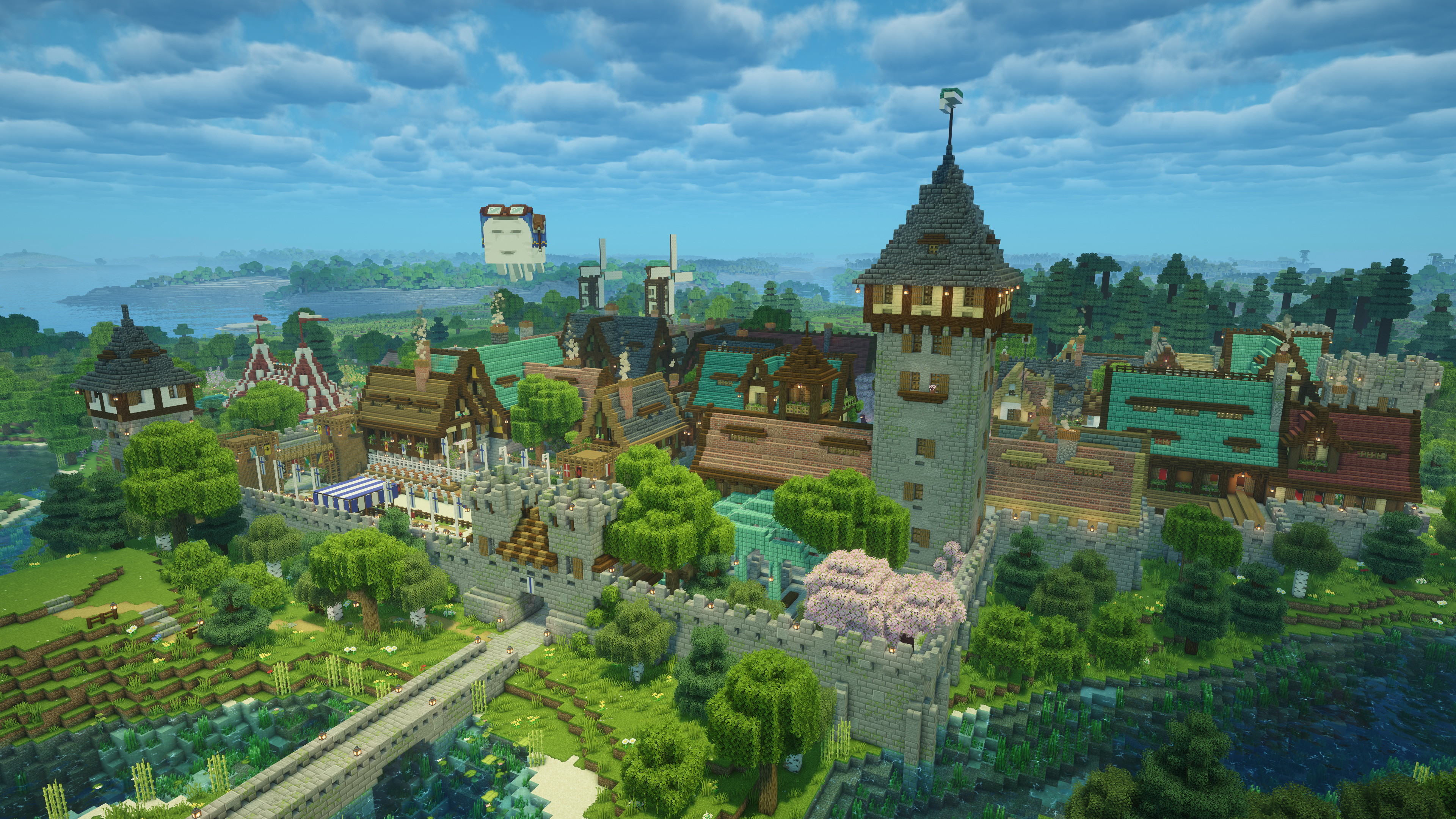
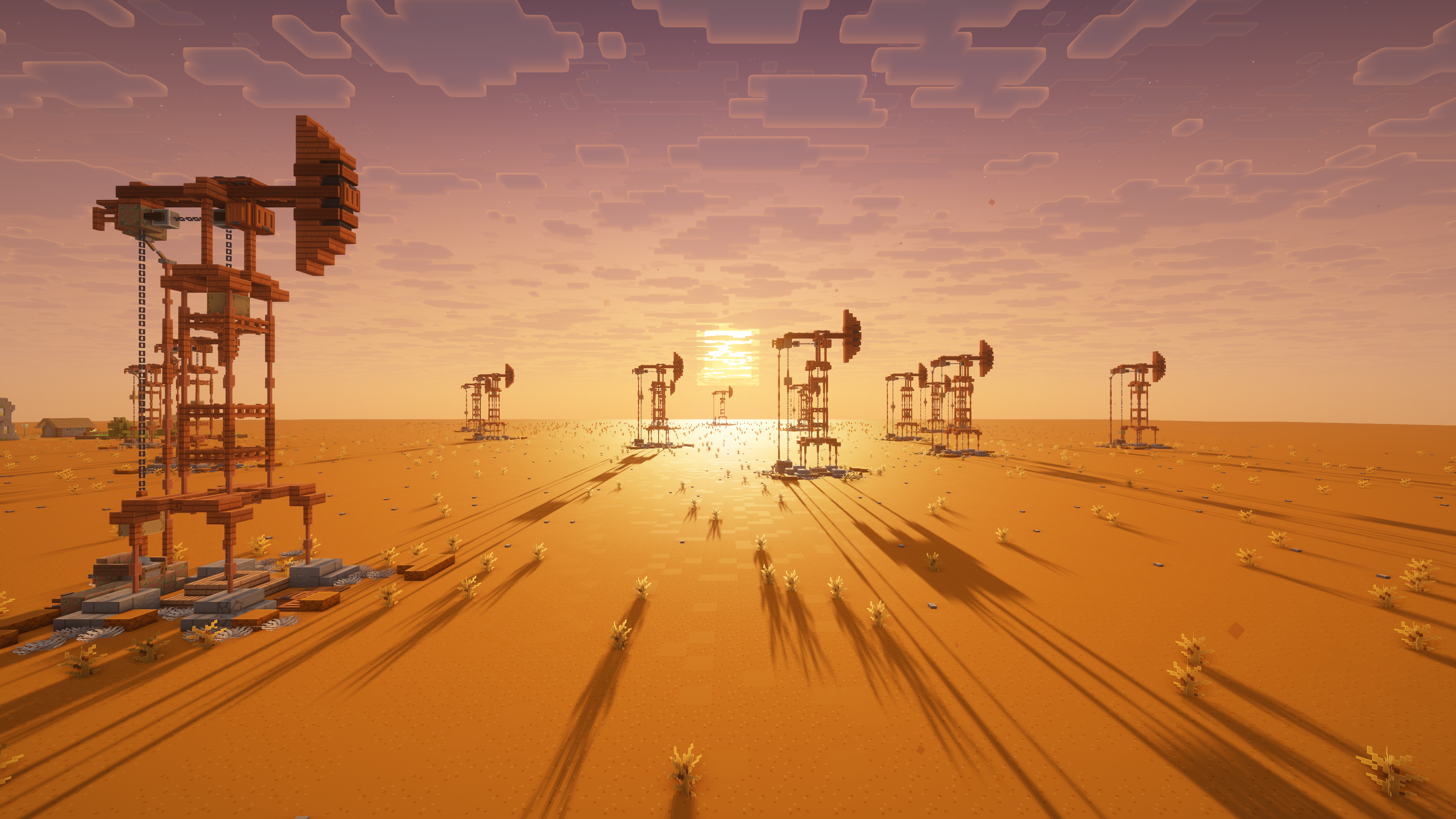
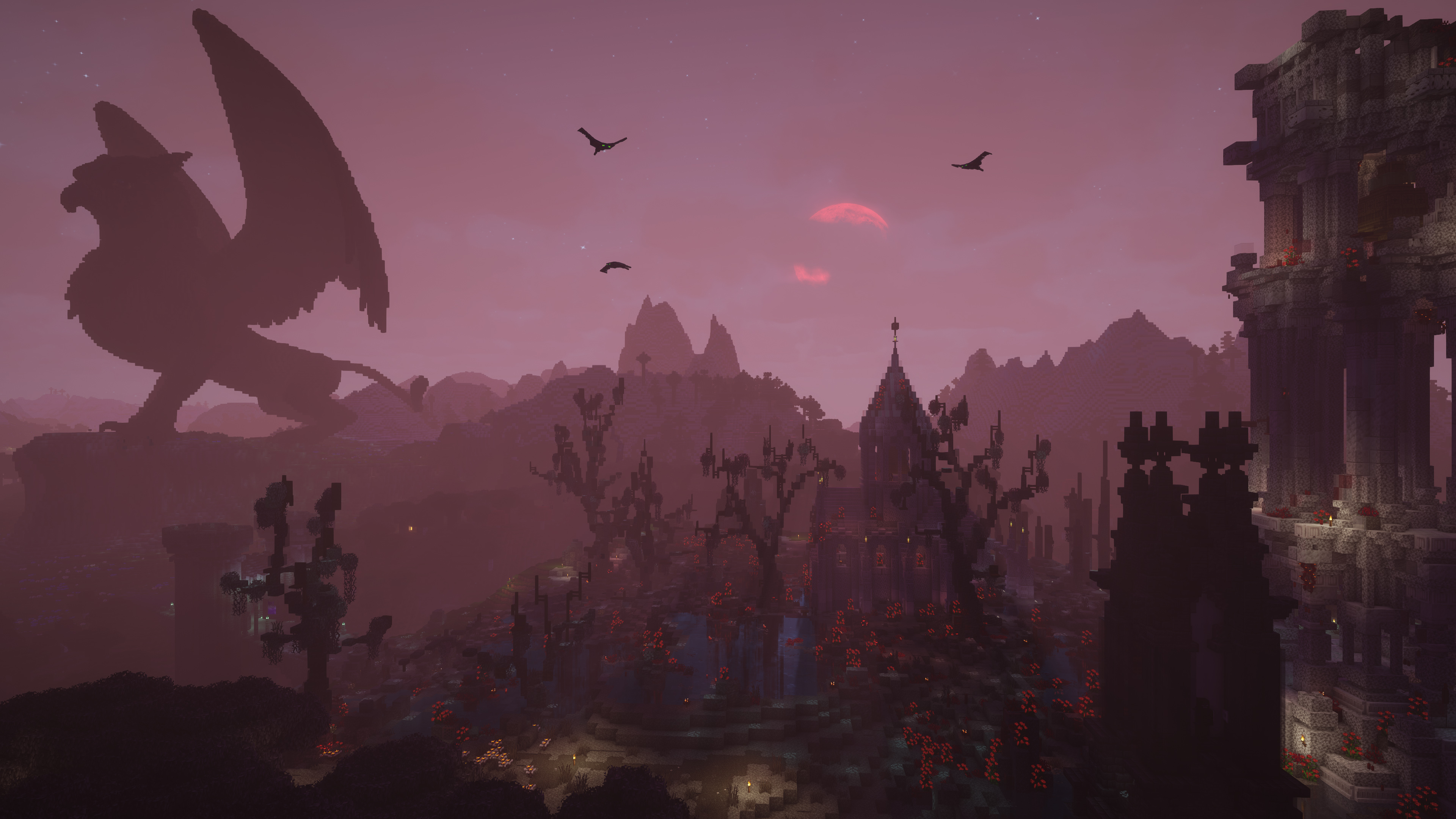
介绍
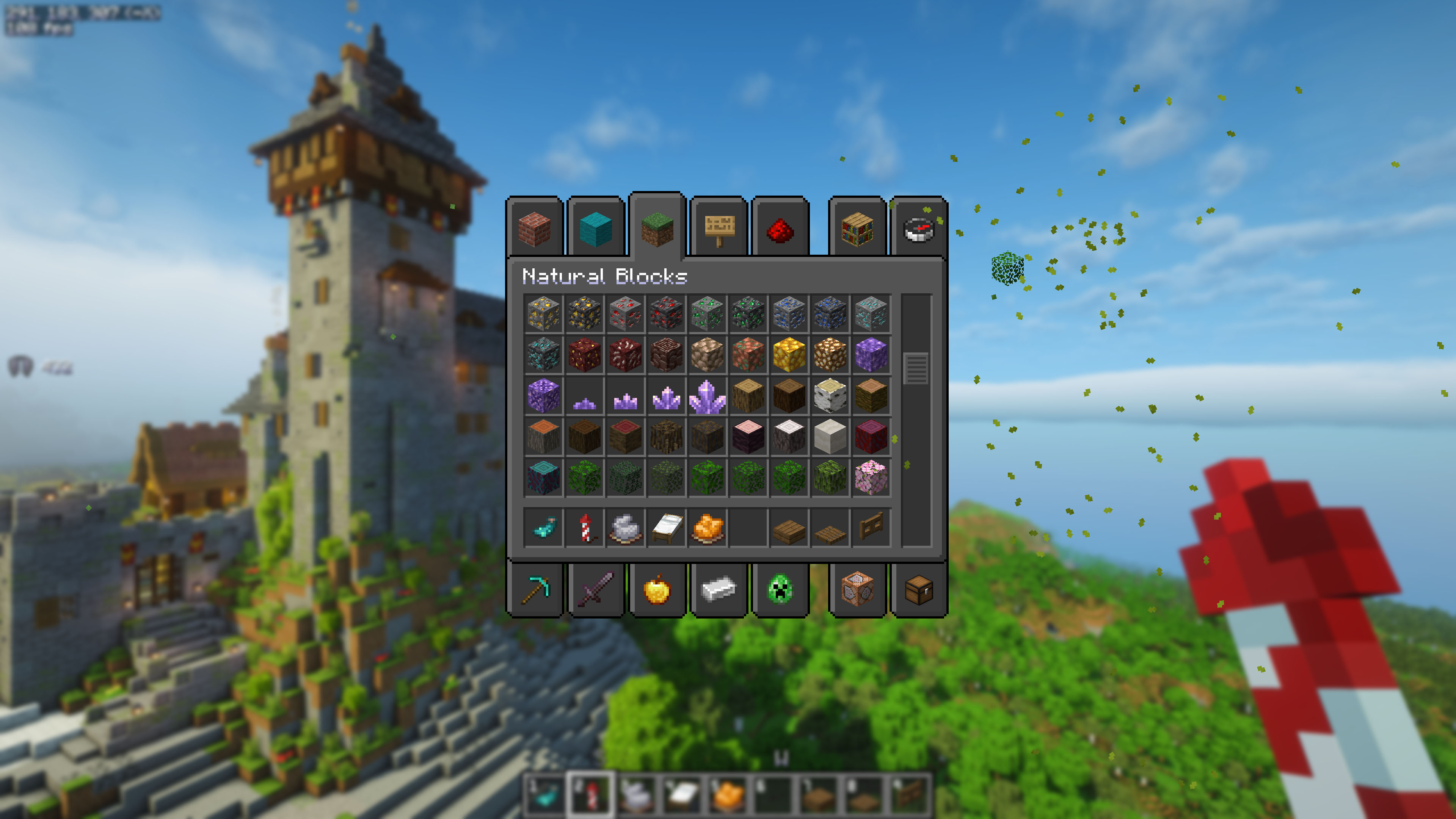
The aim of this modpack is to provide the best possible vanilla compatible experience for PC and Mac. Enjoy a beautiful, fully optimized Minecraft without spending months to set it up.
There are Vanilla and Creative editions. Please go to the Versions tab and select which one you prefer. Creative=Vanilla + Axiom, Litematica, Flashback, WorldEdit, Picture Mode, Tweakeroo, Head Browser, Armor Stands editor, Gamma utilities and Xaero’s Maps and some additional quality of life mods.
You can now create an Adventure focused new world with Dungeons & Taverns and Grim Kingdoms by selecting Adventure profile in the More/Data Packs menu during world creation! You can not switch to creative mode in this profile 🙂
Important troubleshooting tips:
- Please disable Modrinth Fullscreen in Synched Settings menu, as it modifies options.txt and causes issues.
- I suggest to disable Sync Game Options and Resource packs as well, it can interfere with the modpack.
Key fetures:
- Opens and saves your existing Minecraft worlds from the original folder with the “1” button
- It is compatible with vanilla saves, you can keep playing in vanilla Minecraft after saving the world with this modpack
- Original vanilla experience with several quality of life improvements
- Runs well on both low- and high-end machines
- Beatiful graphics with and without shaders, see gallery
- Optional “Bare Bones” trailer graphics
Bundled shader presets:
- Voxy with Atmosherics without shader, see gallery
- Complementary Shaders for Best Graphics
- Bliss/Eclipse shaders for classic medieval mood
You can switch the shaders on/off by pressing F12 at any time, or choose shaders with Control+F12.
Everything is fully configured
Only minimal setup is required:
- Please allocate at least 6GB of memory. (In Modrinth app click the bottom-left gear icon ⚙️ and go to Default Game Options.) On high-end systems 16GB is recommended.
- you can try the following parameters as best Java arguments for smallest lag:
but stop using them if you experience crashes, and use these instead:
- Set your mouse sensitivity (Options/Controls/Mouse Settings)
- Choose your graphics preset in Options/Resource Packs
- Optionally set your screenshot and Litematica folders (see below)
You can easily access exising worlds in your original Minecraft folder by pressing the folder with a “1” on it next to the Single Player button.
Important instructions when creating a new world:
- I recommend opening the original Minecraft folder with the “1” button and create a new world there, so you will access it from the factory default Minecraft launcher.
- You can create a new world without any additional datapacks. However, I highly recommend using one the Vanilla Finest’s selection, by clicking on the More tab and than Data Packs button during world creation. These packs will be automatically copied into the world save folder, so if you open the world in factory default native game, they will be still there and fully functional!
Keybinds:
- J: Autojump on/off toggle
- Y/Z: Crawl
- C: Zoom (need Spyglass)
- Control+Q: Drop items (will not drop just pressing Q for safety reason)
- H: Help, Wiki page
- Righ Control: Lock Hotbar Slot
- Alt + Mouse Wheel: set creative flight speed (only in Survival Edition, in Creative use Axiom with the same button)
Creative Edition keybinds:
- M: Xaero’s World Map
- N: New Waypoint in Xaero’s Minimap
- Keypad +: Quick Waypoint
- V: Enlarge Xaero’s Minimap
- B: Litematica (Blueprint)
- K: Litematica execute Operation (Paste loaded schematics into the world)
- G: Toggle Fullbright
- R: Toggle replace mode
- Delete: Clear Worldedit selection
- Ins: Toggle Hotbar Randomizer (Useful when building with random textures)
- Scroll Lock: Toggle Aim Lock (Useful when taking screenshots)
- Shift+Caps Lock: Toggle Fake Sneaking (Do not fall down, useful while building)
Function keys:
- F4: Freecam
- F6,Control+F6: Toggle Accurate Block Placement, Reacharound on/off
- F7,Control+F7: Next Music Track, Toggle music on/off, Open Extreme Sound Muffler
- F8,Control+F8: Toggle Light Level Overlay, First Person Lighting on/off
- F9,Control+F9,Alt+F9: Toggle Jade, Own nametag, All nametags on/off
- F10, Control+F10: Minimap on/off, Atmospherics Menu
- F12, Control+F12: Shader on/off, Shader Selection Menu
In F5 3rd Person view:
- Arrow keys: Elytra Contrails on/off and twirls
- Alt+Mouse:reposition cursor
- Alt+Mouse Wheel: change camera distance
- Caps Lock: change shoulder
- X: targeting mode
How to set home folders:
- Open Mod Menu, ScreenShot Gallery settings, and set Custom Screenshot Directory. (My choice is the original Minecraft folder (Appdata/Roamin/.minecraft/screenshots) because this is where vanilla Minecraft saves it’s screenshots.)
- Open Litematica with B, select Configuration Menu, search for customSchematicBaseDirectory (I usually just set my Desktop/Minecraft folder, so I can open any schematics from there)
Thank you to Vanilla Tweaks for allowing the usage of their Resource Pack in Vanilla Finest!
Credits: Vanilla Tweaks: https://vanillatweaks.net/
包含的模组 280 个,另有 12 个其他文件
 (Bee's) Fancy Crops
 3D Remix
 [EMF] Entity Model Features
 [ETF] Entity Texture Features
 A Minor Convenience
 Accurate Block Placement Reborn
 AL's Creepers Revamped
 AL's Skeletons Revamped x Fresh Animations
 AL's Zombies Revamped x Fresh Animations
 All Mob Heads
 Almost Double Shulker Shells
 Almost Vanilla Armors
 环境音效
 苹果皮
 Armor Stands
 Armorstands Reimagined
 Async Logger
 AsyncParticles
 ATMOSPHERICS
 Axiom
 BaguetteLib
 Balm
 Bare Bones
 Bare Bones 3D Doors
 Bare Bones Better Better Leaves
 Bare Bones Style Enchants
 Bare Bones tweaks - Moss Carpet Overhang
 Bare Bones tweaks - Variated Bookshelves
 Bare Bones x Dungeons and Taverns [DnT]
 Bare Bones x Eating Animation
 Bare Bones x Fresh Animations
 Bare Bones x Fresh Animations: Player Extension
 Bare Bones x Fresh Flower Pots
 Bare Bones x RAY's 3D Ladders
 Bare Bones x RAY's 3D Rails
 Bare Bones X Wilderness Bound [Hotfix 2]
 Better Advancements
 Better Block Entities
 Better Boats
 Better Clouds
展开全部 280 个
 Better Command Block UI
 Better Enchantment Order
 Better End Sky
 Better Happy Ghast Controls
 Better Leaves - Bare Bones
 Better Lights
 Better Lily Pads
 Better Snow Coverage
 Big Sign Writer
 Birch Mushrooms
 Blinking Ender Eyes
 blob's Enchant Icons
 Blur+
 Bookshelf Inspector
 Brewing Guide
 Chat Heads
 Chat Reporting Helper
 Cherished Worlds
 Chests Reimagined
 Clear Glass Connected
 Clearer Slot Highlight
 Client Sort
 Client Tweaks
 Cloth Config API
 Colourful containers Dark Mode GUI
 Complementary Shaders - Reimagined
 Complementary Shaders - Unbound
 Config Manager
 Continuity
 Cool Rain
 Crash Assistant
 Crawl
 CreativeCore
 Cull Leaves
 Custom Block Highlight (Outline / Overlay)
 Cut Through
 Dappled Forest but Better
 Datapack/Gamerule Menus
 Debugify
 Default Dark Mode
 Default Dark Mode Axiom
 Delete Worlds To Trash
 Delight-map
 Der's Shaded Font Plus (Default 16x)
 Detail Armor Bar Reconstructed
 DisableHotbarWrap
 DualBar
 Dungeons and Taverns
 Dungeons and Taverns Ancient City Overhaul
 Dungeons and Taverns Desert Temple Overhaul
 Dungeons and Taverns Enchant Disabler
 Dungeons and Taverns Jungle Temple Overhaul
 Dungeons and Taverns Mineshaft Overhaul
 Dungeons and Taverns Nether Fortress Overhaul
 Dungeons and Taverns Ocean Monument Overhaul
 Dungeons and Taverns Pillager Outpost Overhaul
 Dungeons and Taverns Stronghold Overhaul
 Dungeons and Taverns Swamp Hut Overhaul
 Dungeons and Taverns Woodland Mansion Overhaul
 Dynamic FPS
 EaseGUI
 EclipseUI
 Effect Timer Plus
 Eggs N Eyes
 Elytra Contrails Mod
 Elytra Physics
 EMF Compat: Core
 EMF Compat: Not Enough Animations
 Emissive Glowing Ores for Bare Bones
 Enchant Icons
 Enchanted's Sodium Options
 Enhanced Banner Tooltip
 EnhancedTooltips
 实体剔除
 Euphoria Patches
 Extreme sound muffler
 Fabric API
 Fabric Language Kotlin
 Fair Melodies
 Fancy Crops X Bare Bones
 Fancy World Animations [FWA]
 Fantastic Flora
 Farmland Sides
 Fast Server Pings
 FastQuit
 FerriteCore
 Fish No Stuck
 Flashback
 Flashback Settings
 Flower Clusters
 Forge Config API Port
 Framed Glass Panes
 Freecam
 Fresh Animations
 Fresh Animations: Emissive
 Fresh Animations: Player Extension
 Fresh Animations: Spiders
 Fresh Flower Pots
 Fresh Flower Pots: 3D
 Fzzy Config
 Gentler Weather Sounds
 Geophilic
 Glamorous Glass
 Glowing Ores and Blocks
 Glowing Trims
 Glowy Nether Portals
 Gnetum
 Grass Overlay
 Grim kingdoms: Lost structures & ruins Vanilla Edition
 GUI Scaler
 Head Index
 Head Locator
 Hey Wiki
 Hold My Fresh Fixed Doors
 Horseman
 Iceberg
 ImmediatelyFast
 Inline Tooltips
 Inventory Item Groups
 Invis item frame
 Invisible Armor Model
 InvMove
 Iris & Oculus Search
 Iris Shaders
 Item Highlighter
 Ixeris
 Jade 🔍
 JJElytraSwap
 Just Expressions
 Key Overlay
 Krista's Better Walls
 LambDynamicLights - Dynamic Lights
 LAN World Plug-n-Play (mcwifipnp)
 Language Reload
 投影
 锂
 Locked In Slots
 Lumina
 MacOS Input Fixes
 Main Menu Credits
 MaLiLib
 Mini Blocks
 MiniHUD
 模组菜单
 ModernFix-mVUS
 ModListMemory
 More Chat History
 Motschen's Better Leaves
 Mountain Peaks
 鼠标微调
 Multi Key Bindings
 Name Tag Upgrade
 Network Protocol Disconnect
 No Chat Reports
 No Creative In Survival
 No Enderman Grief
 Not Enough Animations
 Nvidium
 One World Folder
 Open Together
 OptiGUI
 Packed Packs
 Packet Fixer
 Particle Core
 Pickup Notifications
 Picture Mode
 Plane Advancements
 Players Drop Heads
 Presence Footsteps
 Programmer Art Fix
 Purpura Skies: Xaero's Minimap Frame
 Puzzles Lib
 quick pack
 Raid Bar
 RAY's 3D Ladders
 RAY's 3D Rails
 Reach Behind
 Reacharound
 Realistic Sun and Moon
 Remember My Txt
 移除重载屏幕
 Resourceful Config
 Saturated Grass!
 SchematicPreview
 Screenshot Gallery
 Scribble
 Search Stats
 ServerCore
 Shoulder Surfing Reloaded
 潜影盒提示
 Silent Screenshots
 Simple Datapacks
 Simple Enchantments
 Simple Foliage
 Simple Grass Flowers
 Simple Music Control
 Skin Shuffle
 Sky's Title Screen
 Smooth Scrolling
 Smooth Swapping
 Snow Under Trees
 钠
 Sodium Extra
 Sodium Shadowy Path Blocks (SSPB)
 Sound Physics Remastered
 Stone Brick Overlay
 Structure Layout Optimizer
 Tasty Items
 Text Placeholder API
 Toggle Nametags
 Trade Cycling
 Translations for Sodium
 Translucent Glass Border
 Tweakeroo
 Twemoji
 Undopia 3D Ladder
 Update Edition
 ViaFabricPlus
 Villager Names
 Villages Revamped
 Visible Powdered Snow
 Visible Traders
 Vocal Villagers
 voxy
 VT villager variations for Fresh Animations
 Wandering Trader DECORATIVE Microblocks
 Wandering Trader FANDOM Microblocks
 Wavey Capes
 Waxed Copper Indicators
 Weskerson's Torches
 Wisp's Colourful Wildflowers
 World Play Time Reborn
 创世神
 WorldEdit CUI
 Xaero的小地图
 Xaero的世界地图
 XaeroPlus
 Yeetus Experimentus
 YetAnotherConfigLib (YACL)
 Zoomify (Zoom)
左侧绿标的模组本站有收录,点进去看中文介绍;其余跳转到 Modrinth。
常见问题
Vanilla Finest 支持哪些 Minecraft 版本?
Vanilla Finest 支持 Minecraft Java 版 1.21.11–26.3,共 4 个版本,可用的加载器:Fabric。下载时注意选择和你游戏版本一致的文件。
Vanilla Finest 怎么安装?
点本页「前往下载」拿到整合包文件(Modrinth 的是 .mrpack,CurseForge 的是 .zip),在 PCL2 或 HMCL 启动器里选择「导入整合包」,启动器会自动装好 Minecraft、加载器和全部模组。这个整合包有 280 个模组,建议在启动器里给游戏分配 6–8 GB 内存。
Vanilla Finest 开服需要多大内存?
推荐服务器内存 12 GB。在线人数多、或者建了大量机器和区块加载器时,可以再加 2–4 GB。
怎么和朋友一起玩 Vanilla Finest?
点本页的「一键开服」,选好配置后会自动安装 Vanilla Finest 的服务端,几分钟就能开好。把服务器地址发给朋友,大家用同一个版本的整合包连进去就行。
Hiveko 的其他作品
查看全部 → Grass Overlay
为相连的道路边缘增添蔓草与苔藓!
3D Remix
精选 3D Default、Nautilus 3D、3D Vanilla、Vanilla Tweaks 等资源包的优秀设计。性能出色、风格低调,且贴近原版。
3D Remix
精选 3D Default、Nautilus 3D、3D Vanilla、Vanilla Tweaks 等资源包中的优秀设计。轻量、低调,贴近原版风格。
Stone Brick Overlay
石墙采用整块砖块,外观自然,视觉更舒适。
评论
登录后评论和评分