
截图

介绍
FriendsCraft 3
Welcome to FriendsCraft 3! This modpack is your essential companion for crafting the perfect multiplayer adventure. This pack is carefully curated to enhance your core Minecraft experience, making it smoother, more social, and visually stunning. The ideal foundation for you and your friends to create unforgettable memories.
It’s all about quality-of-life, better performance, and features that bring you closer together in your shared world. Have fun!
Core Features
Here is a selection of the most important and interesting mods that elevate the FriendsCraft 3 experience:
Social & Communication
Simple Voice Chat (voicechat): Communicate with your friends directly in the game using realistic positional audio! Makes coordinating and adventuring together incredibly immersive.
Emotecraft (emotecraft): Express yourself! Use a wide range of animations to show your friends exactly how you feel.
Chat Heads (chat_heads): See a small head of the player who sent a message next to their chat entry, making the conversation feel more personal.
No Chat Reports (NoChatReports): Disables the controversial chat reporting system, ensuring private conversations on your server remain private.
Ping Wheel (Ping-Wheel): Easily mark locations, mobs, or items in the world for your friends with a simple pinging system, improving coordination during exploration or combat.
Quality of Life & Utilities
Xaero’s World Map & Minimap (XaerosWorldMap, Xaeros_Minimap): Adds a self-writing world map and a customizable minimap to easily navigate and mark important locations (Waypoints).
Litematica (litematica): A client-side schematic mod that allows for easy, accurate, and creative building projects by projecting a hologram of a structure. Great for planning and building together!
Mouse Tweaks (MouseTweaks): Enhances inventory management with useful functions like quick-move and quick-crafting.
Shulker Box Tooltip (shulkerboxtooltip): Peek into the contents of a shulker box by hovering over it in your inventory
Scribble (Scribble): An expert book-editing mod that adds rich text formatting options (colors, styles) for easier and better-looking books—great for lore or shared notes.
Aesthetics & Immersion
Iris Shaders (iris): Seamlessly integrate Sodium with shaders, allowing you and your friends to enjoy beautiful visual effects.
Ambient Sounds (AmbientSounds): Introduces a dynamic sound engine that adds immersive ambient sounds (birds, wind, crickets, cave sounds) based on your environment.
Sound Physics Remastered (sound-physics-remastered): Adds realistic sound attenuation, reverb, and occlusion, making the game world sound much more natural.
LambDynamicLights (lambdynamiclights): Held or dropped light-emitting items (like torches) will dynamically light up the world around you.
Presence Footsteps (PresenceFootsteps): Adds realistic, material-based footstep sounds, making movement more satisfying.
Better F3 (BetterF3): Cleans up and reorganizes the debug screen (F3) to display only the essential information.
Immersive UI (ImmersiveUI): Adds animated UI components, smoother transitions, and animated effects to make the interface more engaging.
Zoomify (Zoomify): A highly customizable zoom mod, giving you the ability to easily zoom in on distant objects.
Heads (mob-heads, Drop Head, player-drops-head): Mobs and players have a chance to drop their heads, providing fun trophies for your adventures.
Armor Statues (ArmorStatues): Fully customize armor stands by unlocking arms, rotating body parts, and choosing from built-in poses.
Performance & Stability
Sodium, Lithium, VMP, ImmediatelyFast, Entity Culling, Krypton, etc.: A massive selection of optimization mods to ensure the modpack runs incredibly well, allowing for higher settings and a more stable server experience.
Spark (spark): An essential server-side and client-side profiling tool to help diagnose and fix performance issues quickly.
Crash Assistant (CrashAssistant): Provides an immediate GUI after a crash, showing logs and making it easy to report issues.
FriendsCraft 3 offers the perfect mix of performance, visual fidelity, and cooperative features, making it the definitive way to play Minecraft with your community!
Important Warning: Usage on Public Servers
We strongly advise against using the FriendsCraft 3 modpack on public, non-whitelisted, or large established multiplayer servers (e.g., Hypixel, GommeHD, etc.).
While the core goal of this modpack is to maintain a mostly vanilla feel, it includes several client-side mods that provide significant advantages and quality-of-life features which are strictly prohibited on most public servers.
Using this modpack on public servers will likely result in a ban.
包含的模组 190 个
 /sit
 3D crops Revamped
 3D皮肤层
 [BTB] Back To Basics
 [EMF] Entity Model Features
 [ETF] Entity Texture Features
 Advancement Screenshot
 AmbientSounds
 Announcer
 AntiXray
 苹果皮
 Architectury API
 Armor Hud
 Armor Statues
 Axiom
 bad packets
BadOptimizations
 Balm
 BanHammer
 Better "Add Server"
 Better Advancements
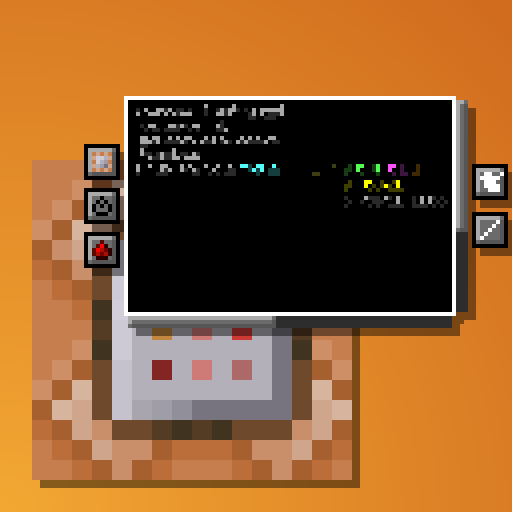 Better Command Block UI
 Better Selection
 Better Statistics Screen
 BetterF3
 Bliss Shaders
 Boat Item View
 CalcMod
 Chat Animation [Smooth Chat]
 Chat Heads
 Chat Mod
 Cherished Worlds
 Chunky
 CICADA
 Cloth Config API
 Clumps
 Collective
 Complementary Shaders - Reimagined
 Complementary Shaders - Unbound
 Concurrent Chunk Management Engine (Fabric)
展开全部 190 个
 Continuity
 Controlling
 Cool Rain
 CraftPresence
 Crash Assistant
 CraterLib
 CreativeCore
 Cubes Without Borders
 Day Counter
 DeathLog-Fork
 Default Options
 Detail Armor Bar Reconstructed
 遥远的地平线
 Do a Barrel Roll
 Dynamic Crosshair
 Dynamic FPS
 Emotecraft
 Enchanter Fix
 Enchanting Reimagined
 Enchantment Descriptions
 Enchantment Outlines
 实体剔除
 Euphoria Patches
 Explosive Enhancement
 Fabric API
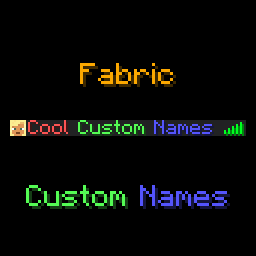 Fabric Custom Names
 Fabric Language Kotlin
 FancyMenu
 Fast IP Ping
 FerriteCore
 Forge Config API Port
 Fresh Animations
 Fresh Buckets
 Fresh Flowers and Plants
 Fresh Food
 Fresh Music Discs
 Gamma Utils (Fullbright)
 Gravestones
 Held Item Info
 Here 'n' There
 I Like Vanilla
 I See My Armored Hand
 Icons
 ImmediatelyFast
 Immersive UI
 Inv View
 Inventive Inventory
 Invis item frame
 Iris Shaders
 Just Colored Lighting
 Konkrete
 Krypton
 LambDynamicLights - Dynamic Lights
 Language Reload
 libIPN
 LibJF
 Litematica
 Litematica Enderchest Materials
 LitematicDownloader
 锂
 Lively Turtle Helmet
 Locator Heads
 Low On Fire
 Low Shield
 MaLiLib
 Melody
 MiniMOTD
 Mob Heads
 Mod Loading Screen
 模组菜单
 Model Gap Fix
 More Chat History
 More Culling
 More Stats
 鼠标微调
 MRU
 New Glowing Ores
 No Chat Reports
 No Command Confirm
 Not Enough Animations
 One World Folder
 Options Profiles
 oωo (owo-lib)
 Packet Fixer
 Panorama Screenshot
 Particle Effects
 Particle Rain
 Particular ✨ Reforged
 Photon Shaders
 Ping Wheel
 Player Animation Library
 Player Armor Stands
 Player Drops Head
 PneumonoCore
 Presence Footsteps
 Prickle
 Puzzles Lib
 qrafty's Capitalized Font
 Reactive Music
 Recolourful Containers GUI + HUD
 Reese's Sodium Options
 Remove Reloading Screen
 Reply Mod
 Reset Keys Confirmation Screen
 Resourcify
 Respackopts
 Rethinking Voxels
 Scoreboard Overhaul
 Screencopy
 Scribble
 Searchables
 Server Pinger Fixer
 Sessility
 ShatterLib | OctoLib
 Shulker Box Tooltip
 Signed Paintings
 Simple Macro
 Simple Voice Chat
 Simple Voice Chat Enhanced Groups
 Skin Shuffle
 钠
 Sodium Extra
 Sodium Shadowy Path Blocks (SSPB)
 Solas Shader
 Sound Controller
 Sound Physics Remastered
 Sounds
 spark
 SPBR
 Spooklementary
 Status Effect Bars
 Symbol Chat
 TAB
 TaskbarIconChanger
 TCDCommons API
 Text Placeholder API
 Trade Cycling
 UniLib
 Very Many Players (Fabric)
 Visuality
 Vocal Villagers
 Voice Chat Interaction
 Voice Messages
 Xaero's Map Server Utils
 Xaero的小地图
 Xaero的世界地图
 XXL Packets
 Yet Another World Protector
 YetAnotherConfigLib (YACL)
 Zoomify (Zoom)
绿色边框的模组本站有收录,点进去看中文介绍;其余跳转到 Modrinth。
常见问题
FriendsCraft 3 支持哪些 Minecraft 版本?
FriendsCraft 3 基于 Minecraft Java 版 1.21.10,使用 Fabric 加载器。
FriendsCraft 3 怎么安装?
点本页「前往下载」拿到整合包文件(Modrinth 的是 .mrpack,CurseForge 的是 .zip),在 PCL2 或 HMCL 启动器里选择「导入整合包」,启动器会自动装好 Minecraft、加载器和全部模组。这个整合包有 190 个模组,建议在启动器里给游戏分配 6–8 GB 内存。
FriendsCraft 3 开服需要多大内存?
推荐服务器内存 12 GB。在线人数多、或者建了大量机器和区块加载器时,可以再加 2–4 GB。
怎么和朋友一起玩 FriendsCraft 3?
点本页的「一键开服」,选好配置后会自动安装 FriendsCraft 3 的服务端,几分钟就能开好。把服务器地址发给朋友,大家用同一个版本的整合包连进去就行。
Bombastiko 的其他作品
查看全部 →
Player Size Changer
Change your size between 5 different sizes. Each one of them also changes other attributes like health or range accordingly.

One Way Glider
Spawn Elytra | Set a spawn where every player will receive a one way glider with which he can fly until touching the ground outside of the spawn island.
One Way Glider
Spawn Elytra | Set a spawn where every player will receive a one way glider with which he can fly until touching the ground outside of the spawn island.

Join Play Time
When a player joins, they receive a 'Welcome Back' title along with their total time played on the server.
评论
登录后评论和评分