Player Size Changer
Change your size between 5 different sizes. Each one of them also changes other attributes like health or range accordingly.
截图


介绍
 &color=orange)
 )
 &color=red)
 &color=green)
 )
 )
This is a datapack with which you can change you size in minecraft.
Accordingly to your size other attributes like health, range, jump hight and some more will change too. For example, if you are small you can move better, but you have less life and can jump lower. On the other hand, if you are big you have a lot of lives and can jump higher, but you can no longer fit everywhere!
There are currently 5 different sizes:
- Very small (0.2x)
- Small (0.5x)
- Normal (1x)
- Large (2x)
- Very large (4x)
This pack WORKS WITHOUT CHEATS now!
To change you size, you have 3 options:
- [Recommended] You can change your size by opening the change size menu in the pause screen of the game:
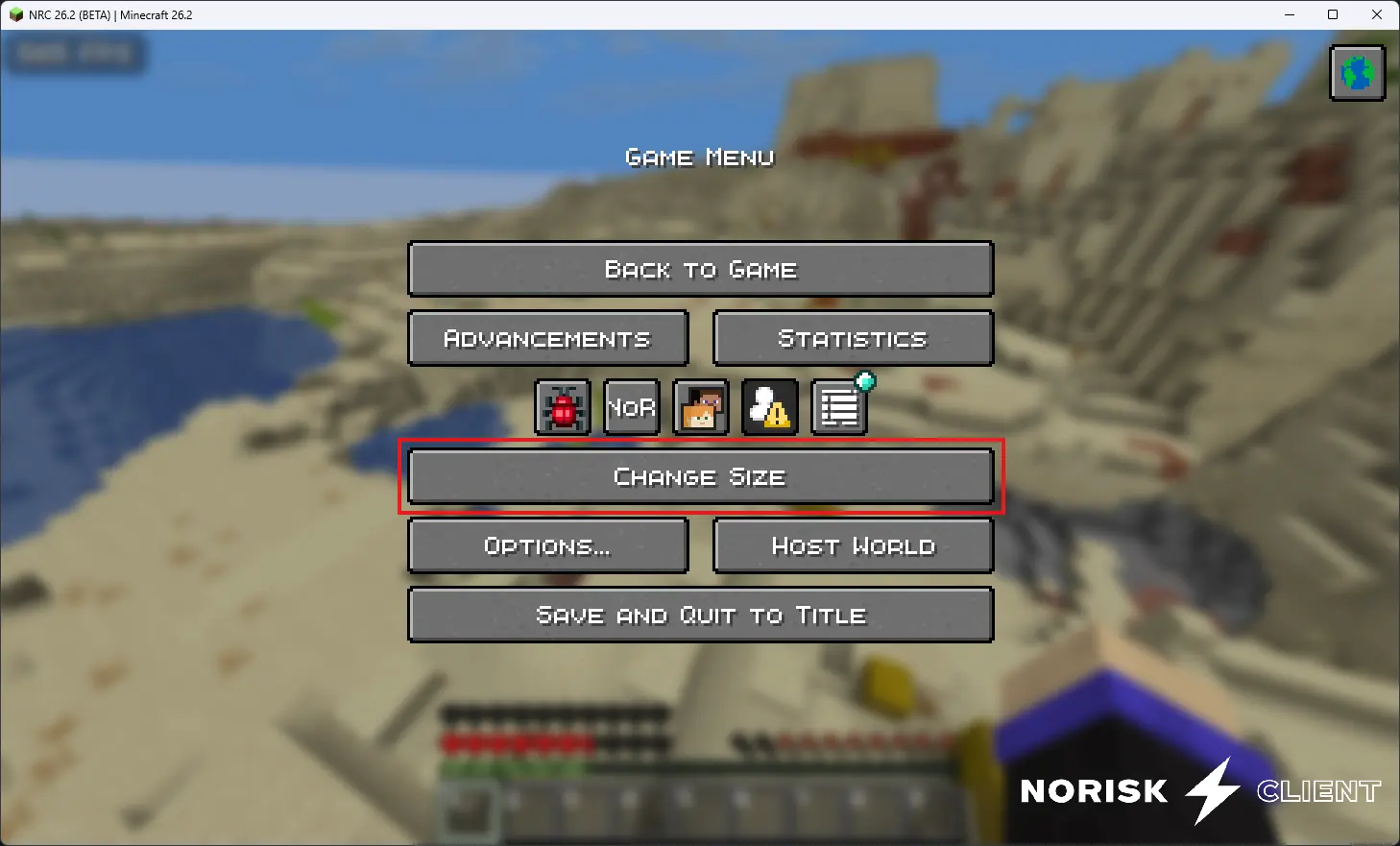
Press on “Change Size” (here marked in red) and the following menu will open where you’ll be able to change your own size:
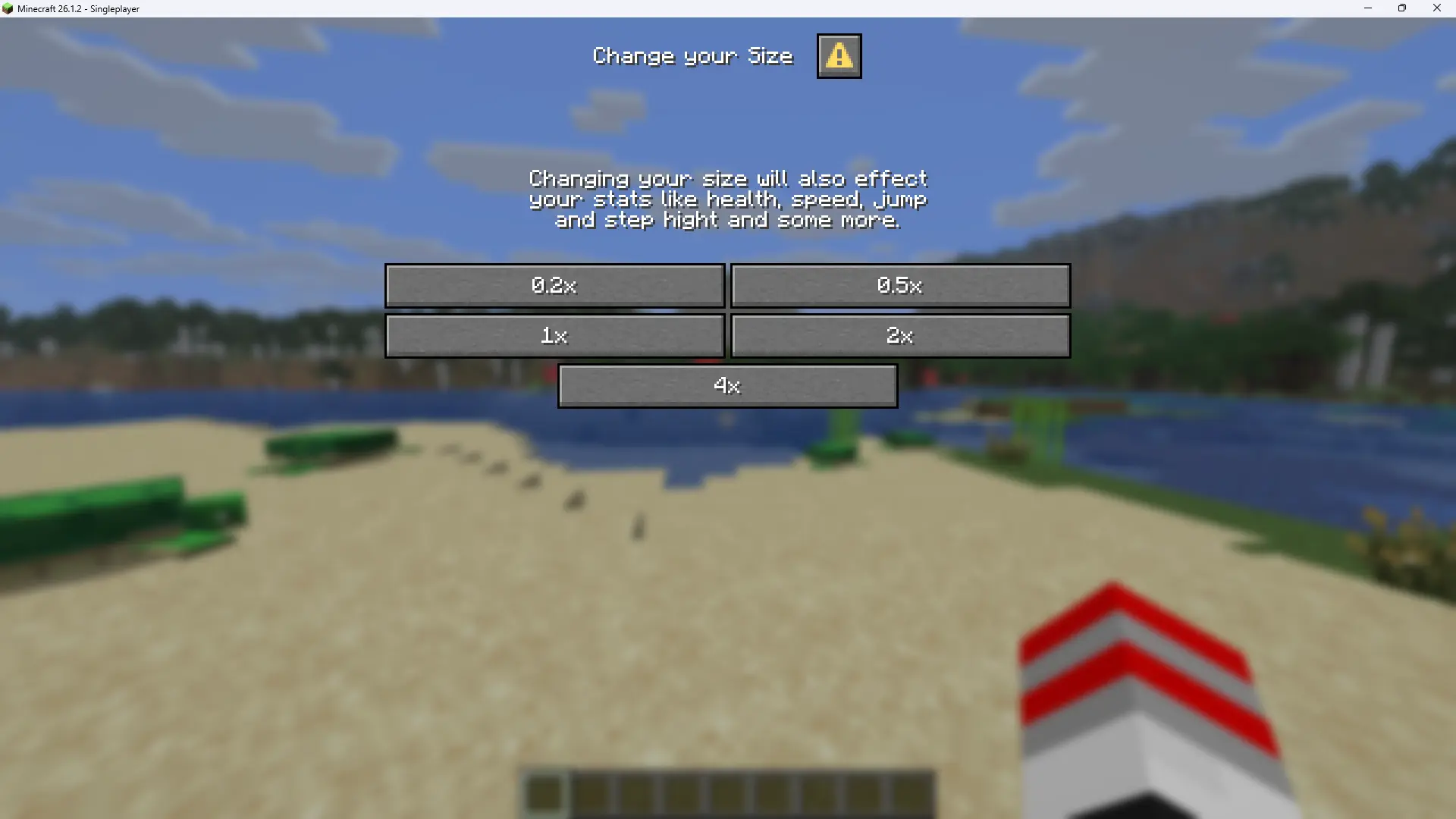
- If clicking the change size button opens a menu from a mod (like Mod Menu), you’ll have to use the following command to manually open the menu:
/dialog show @s size:change-size- If you are using an earlier version of minecraft or of the datapack/mod, your only option is to use the following commands to change your size:
/trigger 0.2x/trigger 0.5x/trigger 1x/trigger 2x/trigger 4x常见问题
Player Size Changer 支持哪些 Minecraft 版本?
Player Size Changer 支持 Minecraft Java 版 1.21.4–26.3,共 13 个版本,可用的加载器:Fabric / Forge / NeoForge / Quilt。下载时注意选择和你游戏版本一致的文件。
Player Size Changer 怎么安装?
先用 PCL2 或 HMCL 启动器安装对应版本的 Fabric / Forge / NeoForge / Quilt,再把下载的 .jar 文件放进游戏目录的 mods 文件夹,重新启动游戏即可。开启了版本隔离的,mods 文件夹在 versions/版本名 下面。运行环境:客户端 / 服务端。
Bombastiko 的其他作品
查看全部 →
One Way Glider
Spawn Elytra | Set a spawn where every player will receive a one way glider with which he can fly until touching the ground outside of the spawn island.
One Way Glider
Spawn Elytra | Set a spawn where every player will receive a one way glider with which he can fly until touching the ground outside of the spawn island.
Join Play Time
When a player joins, they receive a 'Welcome Back' title along with their total time played on the server.

Ultimate Bingo
This Modpack is completely about playing Minecraft Bingo as easy as possible.
评论
登录后评论和评分