
截图


介绍






✤ ABOUT
A modpack focused on improving performance, adding quality of life features and giving an easy way for OptiFine users to transition to Quilt.
✧ FEATURES
» OptiFine features, such as connected textures, custom item textures, custom skies, shaders etc.
» Improved FPS with mods such as sodium, lithium, starlight, very many players etc.
» Quality of life features such as zoom, an inbuilt screenshot viewer, perspective mod, emojis (type “:” in chat for a list of options), in-game resourcepack and shaderpack downloader etc.
» Made to play on servers – most features are client side and are allowed on most servers (with the exception of perspective mod and freecam which are disallowed on hypixel and some other servers!)
𑁍 TUTORIAL
⚠️ DISCLAIMERS
Your first time loading the modpack will likely be much slower than how it is supposed to be. Do not worry, it just needs to generate caches and then it will launch faster from the next time.
If you use render distances below 4, custom sky resource packs might be glitchy and you may see triangles in the sky. Anything above or equal to 4 should be fine.
WARNING: If you will be using this modpack on hypixel (or other servers where it’s not allowed), make sure to remove Perspektive (in versions below 3.0), Freelook (in versions 3.0 and above) and Freecam (in versions 1.5 and above) from the mods folder!
©️ CREDITS
Credit to the mods and mod developers is always given in the latest release of the modpack.
包含的模组 186 个,另有 1 个其他文件
 3D皮肤层
 [EMF] Entity Model Features
 [ESF] Entity Sound Features
 [ETF] Entity Texture Features
 Advancement Plaques
 Advancements Reloaded (AdvancementInfo)
 Animated Items
 Animatica
 Anti Item Break
 苹果皮
 Architectury API
 Axolotl Buckets
BadOptimizations
 Better "Add Server"
 Better Clouds
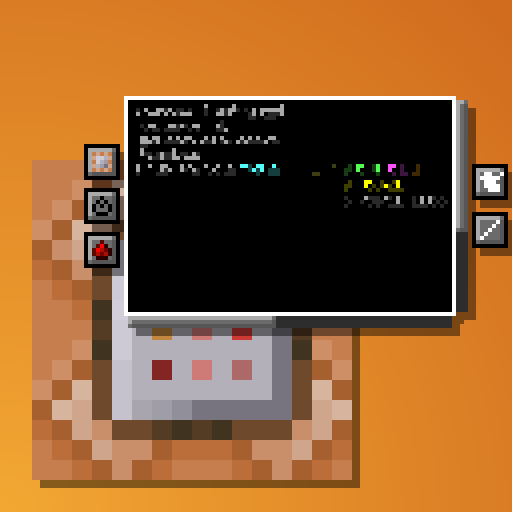 Better Command Block UI
 Better Game Mode Switcher
 Better Mount HUD
 Better Saved Hotbars
 更好的统计信息界面
 Better Tab
 BetterF3
 BetterGrassify
 Bliss Shaders
 Bloop Shaders
 Blur+
 Bobby
 Bookshelf
 BSL Shaders
 Build Guide
 CalcMod
 cat_jam
 Catppuccin UI
 Caxton
 Chat Animation [Smooth Chat]
 Chat Heads
 Chat Patches
 Chunks fade in
 Chunky
 CICADA
展开全部 186 个
 CIT Resewn
 ClearDespawn Reworked
 Cloth Config API
 Colorful Sheared Sheep
 Colorful Subtitles
 Colour My Servers
 Complementary Shaders - Reimagined
 Complementary Shaders - Unbound
 Concurrent Chunk Management Engine (Fabric)
 Continuity
 Controlify (Controller support)
 Controlling
 Cubes Without Borders
 Dark Graph
 Debugify
 Detail Armor Bar
 Distant Shaded Panoramas
 Dynamic FPS
 Dynamic Fullbright
 Eating Animation
 Edgeless Chat Screen
 Elytra Pitch
 Emoji Type
 Enchanted Covers
 Enhanced Attack Indicator
 Enhanced Block Entities
 实体剔除
 Explosive Enhancement
 Extreme sound muffler
 F3+S Confirm
 Fabric API
 Fabric Language Kotlin
 Fast IP Ping
 FastQuit
 FerriteCore
 Fog
 Force Lowercase Commands
 Freecam
 Fresh Animations
 Fresh Animations: Extensions
 Fzzy Config
 Held Item Info
 Highlight
 Horse Statistics
 I see you over there!
 Iceberg
 ImmediatelyFast
 ImmersiveThunder
 Iris Shaders
 ItemLocks
 LambDynamicLights - Dynamic Lights
 Language Reload
 Level Text Fix
 LibJF
 Lighty
 Litematica
 锂
 Loading Screen Tips
 Log Cleaner
 Main Menu Credits
 MaLiLib
 Mellow
 Message Lock
 Mica
 MidnightLib
 Miniature Shader
 模组菜单
 ModernFix
 More Culling
 More Mouse Tweaks
 鼠标微调
 MRU
 NBT Autocomplete
 Neat
 New Glowing Ores
 No Chat Reports
 No Z-Fighting
 Noisium
 Not Enough Animations
 Nuit
 Nuit Interop
 OptiGUI
 oωo (owo-lib)
 Particle Core
 Particle Effects
 Particle Interactions
 Particle Rain
 Particular ✨
 Peek
 Perception
 Persistent Stuff
 Perspektive
 Photon Shaders
 Pick Block Pro
 Pling
 Polytone
 Presence Footsteps
 Prickle
 Puzzle
 Real Arrow Tip
 Redstone Tweaks
 Remove Reloading Screen
 Resourcify
 Respackopts
 ScalableLux
 Scoreboard Overhaul
 ScreenFX
 Scribble
 Seamless Loading Screen
 Searchables
 Server Pinger Fixer
 Server Resourcepack Checker
 ShatterLib | OctoLib
 Shrimp's Distinct Potions
 Smoke Suppression
 Smooth Scrolling Refurbished
 Smooth Skies
 Snapper
 钠
 Sodium Extra
 Solas Shader
 Sound Physics Remastered
 Sounds
 Spawned Eggs
stairjumper
 StarHUD
 Status Effect Bars
 Suggestion Tweaker
 TCDCommons API
 Technical Utilities
 Text Placeholder API
 ThreadTweak
 Time Changer
 Vectorientation
 Very Many Players (Fabric)
 Visual: Armor Trims
 Visual: Paintings
 Visuality
 Volume Fix
 Wavey Capes
 World Host
 创世神
 Xander's Sodium Options
 YetAnotherConfigLib (YACL)
 Your Options Shall Be Respected (YOSBR)
 Zoomify (Zoom)
左侧绿标的模组本站有收录,点进去看中文介绍;其余跳转到 Modrinth。
常见问题
Minimalism 支持哪些 Minecraft 版本?
Minimalism 基于 Minecraft Java 版 1.21.1、1.20.2、1.20.1,使用 Fabric / Quilt 加载器。
Minimalism 怎么安装?
点本页「前往下载」拿到整合包文件(Modrinth 的是 .mrpack,CurseForge 的是 .zip),在 PCL2 或 HMCL 启动器里选择「导入整合包」,启动器会自动装好 Minecraft、加载器和全部模组。这个整合包有 186 个模组,建议在启动器里给游戏分配 6–8 GB 内存。
Minimalism 开服需要多大内存?
推荐服务器内存 12 GB。在线人数多、或者建了大量机器和区块加载器时,可以再加 2–4 GB。
怎么和朋友一起玩 Minimalism?
点本页的「一键开服」,选好配置后会自动安装 Minimalism 的服务端,几分钟就能开好。把服务器地址发给朋友,大家用同一个版本的整合包连进去就行。
评论
登录后评论和评分