截图
介绍
This mod aims to fix several issues related to the level text used by enchantments and potions in Minecraft. These fixes will be applied automatically when the mod is installed however config options are also provided.
What this mod does:
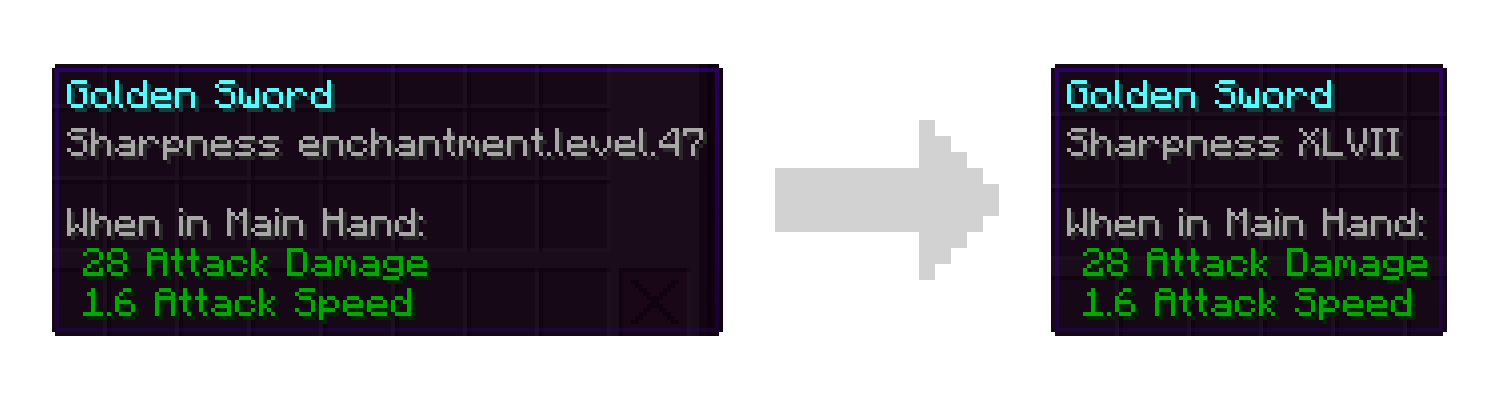
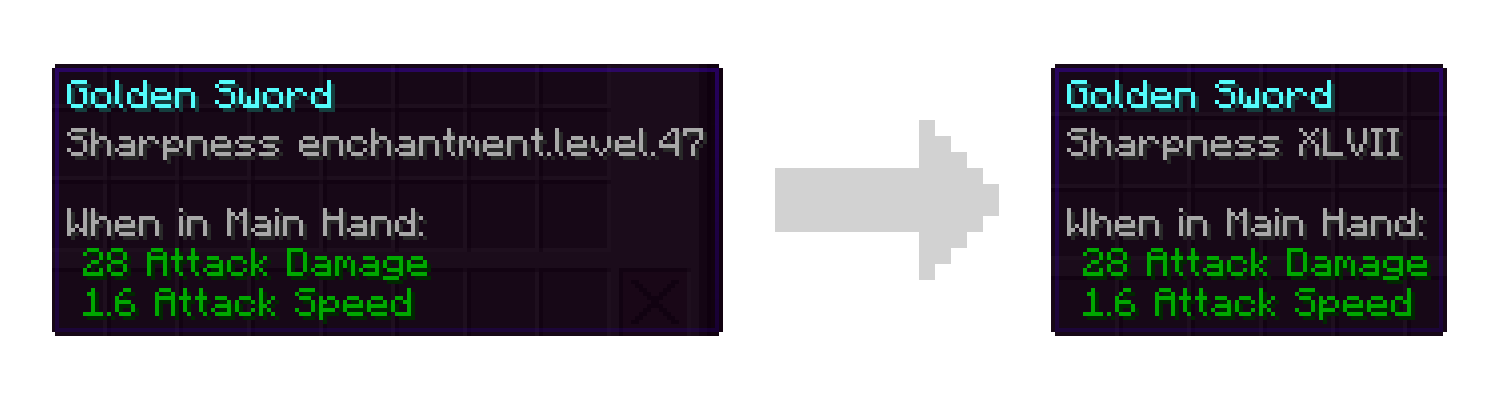
- Fix missing localization entries for levels greater than 10. Rather than showing “enchantment.level.11” you will see “XI”.
- Add accessibility options for those less familiar with roman numerals. You can replace all roman numerals with their modern counterparts or set a threshold for when they should switch over. For example you may be comfortable with numbers 10 and below, but not know that “XLVII” means 47. These options are disabled by default meaning you will only see roman numerals.
What this mod does NOT do:
- Allow you to get enchantments with higher levels in survival.
- Change the maximum level of enchantments that can be applied.
- Remove the technical cap on how high an enchantment level can be.
Note: Versions of this mod for legacy versions of Minecraft may not have the full feature set. For example versions prior to 1.19.2 only fix the missing level text and do not provide the accessibility features.
Like the mod and want to support me?

This project is sponsored by Nodecraft. Use code DARKHAX for 30% off your first month of service!
常见问题
Level Text Fix 支持哪些 Minecraft 版本?
Level Text Fix 支持 Minecraft Java 版 1.16.5–26.3,共 16 个版本,可用的加载器:Fabric / Forge / NeoForge / Quilt。下载时注意选择和你游戏版本一致的文件。
Level Text Fix 怎么安装?
先用 PCL2 或 HMCL 启动器安装对应版本的 Fabric / Forge / NeoForge / Quilt,再把下载的 .jar 文件放进游戏目录的 mods 文件夹,重新启动游戏即可。开启了版本隔离的,mods 文件夹在 versions/版本名 下面。运行环境:客户端 / 服务端。
Darkhax 的其他作品
查看全部 →
Bookshelf
一个供其他模组使用的开源前置库!

Enchantment Descriptions
提供了一种从附魔书中获取附魔描述的方法。

AttributeFix
移除 Minecraft 属性系统上的任意限制。修复大量模组!

Tips
这个模组会在加载界面显示提示,还支持整合包和模组添加自定义提示!
评论
登录后评论和评分