
Azura Adventure
Survival-friendly modpack that spices up the game with fun and co-operative features while staying true to the vanilla immersion.
截图


介绍

Azura Adventure is a fine-tuned modpack aiming to enhance the vanilla experience with intriguing content designed to sustain long-term player interest on SMPs. The most prominent additions include new biomes, structures, mobs, and loot in all of the vanilla dimensions, making exploration more rewarding and interesting. The main objective is not to make the modpack too heavy, but instead to keep the vanilla spirit.
During the development of this modpack, it has received feedback and improvements from real SMP usage, making this a trustworthy pick for your future adventures. Azura Adventure has been built in a way that encourages a co-operative playstyle with friends, which always creates the best experience and memories. The exciting part with Azura Adventure is that it’s like playing with dozens of new and exciting Minecraft updates you have yet to uncover. The world is waiting for you to find them out!
What does this modpack offer
- 🎙️ Voice Chat — Enables proximity/extended/global communication.
- 🌍 Terrain generation — The recipe for new adventures and ideas.
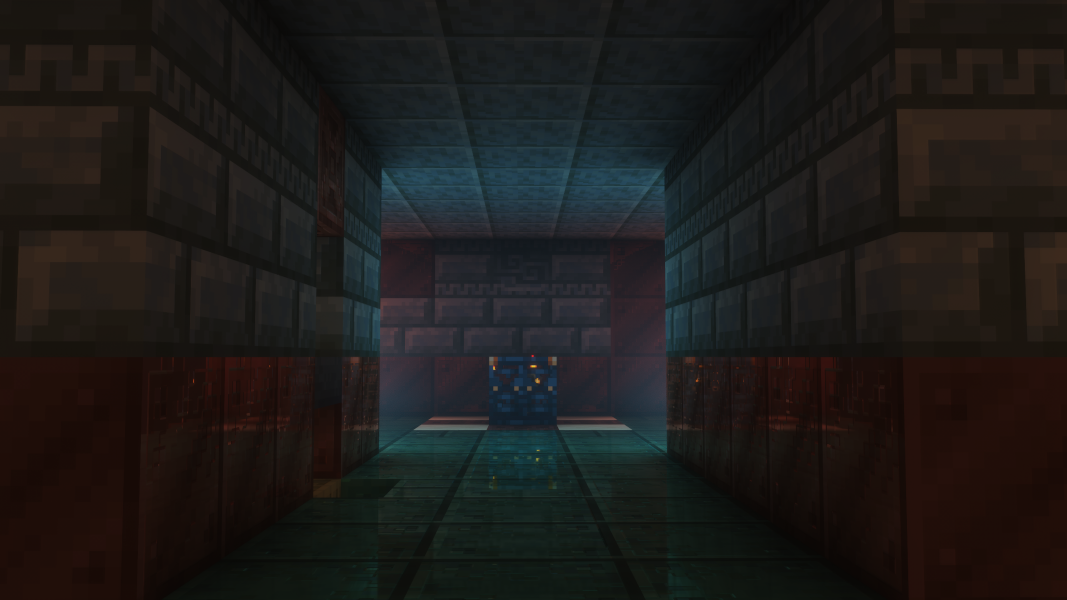
- 🏰 Structures of varying sizes — The hotspots of exciting events.
- 📊 Revamped progression — Single-handedly make the SMP last longer with End Remastered.
- 🎁 New items — The world is full of new loot, enchantments, and abilities waiting to be found.
- 🏅 More achievements — You’ll always have something new to aim for.
- ❄️ Realistic temperature — Fight against the cold and heat with appropriate gear.
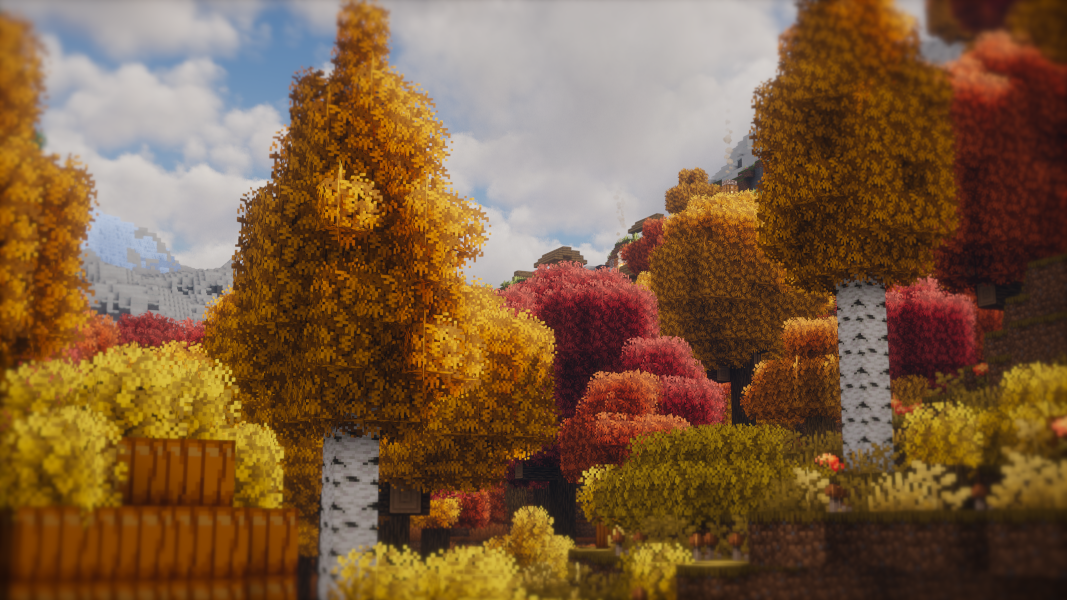
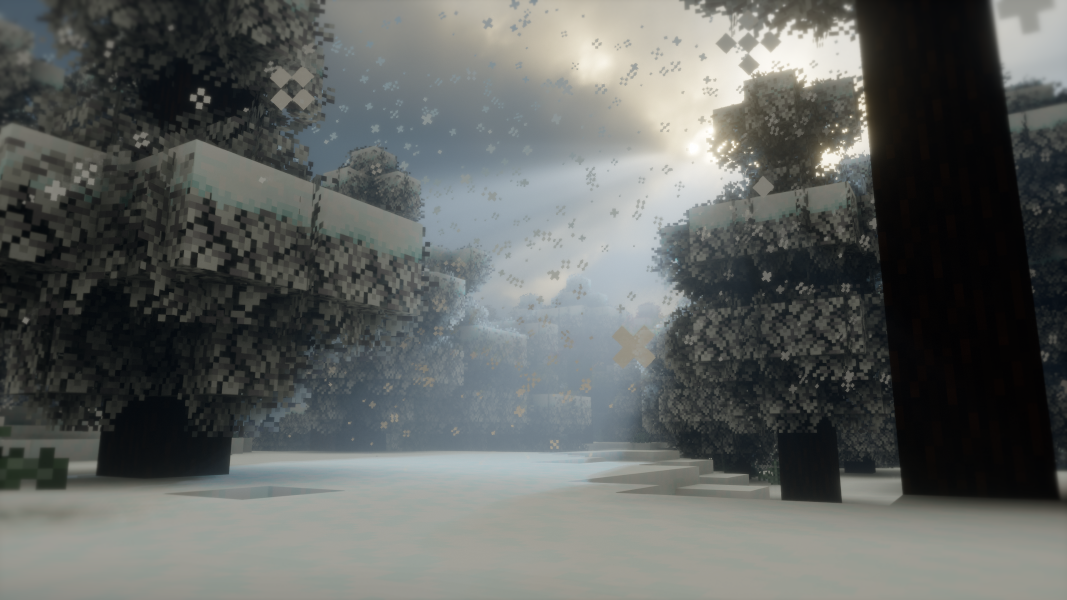
- 🍁 Experience seasons — Leaves change color, snow accumulates and melts, and temperatures change.
- 👺 Improved bosses — The Ender Dragon, Wither, and Warden are not as boring.
- 💀 Revive system — Make adventures last longer by rescuing your friends in time.
- 🪙 Coin currency — Expand trading among players with a new scalable currency.
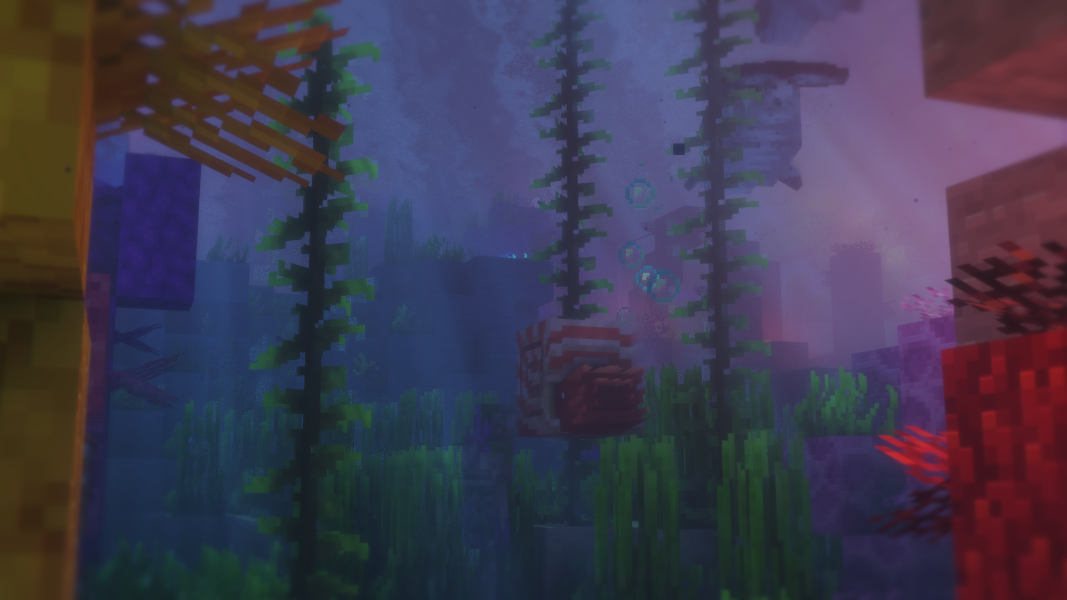
- ✨ Visual upgrades — Take immersion to the next level with versatile effects.
- 🔊 Audio upgrades — Improve the hearing experience with ambience and sound physics.
- 🛠️ QoL Features — Optimizations, shaders, dynamic lights, zoom, and optional distant chunk rendering.
I won’t spoil everything; these are just the highlights. There’s more to explore, and all it takes is to spin up a world. To mention a few bits you’ll encounter, you now have the ability to sit and crawl anywhere, view the playtime so you can remind yourself of all the things you’ve spent time on, perform daps and all sorts of fun stuff with your friends, and encounter dangerous zombie hordes every few nights…
##
📖 Information for players
Common keybinds
- Third-person F5 has been remapped to R for ease of access.
- The World Map opens from the Right Shift (located below Enter)
- The shaderpack selection screen will open with P
- Toggle your active shader by pressing O
- The performance overlay toggles with Y
- Open the emote wheel with B
- The zoom keybind is C
Voice Chat instructions
- The default proximity is 100 blocks, which is the maximum range your voice can be heard from.
- When you hold down your middle mouse button, the maximum voice range will extend to 200 blocks.
- By holding down the < button, your voice will be clearly heard by the entire server.
Some player abilities
- To perform a dap with a friend, you both need to hold X while approaching each other and release it as you two collide. Both must have an empty hand and offhand.
- To catch a player who’s falling, press § (the key left of 1) right before the landing.
- Sit down anywhere by looking down and sneaking two times, executing /sit, or pressing Right CTRL.
- Press ALTGR or execute /crawl to enter crawl mode.
- You can watch a video tutorial on some abilities I didn’t document here. Note that this modpack has changed some keybinds that show up in the video for conflict reasons.
🔧 Notes for server admins
- This modpack will not function in a dedicated server unless you remove Mod Loading Screen from the server-side, since it’s a client-only mod.
- By default, players do not have permission to use the priority or broadcast features of Plasmo Voice. You need to manually grant them the respective permissions or import the template permission file I bundled with the modpack. You can execute
/lp import azura.gz --replacefrom the console to get everything working. - If you applied the previous LuckPerms template, all players can now also toggle the real-time MSPT (server lag) indicator by pressing F6. Previously, this was restricted to operators.
- As with any modpack, you acknowledge that it’s safest to stick to one modpack version. Updating the version installed on your server always involves a risk of misbehavior and corruption. Although this shouldn’t be a realistic issue with minor updates, I’ll mention it in the changelog if an update is known to be incompatible with previous worlds. Ultimately, the responsibility is yours.
- Dedicated servers may include additional content under
/automodpack/host-modpack/main/to be automatically downloaded and applied to clients. This functionality is offered by AutoModpack and requires all clients to specify the fingerprint of the server on initial join. This fingerprint can be queried from the console with/automodpack host fingerprint. - AutoModpack has been configured in a way that doesn’t send the whole modpack to players, but instead only forces specific overrides to be applied to players. Importantly, because of AutoModpack’s current limitations, the client will need to restore an override file to the state defined on the server if it gets altered in any way. This will result in strong compliance, but it can create implications when used on frequently modified files.
- Non-operators will only see a select few commands in tab-completions to enable a decluttered and clean experience. You can tweak this client-side blacklist found at
/config/commandremover.txt. These commands would be hidden from operators as well, since the mod doesn’t distinguish between players. - You may find my Minecraft username in some configuration files, since this modpack was initially developed for my personal use. I left these in for the convenience of using this modpack on my setups, but they shouldn’t realistically affect your setups at all. However, feel free to remove the leftovers if you wish.
包含的模组 252 个,另有 14 个其他文件
 [DRD] Dynamic Render Distance
 [EMF] Entity Model Features
 [ETF] Entity Texture Features
 Absolut Revive
 Additional Additions: Vanilla+ QoL, Sniffers, Music, Food
 Additional Structures
 Advancement Disable
 环境音效
 Animatica Refabricated
 Architectury API
 Async Logger
 AutomaticMemories
 AutoModpack
BadOptimizations
 BaguetteLib
 Balm
 Better Advancements
 更好的考古学
 Better Block Entities
 Better Compatibility Checker
 Better Days
 Better End Sky
 Better MC Screenshots
 Better Snow Coverage
 Better Tridents
 超多生物群系
 Boat Item View
 Bobby
 Bura
 Cardinal Components API
 Carry On
 Cave Overhaul
 Chat Animation [Smooth Chat]
 Chat Heads
 Chat Patches
 CICADA
 ClientID
 Cloth Config API
 Collective
 ColorSaturation (Color Boost)
展开全部 252 个
 Command Keys
 Command Remover
Compose Multiplatform
 Concurrent Chunk Management Engine (Fabric)
 Config Manager
 ConfigAPI
 Configurable
 Console Filter
 Continuity
 Cool Rain
 Copper Hopper
 Crash Assistant
 CraterLib
 CreativeCore
 Cristel Lib
 Cull Leaves
 DAP ur Homies!
 Debugify
 DeCubed Dungeons (Formerly Dungeons+)
 Deeper Dark
 Default Options
 Diagonal Fences
 Diagonal Walls
 Diagonal Windows
 Dimension Leak Fix
 Discord-Linker
 Diversity
 Do a Barrel Roll
 双开门
 Dungeons and Taverns
 Dungeons and Taverns Jungle Temple Overhaul
 Dungeons and Taverns Ocean Monument Overhaul
 Dungeons and Taverns Pillager Outpost Overhaul
 Dungeons and Taverns Woodland Mansion Overhaul
 Dynamic FPS
 Easy Magic
 Elytra HUD (from MFS 2020) Rework
 Emotecraft
 Enchanted Vertical Slabs
 Enchantment Disabler
 End Remastered
 Ender Zoology
 Enderscape
 EnhancedVisuals
 实体剔除
 Essential Commands
 Eternal Nether
 Explorify
 Explosive Enhancement
 Fabric API
 Fabric Language Kotlin
 Faewulf's Lib
 Falling Leaves
 Falling Snow
 Fancy Toasts | Better Advancements
 Fancy World Animations [FWA]
 Fast IP Ping
 FastQuit
 FerriteCore
 Forge Config API Port
 FPS Overlay
 Friends&Foes (Fabric/Quilt)
 Frostiful
 FrozenLib
 FSit
 Fzzy Config
 Geckolib
 GlitchCore
 Gnetum
 Grind enchantments
 Hendrix's Better Pale Garden
 Hide Invis Msgs
 Hopo Better Underwater Ruins
 I'm Fast
 Iceberg
 灾厄侵扰
 IllagerBlabber
 ImmediatelyFast
 Immersive Optimization
 ImmersiveThunder: Reforged
 Infinity Cave
 Inv View
 InvRestore
 Iris Shaders
 It Takes a Pillage Continuation
 Items Displayed [Fabric]
 Ixeris
 Join Play Time
 Keep That Music
 KeybindHider
 Krypton
 Ksyxis
 Lag Notifier
 LambDynamicLights - Dynamic Lights
 Ledger
 Legendary Tooltips
 锂
 Lithostitched
 Log Cleaner Multi Loader
 LuckPerms
 Macaw's Furniture
 Mas Effects
 Memory Usage Title
 MES - Moog's End Structures
 MidnightLib
 MixinTrace Reborn
 Mod Loading Screen
 模组菜单
 ModernFix-mVUS
 Moog's Structure Lib (moogs_structures)
 More Culling
 More Villagers: Re-employed
 MRU
 Neo Enchant+
 Neruina - Ticking Entity Fixer
 Network Protocol Disconnect
 No Chat Reports
 No Chat Restrictions
 NoisiumForked
 Not Enough Animations
 Not Enough Crashes
 Nvidium
 OneConfig
 Packet Fixer
 Particle Core
 Particle Interactions
 Particle Rain
 Peek
 Philips Ruins
 Plasmo Voice
 Player Animation Library
 Playtime Command
 Polytone
 Prism
 Put A Plug In it! (PAPI)
 Puzzles Lib
 pv-addon-broadcast
 pv-addon-priority
 pv-addon-sculk
 pv-addon-soundphysics
 Raknetify
 Refined Advancements
 Resource Pack Overrides
 Resourceful Config
 Resourceful Lib
 Resourcify
 ScalableLux
 Scorchful
 ScreenToClip
 Sculk Expansion
 SeeU
 静谧四季
 ServerCore
 Simple Copper Pipes
 Simple Discord RPC
 Simple Resource Loader
 Simple Snowy Fix (Forge / Fabric)
 Simple Update Checker
 Snow
 Snowy Biomes: Enhanced
 钠
 Sodium Extra
 Sonic Break
 Sound Physics Remastered
 Sounds
 spark
 Speed Happy Ghast
 StackDeobfuscator
 Stalker Creepers [FABRIC]
 Status Effect Bars
 Stormie's Spiders
 Structory
 Structure Layout Optimizer
 Structurify - Structure Control
 Subtle Effects
 TabTPS
 TerraBlender
 Text Placeholder API
 The Copper Rail
 The Copperier Age: Copperier Copper
 Thermoo
 Thermoo Patches
 ThreadTweak
 ThreatenGL
 Tick Stabilizer
 Ticks
 Towns and Towers
 Trailier Tales
 True Ending - Ender Dragon Overhaul
 TT20 (TPS Fixer)
 Twemoji
 Undead Nights - Zombie Horde Nights / Hordes
 Vanish
 Variants&Ventures
 Vehicle Upgrade
 Very Many Players (Fabric)
 Village Healthcare
 Villager API
 Villager Coin
 VillagerConfig
 VillagerUnknown's Platform
 Visual Workbench
 voxy
 Wakes
 Wavey Capes
 Wither's Wrath
 WITS (What Is This Structure?)
 创世神
 Xaero的小地图
 Xaero的世界地图
 YetAnotherConfigLib (YACL)
 Zume
左侧绿标的模组本站有收录,点进去看中文介绍;其余跳转到 Modrinth。
常见问题
Azura Adventure 支持哪些 Minecraft 版本?
Azura Adventure 基于 Minecraft Java 版 1.21.11,使用 Fabric 加载器。
Azura Adventure 怎么安装?
点本页「前往下载」拿到整合包文件(Modrinth 的是 .mrpack,CurseForge 的是 .zip),在 PCL2 或 HMCL 启动器里选择「导入整合包」,启动器会自动装好 Minecraft、加载器和全部模组。这个整合包有 252 个模组,建议在启动器里给游戏分配 6–8 GB 内存。
Azura Adventure 开服需要多大内存?
推荐服务器内存 12 GB。在线人数多、或者建了大量机器和区块加载器时,可以再加 2–4 GB。
怎么和朋友一起玩 Azura Adventure?
点本页的「一键开服」,选好配置后会自动安装 Azura Adventure 的服务端,几分钟就能开好。把服务器地址发给朋友,大家用同一个版本的整合包连进去就行。
SalmonSnake 的其他作品
查看全部 →FML Optimized
Core set of FML mods used in production modpacks. - We offer creators a well-researched and stable set of FPS and TPS optimizations, bundled with the most essential client utilities.

Client Necessities
A heavily optimized modpack with a small, but handy set of essential QoL mods

Refreshed Melodies
A resource pack that brings back forgotten C418 music, introduces new fitting songs, balances music priorities, removes biome-specific songs, and more!
Refreshed Melodies
A resource pack that brings back forgotten C418 music, introduces new fitting songs, balances music priorities, removes biome-specific songs, and more!
评论
登录后评论和评分