
FPS Overlay
作者:Hicham
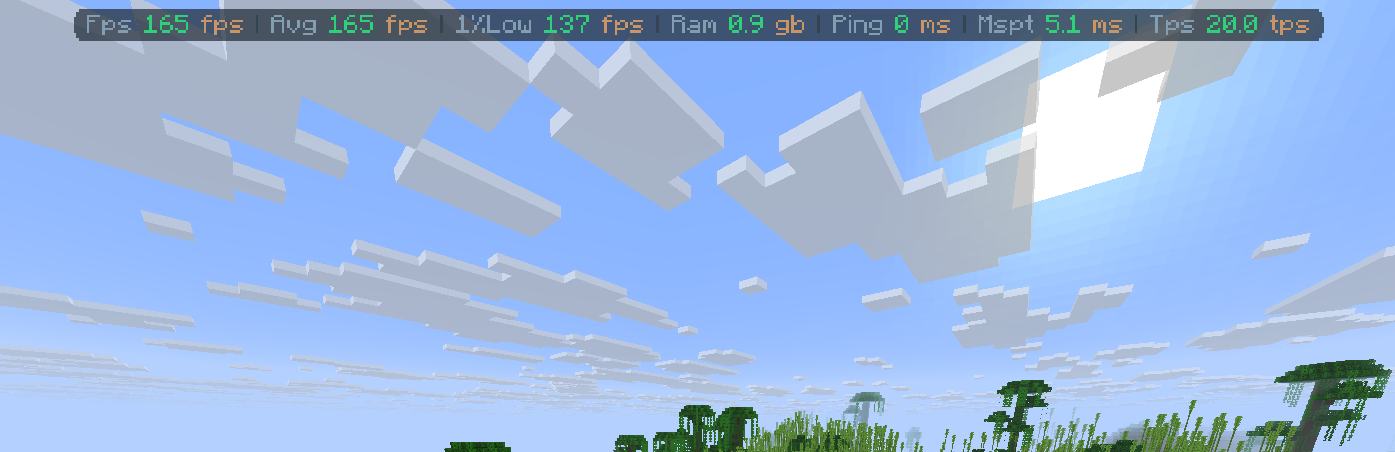
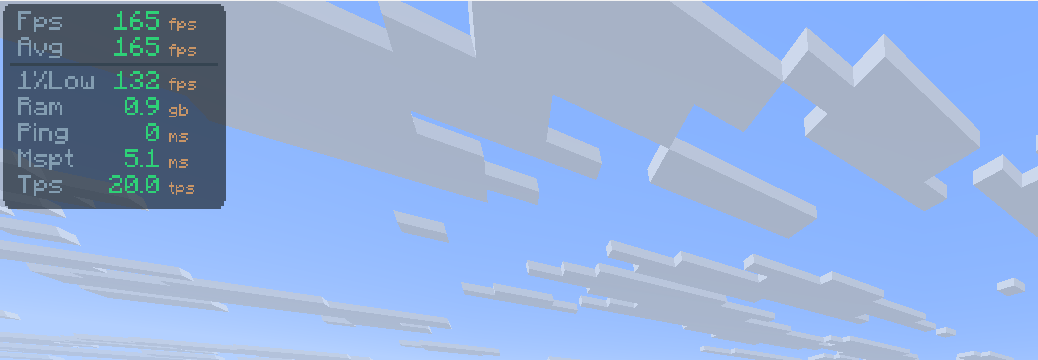
A fully customizable, zero-bloat overlay. Tweak the layout to show exactly what you need to see for PvP and performance testing: FPS, 1% lows, ping, server TPS, and MSPT.
截图
介绍
中文介绍正在准备中,下面暂时显示原文。
FPS Overlay
Simple & Lightweight Performance Monitor





As seen in AsianHalfSquat’s Videos! v3.6 OLD
Featured in the “Voxy vs Distant Horizons” showcase. Get that same professional aesthetic with the built-in preset!

Features
- Real-Time Stats: Track FPS, Avg FPS, Ping, and RAM usage instantly.
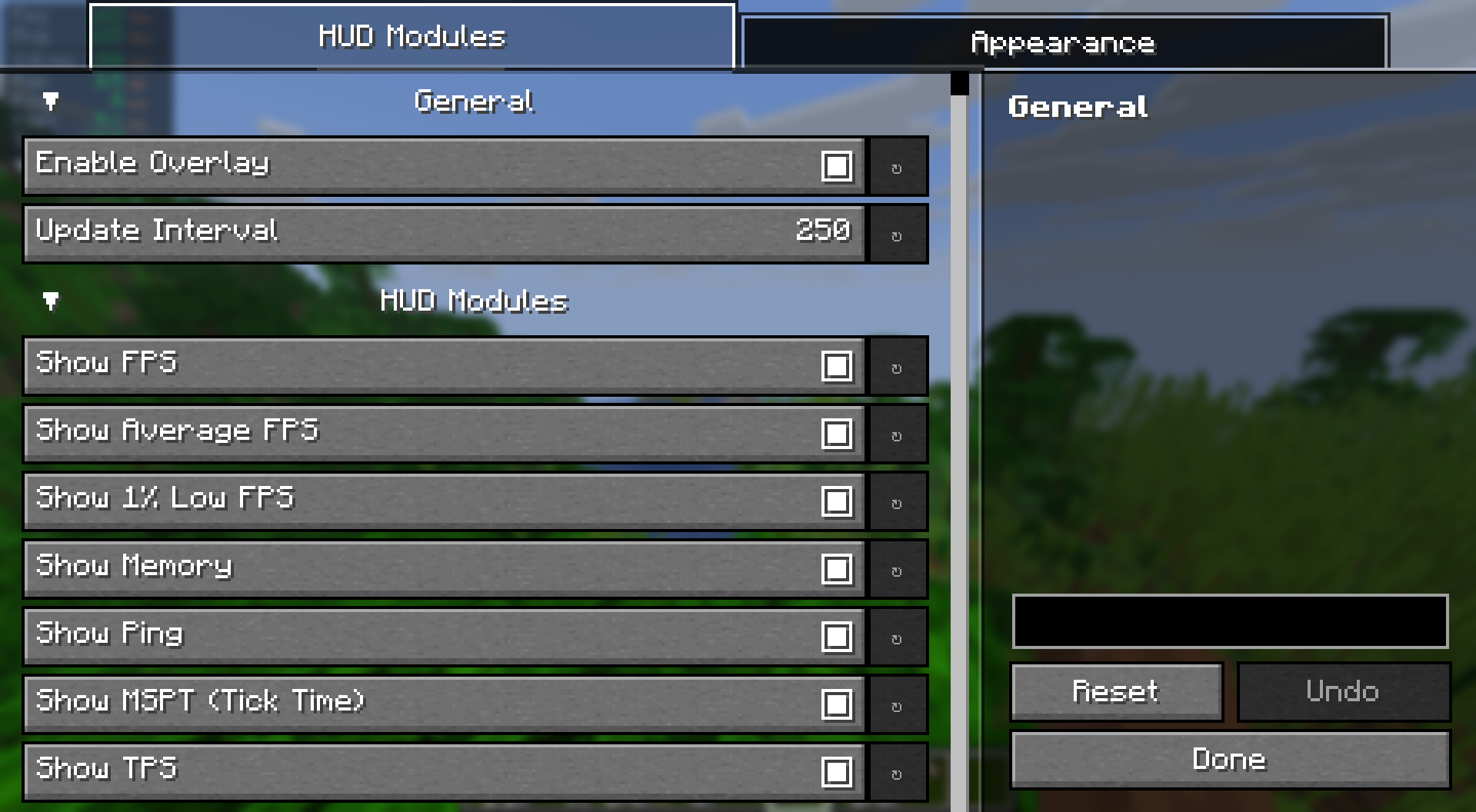
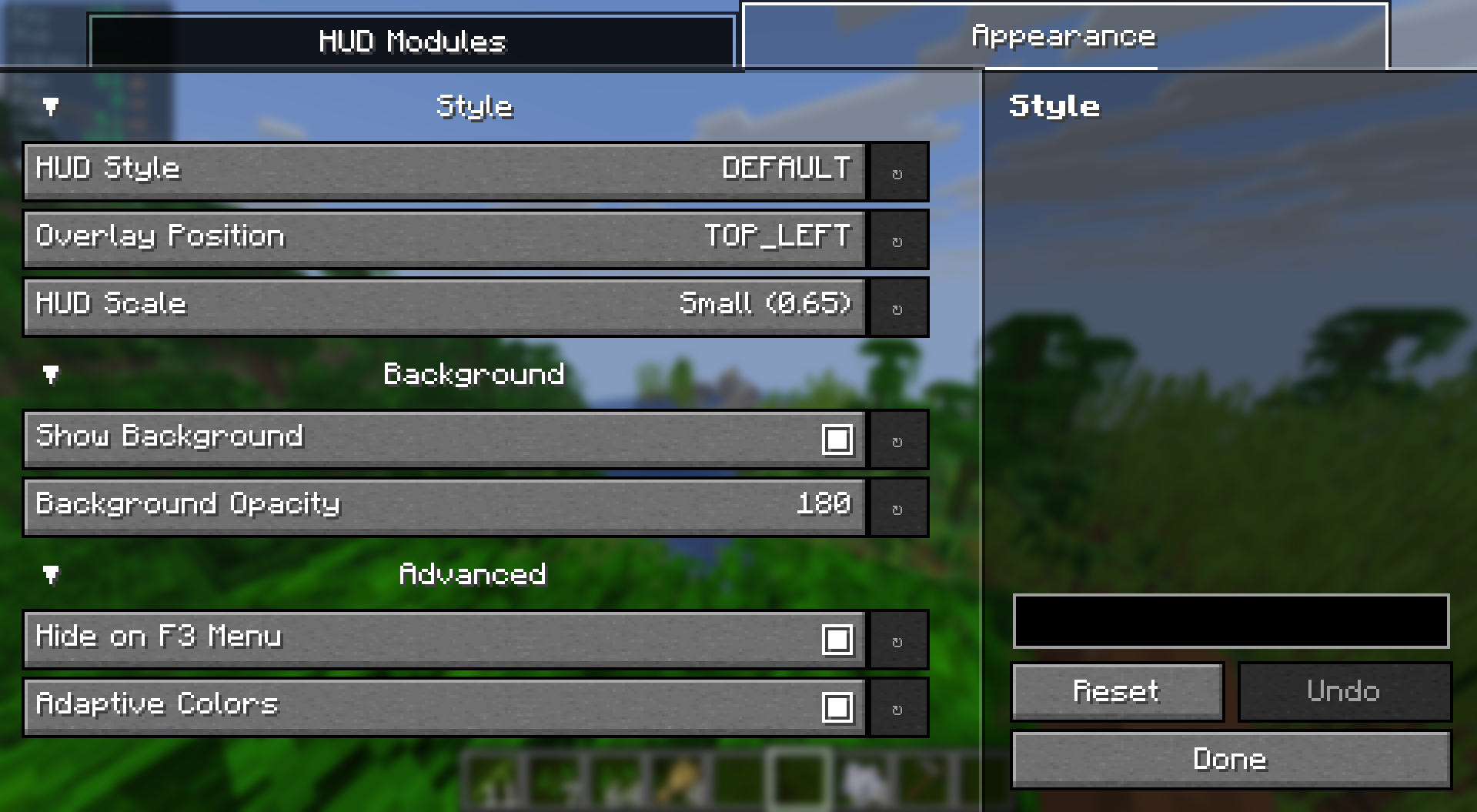
- Fully Customizable: Easily change the size, position, and colors via the config menu.
- Quick Toggle: Hide or show the overlay with a single keypress. (Default:
o) - Ultra Lightweight: Written for performance. It won’t impact your frames.
- Cross-Platform: Full support for Fabric and NeoForge and Forge.
Installation & Setup
How to Install
- Download and install your preferred loader (Fabric or NeoForge).
- Download the FPS Overlay jar for your Minecraft version.
- Drop it into your
.minecraft/modsfolder. - Launch and enjoy!
How to Change Modes
- Open the configuration menu (use Mod Menu on Fabric).
- Look for the Layout Type setting.
- Switch between Default, Navbar.
常见问题
FPS Overlay 支持哪些 Minecraft 版本?
FPS Overlay 支持 Minecraft Java 版 1.20.1–26.2,共 10 个版本,可用的加载器:Fabric / Forge / NeoForge / Quilt。下载时注意选择和你游戏版本一致的文件。
FPS Overlay 怎么安装?
先用 PCL2 或 HMCL 启动器安装对应版本的 Fabric / Forge / NeoForge / Quilt,再把下载的 .jar 文件放进游戏目录的 mods 文件夹,重新启动游戏即可。开启了版本隔离的,mods 文件夹在 versions/版本名 下面。运行环境:仅客户端。
Hicham 的其他作品
查看全部 →
Screenshot Gallery
by Hicham
in game gallery to see your screenshots
18.9万
1 个月前
Modrinth

Ores Aura
by Hicham
这个整合包能让你在挖矿时更容易、更快速地发现矿石,尤其是在黑暗的洞穴中。
12.4万
1 个月前
Modrinth

Elytra End
by Hicham
A Better and More Stylish Elytra end theme
2万
4 个月前
Modrinth

Biome notifier
by Hicham
mod that shows a clean biome notification whenever you enter a new biome
1.3万
4 个月前
Modrinth
评论
登录后评论和评分