
Better MC Screenshots
Enhance your screenshots with previews, sounds, uploader, and an in-game gallery!
截图



介绍
Better MC Screenshots


Make your screenshot experience actually better.
This mod upgrades the default Minecraft screenshot system into something modern, fast, and genuinely enjoyable to use – no more tabbing out, digging through folders, or guessing if the shot even saved correctly.
Everything you need is right there, in-game.
🚀 Why use this mod?
Taking screenshots in vanilla Minecraft is… fine.
But checking them? Managing them? Sharing them quickly?
That’s where things get annoying.
This mod fixes all of that by bringing a smooth, integrated screenshot workflow directly into the game – so you can focus on playing, not file hunting.
✨ What you get
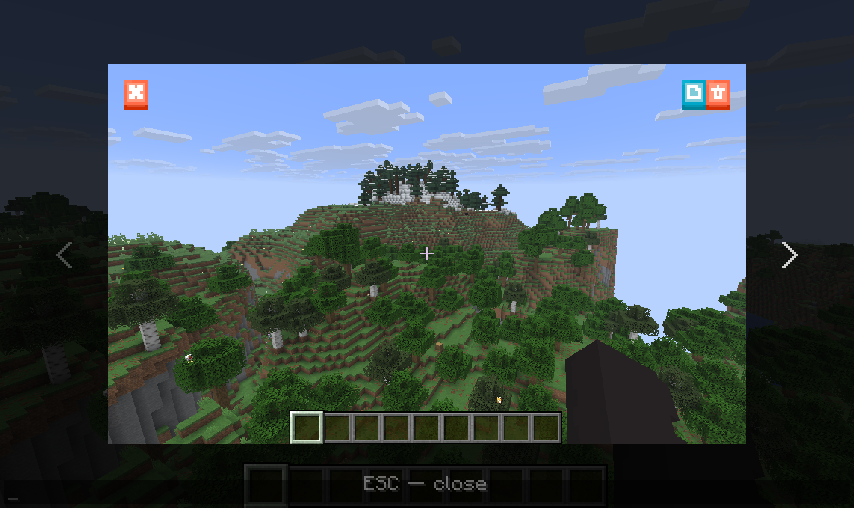
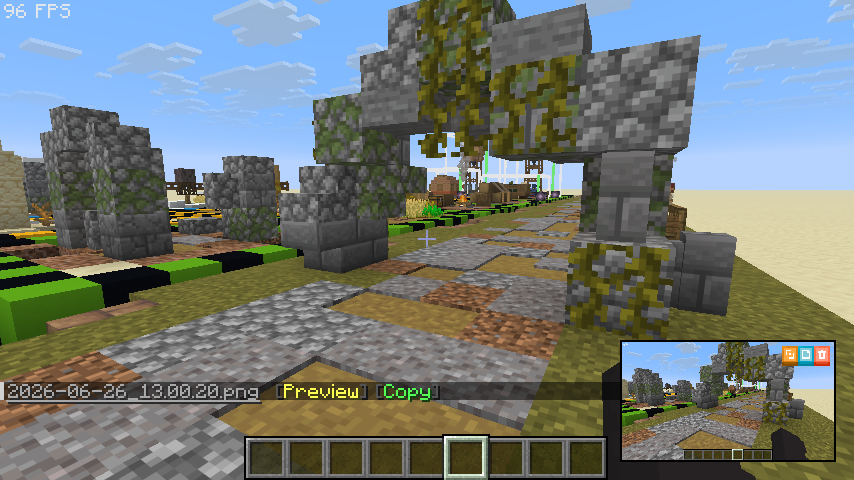
Instant Preview
No more guessing. The moment you take a screenshot, you’ll see it instantly in-game.
Smarter Chat Notifications
Screenshot messages are no longer just text – they’re interactive.
Open previews, jump to the folder, and more with a single click.
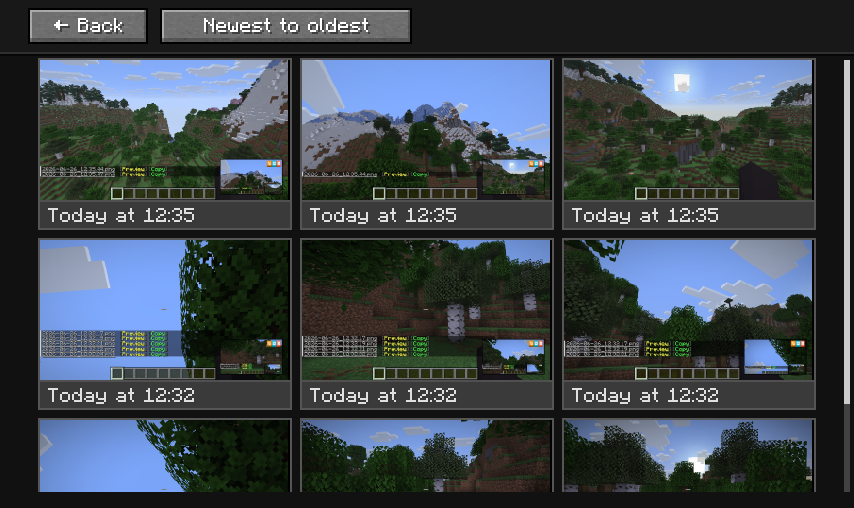
Built-in Gallery
Browse all your screenshots without leaving Minecraft.
Fast, simple, and always accessible.
Copy & Share Instantly
Copy screenshots straight from the game and paste them anywhere – no need to open folders.
Optional Uploader Integration
Want to share screenshots even faster?
You can optionally upload directly from the game using providers like Imgur, S3, Custom HTTP/HTTPS endpoints, or Catbox.
Custom Screenshot Sound
Don’t like the default sound? Change it to whatever* fits your vibe.
👀 What does it look like in reality
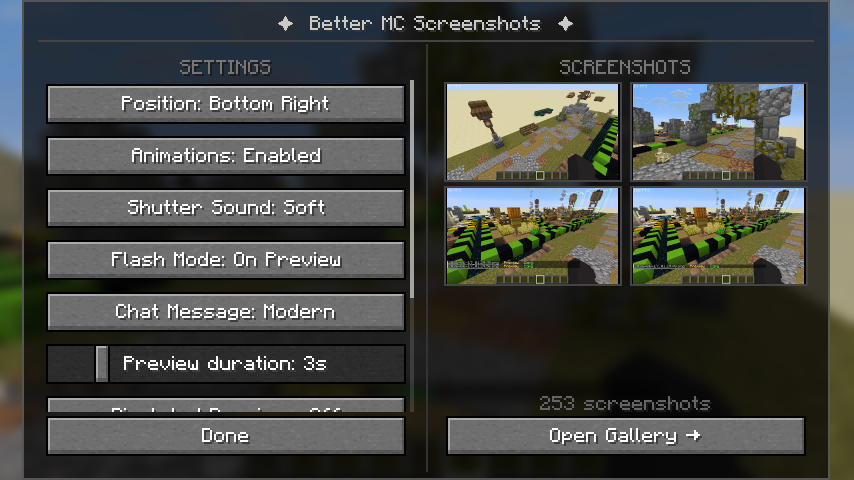
⚙️ Configuration Menu
👁️ In-Game Screenshot Viewer
💬 Mini Preview & Updated Chat Messages
🖼️ Screenshot Gallery
🎮 New Buttons in the Game Menu
🎯 In short
This mod turns screenshots from a basic feature into a smooth, fully integrated experience.
Take it. Preview it. Manage it. Share it.All without ever leaving the game.
🔧 Installation
1. Install fabric mod loader (and fabric api mod) or neoforge
2. Drop the mod into your
modsfolder
3. Launch the game and you’re ready to go
📚 Docs
For players here
For pack makers here
Custom uploader profiles here
💙 Special Thanks
Special thanks to contributors and supporters:
SeriousFreezing, CChexx, IceBan, PcStyle
Thank you for the help with creation, logistics, ideas, and translating the mod 💙
❤️ Feedback & Support
Found a bug? Got an idea?
Feel free to open an issue or share your suggestions – every bit of feedback helps improve the mod!
If you enjoy the mod, consider leaving a ⭐ on GitHub, following the project on Modrinth, or supporting me on Ko-fi.
It’s a great motivation to keep improving the mod and adding new features!

Enjoy your new screenshot experience 📸
常见问题
Better MC Screenshots 支持哪些 Minecraft 版本?
Better MC Screenshots 支持 Minecraft Java 版 1.21–26.3,共 17 个版本,可用的加载器:Fabric / Forge / NeoForge。下载时注意选择和你游戏版本一致的文件。
Better MC Screenshots 怎么安装?
先用 PCL2 或 HMCL 启动器安装对应版本的 Fabric / Forge / NeoForge,再把下载的 .jar 文件放进游戏目录的 mods 文件夹,重新启动游戏即可。开启了版本隔离的,mods 文件夹在 versions/版本名 下面。运行环境:仅客户端。

评论
登录后评论和评分