
截图
介绍
Create Fabulously 2
<!–  –>

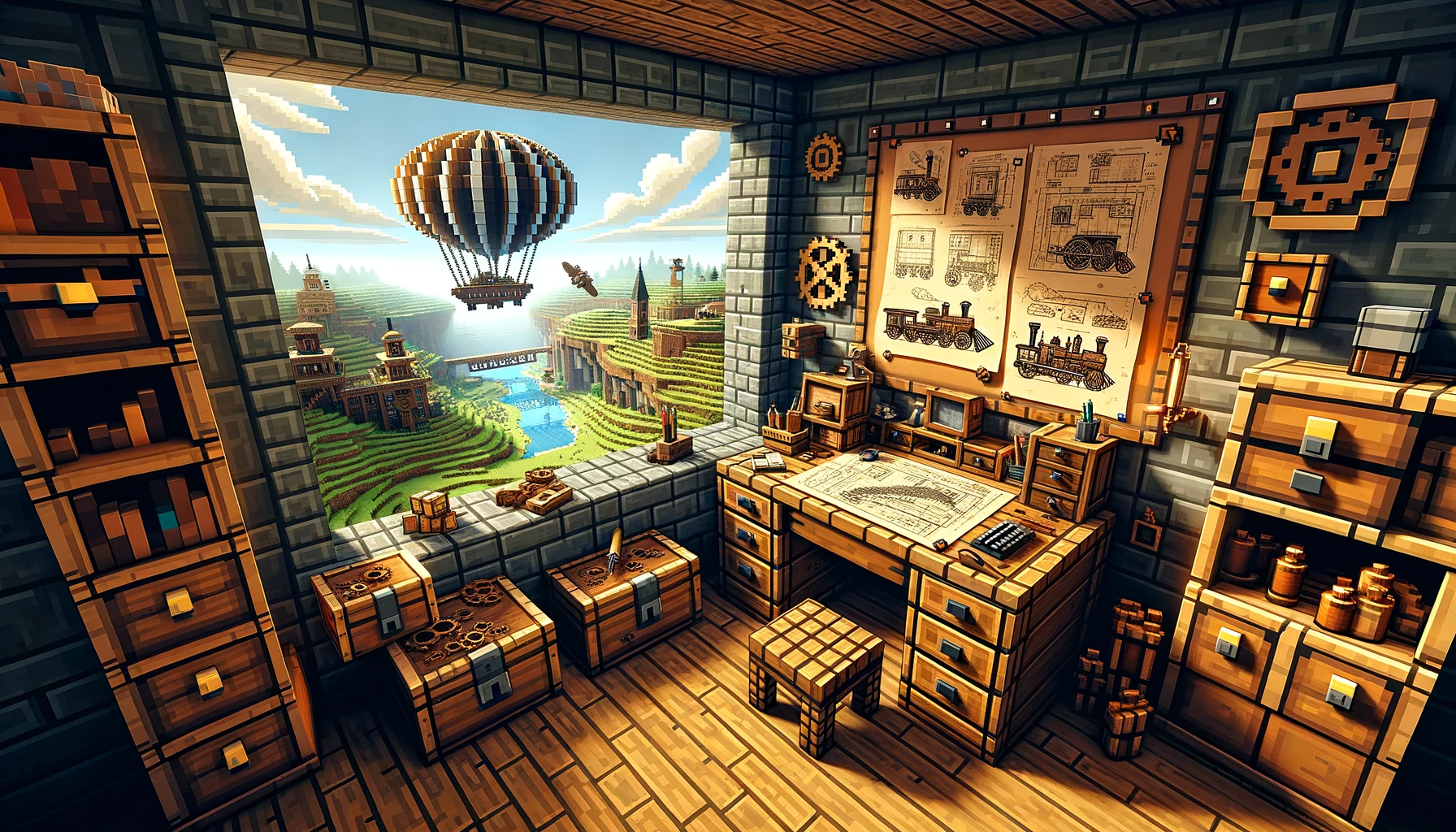
Welcome to Create Fabulously, a modpack meticulously designed with a fusion of improved visuals, performance tweaks, and a core emphasis on the Create mod and its extensions. With the inclusion of Tom's Simple Storage mod, players can initiate intricate complex automation that isn’t abstracted away with complex storage mods, maximizing fundamental gameplay for Create without the help of powerful mods. In addition Farmer's Delight enriches food and diet options, while the Fabric Seasons further elevates the visual ambiance and immersion. Player who enjoy technical farm designing and redstoning in vanilla gameplay will enjoy playing this pack as we aim not to add mods that heavily alter vanilla gameplay. This modpack is also heavily focus on visuals and sounds related mods despite the performance boost this ensures the best performance while having the best immersion.
Installation Issues
Problems
- Game crashing due to
Fabulously Optimizeddependency error and being suggested to reinstallFabulously Optimized.
- No reinstallation needed.
- open your game instance folder.
- Remove
fabric_loader_dependencies.json. - problem solved.
Core Features
Core Gameplay Mods
Createmod for steampunk themed automation.- Various
Compassmods for faster biome & structure search. Yung'sand various other structures for immersive structure generation.Let's Doseries of mods adding Vinery, Bakery and more gameplays in to the game.Tom's Storage modfor reducing storage hell. (AE2isn’t included, feel free to add it manually)Farmer's Delightfor food varieties,Dietfor nutrition andSpice of Fabricfor encouraging players eating wide varieties of food, lastly,Dehydrationas an additional survival needs.- Vanilla biome generation. (No new biome added, feel free to add it manually,
Terralithis a good option) EMIas a complete replacement ofJEIandREIrecipe viewers, a unique recipe tree graph for productive crafting.Vanilla Tweaksdownloader directly integrated in resourcepack settings.
Performance Optimization
Gameplay smoothness is paramount. Our inclusion of select performance mods ensures a seamless and responsive game experience.
Visual Enhancements
Elevate your Minecraft visuals with our curated selection of mods such as Visuality, Camera Overhaul, and more, bringing depth, vibrancy, and immersion to your world.
Quality of Life
We’ve incorporated mods that enhance interface interaction and in-game mechanics to improve overall vanilla gameplay, such as freecam, Better 3rd Person, in game Screenshot Viewer and a music player called Playlist.
Preconfigured Shaders
Unbound your visual journey with Complementary Unbound shaders to elevate the game’s aesthetics (configured for the best balance between performance and visuals).
Semantic Versioning
It is recommended to backup the entire game instance by duplicating it before every modpack update.
Version are numbered as X.Y.Z, each of them are incremented during:
- X: Loader or game version updates or mod removal that could impact existing world.
- Y: Mod addition that will not impact existing world.
- Z: Configuration change or mod updates that will not impact existing world.
More performance
Lossless Scaling Tool
- Configure Modrinth Launcher to start up in window mode.
- Have
Lossless Scaling Toolinstalled. - Create new profile pointing to
javaw.exethat is provided by Modrinth Launcher (see instance settings) and have auto scale enabled. - Set scaling mode to custom with a factor of
1.5,1.7or2. - Resize before scaling on, windowed mode on, scaling type
FSR,NISorLS1. - Enable clip cusor and adjust cursor speed.
- Enable HDR (for supported screen)
There is currently a bug where HDR will sometimes be disabled in fullscreen mode for
win11, thus windowed mode is required for this.
Sometimes your cursor may be invisible, alt+tab out and back in will resolve the issue or you could fiddle around with the scaling tool cursor settings to see if there is any difference.
Mod List
Show List
Last Update: 1.0.0
Full List
- Advancement Plaques
- AmbientSounds
- AttributeFix
- Better Advancements
- Better Third Person
- Bookshelf
- CIT Resewn
- CameraOverhaul
- Casualness Delight
- Controlify
- CreativeCore
- Debugify
- Drip Sounds (Fabric)
- Easy Magic
- Enchantment Descriptions
- Equipment Compare
- Explorer’s Compass
- [Festive Delight [Forge / Fabric]](https://modrinth.com/mod/festive-delight)
- Forge Config API Port
- Iceberg
- ImmediatelyFast
- Inventory Profiles Next
- Jade 🔍
- Jade Addons (Fabric)
- JourneyPAC
- Mouse Tweaks
- Nature’s Compass
- No Chat Reports
- Presence Footsteps
- Puzzles Lib
- Remove Reloading Screen
- Create: Steam ‘n’ Rails
- TerraBlender
- Traveler’s Titles
- YUNG’s API
- YUNG’s Better Desert Temples
- YUNG’s Better Dungeons
- YUNG’s Better End Island
- YUNG’s Better Jungle Temples
- YUNG’s Better Mineshafts
- YUNG’s Better Nether Fortresses
- YUNG’s Better Ocean Monuments
- YUNG’s Better Strongholds
- YUNG’s Better Witch Huts
- YUNG’s Bridges
- YUNG’s Extras
- YUNG’s Menu Tweaks
- Zoomify
- Ad Astra
- Amecs
- Animatica
- AppleSkin
- Architectury API
- Balm
- Better Mount HUD
- Better Statistics Screen
- Blur (Fabric)
- Borderless Mining
- Botarium
- Capes
- CC: Tweaked
- CC:C Bridge
- Chat Heads
- Chef’s Delight
- Cloth Config API
- Continuity
- Crafting Tweaks
- Create
- Create Fabric
- Create Fabric Sodium Fix
- Create: Structures
- Create Track Map
- Create Jetpack
- Create Crafts & Additions
- Create Big Cannons
- Create Goggles
- Create Ore Excavation
- Create Utilities
- ChoiceTheorem’s Overhauled Village
- CTOV – Chef’s delight Compat
- CTOV – Farmer Delight Compat
- DeathLog
- Dehydration
- [Delightful Creators [Fabric]](https://modrinth.com/mod/delightful-creators-fabric)
- Let’s Do: API
- Dynamic FPS
- Dynamic Crosshair
- Dynamic Crosshair Compat
- e4mc
- EMI
- EMI Loot
- EMIffect
- EMI Trades
- End’s Delight
- Enhanced Block Entities
- [[EMF] Entity Model Features](https://modrinth.com/mod/entity-model-features)
- [[ETF] Entity Texture Features](https://modrinth.com/mod/entitytexturefeatures)
- Entity Culling
- Every Compat (Wood Good)
- Expanded Delight
- Create: Extended Cogwheels
- EMI Addon: Extra Mod Integrations
- Fabric API
- Fabric Language Kotlin
- Fabric Seasons
- Fabric Seasons: Delight Compat
- FabricSkyboxes
- Fabrishot
- Fadeless
- FancyMenu
- [Farmer’s Delight [Fabric]](https://modrinth.com/mod/farmers-delight-fabric)
- [Farmer’s Knives [Fabric]](https://modrinth.com/mod/farmers-knives)
- FastQuit
- FerriteCore
- First-person Model
- Freecam (Modrinth Edition)
- FabricSkyBoxes Interop
- Fusion (Connected Textures)
- Create: Garnished
- Gravestones
- Immersive structures
- Indium
- Iris Shaders
- JourneyMap
- Konkrete
- LambDynamicLights
- Language Reload
- Let’s Do: Bakery
- Let’s Do: Beachparty
- Let’s Do: Candlelight
- Let’s Do: Meadow
- Let’s Do: Vinery
- libIPN
- Lithium
- Main Menu Credits
- Memory Leak Fix
- MES – Moog’s End Structures
- MixinTrace
- Model Gap Fix
- ModernFix
- Mod Menu
- Moonlight Lib
- More Chat History
- More Culling
- More Mob Variants
- More Music
- MVS – Moog’s Voyager Structures
- Not Enough Animations
- Create Support for Open Parties and Claims
- Open Parties and Claims
- OptiGUI
- oωo (owo-lib)
- Playlist
- Polymorph
- Puzzle
- Rechiseled
- Rechiseled: Create
- Recipe Book Delight
- Reese’s Sodium Options
- Resourceful Config
- Resourceful Lib
- [Respite Creators [Fabric]](https://modrinth.com/mod/respite-creators-fabric)
- Screenshot to Clipboard
- Screenshot Viewer
- SeasonHUD-Fabric
- Create Slice & Dice
- Smarter Farmers (farmers replant)
- Sodium Extra
- Sodium
- Sound Physics Remastered
- Spice of Fabric
- SuperMartijn642’s Config Lib
- SuperMartijn642’s Core Lib
- Supplementaries
- Supplementaries Squared
- Tom’s Simple Storage Mod
- ToolTipFix
- Trash Cans
- Ube’s Delight
- Veinminer
- Visuality
- YetAnotherConfigLib
- Your Options Shall Be Respected (YOSBR)
- Chat Reporting Helper
- Default Dark Mode
- Fast Better Grass
- Fresh Animations
- Translations for Sodium
- Complementary Shaders – Unbound
包含的模组 197 个,另有 2 个其他文件
 (Legacy) Create Support for Open Parties and Claims
 农夫乐事
 [EMF] Entity Model Features
 [ETF] Entity Texture Features
 [Let's Do] API
 [Let's Do] Beachparty
 [Let's Do] Meadow
 Ad Astra
 Advancement Plaques
 AmbientSounds
 Amecs
 Animatica
 苹果皮
 Architectury API
 AttributeFix
 Balm
 Better Advancements
 Better Mount HUD
 Better Statistics Screen
 Better Third Person
 Blur+
 Bookshelf
 Borderless Mining
 Botarium
 Camera Overhaul
 Capes
 Casualness Delight
 CC: Tweaked
 CC:C Bridge
 Chat Heads
 Chat Reporting Helper
 Chef's Delight - Farmer's Delight Villagers
 ChoiceTheorem's Overhauled Village
 CIT Resewn
 Cloth Config API
 Collective
 Complementary Shaders - Unbound
 Continuity
 Controlify (Controller support)
 Controlling
展开全部 197 个
 Crafting Tweaks
 Create Big Cannons
 Create Crafts & Additions
 Create Fabric
 Sodium Fix
 Create Goggles
 Create Jetpack
 Create Ore Excavation
 Create Slice & Dice
 Create Track Map
 Create Utilities
 Create: Extended Cogwheels
 Create: Garnished
 机械动力:蒸汽与铁路
 Create: Structures
 CreativeCore
 CTOV - Chef's delight Compat
 CTOV - Farmer Delight Compat
 DeathLog
 Debugify
 Default Dark Mode
 Dehydration
 Delightful Creators
 双开门
 Drip Sounds
 Dynamic Crosshair
 Dynamic Crosshair Compat
 Dynamic FPS
 e4mc
 EMI
 EMI Addon: Extra Mod Integrations
 EMI Loot
 EMI Trades
 EMIffect
 Enchantment Descriptions
 End's Delight
 Enhanced Block Entities
 实体剔除
 Equipment Compare
 Every Compat (Wood Good)
 Expanded Delight
 Explorer's Compass
 Fabric Language Kotlin
 Fabric Seasons
 Fabric Seasons: Delight Compat
 Fabric Seasons: Extras
 Fabrishot
 Fadeless
 Falling Leaves
 砍树
 FancyMenu
 Farmer's Knives
 Fast Better Grass
 FastQuit
 FerriteCore
 Festive Delight - Christmas eve
 First-person Model
 Forge Config API Port
 Freecam
 Fresh Animations
 Fusion (Connected Textures)
 Gravestones
 Iceberg
 ImmediatelyFast
 Immersive structures
 Indium
 Inventory Profiles Next
 Iris Shaders
 ItemPhysic Lite
 Jade Addons (Fabric)
 Jade 🔍
 旅行地图
 JourneyPAC
 Konkrete
 LambDynamicLights - Dynamic Lights
 Language Reload
 Legacy: [Let's Do] Bakery
 Legacy: [Let's Do] Candlelight
 libIPN
 LiLaC
 锂
 Make Bubbles Pop
 Memory Leak Fix
 MES - Moog's End Structures
 MixinTrace
 模组菜单
 Model Gap Fix
 ModernFix
 Moonlight Lib
 More Chat History
 More Culling
 More Mob Variants
 More Music
 鼠标微调
 MVS - Moog's Voyager Structures
 自然指南针
 No Chat Reports
 Not Enough Animations
 Nuit
 Nuit Interop
 开放派对与领地
 OptiGUI
 oωo (owo-lib)
 帕秋莉手册
 Playlist
 Polymorph
 Presence Footsteps
 Puzzle
 Quilted Fabric API (QFAPI) / Quilt Standard Libraries (QSL)
 Rechiseled
 Rechiseled: Create
 Recipe Book Delight
 Reese's Sodium Options
 Remove Reloading Screen
 Resourceful Config
 Resourceful Lib
 Respite Creators [Fabric]
 Screenshot to Clipboard
 Screenshot Viewer
 Searchables
 SeasonHud-Fabric
 Shulker Box Tooltip
 Smarter Farmers (farmers replant)
 钠
 Sodium Extra
 Sound Physics Remastered
 Spice of Fabric
 SuperMartijn642's Config Lib
 SuperMartijn642's Core Lib
 锦致装饰
 Supplementaries Squared
 TerraBlender
 汤姆的简易存储
 ToolTipFix
 Translations for Sodium
 Trash Cans
 Traveler's Titles
 Ube's Delight
 VeinMiner
 Visuality
 VTDownloader
 YetAnotherConfigLib (YACL)
 Your Options Shall Be Respected (YOSBR)
 YUNG's API
 YUNG's Better Desert Temples
 YUNG's Better Dungeons
 YUNG's Better End Island
 YUNG's Better Jungle Temples
 YUNG's Better Mineshafts
 YUNG's Better Nether Fortresses
 YUNG's Better Ocean Monuments
 YUNG's Better Strongholds
 YUNG's Better Witch Huts
 YUNG's Bridges
 YUNG's Extras
 YUNG's Menu Tweaks
 Zoomify (Zoom)
绿色边框的模组本站有收录,点进去看中文介绍;其余跳转到 Modrinth。
常见问题
Create Fabulously 2 支持哪些 Minecraft 版本?
Create Fabulously 2 基于 Minecraft Java 版 1.20.1,使用 Fabric / Quilt 加载器。
Create Fabulously 2 怎么安装?
点本页「前往下载」拿到整合包文件(Modrinth 的是 .mrpack,CurseForge 的是 .zip),在 PCL2 或 HMCL 启动器里选择「导入整合包」,启动器会自动装好 Minecraft、加载器和全部模组。这个整合包有 197 个模组,建议在启动器里给游戏分配 6–8 GB 内存。
Create Fabulously 2 开服需要多大内存?
推荐服务器内存 12 GB。在线人数多、或者建了大量机器和区块加载器时,可以再加 2–4 GB。
怎么和朋友一起玩 Create Fabulously 2?
点本页的「一键开服」,选好配置后会自动安装 Create Fabulously 2 的服务端,几分钟就能开好。把服务器地址发给朋友,大家用同一个版本的整合包连进去就行。
评论
登录后评论和评分