
介绍
Minecraft: Frog Edition is a _cute_ survival adventure modpack with something for everyone, designed for a casual-friendly experience for new players and veterans as well.
Featuring “cute” wildlife creatures, Mythic Mounts, Beautiful Nature, expanded sea life, plenty of home decorative options, collectible plushies, cosmetic hats, and many ways for social interactions.
And, of course, cute frogs.
Additionally, featuring Better Combat, allowing you to choose and become one of many classes such as Paladin, Priest, Rogue, Ranger, Warrior, Wizard, Death Knight and more, with a large skill tree, many magical abilities, and naturally also having awesome dungeons and bosses as well, all optional of course.
This modpack also includes the mod Create, which enables players to create mechanical contraptions and automation, like for example windmills, trains, elevators and much more.
And thanks to the mods from the Let’s do series, the modpack has immersive and expansive cooking and food making.
This modpack supports shaders!
You can access the shader menu in settings, or by pressing F9 while ingame and clicking Enable at the top center.
We hope you enjoy!
Default Keybindings:
Spoiler
K Skill Tree
(The skill tree do NOT use normal experience, and is instead using its own experience leveling system, that does not vanish upon death)
M = World Map
N = Create Waypoint Marker
R = Combat Roll (4 second cooldown on use)
F = Swap Item with Offhand (same as vanilla)
Q = Drop Item (Hold Q to throw item further, hold it longer for greater throw distance)
B = Access Equipped Backpack
Z = Use equipped Spyglass (you can use scroll wheel to zoom in or out)
Left Shift + Right-Click (with both hands empty) to pick up small mobs, players, chests etc.
F7 = Enlarge Minimap
F8 = Mod Menu
F9 = Shaders Menu
(Disclaimer: the shader graphic settings are set to Potato by default, it is recommended to change it to Medium for best immersive experience)
Hold Left Shift while in inventory to compare items.
G spell 1
V spell 2
C spell 3
Y spell 4
H Signature Spell
X Ascendancy Spell
How to Play (Starting Tips):
Spoiler
First of all, if playing on Multiplayer, you will want to create a Party, so that magical abilities do not harm friends, and making sure healing abilities actually heal friends.
You can create a party by typing in chat the following command:
/openpac-parties create
After creating a party, you can invite others with the following command:
/openpac-parties member invite [player name]
While in the inventory, you will see a search bar to the right, as well as items above it.
You can search for individual items, then left-click the item to see how to craft it, or right-click the item to see what you can craft from said item.
You can also use @ on the search bar, followed up by a mod name, to see all items from said mod, for example @waystones or @sophisticatedbackpacks (remove space between mod name)
Second, while at the Inventory, you will see a small button next to your player model in the center, and while hovering over it should say “open accessories”, pressing it will take you to your accessory menu
The accessory menu is where you equip stuff like backpacks, cosmetic hats, spell books and much more.
You can also hide the visual part of accessories by pressing the tiny button on the top right corner of each slot, hidden accessories will still function, they are just invisible.
Waystones will randomly appear all over the world, and sometimes on top of large towers, and sometimes there will also be one inside a village.
Players can right-click to activate a Waystone, and can then Teleport between Waystones.
(Players riding mounts will teleport said mount as well)
Backpacks are awesome external inventories that a new players should seek to obtain as soon as possible.
Backpacks can be equipped in the accessory menu, and you can open the backpack by pressing B.
Spyglass no longer need to be equipped, Spyglass can now be used from your inventory by pressing Z.
A Lantern can be placed in the Belt slot in your Acceessory Menu, giving you a constant light source around you.
How to Play (Combat)
Spoiler
You can access the Skill Tree by pressing K, and you will earn Skill Points by slaying enemies, and can then spend said points on upgrades.
Now, to obtain and be able to use Spells, you will need to create a Spell Book, and you can do this by:
First, crafting a Spell Binding Table, placing it down, and surround it with Bookshelfs, similar to a Enchantment Table.
Placing a regular book inside a Spell Binding Table will allow you to turn the book into a Spell Book, for example: Book of Fire.
You can then upgrade your Skill Book by placing it inside the Spell Binding Table, and selecting a spell that you want, which costs Lapis Lazuli and a large amount of regular Experience Levels
You can then equip your Spell Book inside your Accessories Menu, and will then be able to use said abilities while wielding a weapon.
Spells requires a specific Rune each time when cast, for example: if having Book of Fire, you will need Fire Runes to cast the fire spells.
Also, killing Monsters will sometimes drop Hat Bags
These Hat Bags can be opened by right-clicking whilst holding it, to obtain a random cosmetic hat, which can be equipped in your Accessory Menu
Additional Information:
Spoiler
Upon Death, you will now keep Weapons, Armor, Ammo, Trinkets and Gadgets for example Backpacks or Cosmetic Hats, however you will still drop blocks, gems etc upon death, as well as loose all experience.
Dropped items will now decay after 10 minutes, instead of the normal 5 minutes.
Items with the Mending enchantment can now be manually repaired by simply holding the item, Sneaking and Right-Clicking to directly transfer some of your experience into repairing the held item.
You can now place a enchanted item on a Grindstone, and a regular book, to transfer the enchantments from the item into the book.
You can change the Enchantment Color on enchanted items now, by simply typing the following command:
/glint_color [color]
Additional glint commands can be found here.
Known Bugs/Issues:
Spoiler
[Bug] If textures appear black, for example the top side of chests, use the following command in-game:
/flywheel backened instancing
That command should fix the issue.
This bug “should” not appear while using Shaders.
[Bug] Sometimes the “item frame” around the item name will glitch out, this happens sometimes when going in/out of the Accessories Menu.
Simply go to the Accessories Menu again, and look at an item in your own inventory, then exit the Accessories Menu, and it should be fixed.
[Issue] Sometimes the loot beams will bug and glitch out, there is no known fix :c
[Issue] While in the Accessory Menu, using the mouse scroll wheel while hovering over equipped items will Unequip them, keep this in mind as it is very easy to accidentally unequip gear when using the mouse scroll wheel.
包含的模组 342 个,另有 3 个其他文件
 (Legacy) Create Support for Open Parties and Claims
 3D皮肤层
 [Deprecated] Trinkets Compat Layer for Accessories
 [Let's Do Addon] Compat
 [Let's Do Addon] Structures
 [Let's Do] API
 [Let's Do] Bakery - Farm&Charm Compat
 [Let's Do] Beachparty
 [Let's Do] BloomingNature
 [Let's Do] Brewery - Farm&Charm Compat
 [Let's Do] Candlelight - Farm&Charm compat
 [Let's Do] Farm & Charm
 [Let's Do] HerbalBrews
 [Let's Do] Meadow
 [Let's Do] Vinery
 [Let's Do] WilderNature
 Accessories
 Additional Jewelry (RPG Series Plus)
 Advancement Plaques
 Air Hop
 Almost Unified
 AmbientSounds
 Animal Feeding Trough
 Another Furniture
 苹果皮
 Archers (RPG Series)
 Archers Expansion (RPG Series Plus)
 Architectury API
 Artifacts
 AttributeFix
 Auudio
 AzureLib
 AzureLib Armor
 Bad Wither No Cookie - Reloaded
 Balm
 BCLib
 Berserker (RPG Series Plus)
 Better Advancements
 Better Archeology
 Better Combat
展开全部 342 个
 Better End Cities for BetterEnd
 Better End Cities Vanilla
 Better End Sky
 Better Ping Display [Fabric]
 Better Than Mending
 Better Third Person
 BetterEnd
 更好的下界
 Block Runner
 Bookshelf
 Bosses of Mass Destruction
 丰饶
 Caligo
 Cardinal Components API
 Carry On
 cat_jam
 Chat Animation [Smooth Chat]
 Chat Heads
 Cherished Worlds
 CIT Resewn
 Clean F3
 Cloth Config API
 Clumps
 Cluttered
 Collective
 Combat Roll
 Comforts
 Complementary Shaders - Reimagined
 Concurrent Chunk Management Engine (Fabric)
 Connected Doors
 Connected Glass
 Connected Paths
 Connectible Chains [Fabric]
 Continuity
 Controlling
 Cosmetic Lib
 CraterLib
 Create Big Cannons
 Create Fabric
 Sodium Fix
 Create: Armor Trims
 Create: Copycats+
 CreativeCore
 Creeper Overhaul
 Critters and Companions
 Data API
 Death Knights (RPG Series)
 Debugify
 Deeper and Darker
 Default Dark Mode
 Default Dark Mode: Expansion
 Delightful Froge
 Detail Armor Bar
 Diagonal Fences
 Diagonal Walls
 Diagonal Windows
 Disable Insecure Chat Toast
 Distinct Potions
 Drippy Loading Screen
 Duckling
 Dynamic FPS
 简易铁砧
 Easy Magic
 Eating Animation
 Eclectic Trove (Legendary Tooltips)
 Effect Insights
 Effective
 Elemental Wizards (RPG Series Plus)
 Elytra Slot
 Elytra Trims
 Embellished Stone (Advancements Plaques)
 Emojiful
 Emotecraft
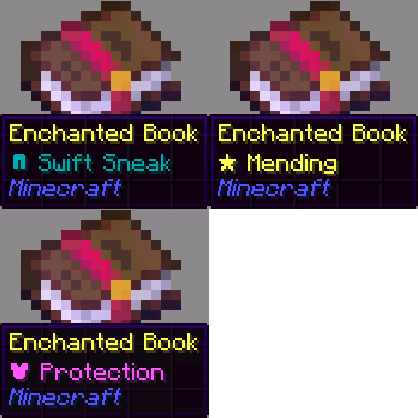 Enchant Icons
 Enchantment Descriptions
 Enderman Overhaul
 Enhanced Boss Bars
 实体剔除
 Equipment Compare
 Eternal Attributes
 Even Better Enchants
 Every Compat (Wood Good)
 Exhausted Spawners
 Experienced Crops
 Explosive Enhancement
 Extra RPG Attributes
 Fabric API
 Fabric Language Kotlin
 FancyMenu
 Fantasy Armor (Medieval Series)
 Fast Item Frames
 FerriteCore
 Fixed Anvil Repair Cost
 Flow
 Forcemaster (RPG Series Plus)
 Forge Config API Port
 Friendly Fire
 Friends&Foes (Fabric/Quilt)
 Furnish
 Fusion (Connected Textures)
 Galosphere
 Galosphere Trimming
 Gazebos (RPG Series)
 Geckolib
 Gen Assets
 GlitchCore
 Grass Overhaul
 Grind enchantments
 Guard Villagers (Fabric/Quilt)
 Hero Proof
 Hybrid Aquatic
 Iceberg
 Icon Xaero's
 ImmediatelyFast
 Immersive Armors
 Immersive Melodies
 Immersive UI
 ImmersiveThunder
 Indium
 Insomnia Tracker
 Integrated API
 Integrated Stronghold
 Integrated Villages
 Interactic
 Inventory Management
 Iris & Oculus Flywheel Compat
 Iris Shaders
 Item Borders
 Item Highlighter
 Jade Addons (Fabric)
 Jade 🔍
 JamLib
 Jewelry (RPG Series)
 Kambrik
 Keep Some Inventory
 Keep XP on Death
 Kiwi 🥝
 Konkrete
 Krypton
 LambDynamicLights - Dynamic Lights
 LazyDFU
 Leaves Be Gone
 Legendary Tooltips
 libIPN
 锂
 Loot Beams Up
 Macaw's Paintings
 Magnum Torch
 Make Bubbles Pop
 Marium's Soulslike Weaponry
 Melody
 Memory Leak Fix
 MidnightLib
 Mine Cells - Dead Cells Mod
 Minerally
 模组菜单
 Mod Settings
 Model Gap Fix
 ModernFix
 Moonlight Lib
 More Armor Trims
 More Chat History
 More Compatibility Variants (Nature's Spirit)
 More Compatibility Variants [Let's Do]
 More Crafting Tables (MCT)
 More Geodes
 More Mob Variants
 More RPG Library
 鼠标微调
 MRU
 Mythic Mounts
 Naturalist
 自然指南针
 Nature's Spirit
 Nature's Spirit - Create Recipe Compat
 Necronomicon API
 NetherPortalFix
 No Chat Reports
 No More Purple
 Not Enough Animations
 Not Enough Crashes
 Online Emotes
 开放派对与领地
 oωo (owo-lib)
 Paladins & Priests (RPG Series)
 Panda's Falling Trees
 PandaLib
 Particle Rain
 帕秋莉手册
 Pet Frogs and More!
 Pick Up Notifier
playerAnimator
 Plushables
 Prism
 Pro Placer
 Profundis: Nine New Quality Cave Biomes
 Pufferfish's Attributes
 Pufferfish's Skills
 Puzzles Lib
 Quad
 Randomium Ore
 Ranged Weapon API
 Reese's Sodium Options
 Repurposed Structures - Fabric
 Resourceful Config
 Resourceful Lib
 Ribbits
 RightClickHarvest
 Rogues & Warriors (RPG Series)
 REI物品管理器
 Roughly Enough Professions (REP)
 Roughly Searchable
 Rune Essence
 Runes
 Saturated Grass!
 Searchables
 ShatterLib | OctoLib
 Shield API
 Show Me What You Got
 Simple Discord RPC
 Simple Hats
 Simply Skills
 Smooth Swapping
 Sneaky Curses
 Snow
 Snow! Real Magic! ⛄
 Snowballs Freeze Mobs
 钠
 Sodium Dynamic Lights
 Sodium Options API
 精妙背包
 Sophisticated Core (Unofficial Fabric port)
 Sophisticated Storage (Unofficial Fabric port)
 Sound Physics Remastered
 Sounds
 spark
 Spawn
 Spawn-Proofed Villagers
 Spawners Drop Treasure
 Spell Engine
 Spell Engine x Open Parties and Claims
 Spell Power Attributes
 Spellblades and Such
 Spyglass Improvements
 Starlight (Fabric)
 Starter Kit
 STONEBORN - Denis' Mod Compats
 STONEBORN Mod Menu Support
 STONEBORN UI Overhaul
 Structure Pool API
 Stylish Effects
 SuperMartijn642's Config Lib
 SuperMartijn642's Core Lib
 锦致装饰
 TalkBubbles
 Tax Free Levels
 TerraBlender
 Time Control
 Tips
 ToastBegone
 Toni's Immersive Lanterns
 ToolTipFix
 Towers of the Wild Modded
 Towers of the Wild: Additions
 Transmog
 Trinkets
 Trinkets for STONEBORN
 True Ending - Ender Dragon Overhaul
 TxniLib
 Universal Bone Meal
 Vein Mining
 VerdantVibes
 Villager Names
 Visual Workbench
 Visuality
 传送石碑
 When Dungeons Arise
 When Dungeons Arise: Seven Seas
 Wildlife [Fabric]
 Wizards (RPG Series)
 World Host
 Xaero's Map Frame
 Xaero的小地图
 Xaero's Naturalist Icons
 Xaero的世界地图
 YDM's Red Panda
 YDM's Scorpions
 YetAnotherConfigLib (YACL)
 You Died
 You Thief: Remastered Edition
 YUNG's API
 YUNG's Better Desert Temples
 YUNG's Better Dungeons
 YUNG's Better End Island
 YUNG's Better Jungle Temples
 YUNG's Better Mineshafts
 YUNG's Better Nether Fortresses
 YUNG's Better Ocean Monuments
 YUNG's Better Witch Huts
 YUNG's Bridges
 YUNG's Cave Biomes
 YUNG's Extras
绿色边框的模组本站有收录,点进去看中文介绍;其余跳转到 Modrinth。
常见问题
Minecraft: Frog Edition 支持哪些 Minecraft 版本?
Minecraft: Frog Edition 基于 Minecraft Java 版 1.20.1,使用 Fabric 加载器。
Minecraft: Frog Edition 怎么安装?
点本页「前往下载」拿到整合包文件(Modrinth 的是 .mrpack,CurseForge 的是 .zip),在 PCL2 或 HMCL 启动器里选择「导入整合包」,启动器会自动装好 Minecraft、加载器和全部模组。这个整合包有 342 个模组,建议在启动器里给游戏分配 6–8 GB 内存。
Minecraft: Frog Edition 开服需要多大内存?
推荐服务器内存 12 GB。在线人数多、或者建了大量机器和区块加载器时,可以再加 2–4 GB。
怎么和朋友一起玩 Minecraft: Frog Edition?
点本页的「一键开服」,选好配置后会自动安装 Minecraft: Frog Edition 的服务端,几分钟就能开好。把服务器地址发给朋友,大家用同一个版本的整合包连进去就行。

评论
登录后评论和评分