
Serene Valley
A Modpack that offers an immersive, expanded, visual and fantasy-focused experience.
截图


介绍

_A modpack that offers a more magical experience, both light and whimsy, and dark._
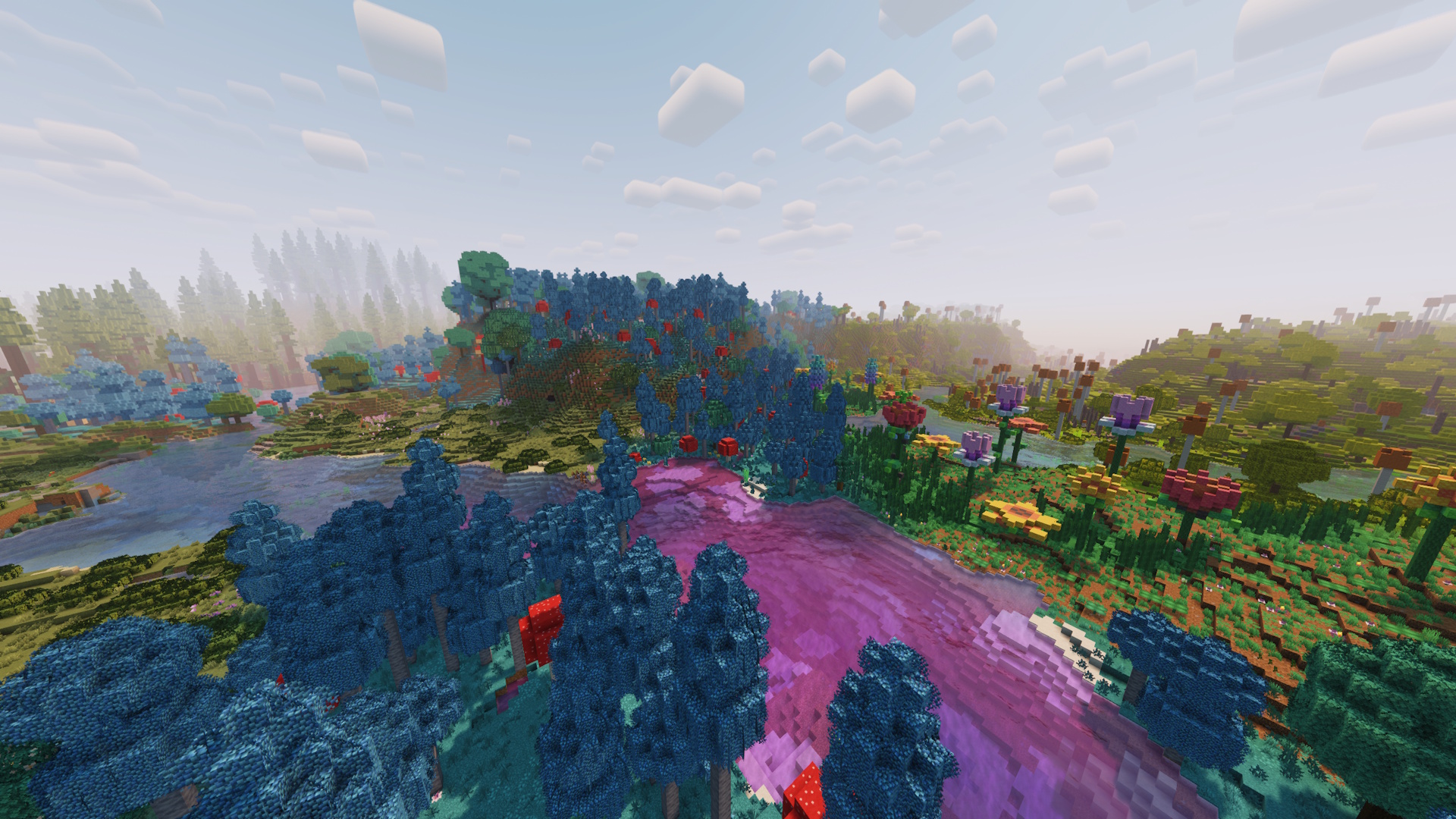
Overview
Mystical world exploration
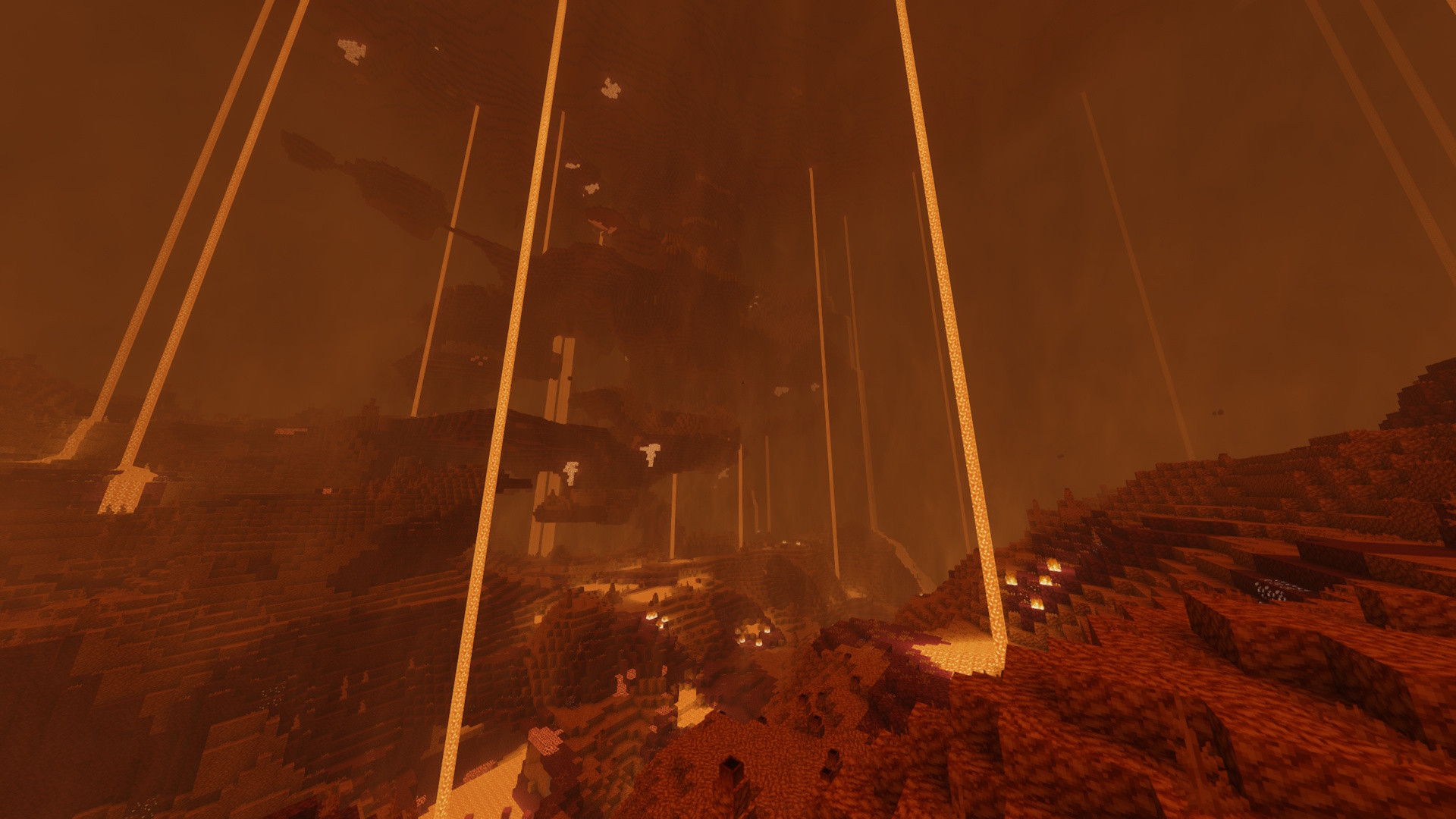
Collection of various world-gen mods improves the landscape and increases biome variety. Also, the Nether has become more grand with amplified mods, and the End finally has gotten more life in it. _No more uninspired repeating vanilla biomes!_
Immersive environmental experience
Default sound systems make the game feel very stale, so with reworking the audio, the game feels a lot more alive and immersive, adding reverberation and more realistic ambient sounds. All new sound rework features pair well with shaderpack visuals and animated resourcepacks. _Removing dullness of sound by adding more dimension!_
Smooth animated menus
Addition of various UI and HUD mods allow for interactive smooth transitions and animations, making the game feel more complete and fun! _Now with ragdolling and sparkling items._
Increased performance optimization
Nothing more to explain, other than that this modpack includes all of the classic optimization mods for Fabric. _All power to FPS, and no more slow worlds._
Setup
_Uses screenshots from Pre-Release versions. However, all content shown below is still relevant with up-to-date versions._
Serene custom menu

On first launch you should be greeted with a new menu screen! With a custom-made resourcepack and the power of FancyMenu, this modpack offers a new clean and simple menu, with Essential integration. Start-up loading screen also edited! _Intended GUI scale is 3x_, but feel free to play around with it for your comfort.
Play with keybinds
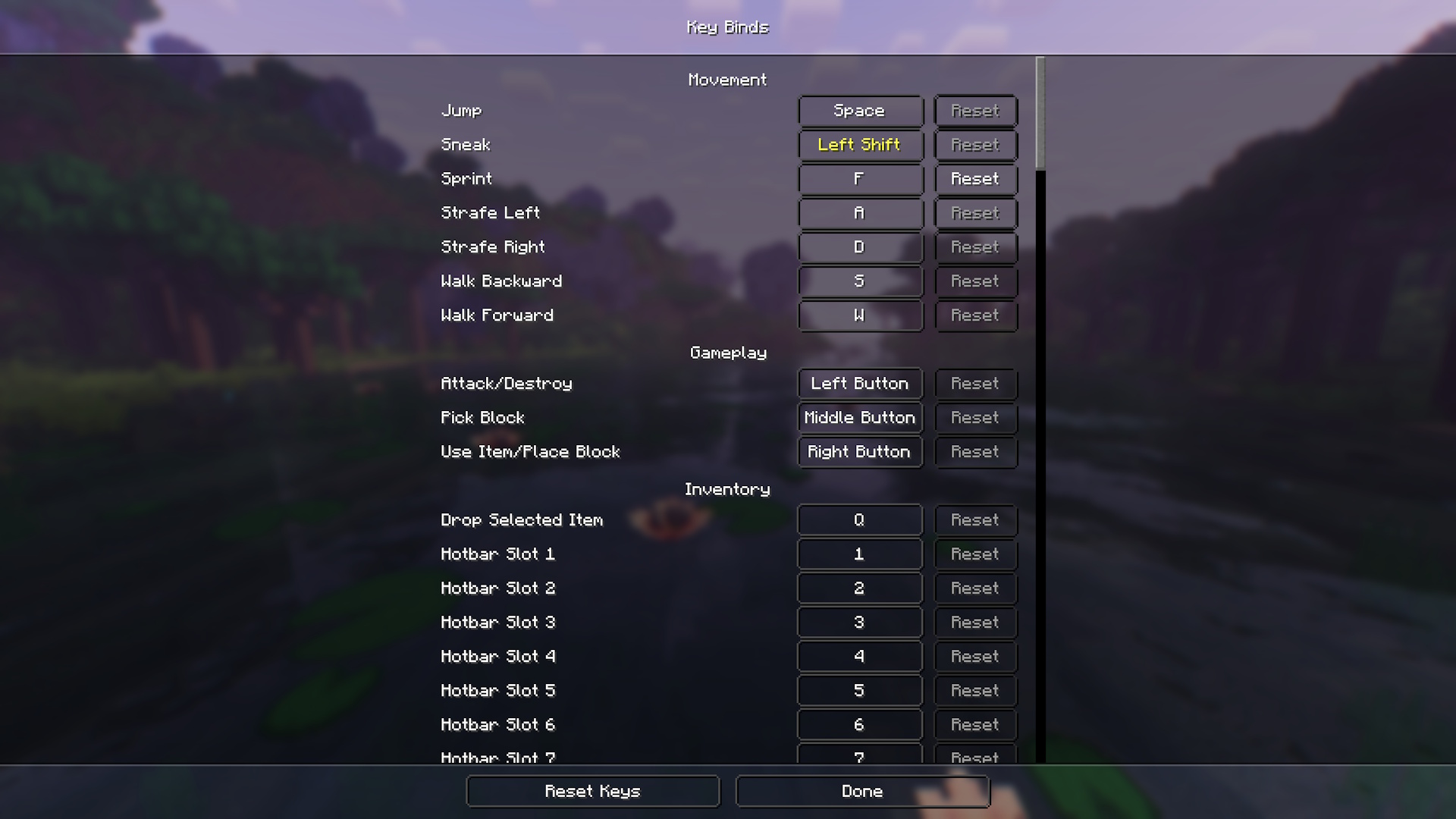
First thing that’s highly recommended to check is the keybinds section of the settings menu. As this modpack includes a huge amount of mods, obviously, a lot of them map the same keys, therefore causing the game to have multiple conflicting keybinds. Please first check this menu, play around and set what’s right for you and what you want!
Multiplayer with Essential
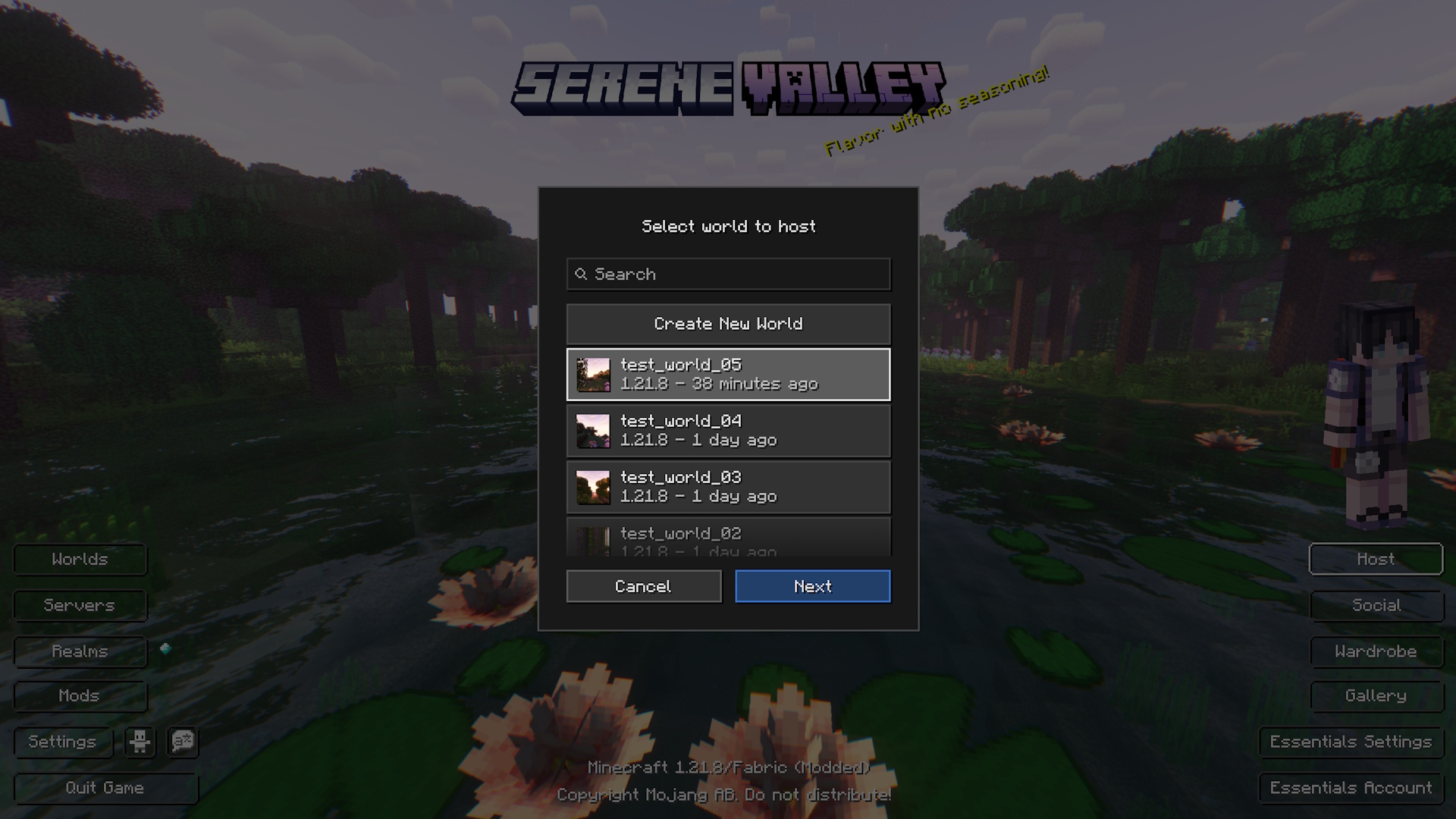
This is a huge convenience for those that want to host a world for the duration of the session, without the hassle of keeping a server in check and paying monthly fees for one. After having created a new world, set up the hosting and invite your friends! Note, your friend must have an Essential account!
Resourcepack layering
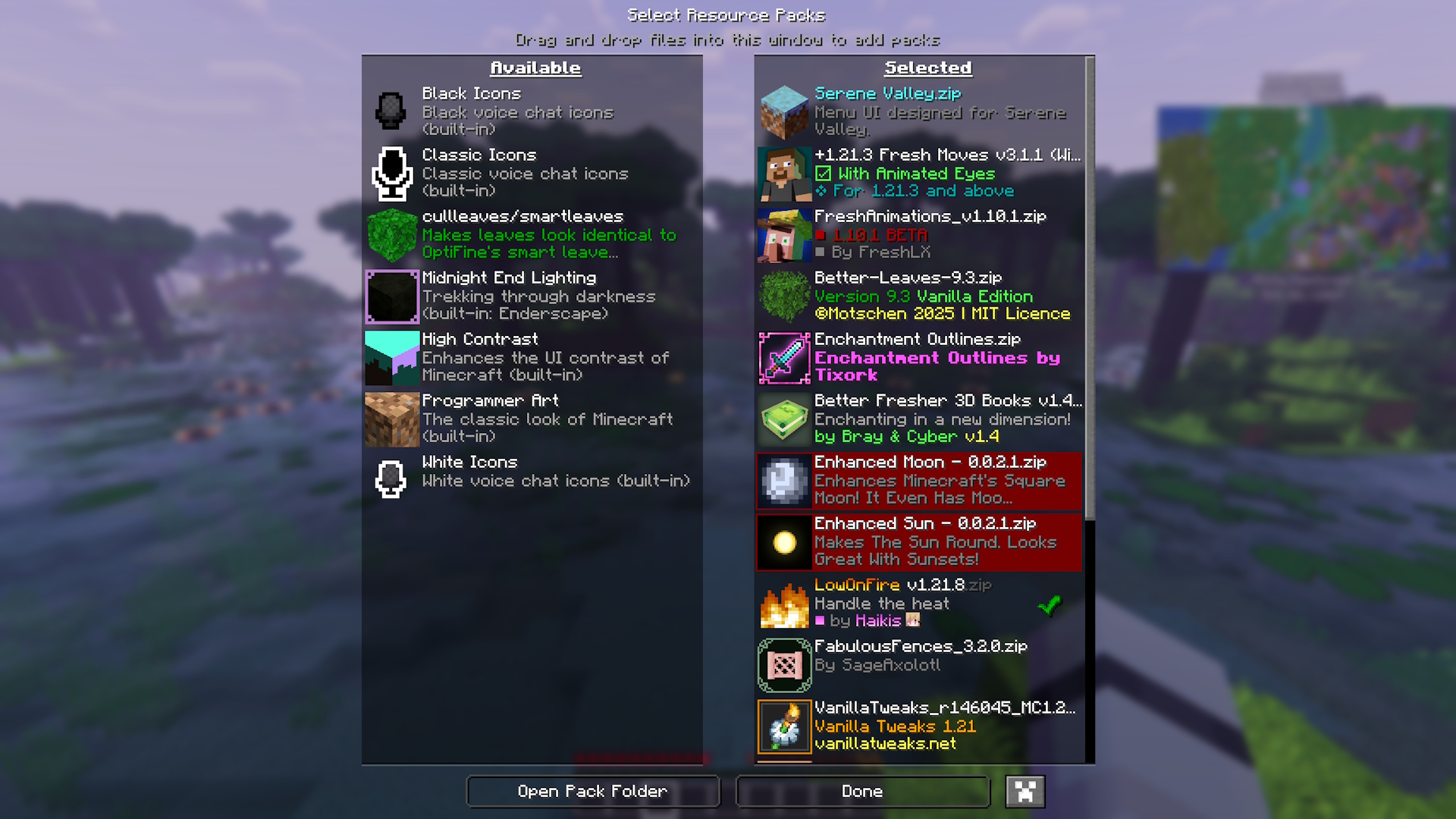
Please note that specific resourcepacks can override others if they have confilcting elements. If you are making your own personal additions for your own gameplay, please remember it’s preferred to keep the original intended resourcepack order.
Resourcepack layering order top-to-bottom:
- Serene Valley
- Fresh Moves
- Fresh Animations
- Better Leaves
- Bray’s Better Books
- Enhanced Moon
- Enhanced Sun
- Low On Fire
- Recolourful Containers
- Armored Legacy or Hoffen’s Minimal Armor
- Vanilla Tweaks
- Fabulous Fences
- Bee’s Fancy Crops
- Nautilus3D
- Highlight Extended _(Highlight)_
- Improved End Lighting _(Enderscape)_
- Cullleaves/Smartleaves _(Cull Leaves)_
- Biome Water Color Particles _(Subtle Effects)_
- Default Connected Textures _(Continuity)_
- Glass Pane Culling Fix _(Continuity)_
- _Fabric Mods_
- _Default_
Play more with settings
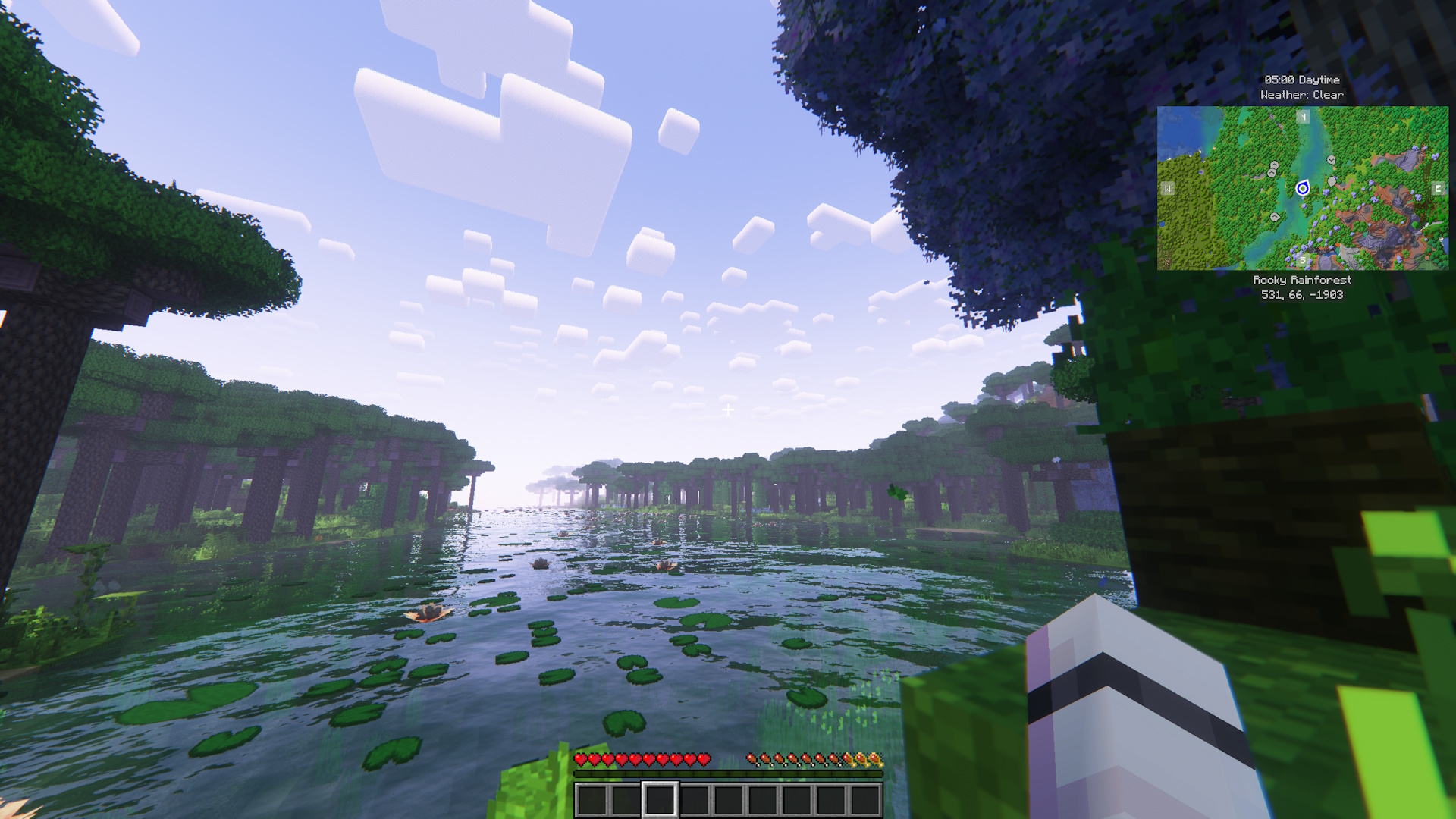
Once in the game, feel free to go into the settings and mods section and further personalize your experience to suit your needs and specs. It is highly recommended to play around with Distant Horizons, as not all machines can handle extremely high LOD distance rendering. Turn on and off shaders as needed to improve performance.
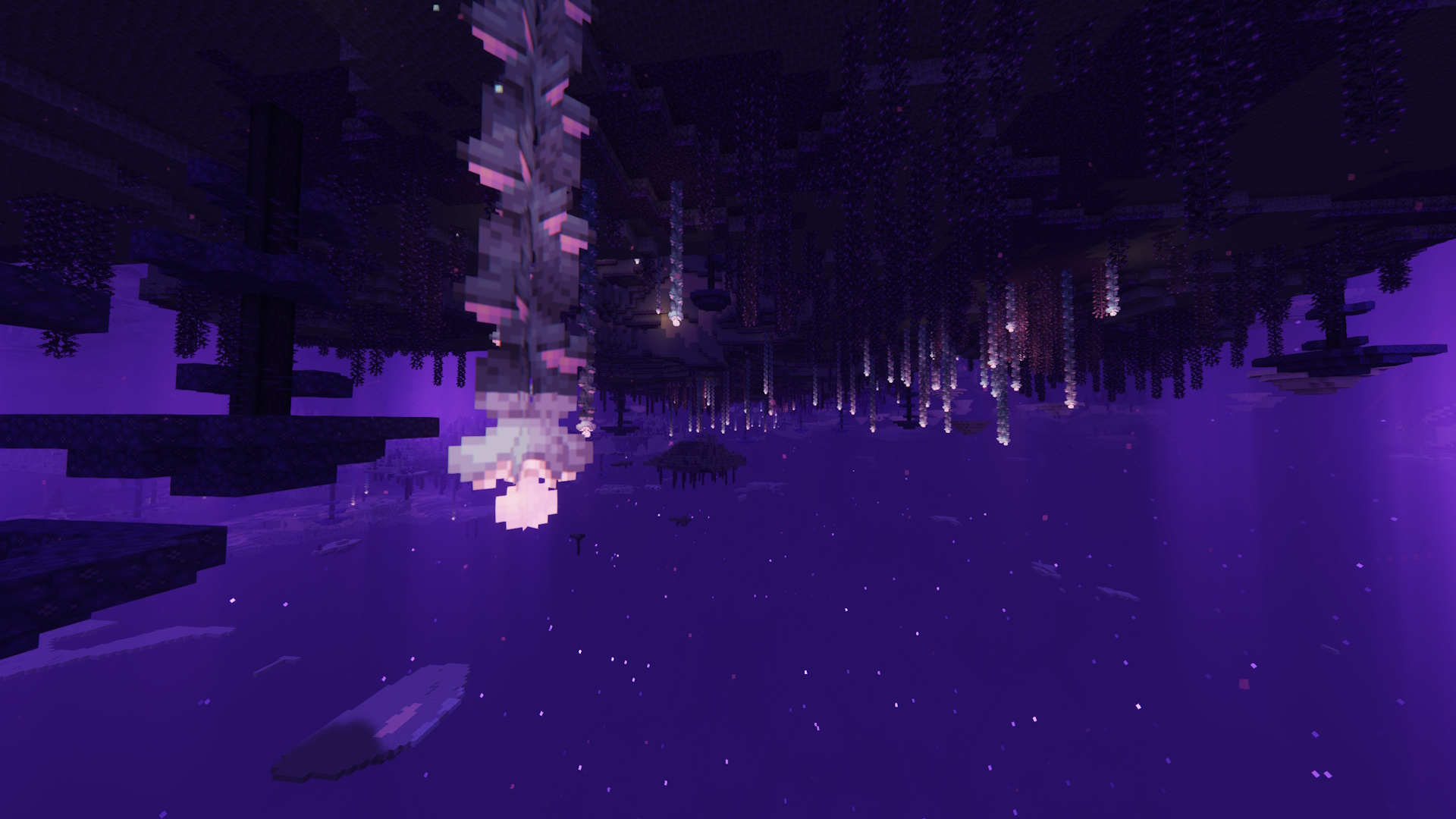
_To view how the game is intended to view with everything turned on and with modpack configurations, please view the screenshots that are posted in the gallery. The gallery will always be updated with relevant screenshots to reflect specific updates._
Disclaimers and warning
- This modpack is client-side and was made for singleplayer use with modded multiplayer integration thanks to Essential. While it may be functional, proper server integration has not yet been tested. _Use on servers at your own discretion_.
- Serene Valley is a project made to output creativity and be shared with people. This is not a product made by Mojang or Microsoft, nor is it approved by and associated with these companies.
- Serene Valley does NOT claim any creations included in the pack to be original, outside of the modpack branding. Everything used in this project can be _easily_ found on Modrinth.
- Fork and remix the pack for personal use or your own project, but do NOT use Serene Valley branding, such as name and logo to represent your own modpacks remixes and forks.
- _This project does not use nor endorse any personal use additions such as hacks and other client-side and server-side advantage cheats._
- Official Serene Valley modpack is ONLY available on Modrinth. Do not download versions of this modpack from any other websites and sources, since they may be potentially dangerous. Also, please do not pay for and download anything labeled as Serene Valley anywhere else, as this project is free-to-use and download, and does not endorse any sales.
Credits
- All mods, resourcepack and shaderpack credits go to their respective creators. In every version on Modrinth, look under _dependencies_ to view each project and their creator/owner.
- Extra credit goes to xSpinHDx for Transparent Menu, as it’s been _partially_ used in the creation of the menu UI elements for the native modpack resourcepack Serene Valley.
包含的模组 218 个,另有 2 个其他文件
 (Bee's) Fancy Crops
 3D Skin Layers
 [EMF] Entity Model Features
 [ETF] Entity Texture Features
 Almanac
 AmbientSounds
 苹果皮
 Architectury API
 Armored Legacy
 Async
 Audio Improvements
 Auto HUD
 Axes Are Weapons
BadOptimizations
 Balm
 Better Advancements
 Better Days
 Better Statistics Screen
 Better Third Person
 BetterF3
 BetterGrassify
 超多生物群系
 Bookshelf Inspector
 Borderless Fullscreen
 Bow Infinity Fix
 Bray's Better Books
 Cave Dust
 Centered Crosshair
 Chat Animation [Smooth Chat]
 Chat Heads
 Cherished Worlds
 CICADA
 Client Sort
 Client Tweaks
 Cloth Config API
 Clumps
 Cobweb
 Collective
 Collision Fix
 Complementary Shaders - Reimagined
展开全部 218 个
 Concurrent Chunk Management Engine (Fabric)
 Continuity
 Convenient Effects
 Cool Rain
 CorgiLib
 Crash Assistant
 Crawl
 CreativeCore
 Creeper Overhaul RP
 Creeper Overhaul x Fresh Animations
 Crops Love Rain
 Cull Leaves
 Cursors Extended
 Cut Through
 Cyclops Core
 Death Backup
 Debugify
 Diagonal Fences
 Diagonal Walls
 Dimensional Potions
 遥远的地平线
 Do a Barrel Roll
 Double Doors
 Drippy Loading Screen
 Dungeons and Taverns Ancient City Overhaul
 Dungeons and Taverns Jungle Temple Overhaul
 Dungeons and Taverns Ocean Monument Overhaul
 Dungeons and Taverns Pillager Outpost Overhaul
 Dungeons and Taverns Stronghold Overhaul
 Dungeons and Taverns Swamp Hut Overhaul
 Dungeons and Taverns Woodland Mansion Overhaul
 Dynamic Crosshair
 Dynamic FPS
 Dynamic Lights
 Easy Anvils
 Easy Magic
 Easy Shulker Boxes
 Effect Timer Plus
 Emoji Type
 Enderscape
 Enhanced Moon
 Enhanced Sun
 实体剔除
 Essential Mod
 Everlasting Abilities
 Exordium
 Expanded Bow Enchanting
 Explorer's Compass
 Explosive Enhancement
 Fabric API
 Fabric Language Kotlin
 Fabulous Fences
 Falling Leaves
 FancyMenu
 Farmer's Cutting: Biomes O' Plenty
 Farmer's Delight Refabricated
 FarmTweaks
 Fast IP Ping
 Fast Item Frames
 FastQuit
 FerriteCore
 First-person Model
 Fog
 Forge Config API Port
 FPS Reducer
 Fresh Animations
 Fresh Moves
 Fzzy Config
 Geckolib
 Geophilic
 GlitchCore
 Glowing Torchflower
 GPUBooster
 Gravestones
 Grind enchantments
 Held Item Info
 Highlight
 Hoes Are Scythes
 Hoffen's Minimal Armor
 I Like Vanilla
 ImmediatelyFast
 Immersive Ores
 Immersive UI
 Inventory Particles
 Iris Shaders
 Jade 🔍
 旅行地图
 Konkrete
 Ksyxis
 Larger biomes
 Let Me Despawn
 LibJF
 Lighty
 锂
 Load Support
 Low On Fire
 Make Bubbles Pop
 MapFrontiers
 Melody
 MidnightLib
 Mining & Placing Animations
 模组菜单
 Mooshroom Tweaks
 More Chat History
 More Culling
 More Delight (for Farmer's Delight)
 Motschen's Better Leaves
 MRU
 Music Manager
 自然指南针
 Nautilus 3D
 Nether Portal Spread
 NetherPortalFix
 Nightosphere
 No Enderman Grief
 Not Enough Animations
 Nutritious Milk
 Overflowing Bars
 oωo (owo-lib)
 Packet Fixer
 Paladin's Furniture Mod
 Particle Core
 Particle Rain
 Particular ✨ Reforged
 Passive Shield
 Pick Up Notifier
 Ping Wheel
 PneumonoCore
 Presence Footsteps
 Pufferfish's Biome Dither
 Puzzles Lib
 Realistic Bees
 Recall Potion
 Recolourful Containers GUI + HUD
 Replay Voice Chat
 ReplayMod
 Resourceful Config
 Respackopts
 REI物品管理器
 ScalableLux
 Scribble
 静谧四季
 Serene Seasons Plus
 ShatterLib | OctoLib
 Shulker Box Tooltip
 Silk
 Simple Voice Chat
 Simply Emerald
 Smooth Gui
 Smooth Scrolling
 钠
 Sodium Extra
 Soul Fire'd
 Soulbound Enchantment
 Sound Physics Remastered
 Spawn Animations
 Spawn-Proofed Villagers
 Stack Refill
 Stoneworks
 Storage Delight
 Structure Layout Optimizer
 Subtle Effects
 Talentium
 TCDCommons API
 TerraBlender
 Text Placeholder API
 Tiny Item Animations
 Tom's Simple Storage Mod
 Tree Harvester
 True Shot Enchantment
 Undying Enchantment
 Vanilla Refresh
 Variants-CIT
 Veinminer Enchantment
 Visual Workbench
 Visuality
 Voice Chat Interaction
 YetAnotherConfigLib (YACL)
绿色边框的模组本站有收录,点进去看中文介绍;其余跳转到 Modrinth。
常见问题
Serene Valley 支持哪些 Minecraft 版本?
Serene Valley 基于 Minecraft Java 版 1.21.8,使用 Fabric 加载器。
Serene Valley 怎么安装?
点本页「前往下载」拿到整合包文件(Modrinth 的是 .mrpack,CurseForge 的是 .zip),在 PCL2 或 HMCL 启动器里选择「导入整合包」,启动器会自动装好 Minecraft、加载器和全部模组。这个整合包有 218 个模组,建议在启动器里给游戏分配 6–8 GB 内存。
Serene Valley 开服需要多大内存?
推荐服务器内存 12 GB。在线人数多、或者建了大量机器和区块加载器时,可以再加 2–4 GB。
怎么和朋友一起玩 Serene Valley?
点本页的「一键开服」,选好配置后会自动安装 Serene Valley 的服务端,几分钟就能开好。把服务器地址发给朋友,大家用同一个版本的整合包连进去就行。

评论
登录后评论和评分