
Xtremely Optimized
[1.21.4] [Fabric📜] An open-source lightweight, high-performance modpack designed to maximize FPS, improve world loading, and enhance graphics—all while keeping the classic Minecraft feel. It’s perfect for low-end PCs and high-end gaming setups alike 🎮.
截图

介绍
⚡ Xtremely Optimized
🚀 The Ultimate Performance Modpack for Fabric
Boost FPS • Enhance Graphics • Reduce Lag


📌 About Xtremely Optimized
Xtremely Optimized is a lightweight, high-performance modpack designed to maximize FPS, improve world loading, and enhance graphics—all while keeping the classic Minecraft feel. It’s perfect for low-end PCs and high-end gaming setups alike!
✅ Massive FPS Boost – No more lag spikes, smoother gameplay.
✅ Better World Loading – Faster chunks, improved performance.
✅ Enhanced Graphics – Beautiful visuals with no FPS loss.
✅ Multiplayer-Ready – Play with friends, no chat reporting!
✅ Pre-Tuned Settings – No tweaking required, just install & play!
🛠️ What’s Inside?
⚙️ Performance Mods
- Lithium – Optimized physics, AI, and tick performance.
- Sodium – The best FPS-boosting rendering mod.
- FerriteCore – Cuts RAM usage in half.
- Dynamic FPS – Reduces background lag and improves focus performance.
- ImmediatelyFast – Enhances rendering speed for more stable FPS.
- More Culling – Improves rendering efficiency to save system resources.
🎨 Visual Enhancements (No FPS Drop!)
- Iris Shaders – Enables high-performance shaders as an OptiFine replacement.
- No Chat Reports – Keeps multiplayer safe & private.
- Custom Splash Screen – Allows personalized loading screen customization.
📝 Full mod list available on Modrinth.
🚀 Xtremely Optimized – Installation Guide
🟢 Modrinth Launcher (Recommended)
- Open Modrinth Launcher.
- Go to the Browse tab.
- Search for “Xtremely Optimized”.
- Click Install and wait for the download to finish.
- Go to the Library tab, select the modpack, and click Play ▶️.
🔵 Prism Launcher / PolyMC
- Open Prism Launcher or PolyMC.
- Click Add Instance ➕.
- Go to the Modrinth tab.
- Search for “Xtremely Optimized”.
- Select the latest version and click OK ✅ to install.
- Once installed, select the instance and click Launch 🚀.
🟠 ATLauncher
- Open ATLauncher.
- Go to the Packs tab 📦.
- Click Add Modrinth Pack and search for “Xtremely Optimized”.
- Select the latest version and click Install ⬇️.
- Once installed, select the instance and click Play ▶️.
🟡 CurseForge / Overwolf Launcher
- Open CurseForge Launcher.
- Click on Minecraft 🟩 and go to Browse Modpacks.
- Search for “Xtremely Optimized”.
- Click Install ⬇️ and wait for the download to finish.
- Click Play ▶️ to launch.
🔴 MultiMC
- Open MultiMC.
- Click Add Instance ➕.
- Select Import from Modrinth.
- Search for “Xtremely Optimized” and select the latest version.
- Click OK ✅, then launch the instance 🚀.
⚡ Other Launcher
- Open Any Launcher.
- Find For Modpack install Section.
- Search “Xtremely Optimized” Find and Select Version And install.
- Click Play To Launch.
❓ FAQ
Q: What Minecraft version does this support?
A: The modpack is designed for Minecraft 1.21.4 and newer updates.
Q: Is OptiFine required?
A: No! Instead, this pack includes Iris Shaders, which supports shaders better than OptiFine without FPS drops.
Q: How do I report issues or suggest mods?
A: Open an issue on GitHub or join our Discord.
🌟 Support & Contribute
💡 Want to help improve Xtremely Optimized?
⭐ Like the pack? Give it a ⭐ star on GitHub & Modrinth!
🔹 Fork the repo and submit PRs for improvements.
🔹 Report bugs & suggest new mods via GitHub Issues.
🔹 Join the community on Discord.
📜 License
Xtremely Optimized is open-source and licensed under Apache License 2.0.
You’re free to modify and share, but please credit the original creators.
🔗 Useful Links
📥 Download on Modrinth
📂 GitHub Repository
🎮 Join Our Discord
🚀 Enjoy Minecraft like never before with Xtremely Optimized!
包含的模组 112 个
 3D皮肤层
 [EMF] Entity Model Features
 [ESF] Entity Sound Features
 [ETF] Entity Texture Features
 Advancements Fullscreen
 Advancements Search
 Architectury API
 Better "Add Server"
 Better Biome Reblend
 Better Mount HUD
 blob's Enchant Icons
 Capes
 Chat Patches
 ClickThrough Plus
 Cloth Config API
 Cloth Gamerules
 Concurrent Chunk Management Engine (Fabric)
 Continuity
 Crash Assistant
 Cubes Without Borders
 Dark Embellished Stone (Advancement Plaques)
 Dark Loading Screen
 Datapack/Gamerule Menus
 Debugify
 Detailed Animations
 Dynamic FPS
 e4mc
 Eating Animation Resource Pack
 Enchantment Lore
 Enhanced Block Entities
 EnhancedTooltips
 Explosive Enhancement
 Fabric API
 Fabric Language Kotlin
 FastQuit
 FerriteCore
 FireHud
 FixMCStats
 Forge Config API Port
 Freecam
展开全部 112 个
 Fzzy Config
 GUI SimpleStylized
 Held Item Info
 I see you over there!
 ImmediatelyFast
 Immersive UI
 Inventive Inventory
 Iris Shaders
 Keybind Fix
 LambDynamicLights - Dynamic Lights
 Language Reload
 锂
 Main Menu Credits
 Mica
 MixinTrace
 模组菜单
 Model Gap Fix
 ModernFix
 More Culling
 MRU
 No Chat Reports
 No Hotbar Looping
 No Resource Pack Warnings
 Noisium
 Not Enough Animations
 Ok Zoomer - It's Zoom!
 OptiGUI
 oωo (owo-lib)
 Particle Core
 Particle Rain
 Particular ✨
 Polytone
 Preferred Gamerules
 Raised
 Reese's Sodium Options
 Remove Reloading Screen
 Resourcify
 RideHud
 ScalableLux
 Scoreboard Overhaul
 Scribble
 Searchables
 Server Pinger Fixer
ServerAddressSpaceFix
 ShatterLib | OctoLib
 Shulker Box Tooltip
 Smooth Scrolling
 Smooth Skies
 Smooth Swapping
 钠
 Sodium Extra
 Sodium Options API
 Sodium Options Mod Compat
 Sodium Shadowy Path Blocks (SSPB)
 Sounds
 StackDeobfuscator
 StarHUD
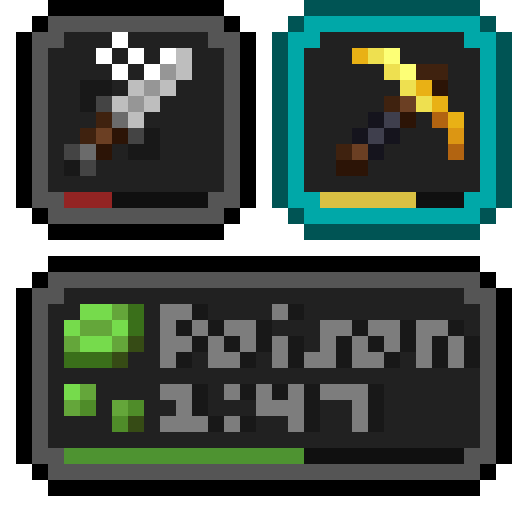 Status Effect Bars
 Subtle Effects
 Suppress OpenGL Error 128(0-2)
 Symbol Chat
 Tab Tweaks
 ThreatenGL
 Translations for Sodium
 TxniLib
 VanillaConfig
 Very Many Players (Fabric)
 View Bobbing Options
 Visuality
 Wavey Capes
 YetAnotherConfigLib (YACL)
 Your Options Shall Be Respected (YOSBR)
绿色边框的模组本站有收录,点进去看中文介绍;其余跳转到 Modrinth。
常见问题
Xtremely Optimized 支持哪些 Minecraft 版本?
Xtremely Optimized 基于 Minecraft Java 版 1.21.4、1.21.1,使用 Fabric 加载器。
Xtremely Optimized 怎么安装?
点本页「前往下载」拿到整合包文件(Modrinth 的是 .mrpack,CurseForge 的是 .zip),在 PCL2 或 HMCL 启动器里选择「导入整合包」,启动器会自动装好 Minecraft、加载器和全部模组。这个整合包有 112 个模组,建议在启动器里给游戏分配 4–6 GB 内存。
Xtremely Optimized 开服需要多大内存?
推荐服务器内存 12 GB。在线人数多、或者建了大量机器和区块加载器时,可以再加 2–4 GB。
怎么和朋友一起玩 Xtremely Optimized?
点本页的「一键开服」,选好配置后会自动安装 Xtremely Optimized 的服务端,几分钟就能开好。把服务器地址发给朋友,大家用同一个版本的整合包连进去就行。

评论
登录后评论和评分