
介绍
This modpack includes Fabulously Optimized (which adds tons of optimization), and other client-side mods that I like.
Modpack adds huge quality of life features to make it easier to play while keeping it client-side and vanilla friendly, such as being able to sort chests, using waypoints, item recipes and more.
Here is the full list of mods:
- Animatica – Adds support for Optifine animation format.
- Auth Me – Allows you to change accounts without leaving the game.
- Better Mount HUD – Improves the ingame HUD while riding a mount.
- Borderless Mining – Adds windowed option.
- CalcMod – ChatCalc offers more than just basic calculations. Adds commands for storage units and randomized number generator for many purposes.
- Capes – Shows capes from OptiFine, LabyMod and many more.
- ChatCalc – Calculator mod that runs in your chat. Simply write a calculation and press “tab” and it shows the result.
- Chest Tracker – Tracks chests that you opened in your world then allows you to search the items in multiple chests and dimensions.
- Client Commands – Adds more client-side commands.
- Continuity – Adds support for OptiFine connected textures.
- Controlify – Controller support.
- Debugify – Fixes some bugs.
- Distant Horizons – With this mod you are able to increase your render distance incredibly high without sending your fps to magma. Also supports some shaders with latest update.
- Dynamic FPS – Makes your game run at low fps when you are focused to another window on your pc, saving resources.
- e4mc – Open your LAN servers to everyone.
- EMI – Its similar to JEI or REI but I find the design of EMI and its recipe tree better.
- Enhanced Block Entities – Optimization.
- Entity Model Features & Entitiy Texture Features – More OptiFine support.
- EntityCulling – Optimization.
- Fabrishot – You can take high resolution screenshots with F9 key (by default).
- FerriteCore – Optimization.
- ImmediatelyFast – Optimization.
- Indium – Optimization.
- Inventory Profiles Next – Inventory management mod. Adds buttons for sorting storages.
- Iris – Adds support for shaders.
- Jade – Shows what you are looking at.
- Krypton – Optimization.
- Language Reload – Optimization.
- Litematica – This mod adds schematics for easier
building. You can create your own shematics or download them from various websites.
- Lithium – Optimization.
- MiniHUD – Configurable F3 menu.
- Model Gap Fix – Fixes gaps in item and block models.
- ModernFix – Optimization.
- More Culling – Optimization.
- MoreChatHistory – Increases the length of the chat history from 100 to 16384.
- Mouse Wheelie – Adds usefull shortcuts for mouse.
- No Chat Reports – Privacy.
- Paginated Advancements – Better advancement
screen.
- Puzzle – Optimization.
- Remove Reloading Screen – Makes resource packs load in the background.
- Sodium – Optimization.
- Sodium Extra – Extra optimization.
- Stack to Nearby Chests – Adds a feature for
dumping your items to nearby chests. Like Terraria.
- Trade Uses – Shows how many times you can use a trade before restock.
- Tweakeroo – Adds bunch of client-side tweaks.
- ViaFabric – Makes you able to join old versions with
your current version.
- Xaero’s Map Chest Tracker Integration – Shows the chest coordinates in the map.
- Zoomify – Zoom mod.
包含的模组 108 个
 3D Skin Layers
 [EMF] Entity Model Features
 [ETF] Entity Texture Features
 苹果皮
 Architectury API
 AutoHarvest
 AutoSell
 Better F1 Reborn
 Better Mount HUD
 BetterGrassify
 Big Sign Writer
 Book Copy
 Bundle Inventory
 Bundle Up
 CalcMod
 Capes
 Chat Plus
 Chest Tracker
 Client Sort
 clientcommands
 Cloth Config API
 Collective
 Continuity
 Controlling
 Cubes Without Borders
 Debugify
 遥远的地平线
 Dynamic FPS
 EasyPlaceFix
 Elytra Autopilot
 Enhanced Block Entities
 实体剔除
 Fabric API
 Fabric Language Kotlin
 Fabrishot
 Fast Trading
 FastQuit
 FerriteCore
 Fishing Ruler
 Forge Config API Port
展开全部 108 个
 Held Item Info
 HitRange
 Hold My Items
 ImmediatelyFast
 InventoryBinds
 Iris Shaders
 Item Scroller
 ItemIO
 Jade 🔍
 LambDynamicLights - Dynamic Lights
 Language Reload
 Lapis My Zuli
 LibrGetter
 Litematica
 Litematica Printer
 锂
 Main Menu Credits
 MaLiLib
 Max Level Info
 Minescript
 MiniHUD
 MixinTrace
 模组菜单
 Model Gap Fix
 Modern Networking
 ModernFix
 More Culling
 MoreMcmeta
 NameFabric
 No Chat Reports
 OptiGUI
 OrthoCamera
 oωo (owo-lib)
 Paginated Advancements & Custom Frames
 Polytone
 Puzzle
 Quick Turn Mod
 Reconnect
 Reese's Sodium Options
 Remove Reloading Screen
 SchematicPreview
 Scribble
 Search Stats
 Searchables
 Shulker Box Tooltip
 Signfinder
 Simple Stronghold Finder
 Simple Voice Chat
 钠
 Sodium Extra
 Sprint Indicator
 Stack to Nearby Chests
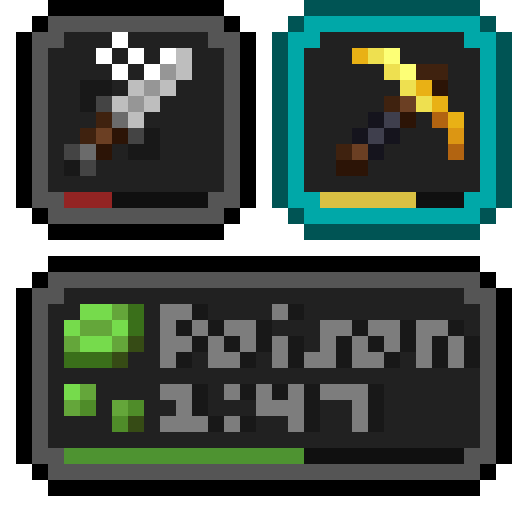 Status Effect Bars
 Text Placeholder API
 TweakerMore
 Tweakeroo
 ukulib
 ViaFabricPlus
 WorldEdit
 WorldTools
 Xaero's Map Chest Tracker Integration
 Xaero的小地图
 Xaero的世界地图
 XaeroPlus
 XPlus Autofish (Fabric / Forge / NeoForge)
 YetAnotherConfigLib (YACL)
 Your Options Shall Be Respected (YOSBR)
 Zoomify (Zoom)
绿色边框的模组本站有收录,点进去看中文介绍;其余跳转到 Modrinth。
常见问题
Happy’s Client-side Pack 支持哪些 Minecraft 版本?
Happy’s Client-side Pack 基于 Minecraft Java 版 1.21.4、1.20.4、1.20.2,使用 Fabric / Quilt 加载器。
Happy’s Client-side Pack 怎么安装?
点本页「前往下载」拿到整合包文件(Modrinth 的是 .mrpack,CurseForge 的是 .zip),在 PCL2 或 HMCL 启动器里选择「导入整合包」,启动器会自动装好 Minecraft、加载器和全部模组。这个整合包有 108 个模组,建议在启动器里给游戏分配 4–6 GB 内存。
Happy’s Client-side Pack 开服需要多大内存?
推荐服务器内存 12 GB。在线人数多、或者建了大量机器和区块加载器时,可以再加 2–4 GB。
怎么和朋友一起玩 Happy’s Client-side Pack?
点本页的「一键开服」,选好配置后会自动安装 Happy’s Client-side Pack 的服务端,几分钟就能开好。把服务器地址发给朋友,大家用同一个版本的整合包连进去就行。
评论
登录后评论和评分