截图
介绍

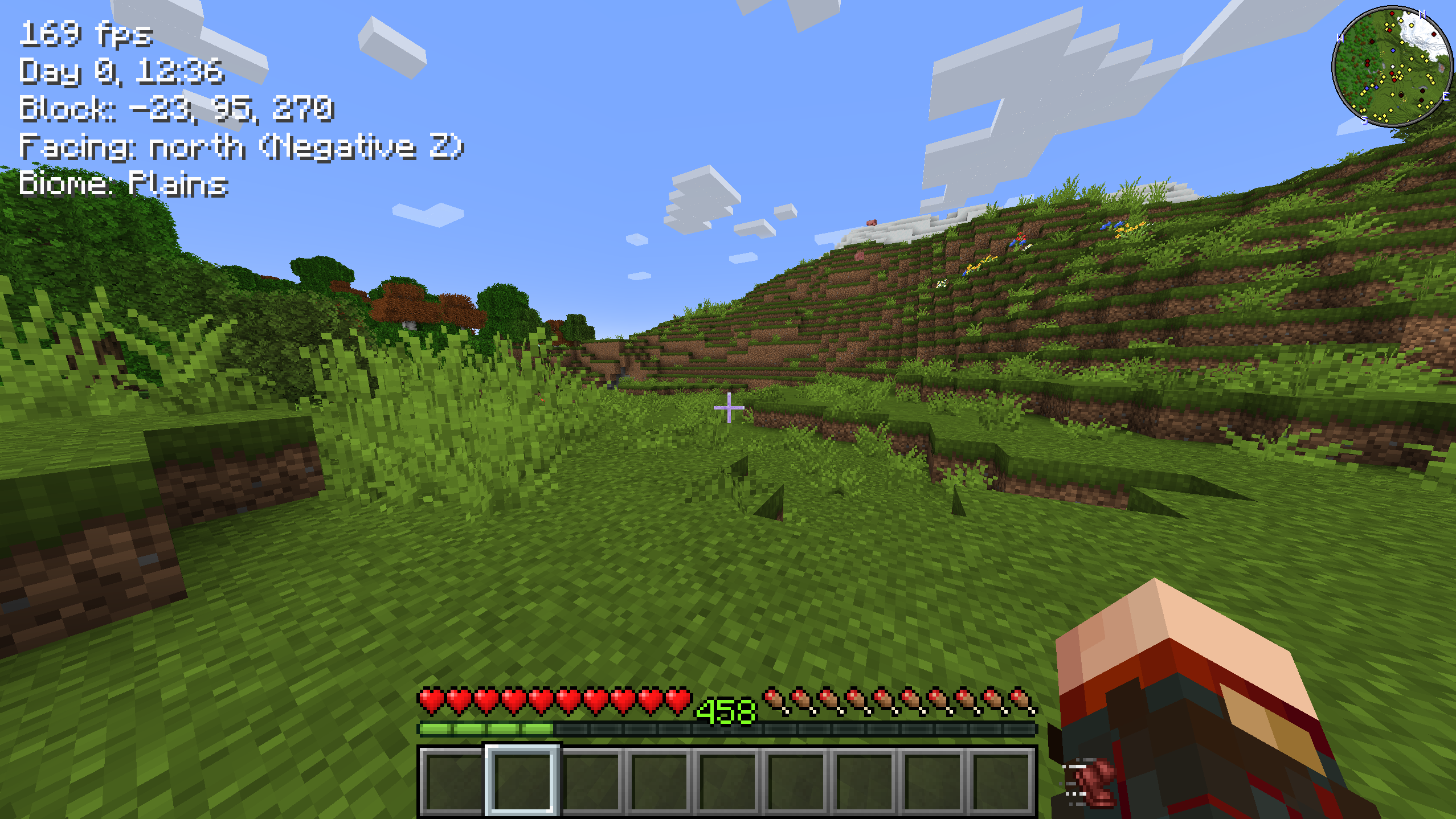
Simple UI element showing whether you’re currently sprinting – and now whether you’re crouching too. Sprinting uses the
built-in beacon speed-boost icon; crouching uses the built-in slowness icon.
If you play with the left-handed or hotbar attack indicator options, the mod adjusts the UI accordingly so that
everything fits together!

Configuration — sprintindicator.toml
Open the settings from ModMenu (Fabric) or the Config button on the mods list (NeoForge / Forge). The configuration
file is also directly editable from the sprintindicator.toml file in your config folder.
sprintEnabled: true|false – Whether to show an icon when sprinting.
sprintShowWhenActive: true|false – Whether to also show the sprint icon (dimmed) while the sprint key is held or
toggled on but you aren’t sprinting.
crouchEnabled: true|false – Whether to show an icon when crouching.
offset: x,y – An x,y pixel offset for rendering the icons.
adjustAttackIndicator: true|false – Whether to shift the attack indicator to put the sprint/crouch icons closer to
the hotbar.
Made for the Minecraft streamer Linkzzey over on Twitch!
Links
Also on CurseForge · Source on GitHub · Report an issue

常见问题
Sprint Indicator 支持哪些 Minecraft 版本?
Sprint Indicator 支持 Minecraft Java 版 1.19–26.3,共 29 个版本,可用的加载器:Fabric / Forge / NeoForge / Quilt。下载时注意选择和你游戏版本一致的文件。
Sprint Indicator 怎么安装?
先用 PCL2 或 HMCL 启动器安装对应版本的 Fabric / Forge / NeoForge / Quilt,再把下载的 .jar 文件放进游戏目录的 mods 文件夹,重新启动游戏即可。开启了版本隔离的,mods 文件夹在 versions/版本名 下面。运行环境:仅客户端。
Roundaround 的其他作品
查看全部 →
Inventory Management
一键整理并转移物品。

Pickup Notifications
拾取物品时显示弹窗通知。
Round’s Invisible Frames
Easily toggle invisibility on your item frames by sneaking.
Axolotl Buckets
在桶中显示美西螈的颜色和年龄。
评论
登录后评论和评分