
截图
介绍
中文介绍正在准备中,下面暂时显示原文。

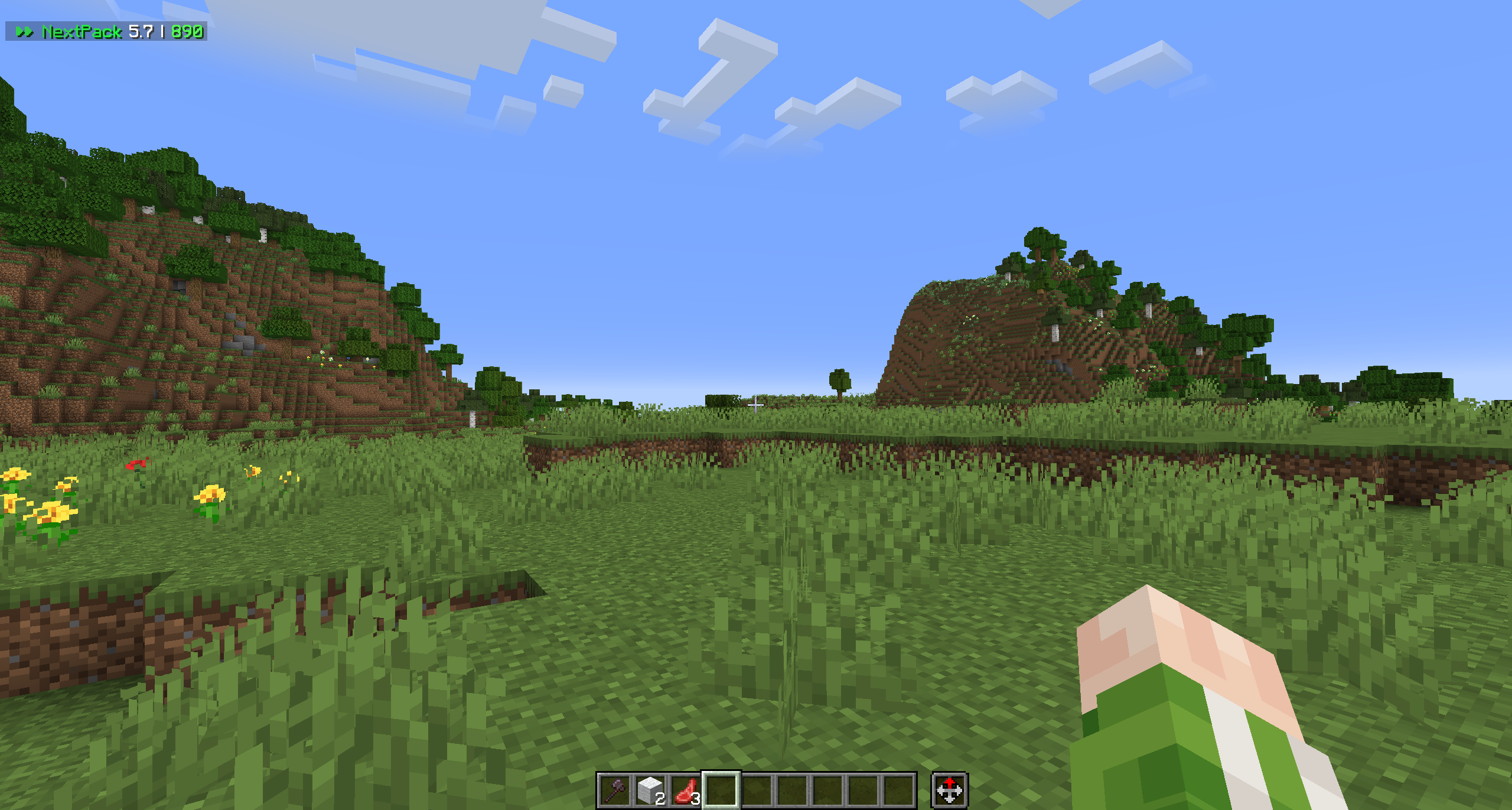
A big client-side modpack with many Quality-of-Life mod for Minecraft.
Based on Minecraft 1.21.3 with Fabric Loader and has 91 mods.
Based on Sodium + Iris, NextPack won’t support OptiFine. But it supports any resourcepacks that requires OptiFine. (Actually 6.1 DOES NOT support CIT, just wait till CIT Resewn will be available for 1.21.3)
⚠️ Has few mods for which you can be banned on server
- ReplayMod
- AutoTotem (Inventory Profiles Next)
Added
- Saturation bar (AppleSkin)
- Player heads in chat based on sender (ChatHeads)
- Quick item search in chests (ChestTracker)
- HUD with armor, inventory, and tool information (uku’s Armor HUD)
- Quick sorting of items in containers (IPN, press R key to sort)
- Shader support (Iris Shaders)
- Block information display at top of screen (Jade)
- Dynamic lights (LambdaDynamicLights)
- Zoom on “Z” key (Ok Boomer)
- ReplayMod
- Exclusive Discord RPC (Simple RPC)
- Ability to join servers on newer or older versions (ViaFabricPlus)
- World map on “M” key (Xaero’s World Map)
- Player ping display in the tab menu (Better Ping Display)
Improvements
- Chat appearance (Chat Imperssive Animation)
- F3 menu (BetterF3)
- Language selection menu (LanguageReload)
- Inventory interaction with the mouse (Mouse Tweaks)
- Food eating animations (Eating Animation)
- Explosion animations (Explosive Enhancement)
Tweaks
- Reduced block placement delay for faster and more convenient building (Accurate Block Placement)
- Removed resource reload screen (RRLS)
- Screenshots are now automatically copied to the clipboard (Copyshot)
FAQ
Q: Something went wrong / Modpack Crashes!
— DM me on Discord — @thesh1xx
Key map
World Map
- M — Open
Shaders
- B — Toggle shaders
- N — Shaders list
Other
- J — Cycle CustomHud Profiles (FPS / FPS+Ping / Hide)
- R — Sort your Inventory
Credits 6.1
- THESH1XX (author)
- Vealse (Tester)
- waskord (Tester)
包含的模组 103 个,另有 2 个其他文件
 [EMF] Entity Model Features
 [ETF] Entity Texture Features
 Accurate Block Placement Reborn
 苹果皮
 Architectury API
 Armor Trim Item Fix
 Auth Me
 Auto Reconnect Reforged
 Better Ping Display [Fabric]
 BetterF3
 Bliss Shaders
 Blur+
 Boat Item View
 Bobby
 BSL Shaders
 Camera Utils
 Capes
 Chat Heads
 Chat Impressive Animation
 Chest Tracker
 CICADA
 Cloth Config API
 Collective
 Complementary Shaders - Reimagined
 Complementary Shaders - Unbound
 Concentration
 Concurrent Chunk Management Engine (Fabric)
 Continuity
 Copyshot
 CraterLib
 Creator Overlays
 CustomHud
 DeathLog
 Eating Animation
 实体剔除
 Explosive Enhancement
 Fabric API
 Fabric Language Kotlin
 Falling Leaves
 FerriteCore
展开全部 103 个
 Forge Config API Port
 Freecam
 Held Item Info
 Iceberg
 Icons
 ImmediatelyFast
 Immersive UI
 Inventory Profiles Next
 Iris Shaders
 Item Highlighter
 Jade 🔍
 LambDynamicLights - Dynamic Lights
 Language Reload
 libIPN
 锂
 Main Menu Credits
 模组菜单
 Model Gap Fix
 More Chat History
 More Culling
 鼠标微调
 MRU
 Nostalgia Shader
 Not Enough Animations
 ObsidianUI
 Ok Boomer
 oωo (owo-lib)
 Particle Effects
 Particle Rain
 Photon Shaders
 Pling
 Presence Footsteps
 Provi's Health Bars
 Reese's Sodium Options
 Replanting Crops
 ReplayMod
 Resourcify
 ru+ by NextProject
 Server Pinger Fixer
 ShatterLib | OctoLib
 Shulker Box Tooltip
 Simple Discord RPC
 Simple Grass Flowers
 Simple Voice Chat
 Skin Shuffle
 Slightly Improved Font (32x)
 Smooth Scrolling
 Smooth Swapping
 钠
 Sodium Extra
 Sound Physics Remastered
 Sounds
 Text Placeholder API
 Timestamp Chat
 uku's Armor HUD
 ukulib
 Unique Dark
 Very Many Players (Fabric)
 ViaFabricPlus
 Wavey Capes
 Xaero的世界地图
 YetAnotherConfigLib (YACL)
 Your Reputation (Jade)
绿色边框的模组本站有收录,点进去看中文介绍;其余跳转到 Modrinth。
常见问题
NextPack 支持哪些 Minecraft 版本?
NextPack 基于 Minecraft Java 版 1.21.3、1.21、1.20.1,使用 Fabric / Quilt 加载器。
NextPack 怎么安装?
点本页「前往下载」拿到整合包文件(Modrinth 的是 .mrpack,CurseForge 的是 .zip),在 PCL2 或 HMCL 启动器里选择「导入整合包」,启动器会自动装好 Minecraft、加载器和全部模组。这个整合包有 103 个模组,建议在启动器里给游戏分配 4–6 GB 内存。
NextPack 开服需要多大内存?
推荐服务器内存 12 GB。在线人数多、或者建了大量机器和区块加载器时,可以再加 2–4 GB。
怎么和朋友一起玩 NextPack?
点本页的「一键开服」,选好配置后会自动安装 NextPack 的服务端,几分钟就能开好。把服务器地址发给朋友,大家用同一个版本的整合包连进去就行。
评论
登录后评论和评分