
Crafted Plus
A client-side Fabric Vanilla+ performance modpack featuring Sodium, Voxy, C2ME, FPS optimization, Iris shaders, extended render distance, minimap, and proximity voice chat.
截图
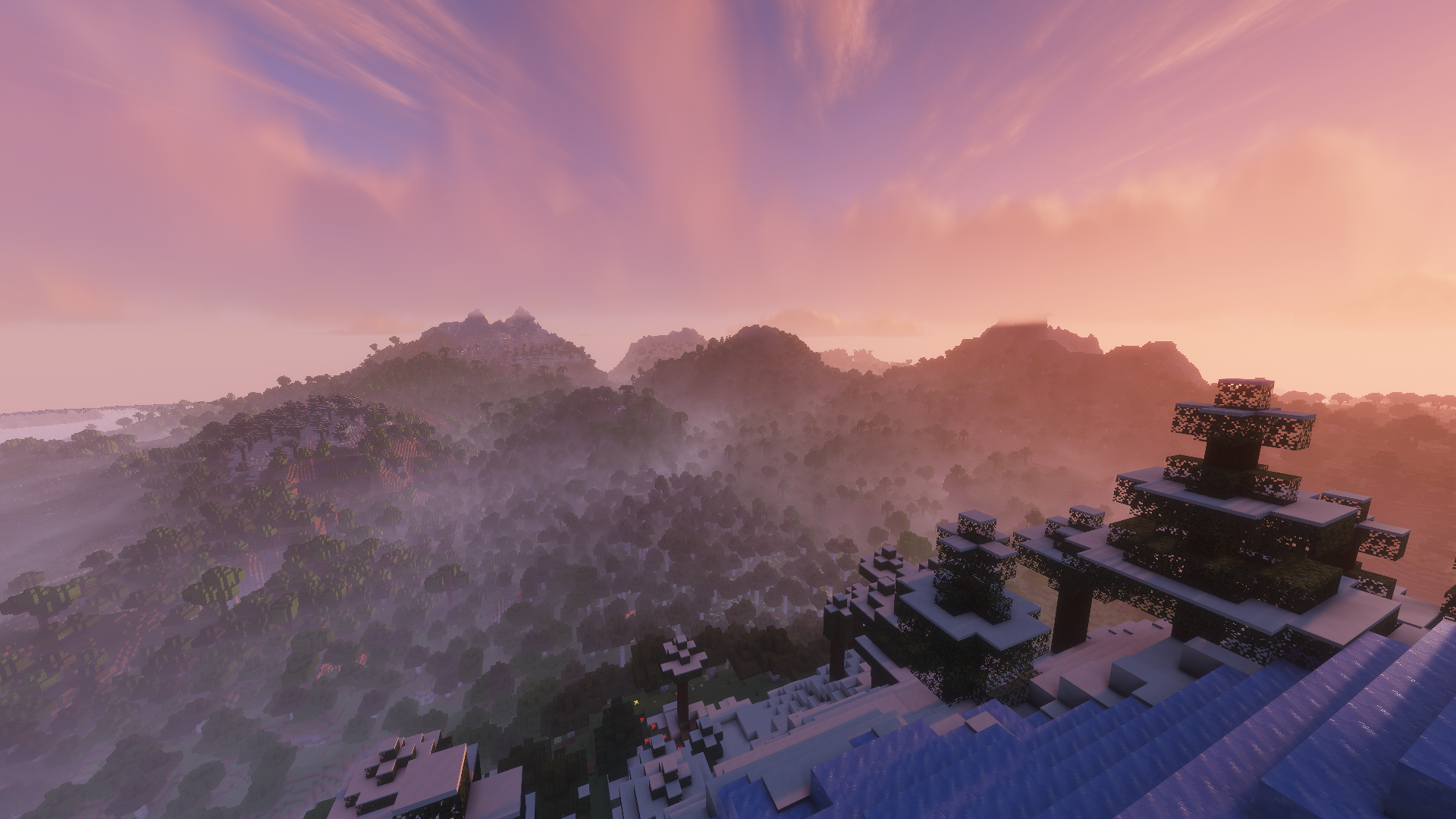
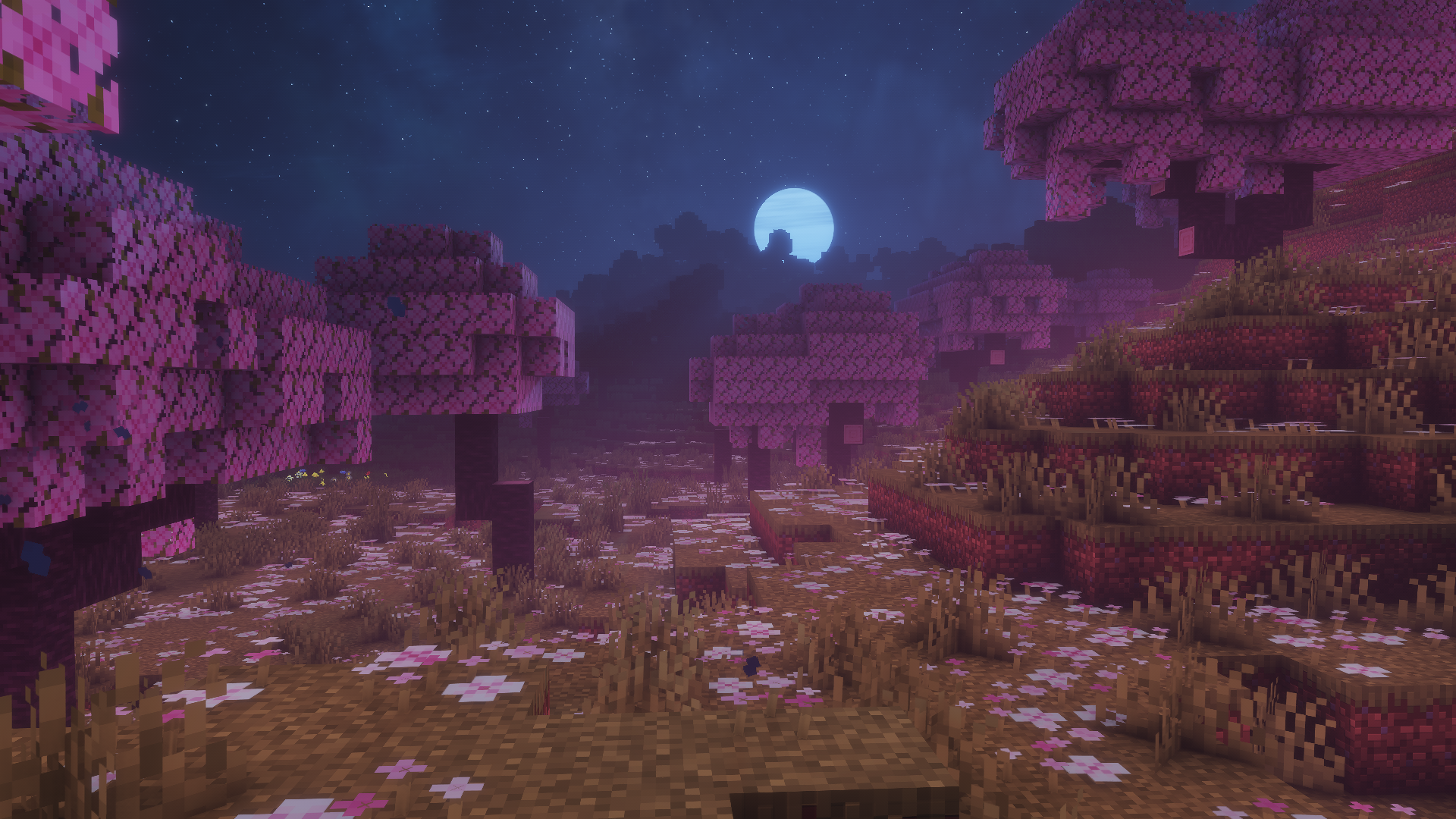

介绍

A Vanilla+ Minecraft Experience




Keep Minecraft vanilla just smoother, cleaner, and more enjoyable.
Introducing Crafted Plus
Crafted Plus is a client-side modpack that keeps Minecraft close to vanilla while adding major performance improvements, extended render distances, and essential quality-of-life features. Shaders are included, but everything remains fully customizable to fit your setup.
⚡ PerformancePowered by |
🏔️ View DistanceUses |
✨ ShadersComes with a curated selection of lightweight, pre-configured shaders. |
🎙️ Voice ChatBuilt-in proximity voice chat support for compatible SMP servers. |
🗺️ NavigationClean minimap and full-screen world map complete with customizable waypoints. |
🛠️ UtilitiesPractical tools including smooth zoom, auto-sorting, shulker box previews, and much more. |
📺 Dream DisplayWatch videos and media directly on in-game screens together with friends. |
🔄 UpdatesConstantly maintained and quickly updated for new Minecraft versions. |
Best For:
- Vanilla Players: Want maximum FPS and clean visuals without changing base gameplay.
- Builders: Need high render distances to view massive builds without performance loss.
- SMP Players: Benefit from proximity voice chat, waypoints, and interactive maps.
- Server Owners: A reliable, client-only pack recommendation for community players.
Installation
1 Download
Install via the Modrinth App or Prism Launcher.
2 Memory
Allocate 4–8 GB RAM in your launcher settings.
3 Play
Launch and enjoy!
Note: FPS is capped by default; unlock it in video settings for maximum performance.
Keybinds:
Communication
| Feature | Key | Action |
| :— | :—: | :— |
| Voice Chat | V | Open voice chat settings |
Navigation
| Feature | Key | Action |
| :— | :—: | :— |
| Minimap | Y | Toggle visibility; hold to enlarge |
| World Map | M | Toggle full-screen map |
| Waypoints | B | Create a new waypoint |
Utilities
| Feature | Key | Action |
| :— | :—: | :— |
| Lighty Overlay | F8 | Show potential monster spawn locations |
| 360° Screenshot | F9 | Capture a 360° screenshot for your main menu background |
FAQ:
How do I use Dream Display in Multiplayer?
For setup steps and screen controls, visit the official Dream Display page. Note that the server must also have the mod/plugin installed for shared viewing!
Can I join any server with this modpack?
Yes! The pack is strictly client-side and works on almost all servers. However, some strict servers might restrict minimap or voice chat features.
Does this actually boost FPS?
Yes. The optimization stack substantially improves framerates and eliminates frame drops compared to standard vanilla Minecraft.
Got a low-end PC or need even more FPS?
If you experience lag, go to Options ➔ Video Settings and disable Voxy. Turning it off provides a significant performance boost on weaker hardware while retaining all other FPS optimizations.
Can I disable specific mods?
Yes, you can toggle mods off directly in your launcher. Please note that disabling core mods may lead to instability or crashes.
Thanks to all the mod creators who made this project possible!
包含的模组 75 个
 3D Skin Layers
 AmbientSounds
 苹果皮
 Armor Hider
BadOptimizations
 Balm
 Better Block Entities
 Better Snow Coverage
 Better Statistics Screen
 Boat Item View
 BSL Shaders
 Chat Heads
 Client Sort
 Cloth Config API
 Complementary Shaders - Unbound
 Concurrent Chunk Management Engine (Fabric)
 Continuity
 Cool Rain
 CreativeCore
 Dark Loading Screen
 Default Dark Mode
 Default Options
 Dream Displays
 实体剔除
 Eunomia
 Fabric API
 Fabric Language Kotlin
 Faithful 64x
 Fast IP Ping
 FerriteCore
 Gamma Utils (Fullbright)
 IconButtons API
 ImmediatelyFast
 Iris Shaders
 ItemPhysic Lite
 Krypton
 LambDynamicLights - Dynamic Lights
 Language Reload
 Lighty
 锂
展开全部 75 个
 Main Menu Credits
 MinigamesMod
 模组菜单
 ModernFix-mVUS
 More Culling
 Not Enough Animations
 Packet Fixer
 Particle Rain
 Photon Shaders
 Presence Footsteps
 quick pack
 Reese's Sodium Options
 Resourcify
 ScalableLux
 Screenshot Overhaul
 Shulker Box Tooltip
 Sildur's Vibrant Shaders
 Simple Voice Chat
 Smooth Scrolling
 钠
 Sodium Extra
 Sodium Shadowy Path Blocks (SSPB)
 Solas Shader
 Sound Physics Remastered
 Status Effect Bars
 TCDCommons API
 Text Placeholder API
 Theone's Eating Animation Pack
 Very Many Players (Fabric)
 voxy
 Wavey Capes
 Xaero的小地图
 Xaero的世界地图
 YetAnotherConfigLib (YACL)
 Zoomify (Zoom)
绿色边框的模组本站有收录,点进去看中文介绍;其余跳转到 Modrinth。
常见问题
Crafted Plus 支持哪些 Minecraft 版本?
Crafted Plus 基于 Minecraft Java 版 26.3、26.2,使用 Fabric 加载器。
Crafted Plus 怎么安装?
点本页「前往下载」拿到整合包文件(Modrinth 的是 .mrpack,CurseForge 的是 .zip),在 PCL2 或 HMCL 启动器里选择「导入整合包」,启动器会自动装好 Minecraft、加载器和全部模组。这个整合包有 75 个模组,建议在启动器里给游戏分配 4–6 GB 内存。
Crafted Plus 开服需要多大内存?
推荐服务器内存 12 GB。在线人数多、或者建了大量机器和区块加载器时,可以再加 2–4 GB。
怎么和朋友一起玩 Crafted Plus?
点本页的「一键开服」,选好配置后会自动安装 Crafted Plus 的服务端,几分钟就能开好。把服务器地址发给朋友,大家用同一个版本的整合包连进去就行。
评论
登录后评论和评分