
Moose Configs
NextGen Moose configs forever undefeated. The world's greatest PvP modpack to ever exist.
截图


介绍
Minecraft Powered By Moose Configs!
Legendary configs, settings, and performance kept from you for years; finally published for you to use as well!
Aside from the high performance modpack, I’ve also included the following:
- Shaderpacks and corresponding configs
- Texturepacks (Base Pack & Block Overlay)
- Stupidly good fortune/luck (you’ll be shocked how lucky you get from using this modpack)
- Improves pvp skill significantly! (ask anyone frfr)
Default Keybinds
Feel free to change them if you’d like ^-^
- Default shaders keybind is
K - Default togglesprint keybind is
P - Default waypoint keybind is
F10 - Default worldmap keybind is
M - Default freecam keybind is
U - Default freecam-player keybind is
I - Default nametags keybind is
N - Default zoom keybind is
~ - Default simple hud utilities keybind is
INSERT - Default armor hud keybind is
DELETE - Default player/npc hider is
END - Default minimap keybind is
PAGEUP - Default on-screen waypoints keybind is
PAGEDOWN - Default voicechat GUI is
RightShift - Default minimap on hold enlarger keybind is
\ - Default zoom in/out for minimap keybinds are
-and= - Default freelook keybind is
LeftAlt - Default chat keybind is
Enter(i had my reasons)
FAQ
Why?
I’ve gotten sick of sending my modpack’s entire root directory as a giant zip file to my friends so they can play with my modpack. I’ve finally decided to post my modpack as an official one on Modrinth after many requests. Enjoy!
Will you update this?
If there’s any conflicts or errors, I’ll be sure to update the modpack!
Other versions?
I’ll only consider making a modpack for a different version if I get a lot of requests. Undecided for now.
Where can I find you?
Instagram, Youtube, and Discord are the main ways of finding me online. You definitely won’t find me irl though 😉
Can you add X mod?
There’s a good chance I might add a mod if it improves performance, if I like the mod, or if its simply a good addition to add to the modpack. Feel free to reach out to me if you’d like me to add the mod of your choice!
Why is my screen blurry?
You’re most likely referring to the Motionblur Mod, you can change that via typing in chat /motionblur [0-100]. To disable Motionblur completely, run the following command: /motionblur 0.
I personally use anywhere from 19-47 depending on how many players are around me, but feel free to use what works best for you! And yes, motionblur does seem to work with the shaders.
包含的模组 168 个,另有 7 个其他文件
 Client Side Noteblocks
 3D皮肤层
 [EMF] Entity Model Features
 [ETF] Entity Texture Features
 AmbientSounds
 AntiGhost
 苹果皮
 Architectury API
 Auto Clicker
Auto Sprint Fix
 Auto Warden Subtitles
 Bedrodium
 Better Block Sounds
 Better Log4j Config
 Better Mount HUD
 Better Ping Display [Fabric]
 Better Statistics Screen
 BetterHurtCam
 BlameLog
 Blur+
 Boat Item View
 Bobby
 Boosted Brightness
 Borderless Mining
 Camera Utils
 Capes
 Centered Crosshair
 Chat Calc
 Chat Heads
 Chat Notify
 ChatUtils
 Chunky
 CIT Resewn
 Cloth Config API
 Command Macros
 Complementary Shaders - Reimagined
 Complementary Shaders - Unbound
 CompleteConfig
 Concurrent Chunk Management Engine (Fabric)
 Controlling
展开全部 168 个
 Cosmetica
 Craftify
 CreativeCore
 Cull Leaves
 Cull Less Leaves
 DashLoader
 Debugify
 Ding
 Do a Barrel Roll
 Don't Clear Chat History
 Dynamic FPS
 Elytra Time
 Emoji Type
 Enhanced Block Entities
 实体剔除
 Entity View Distance
 Essential Mod
 Exordium
 Fabric API
 Fabric Language Kotlin
 Fadeless
 Fast IP Ping
 FastAnim
 FastDoll
 Faster Random
 Fastload
 FastQuit
 Female Gender Mod
 FerriteCore
 FeyTweaks
 Forge Config API Port
 Freecam
 Freelook
 Highlight
 Icterine
 ImmediatelyFast
 Indium
 Iris Shaders
 Krypton
 LambDynamicLights - Dynamic Lights
 Language Reload
 lazy-language-loader
 LazyDFU
 Leaves Be Gone
 libIPN
 LibJF
 锂
 Load My Resources
 Log Cleaner
 MaLiLib
 Memory Leak Fix
 Methane
 MidnightLib
 Mixin Conflict Helper
 MixinTrace
 Mod Detection Preventer
 模组菜单
 Model Gap Fix
 ModernFix
 Modpack Update Checker
 More Chat History
 More Culling
 MoreMcmeta
 MoreMcmeta Emissive Textures
 Motion Blur
 NarrusYeetus
 No Arrows In You!
 No AutoJump
 No Name Tags
 Not Enough Animations
 Not Enough Crashes
NoUnknownLogs
 Noxesium
 Nuit
 Nuit Interop
 Old MC Logo
 Old Potions
 Packet Fixer
 Player Visibility
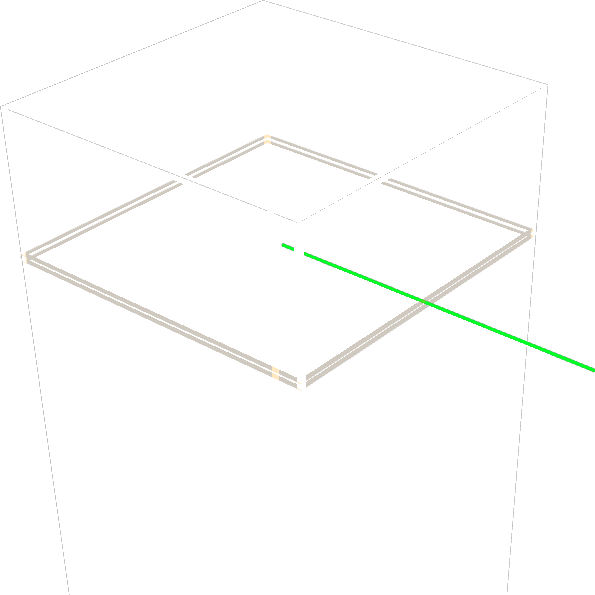 Pretty hitboxes
 Puzzle
 Puzzles Lib
 RailOptimization
 Recursive Resources
 Reese's Sodium Options
 Remove Reloading Screen
 ReplayMod
 Resource Pack Overrides
 Riding Mouse Fix
 Sciophobia
 Searchables
 See Through Water/Lava
 Server Pack Unlocker
 Server Pinger Fixer
ServerAddressSpaceFix
 Shulker Box Tooltip
 Shut Up GL Error
 Simple HUD Utilities
 Simple Voice Chat
 Skip Transitions
 Smooth Scrolling Refurbished
 Smooth Swapping
 SmoothMenu Refabricated
 钠
 Sodium Extra
 Sound Physics Remastered
 spark
 StackDeobfuscator
 Starlight (Fabric)
 Status Effect Bars
 StutterFix
 Suppress OpenGL Error 128(0-2)
 ThreadTweak
 Tooltip Scroll
 ToolTipFix
 TotemCounter
 Ugly Scoreboard Fix
 ukulib
 Very Many Players (Fabric)
 Video Tape
 Wakes
 Wavey Capes
 Xaero Arrow Fix
 Xaero的小地图
 Xaero的世界地图
 XaeroPlus
 YetAnotherConfigLib (YACL)
 Zoomify (Zoom)
绿色边框的模组本站有收录,点进去看中文介绍;其余跳转到 Modrinth。
常见问题
Moose Configs 支持哪些 Minecraft 版本?
Moose Configs 基于 Minecraft Java 版 1.20.1,使用 Fabric 加载器。
Moose Configs 怎么安装?
点本页「前往下载」拿到整合包文件(Modrinth 的是 .mrpack,CurseForge 的是 .zip),在 PCL2 或 HMCL 启动器里选择「导入整合包」,启动器会自动装好 Minecraft、加载器和全部模组。这个整合包有 168 个模组,建议在启动器里给游戏分配 6–8 GB 内存。
Moose Configs 开服需要多大内存?
推荐服务器内存 12 GB。在线人数多、或者建了大量机器和区块加载器时,可以再加 2–4 GB。
怎么和朋友一起玩 Moose Configs?
点本页的「一键开服」,选好配置后会自动安装 Moose Configs 的服务端,几分钟就能开好。把服务器地址发给朋友,大家用同一个版本的整合包连进去就行。
评论
登录后评论和评分