
介绍
Command Macros

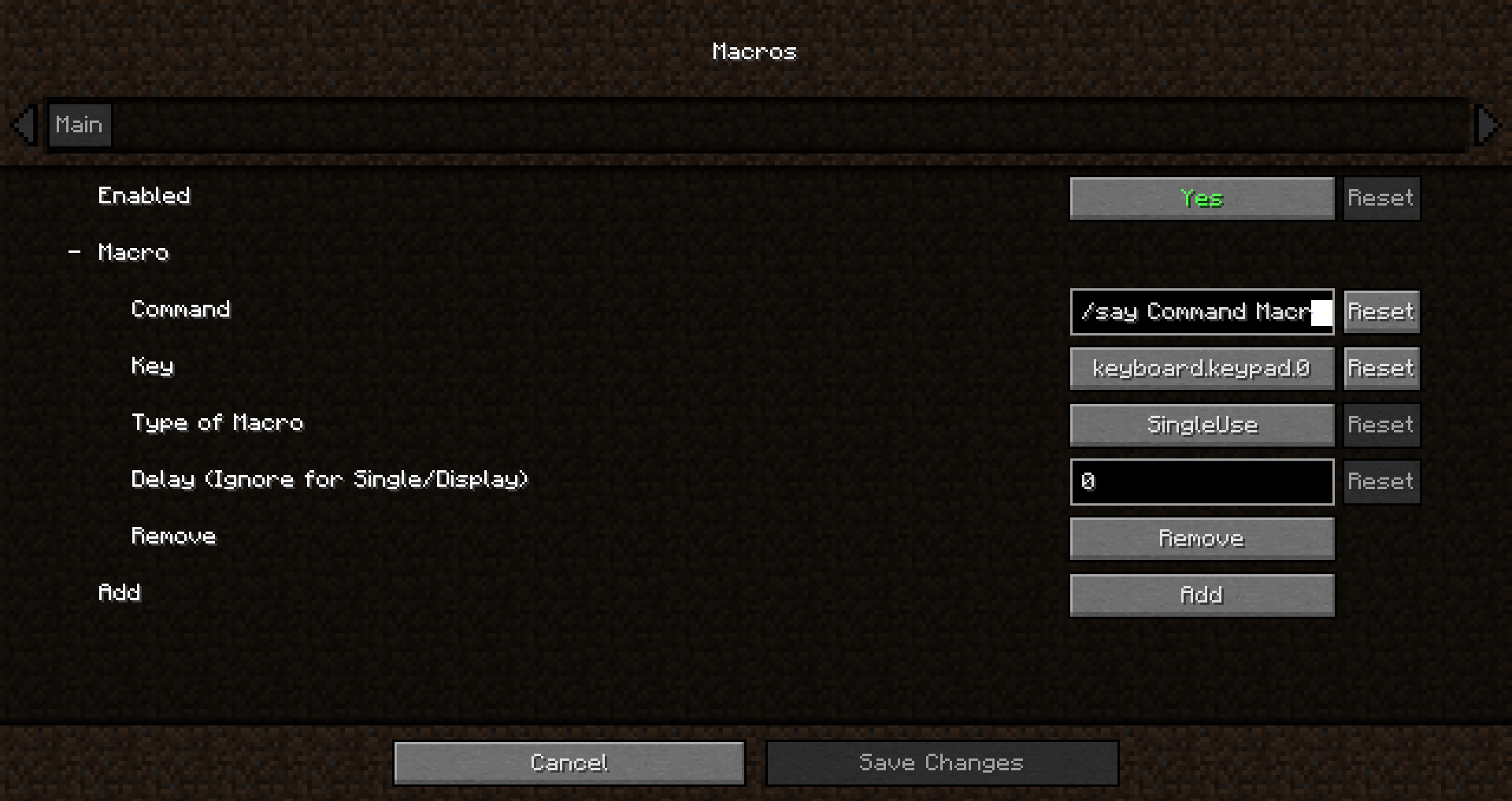
Have a command you commonly use? Tired of repeatedly typing it in over and over? Wouldn’t it be easier to press a key on your keyboard to run the command?
How to add a macro:
- Edit the config
- Opening the config menu with Mod Menu.
- Typing the following command : “Cmdkeybinds showconfig”
- Using the keybind. Editable though the controls screen or the command macros config. By default it is unbound
Command Macros provides a quick and easy method of creating and running macros.
Creating a macros is as easy as specifying the command, and the key to trigger the command.
Restart not required! Editing/Creating a macro takes effect instantly, no need to relaunch.
Keys are not limited to a single macro, multiple macros can be bound to the same key to have multiple commands run at once.
Different Types of Macros:
- Delayed Macro: Command has a configurable delay between key press and execution.
- Repeating Macro: Command while auto repeat while holding down the key. Delay configurable
- Toggled Repeating: Same as Repeating but the key press acts as a toggle, allowing the command to repeat without holding down the key
- RunNTimes(New in 1.6.0!): Command will run N times when pressed. Delay between runs is configurable
- Single use Macro: Command will only execute once per key press
- Display only Macro: Chat screen will be opened and command will be typed in without being executed
常见问题
Command Macros 支持哪些 Minecraft 版本?
Command Macros 支持 Minecraft Java 版 1.19.1–1.20.4,共 8 个版本,可用的加载器:Fabric。下载时注意选择和你游戏版本一致的文件。
Command Macros 怎么安装?
先用 PCL2 或 HMCL 启动器安装对应版本的 Fabric,再把下载的 .jar 文件放进游戏目录的 mods 文件夹,重新启动游戏即可。开启了版本隔离的,mods 文件夹在 versions/版本名 下面。运行环境:仅客户端。
kyrptonaught 的其他作品
查看全部 →
ToolTipFix
修复工具提示超出屏幕边缘的问题。
Inventory Sorting
快速、简单且轻量的物品栏整理

Enchanted ToolTips
Enchantment info in tooltips!

Quick Shulker
Quickly open shulker boxes(and more) without placing them down
评论
登录后评论和评分