
截图

介绍

🚀Velocity
Experience Minecraft like never before with Velocity. This modpack combines powerful performance optimizations with stunning visual enhancements. Enjoy buttery smooth gameplay, faster loading times, and a significant boost in frame rates. Shader support, zoom, and connected textures are also included. Upgrade your Minecraft experience with Velocity.
✨Why Velocity
Velocity aims to provide a smoother and more enjoyable Minecraft experience. This modpack includes shader support, improved frame rates and optimized chunk loading. It also includes Fresh Animations which adds a bunch of mob animations overall reulting in a smoother and more immersive Minecraft experience.
How To Install
- Open Modrinth App
- Go to Discover
- Search for velocity and click install
- Go to Instances And find Velocity
- Enjoy
Mods
Included Mods
–
包含的模组 108 个,另有 1 个其他文件
 (Bee's) Fancy Crops
 3D Skin Layers
 [EMF] Entity Model Features
 [ETF] Entity Texture Features
 AL's Armor Stands Revamped
 All Mob Heads
 Animatica Refabricated
 苹果皮
 Armor Stand Arms
BadOptimizations
 Ben's Bundles
 Better Block Entities
 Better Statistics Screen
 BetterF3
 Boat Item View
 Bookshelf Inspector
 Borderless Fullscreen
 Chat Animation [Smooth Chat]
 Cherished Worlds
 Clearer Slot Highlight
 Cloth Config API
 Complementary Shaders - Reimagined
 Continuity
 Controlling
 Cut Through
 Dani's Oxidizing Copper Tools
 Delete Worlds To Trash
 Detail Armor Bar Reconstructed
 Dungeons and Taverns Ancient City Overhaul
 Dungeons and Taverns Desert Temple Overhaul
 Dungeons and Taverns Jungle Temple Overhaul
 Dungeons and Taverns Nether Fortress Overhaul
 Dungeons and Taverns Ocean Monument Overhaul
 Dungeons and Taverns Pillager Outpost Overhaul
 Dungeons and Taverns Stronghold Overhaul
 Dungeons and Taverns Swamp Hut Overhaul
 Dungeons and Taverns Woodland Mansion Overhaul
 Elytra Contrails Mod
 Elytra Trims
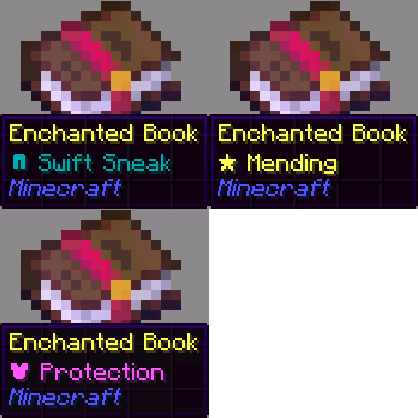 Enchant Icons
展开全部 108 个
 Enchanted's Sodium Options
 Enchantment Outlines
 实体剔除
 Explosive Enhancement
 Fabric API
 Fabric Language Kotlin
 FerriteCore
 Forge Config API Port
 Freecam
 Fresh Animations
 Fresh Buckets
 Fresh Flower Pots
 Fresh Flower Pots: Rotated
 Gamma Utils (Fullbright)
 Geophilic
 Glowing Torchflower
 Horseman
 I Like Vanilla
 ImmediatelyFast
 Immersive Hotbar
 Iris Shaders
 JamLib
 LibJF
 Lighty
 Litematica
 锂
 Locator Lodestones
 MaLiLib
 Mini Blocks
 模组菜单
 鼠标微调
 No Enderman Grief
 OptiGUI
 Packed Packs
 Paginated Advancements & Custom Frames
 Panorama ScreenMake
 Partial-Keep-Inventory
 Particle Effects
 Particle Rain
 Pickup Notifications
 PneumonoCore
 Puzzles Lib
 qrafty's Capitalized Font
 Recolourful Containers GUI + HUD
 Reese's Sodium Options
 Respackopts
 RightClickHarvest
 Roman Numerals for Enchant Icons
 Searchables
 Shulker Box Tooltip
 Simple Datapacks
 Simple Grass Flowers
 钠
 Sodium Extra
 Sodium Shadowy Path Blocks (SSPB)
 Speed Happy Ghast
 Status Effect Bars
 TCDCommons API
 Text Placeholder API
 Trade Cycling
 uku's Armor HUD
 ukulib
 Visual: Armor Trims
 Visuality
 Weskerson's Torches
 WorldEdit
 YetAnotherConfigLib (YACL)
 Zoomify (Zoom)
绿色边框的模组本站有收录,点进去看中文介绍;其余跳转到 Modrinth。
常见问题
Velocity 支持哪些 Minecraft 版本?
Velocity 基于 Minecraft Java 版 26.1.2、1.21.4,使用 Fabric 加载器。
Velocity 怎么安装?
点本页「前往下载」拿到整合包文件(Modrinth 的是 .mrpack,CurseForge 的是 .zip),在 PCL2 或 HMCL 启动器里选择「导入整合包」,启动器会自动装好 Minecraft、加载器和全部模组。这个整合包有 108 个模组,建议在启动器里给游戏分配 4–6 GB 内存。
Velocity 开服需要多大内存?
推荐服务器内存 12 GB。在线人数多、或者建了大量机器和区块加载器时,可以再加 2–4 GB。
怎么和朋友一起玩 Velocity?
点本页的「一键开服」,选好配置后会自动安装 Velocity 的服务端,几分钟就能开好。把服务器地址发给朋友,大家用同一个版本的整合包连进去就行。

评论
登录后评论和评分