
TechnicalSpace
Play Survival like you haven't done before with the create mod. Fly to the space. Custom Generators
介绍
CreateSpace
Welcome to the Create Space Modpack, where you can experience the thrill of survival like never before! This modpack takes you on a journey through exciting new gameplay elements and enhancements that will make your Minecraft experience truly unforgettable.
Features
- Create Mod Integration: Dive into the world of creativity with the Create Mod, which allows you to craft amazing contraptions and machines that will aid you in your survival journey.
- Space Exploration: Blast off to the stars with space travel! Hop into a rocket 🚀 and explore the cosmos like an intergalactic explorer.
- Custom Generators: Discover the power of custom generators that will change the way you gather resources and generate energy.
Installation
To get started, simply install this modpack and dive into a world of endless possibilities. Gather resources, build incredible machines, explore the cosmos, and survive against all odds.
Are you ready to embark on an epic adventure? Download the Modpack today and start crafting your own destiny in Minecraft!
包含的模组 111 个
 OpenBlocks Elevator (Fabric)
 农夫乐事
 Ad Astra
 Advancement Plaques
 Animatica
 苹果皮
 Applied Botanics
 应用能源2
 Applied Energistics 2 Wireless Terminals
 Architectury API
 Automobility
 bad packets
 Better Mount HUD
 Better Statistics Screen
 BetterVanillaBuilding
 Blur+
 植物魔法
 Botarium
 Chat Heads
 ChoiceTheorem's Overhauled Village
 Cloth Config API
 Clumps
 Collective
 Comforts
 Complementary Shaders - Reimagined
 Concurrent Chunk Management Engine (Fabric)
 Continuity
 Controlling
 Create Crafts & Additions
 Create Fabric
 Create Jetpack
 Create: Design n' Decor
 机械动力:蒸汽与铁路
 CTOV - Farmer Delight Compat
 Cull Less Leaves
 Debugify
 Disable Custom Worlds Advice
 Dungeons and Taverns
 Dynamic FPS
 EditSign
展开全部 111 个
 Enhanced Block Entities
 实体剔除
 Essential Mod
 Exordium
 Extended Drawers
 Extractinator
 ExtraSounds
 Fabric API
 Fabric Language Kotlin
 砍树
 Farmer's Knives
 FastQuit
 ForgetMeChunk
 Freecam
 Hold That Chunk
 Iceberg
 Indium
 Iris Shaders
 Item Model Fix
 Jade 🔍
 旅行地图
 LambDynamicLights - Dynamic Lights
 Language Reload
 LazyDFU
 锂
 Low Fire
 Main Menu Credits
 Memory Leak Fix
 MidnightLib
 Mine Treasure
 MixinTrace
 模组菜单
 Model Gap Fix
 Moonlight Lib
 鼠标微调
 Not Enough Animations
 oωo (owo-lib)
 帕秋莉手册
 Polymorph
 Puzzle
 Reese's Sodium Options
 Reinforced Barrels
 Reinforced Chests
 Reinforced Shulker Boxes
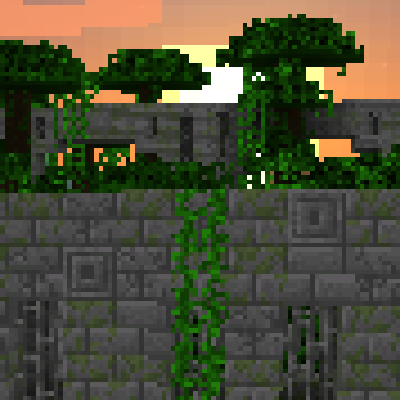 Repurposed Structures - Fabric
 Resourceful Config
 Resourceful Lib
 REI物品管理器
 Roughly Enough Professions (REP)
 ServerCore
 Shulker Box Tooltip
 Smooth Boot (Fabric)
 钠
 Sodium Extra
 spark
 Stack Refill
 Starlight (Fabric)
 锦致装饰
 Tectonic
 Terralith
 ToolTipFix
 Towns and Towers
 Traveler's Backpack
 Trinkets
 Unique Dark
 Visuality
 Wraith Waystones
 WTHIT
 YetAnotherConfigLib (YACL)
 You're in Grave Danger
 Your Options Shall Be Respected (YOSBR)
绿色边框的模组本站有收录,点进去看中文介绍;其余跳转到 Modrinth。
常见问题
TechnicalSpace 支持哪些 Minecraft 版本?
TechnicalSpace 基于 Minecraft Java 版 1.19.2,使用 Fabric 加载器。
TechnicalSpace 怎么安装?
点本页「前往下载」拿到整合包文件(Modrinth 的是 .mrpack,CurseForge 的是 .zip),在 PCL2 或 HMCL 启动器里选择「导入整合包」,启动器会自动装好 Minecraft、加载器和全部模组。这个整合包有 111 个模组,建议在启动器里给游戏分配 4–6 GB 内存。
TechnicalSpace 开服需要多大内存?
推荐服务器内存 12 GB。在线人数多、或者建了大量机器和区块加载器时,可以再加 2–4 GB。
怎么和朋友一起玩 TechnicalSpace?
点本页的「一键开服」,选好配置后会自动安装 TechnicalSpace 的服务端,几分钟就能开好。把服务器地址发给朋友,大家用同一个版本的整合包连进去就行。
InvalidJoker 的其他作品
查看全部 →
ServerPingFixer
ServerPingFixer fixes the issue where the first Minecraft server ping fails

Let it Snow
Replace all rain with snow (client side)

DialogFix
Selects the first input field when opening a dialog

JustSmooth
An optimized modpack designed to boost performance and enhance gameplay.
评论
登录后评论和评分