
介绍
RizenCraft
_A modpack created solely for my and personal friends’ and decided to share it for easy updates._
The RizenCraft modpack aims to provide a new Minecraft experience where you go with your friends to explore, build, grief, raid, loot, and kill anything and I mean anything!
NO LIMITS! BE WHAT YOU ARE! DO WHAT YOU WANT!
Features
- QOL additions to help your everyday life
- Performance optimizations (client and server/lan)
- Beautiful visuals maintaining vanilla experience
- Vast biomes, structures to explore & loot (Overworld, Nether, & End)
- New mob variants to hunt and kill
- New enchants and strenghten yourself
- New animations for your eyes only
- Decorate your house with the new furnitures
Version 1.X – Mods & Datapacks (166)
- 3D Skin Layers
- [[EMF] Entity Model Features](https://modrinth.com/mod/entity-model-features)
- [[ESF] Entity Sound Features](https://modrinth.com/mod/esf)
- [[ETF] Entity Texture Features](https://modrinth.com/mod/entitytexturefeatures)
- Accessories
- Always a Wither Skull
- Animatica
- Anvil Never Too Expensive
- AppleSkin
- Architectury API
- Auto Attack
- Axes Are Weapons
- bad packets
- BadOptimizations
- Balm
- BCLib
- Better Beacon Placement
- Better Mount HUD
- Better Than Mending
- BetterEnd
- BetterF3
- BetterNether
- Bridging Mod
- Capes
- cat_jam
- ChoiceTheorem’s Overhauled Village
- CICADA
- Client Sort
- Cloth Config API
- Cobweb
- Collective
- Comforts
- Compact Help Command
- Concurrent Chunk Management Engine (Fabric)
- Continuity
- Controlify
- Coords HUD
- Craftable Enchanted Golden Apple
- Cristel Lib
- Crops Love Rain
- Cubes Without Borders
- Cut Through
- Cycle Paintings
- Damage Numbers
- Debugify
- Dis-Enchanting Table
- Doors Closed
- Double Doors
- Durability Tooltip
- Dynamic FPS
- Dynamic Lights
- e4mc
- Eating Animation
- EnderPack
- Enhanced Block Entities
- Entity Culling
- Essential Commands
- Fabric API
- Fabric Language Kotlin
- FabricSkyboxes
- Fabrishot
- Falling Leaves
- FancySkyBoxes Interop
- FastQuit
- FerriteCore
- Followers Teleport Too
- FootprintParticle
- Forge Config API Port
- FurniCraft
- Glore
- Gravestones
- Grind Enchantments
- Healing Campfire
- ImmediatelyFast
- ImmersiveThunder
- Indium
- Infinite Dragon Eggs
- Infinite Trading
- [Infinity Mending Bows [PurpurPack]](https://modrinth.com/mod/purpurpacks-infinity-mending-bows)
- Inventory Totem
- Iris Shaders
- JamLib
- Just Enough Items
- Krypton
- Ksyxis
- Language Reload
- Leash Villager
- Leaves Be Gone
- Let Me Despawn
- Linkart
- Lithium
- Lithostitched
- M.R.U
- Main Menu Credits
- MidnightLib
- MixinTrace
- Mob Health Indicators
- Mod Menu
- Model Gap Fix
- ModernFix
- ModMenu Badges Lib
- MonoLib
- More Chat History
- More Chest Variants (MCV)
- More Culling
- More Mobs
- Mouse Tweaks
- Neo Enchant+
- Neruina – Ticking Entity Fixer
- NetherPortalFix
- No Chat Reports
- No Telemetry
- Noisium
- Not Enough Animations
- [Not Enough Recipe Book [NERB]](https://modrinth.com/mod/nerb)
- Nvidium
- OptiGUI
- oωo (owo-lib)
- Paginated Advancements & Custom Frames
- Paxi
- Pet Owner
- Ping Wheel
- PneumonoCore
- Polytone
- Puzzle
- Puzzles Lib
- Quad
- RailOptimization
- Recast
- Reese’s Sodium Options
- Remove Reloading Screen
- Scaffolding Drops Nearby
- ServerCore
- Show Me Your Skin!
- Shulker Box Tooltip
- Shulker Drops Two
- Simple Fog Control
- SkinRestorer
- Slumber
- Sodium Extra
- Sodium Shadowy Path Blocks
- Sodium
- Sounds
- Spawn-Proofed Villagers
- SuperMartijn642’s Config Lib
- TCDCommons API
- Terralith
- Text Placeholder API
- Toggle Item Frames
- Torch hit!
- Towns and Towers
- TrashSlot
- Utility Belt
- Very Many Players (Fabric)
- View Distance Fix
- Villager Names
- World Weaver
- YDM’s Weapon Master
- YetAnotherConfigLib
- Yggdrasil New*
- Your Options Shall Be Respected (YOSBR)
- YUNG’s API
- Zombie Villagers From Spawner
- Zoomify
RizenCraft 2 – Toned Down Version (Optional)
- Removed server-side only mods
- Added some more QOL additions that are not included in v1.x
- Removed most of the world-gen mods and replaced them with DNT series world-gen
Server Files for v2.x
- You will need some knowledge setting up a fabric server.
- If you want to play the official server, download the server files github release.
- PS for v1.x – I don’t plan to release any server files for it as these version has both server-side only included in it so you can just copy and paste it in your freshly made fabric server.
Version 2.X – Mods & Datapacks (137)
- 3D Skin Layers – Removed in v2.3
- [[EMF] Entity Model Features](https://modrinth.com/mod/entity-model-features)
- [[ESF] Entity Sound Features](https://modrinth.com/mod/esf)
- [[ETF] Entity Texture Features](https://modrinth.com/mod/entitytexturefeatures)
- Accessories
- Advancement Plaques
- Animal Feeding Trough
- Animatica
- AppleSkin
- Architectury API
- Armor Stand Poses
- Artifacts
- Auto Attack by John Adept
- bad packets
- BadOptimizations
- Balm
- Beautify: Refabricated
- Better Advancements
- Better Mount HUD
- BetterF3
- Bobby
- Bridging Mod
- cat_jam
- CICADA
- Client Sort
- Cloth Config API
- Cobweb
- Collective
- Concurrent Chunk Management Engine (Fabric)
- Continuity
- Controlling
- Cubes Without Borders
- Cut Through
- Damage Numbers
- [Dark Enchanting [NeoForge/Fabric]](https://modrinth.com/mod/dark-enchanting)
- DeathLog
- Debugify
- Dis-Enchanting Table
- Dynamic FPS
- Dynamic Lights
- Easy Anvils
- Easy Magic
- Eating Animation
- Elytra Slot
- Elytra Trims
- Enchanted Vertical Slabs
- Enchantment Level Language Patch
- EnderPack
- Enhanced Block Entities
- Entity Culling
- Fabric API
- Fabric Language Kotlin
- FabricSkyboxes
- FancySkyBoxes Interop
- Falling Leaves
- FastQuit
- FerriteCore
- FootprintParticle
- Forge Config API Port
- FriendGuard – New
- Furnace Plus
- Gamma Utils (Fullbright)
- Gravestones
- Guard Villagers (Fabric/Quilt))
- Handcrafted
- Iceberg
- ImmediatelyFast
- ImmersiveThunder
- Indium
- InvMove
- Iris Shaders
- JamLib
- Just Enough Items
- Language Reload
- Legendary Tooltips
- Lithium
- M.R.U
- MidnightLib
- MixinTrace
- Mob Health Indicators
- Mod Menu
- Model Gap Fix
- ModernFix
- ModMenu Badges Lib
- MonoLib
- More Chest Variants (MCV)
- More Culling
- Mouse Tweaks
- No Chat Reports
- No More Purple
- Not Enough Animations
- [Not Enough Recipe Book [NERB]](https://modrinth.com/mod/nerb)
- Nvidium
- OptiGUI
- Ore Harvester
- oωo (owo-lib)
- Paxi
- Pick Up Notifier
- Ping Wheel
- PneumonoCore
- Polytone
- Prism
- Puzzle
- Puzzles Lib
- Quad
- RailOptimization
- Reese’s Sodium Options
- Remove Reloading Screen
- Resourceful Lib
- Searchables
- ServerCore
- Show Me Your Skin!
- Shulker Box Tooltip
- Sodium
- Sodium Extra
- Sodium Shadowy Path Blocks
- Sound Physics Remastered
- Sounds
- TalkBubbles
- Text Placeholder API
- Toggle Item Frames
- Trading Post
- TrashSlot
- Trinkets Compat Layer for Accessories
- Utility Belt
- Very Many Players (Fabric)
- Visual Workbench
- World Weaver
- YDM’s Weapon Master
- YetAnotherConfigLib
- Your Options Shall Be Respected (YOSBR)
- YUNG’s API
- Zoomify
- BetterEnd – Added in v2.3
- BetterNether – Added in v2.3
- BCLib – Added in v2.3
Visuals
Resourcepacks (21)
- 3D Ladders
- Animated Ore
- Authentic Shadows
- Banner Pattern Clarity
- Better Flame Particles
- Better Lanterns
- Blinking Ender Eyes
- Chat Reporting Helper
- Enchant Icons
- Fancy Beds
- Fancy Crops
- Fast Better Grass
- Fresh Animations
- Fresh Animations – Extensions
- Hyper Realistic Sky
- Low On Fire
- No Pumpkin Blur
- Raven Phantoms
- Tender Dragon
- Translations for Sodium
- Unique Dark – Removed in v2.3
- Fresh Moves – Added in v2.3
- Animated RGB GUI Pack – Added in v2.3
Shaderpacks (2)
FAQ
Q: Does RizenCraft support LAN or Multiplayer?
A: Yes, RizenCraft is built for both singleplayer & multiplayer (server or LAN)
Q: There’s something wrong with the modpack, where to ask for help / bug report?
A: For Bugs github issues, For help or requests github pulls
Installation
Manual installation:
- Download the RizenCraft modpack from modrinth website
- Install Modrinth app and launch it
- Find the + (_create profile_) icon near the gear icon at the bottom left of the app
- Choose “From File” and import the downloaded modpack .mrpack file
- Go to Library and press Play button, ENJOY!
Automatic installation:
- Download and install Modrinth app and launch it
- Click the search (magnifying glass icon) button
- Search for RizenCraft and click install
- Go to Library and press Play button, ENJOY!
包含的模组 163 个,另有 1 个其他文件
 (Bee's) Banner Pattern Clarity
 (Bee's) Fancy Crops
 3D Ladders
 [Deprecated] Trinkets Compat Layer for Accessories
 [EMF] Entity Model Features
 [ESF] Entity Sound Features
 [ETF] Entity Texture Features
 Accessories
 Advancement Plaques
 Animal Feeding Trough
 Animated Ore
 Animated RGB GUI Pack
 Animatica
 苹果皮
 Architectury API
 Armor Stand Poses
 Artifacts
 Authentic Shadows
 Auto Attack
 bad packets
BadOptimizations
 Balm
 BCLib
 Beautify: Refabricated
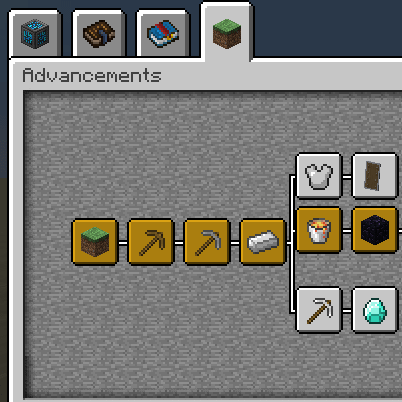 Better Advancements
 Better Flame Particles
 Better Lanterns
 Better Mount HUD
 BetterEnd
 BetterF3
 BetterNether
 Blinking Ender Eyes
 Bobby
 Bridging Mod
 BSL Shaders
 cat_jam
 Chat Reporting Helper
 CICADA
 Client Sort
 Cloth Config API
展开全部 163 个
 Cobweb
 Collective
 Complementary Shaders - Reimagined
 Concurrent Chunk Management Engine (Fabric)
 Continuity
 Controlling
 Cubes Without Borders
 Cut Through
 Damage Numbers
 Dark Enchanting [NeoForge/Fabric]
 DeathLog
 Debugify
 Dis-Enchanting Table
 Dynamic FPS
 Dynamic Lights
 Easy Anvils
 Easy Magic
 Eating Animation
 Elytra Slot
 Elytra Trims
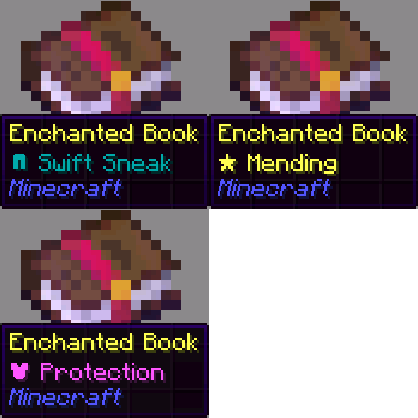 Enchant Icons
 Enchanted Vertical Slabs
 Enchantment Level Language Patch
 EnderPack
 Enhanced Block Entities
 实体剔除
 Equipment Compare
 Fabric API
 Fabric Language Kotlin
 Falling Leaves
 Fancy Beds
 Fast Better Grass
 FastQuit
 FerriteCore
 FootprintParticle
 Forge Config API Port
 Fresh Animations
 Fresh Animations: Extensions
 Fresh Moves
 Furnace Plus
 Gamma Utils (Fullbright)
 Gravestones
 Guard Villagers (Fabric/Quilt)
 Handcrafted
 Hyper Realistic Sky
 Iceberg
 ImmediatelyFast
 ImmersiveThunder
 Indium
 InvMove
 Iris Shaders
 Item Highlighter
 JamLib
 JEI物品管理器
 Language Reload
 Legendary Tooltips
 锂
 Low On Fire
 MidnightLib
 MixinTrace
 Mob Health Indicators
 模组菜单
 Model Gap Fix
 ModernFix
ModMenu Badges Lib
 More Bookshelves Variants
 More Chests Variants (MCV)
 More Culling
 鼠标微调
 MRU
 No Chat Reports
 No Friendly Fire
 No More Purple
 No Pumpkin Blur
 Not Enough Animations
 Not Enough Recipe Book [NERB]
 Nuit
 Nuit Interop
 Nvidium
 OptiGUI
 Ore Harvester
 oωo (owo-lib)
 Paxi
 Pick Up Notifier
 Ping Wheel
 PneumonoCore
 Polymorph
 Polytone
 Prism
 Puzzle
 Puzzles Lib
 Quad
 RailOptimization
 Raven Phantoms
 Reese's Sodium Options
 Remove Reloading Screen
 Resourceful Lib
 Searchables
 ServerCore
 Show Me Your Skin!
 Shulker Box Tooltip
 钠
 Sodium Extra
 Sodium Shadowy Path Blocks (SSPB)
 Sound Physics Remastered
 Sounds
 TalkBubbles
 Tender Dragon
 Text Placeholder API
 Toggle Item Frames
 Trading Post
 Translations for Sodium
 TrashSlot
 Utility Belt
 Very Many Players (Fabric)
 Visual Workbench
 传送石碑
 World Weaver
 YDM's Weapon Master
 YetAnotherConfigLib (YACL)
 Your Options Shall Be Respected (YOSBR)
 YUNG's API
 Zoomify (Zoom)
绿色边框的模组本站有收录,点进去看中文介绍;其余跳转到 Modrinth。
常见问题
RizenCraft 支持哪些 Minecraft 版本?
RizenCraft 基于 Minecraft Java 版 1.21,使用 Fabric 加载器。
RizenCraft 怎么安装?
点本页「前往下载」拿到整合包文件(Modrinth 的是 .mrpack,CurseForge 的是 .zip),在 PCL2 或 HMCL 启动器里选择「导入整合包」,启动器会自动装好 Minecraft、加载器和全部模组。这个整合包有 163 个模组,建议在启动器里给游戏分配 6–8 GB 内存。
RizenCraft 开服需要多大内存?
推荐服务器内存 12 GB。在线人数多、或者建了大量机器和区块加载器时,可以再加 2–4 GB。
怎么和朋友一起玩 RizenCraft?
点本页的「一键开服」,选好配置后会自动安装 RizenCraft 的服务端,几分钟就能开好。把服务器地址发给朋友,大家用同一个版本的整合包连进去就行。
评论
登录后评论和评分