
介绍
FugCraft – Vanilla++ Multiplayer
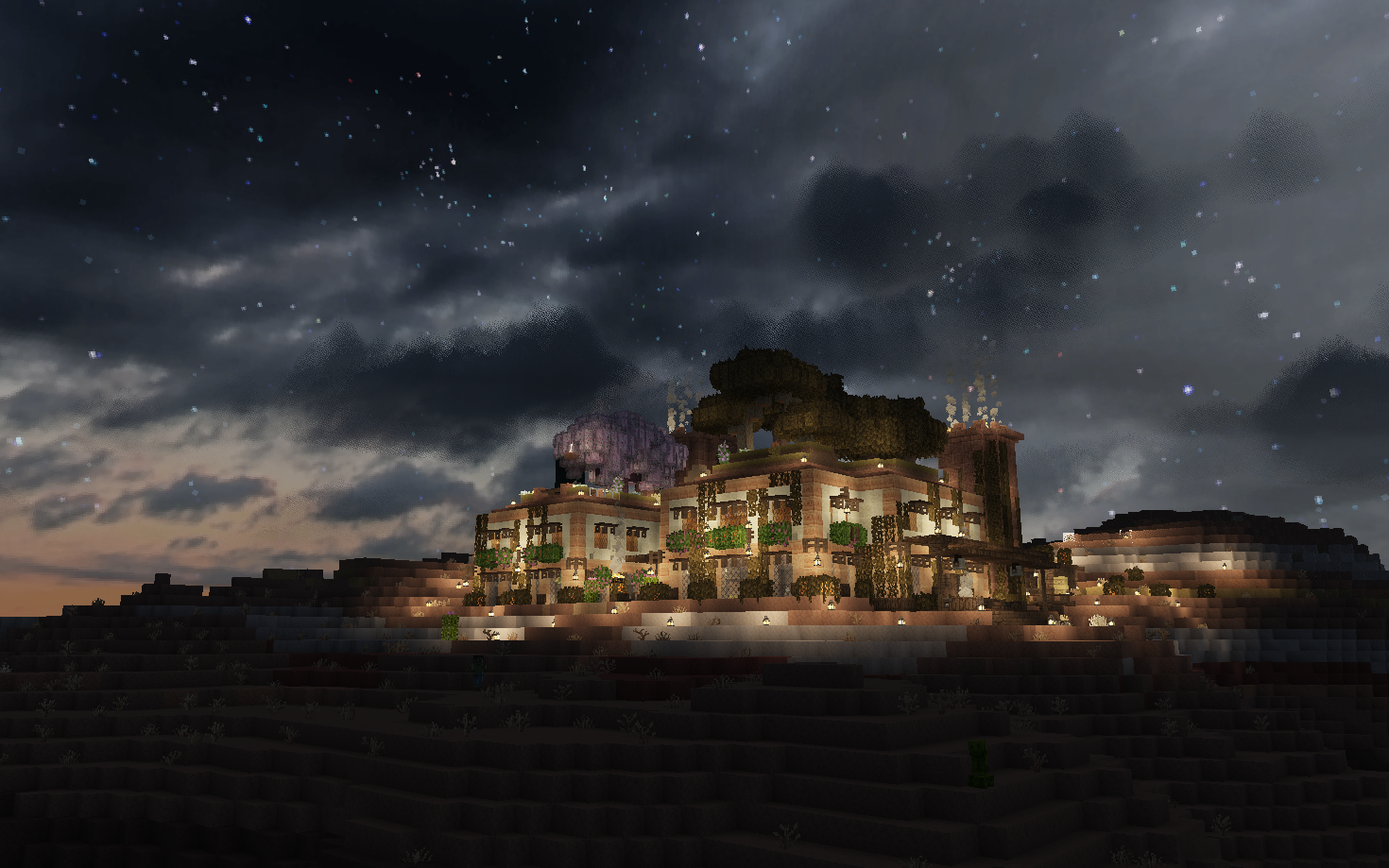
What is FugCraft?
FugCraft is a curated Vanilla++ modpack for multiplayer — still Minecraft at heart, just faster, farther, and richer.
| | |
|—|—|
| 🌍 See forever | Sodium + Voxy — smooth rendering and massive LOD render distance (512 chunks by default) |
| 🗺️ Explore more | Biomes O’ Plenty, overhauled vanilla structures, Moogs structure packs, Towns and Towers, Underground Worlds, and real-world synced seasons |
| 🤝 Play together | Proximity voice chat, parties, map-based land claims, player shops, and death graves |
| 🍳 Live off the land | Farmer’s Delight cooking and farming with addon content |
| ✨ Feel the world | Iris + Complementary Unbound shaders by default, sound physics, footsteps, dynamic lighting, and curated resource packs |
🖥️ Want to host your own server? The complete open-source server setup is on GitHub — pre-configured and ready to deploy!
✨ Key Features
🚀 Performance Optimized
- Sodium + Sodium Extra for fast, modern rendering
- Voxy for distant LOD terrain
- Iris + Complementary Unbound with tunable quality presets
- Additional client and server-side optimization mods for smooth gameplay
- Safe first-launch defaults via Default Options (updates won’t overwrite your existing settings)
- Compatible with low-end to high-end hardware
🎨 Beautiful Visuals
- Complementary Unbound shaders shipped by default through Iris
- Voxy — render way beyond normal distances with LOD terrain
- Enhanced particles, weather effects, and atmospheric ambience from visual polish mods
- Dynamic lighting and immersive improvements
- Curated resource packs with Resource Pack Overrides for easier management and fixes
🔊 Immersive Audio
- Atmosfera – Dynamic ambient sounds that enhance atmosphere
- Presence Footsteps – Realistic footstep sounds that vary by block
- Sound Physics Remastered – Realistic sound propagation and reverb
🗺️ Navigation & Information
- JourneyMap – Full-screen map, minimap, and waypoints
- Jade for detailed block and entity information
- Roughly Enough Items for quick recipe and item lookups
- Zoomify for smooth zooming when planning megabuilds
- Integrated waypoint system
🎮 Gameplay Enhancements
- Expanded World Generation – Biomes O’ Plenty, Dungeons and Taverns structure overhauls, Moogs structure packs, Towns and Towers, and Underground Worlds
- Real-World Synced Seasons – Dynamic seasons powered by Serene Seasons, BetterDays, and Real Serene Seasons
- Farmer’s Delight – Expanded cooking, farming, and food storage with addon content
- Friends&Foes – More vanilla-friendly mobs and structure variety
- Open Parties and Claims – Protect your builds and team up
- Universal Shops – Create and run player-to-player shops (Wiki)
- Universal Graves – Never lose your items on death
- Traveler’s Backpack – Portable storage solution with customizable backpacks for extended adventures (Wiki)
- Veinminer – Mine connected ores quickly (with enchantment support)
- Anvil Restoration – Repair anvils with iron ingots
- Inventory Sorter – Keep your chests organized
- Pet Protection – Your pets are safe from harm
- Mine Spawners – Pick up and relocate mob spawners using silk touch
🎤 Voice Chat Built-In
- Simple Voice Chat – Proximity-based voice communication
- Talk to nearby players naturally in-game
- Customizable settings and push-to-talk
🎯 Quality of Life
- Essential Commands – Teleportation, homes, warps, and essential server utilities
- LambDynamicLights – Hold torches to light your way
- Controller Support via Controlify
- Mod Menu for easy configuration
- All keybinds customizable
📦 What’s Included?
Mods
A carefully selected mod stack including:
- Core performance mods centered around Sodium + Voxy
- Default look powered by Iris + Complementary Unbound
- Client setup helpers (Default Options, Resource Pack Overrides)
- Visual enhancements (Voxy LOD terrain, dynamic lighting, particle effects)
- Audio improvements (Ambient sounds, realistic footsteps, sound physics)
- Expanded world gen (Biomes O’ Plenty, Dungeons and Taverns, Moogs structure packs, Towns and Towers, Underground Worlds, synced seasons)
- Food and farming (Farmer’s Delight and addons)
- Gameplay features (Claims, Shops, Voice Chat, Friends&Foes, Veinminer)
- Quality of life improvements (Inventory Sorter, Backpacks, Dynamic Lights, JourneyMap)
- Full mod list available in the client resources README
💡 Customization Tip: You can disable any mod you don’t want by removing it from your mods folder or renaming it with a
.disabledextension!
Shaders & Resource Packs (Pre-configured!)
- Complementary Unbound – Default shader pack via Iris (quality presets you can raise or lower)
- Curated resource packs – Pre-configured for FugCraft; Resource Pack Overrides helps keep packs working and easier to fix
- Enhanced animations & particles – Smoother motion and richer weather/fire/splash effects from visual polish mods
- Atmospheric ambience – Immersive environmental sounds and audio enhancements
⚙️ Optimization Guide
Default Settings
The modpack ships a strong default look tuned around Sodium + Voxy + Complementary Unbound:
- Voxy LOD stream radius:
512 - Normal render distance:
10 - Shaders: Complementary Unbound enabled
- Simulation distance: conservative by default for stability
🎨 Want Better Visuals?
- Raise the Complementary quality preset — Video Settings → Iris → Shader Settings → increase the preset
- Increase Voxy LOD distance / quality in Voxy settings
- Raise gradually if your system can handle it
- Increase normal render distance in Video Settings for sharper nearby terrain
- If you have a beast PC, increase simulation distance
- Raise in steps and test for stability
⚡ Need Better Performance?
- Increase Voxy subdivision size (pixels²) — coarser LODs, less GPU work
- Decrease Voxy render distance / LOD stream radius — try
256or lower if512is heavy - Lower the Complementary quality preset — Video Settings → Iris → Shader Settings
- Turn shaders off entirely in the same Iris menu if you still need FPS
- Lower normal render distance
- Lower simulation distance
- Tune Sodium Extra options for more headroom
⌨️ Essential Keybinds
Note: All keybinds can be rebound in settings
J– Open full mapM– Toggle minimapB– Add waypointN– Manage waypointsG– Toggle fullbright'(apostrophe) – Open claims settings- On full map (
J): holdU+ drag – Claim an area - On full map (
J): holdI+ drag – Unclaim an area V– Voice chat settingsR– Push to talk (voice chat)
🎮 Server Commands
Essential commands for the FugCraft server:
| Command | Description |
|———|————-|
| /book | Get the in-game FugCraft guide book |
| /home set <name> | Set a personal home location |
| /home tp <name> | Teleport to your home |
| /tpa <player> | Request to teleport to a player |
| /tpaccept | Accept teleport request |
| /warp tp <name> | Teleport to server warps |
| /spawn | Teleport to spawn |
| /rtp | Random teleport far from spawn |
| /openpac-claims | Manage your claims |
| /openpac-parties | Manage parties |
| /htm <command> | Access Hey That’s Mine! features for chest protection |
📚 Full command list: Essential Commands Wiki
🔗 Links & Resources
- 🌐 GitHub Repository: FugCraft-Server
- 🖥️ Host Your Own Server: Complete open-source server setup available in the repository – ready to host locally or remotely!
- 📥 Manual Downloads: Available in the GitHub repo if you prefer manual installation
- 📋 Full Mod List: Check the repository for detailed mod information
💡 Pro Tips
- Right-click an anvil while holding iron ingots to repair it automatically
- Open the pause menu Server Links… button for the repo, client guide, modpack, and wiki links
- Voice chat has proximity – walk closer to hear players better
- Use the claims system to protect your builds — open the map (
J), holdU+ drag to claim,I+ drag to unclaim - Shader preset and Voxy subdivision size are the fastest ways to trade looks for FPS
- Voxy generates LOD chunks gradually – be patient for best results on first load!
- Check out the Traveler’s Backpack Wiki to learn how to use all the backpack features!
🎯 Target Version
Fabric 26.1.2
📝 Credits
Created and maintained for the FugCraft community. Special thanks to all the mod developers whose incredible work makes this modpack possible!
Found a bug? Have suggestions? Visit the GitHub repository!
包含的模组 158 个,另有 8 个其他文件
 (Bee's) Fancy Crops
 3D Skin Layers
 [EMF] Entity Model Features
 [ETF] Entity Texture Features
 Alternate Current
 Am I Up To Date?
 Anvil Restoration
 Architectury API
 Ashen + Visuality Support
 Ashen 16x
 Ashen 16x Custom Font
 Ashen Custom Mobs x Fresh Animations
 AsyncParticles
 Atmosfera
BadOptimizations
 BaguetteLib
 Balm
 Better Block Entities
 Better Climbing
 Better Days
 Better Lanterns
 超多生物群系
 Bubble Column Tweaks
 Chat Animation [Smooth Chat]
 Chat Heads
 Cloth Config API
 Clumps
 Collective
 Complementary Shaders - Unbound
 Concurrent Chunk Management Engine (Fabric)
 Continuity
 Controlify (Controller support)
 CraftedCore
 Crate Delight
 Cristel Lib
 Cull Leaves
 Cut Through
 Default Options
 Delight Lib
 Diagonal Fences
展开全部 158 个
 Diagonal Walls
 Diagonal Windows
 Display Delight Fabric
 Dream Displays
 Dungeons and Taverns
 Dungeons and Taverns Ancient City Overhaul
 Dungeons and Taverns Desert Temple Overhaul
 Dungeons and Taverns Jungle Temple Overhaul
 Dungeons and Taverns Nether Fortress Overhaul
 Dungeons and Taverns Ocean Monument Overhaul
 Dungeons and Taverns Pillager Outpost Overhaul
 Dungeons and Taverns Stronghold Overhaul
 Dungeons and Taverns Swamp Hut Overhaul
 Dungeons and Taverns Woodland Mansion Overhaul
 Easy Magic
 Effortless Building
 实体剔除
 Essential Commands
 Even Better Enchants
 Explosive Enhancement
 Extended ItemView (EIV)
 Fabric API
 Fabric Language Kotlin
 FallingTree
 Farmer's Delight Refabricated
 Farmer's Delight Refabricated Ashen Compat
 Fast Item Frames
 FerriteCore
 Flight Affinity
 Forge Config API Port
 Fresh Animations
 Fresh Animations: Player Extension
 Friends&Foes (Fabric/Quilt)
 Full Brightness Toggle
 Fzzy Config
 GlitchCore
 Gnetum
 Hopper Gadgetry
 ImmediatelyFast
 Immersive Optimization
 Inventory Sorting
 Iris Shaders
 Ixeris
 Jade 🔍
 旅行地图
 JS Leaves+ for Biomes O' Plenty
 KleeSlabs
 Krypton
 LambDynamicLights - Dynamic Lights
 Leash Villager
 Lighty
 锂
 Lithostitched
 Macaw's Paths and Pavings
 MBS - Moog's Bountiful Structures
 MES - Moog's End Structures
 MNS - Moog's Nether Structures
 模组菜单
 Moog's Glow Up
 Moog's Structure Lib (moogs_structures)
 More Culling
 More Delight (for Farmer's Delight)
 MRU
 MSS - Moog's Soaring Structures
 MVS - Moog's Voyager Structures
 No Chat Reports
 Not Enough Animations
 Open Parties and Claims
 OtterLib
 Packet Fixer
 Particle Core
 Particle Rain
 Particular ✨ Reforged
 PetProtect
 Player Animation Library
 Polymer
 Presence Footsteps
 Puzzles Lib
 RailOptimization
 RAY's 3D Ladders
 RAY's 3D Rails
 Resource Pack Overrides
 Resourceful Lib
 Retextures o' Plenty
 Rustic Delight
 ScalableLux
 静谧四季
 Show My Recipes!
 Silkier Touch
 Simple Voice Chat
 Skyboxify
 Smooth Gui
 Snow
 钠
 Sodium Extra
 Sound Physics Remastered
 Subtle Effects
 Tax Free Levels
 TerraBlender
 Text Placeholder API
 Towns and Towers
 Traveler's Backpack
 Underground Worlds
 Universal Bone Meal
 Universal Shops
 VeinMiner
 VeinMiner Enchantment
 Villager Converting
 Villager Names
 Visual Workbench
 Visual: Armor Trims
 Visuality
 Voice Chat Interaction
 voxy
 Voxygen
 Wavey Capes
 YetAnotherConfigLib (YACL)
 Zoomify (Zoom)
绿色边框的模组本站有收录,点进去看中文介绍;其余跳转到 Modrinth。
常见问题
FugCraft 支持哪些 Minecraft 版本?
FugCraft 基于 Minecraft Java 版 26.1.2、1.21.8,使用 Fabric 加载器。
FugCraft 怎么安装?
点本页「前往下载」拿到整合包文件(Modrinth 的是 .mrpack,CurseForge 的是 .zip),在 PCL2 或 HMCL 启动器里选择「导入整合包」,启动器会自动装好 Minecraft、加载器和全部模组。这个整合包有 158 个模组,建议在启动器里给游戏分配 6–8 GB 内存。
FugCraft 开服需要多大内存?
推荐服务器内存 12 GB。在线人数多、或者建了大量机器和区块加载器时,可以再加 2–4 GB。
怎么和朋友一起玩 FugCraft?
点本页的「一键开服」,选好配置后会自动安装 FugCraft 的服务端,几分钟就能开好。把服务器地址发给朋友,大家用同一个版本的整合包连进去就行。

评论
登录后评论和评分