
截图


介绍
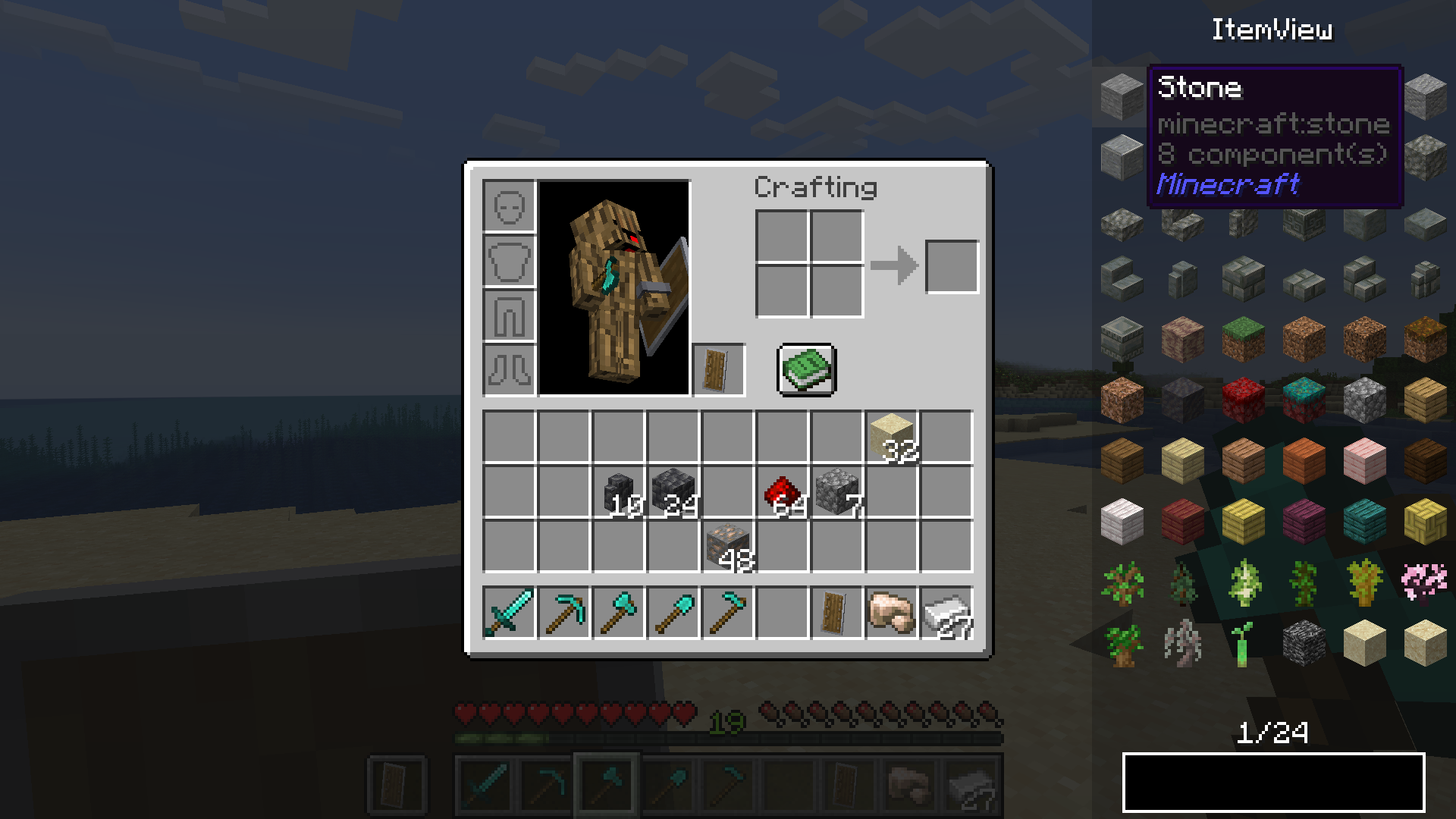
Extended ItemView
A mod all around simplifying your life by showing you the recipes you need! 😀
NOW WITH CHAT RECIPES!
In the newest versions of EIV (6.1.0+1.21.11 and beyond), you can share recipes with your friends by clicking on the share button located beside a recipe in the view screen. Shared recipes are displayed in chat and are fully interactive!
Supported Functions
Currently supported functions are:
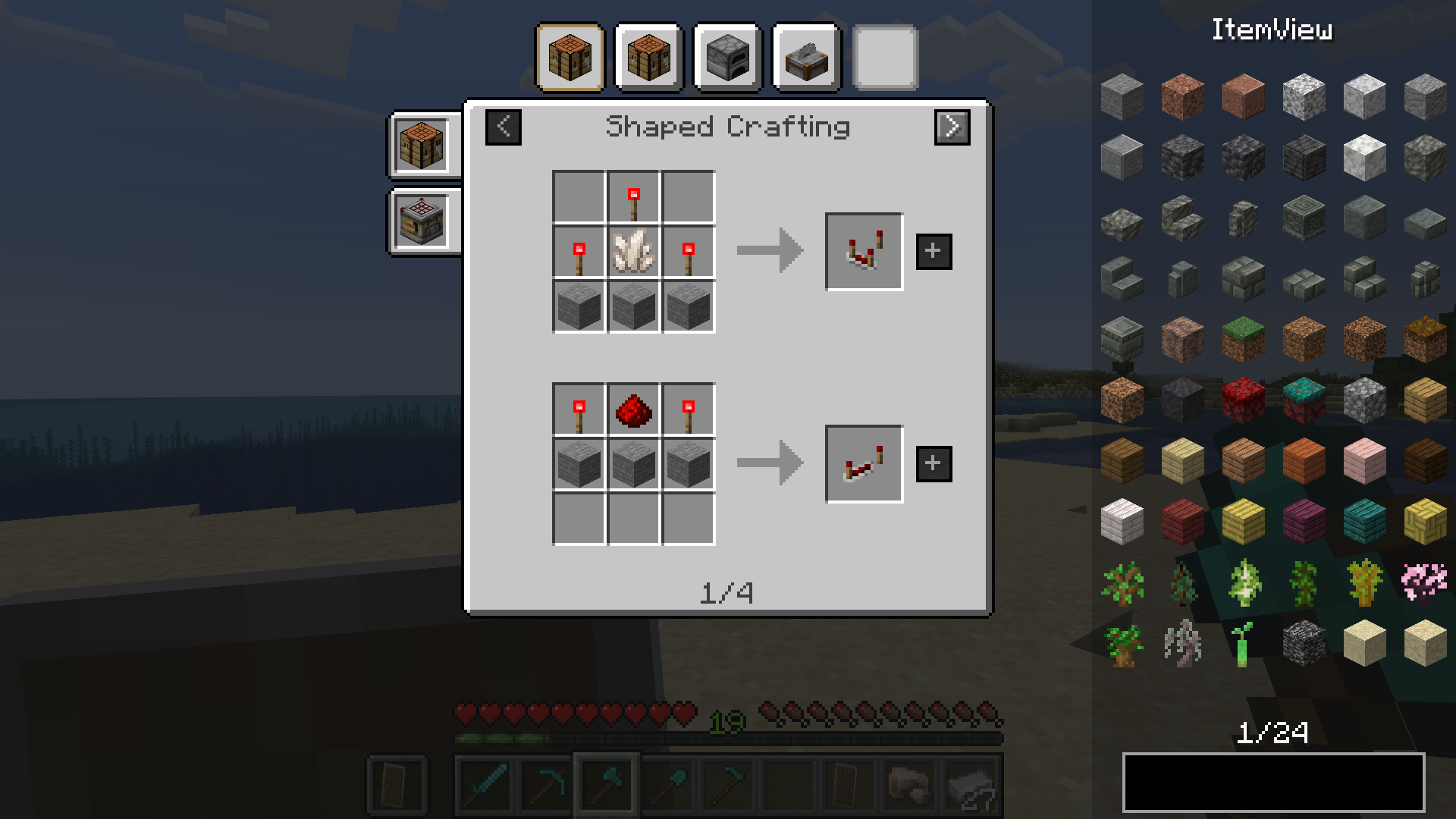
- recipe viewing
- bookmarking items
- item-transfer (fast-move items in crafting gui)
- hiding/showing overlay
- item highlighting (double-click on searchbar)
- cheatmode
- recipe sharing (+ displayed in the chat)
NOTE: _Must be installed on both the client and server_
_This mod also comes with an easy to use API. More info on the github page._
Native supported recipes
- _shaped crafting_
- _shapeless crafting_
- _smelting_
- _blasting_
- _smoking_
- _stonecutting_
- _campfire cooking_
- _smithing_
- _burning_
- _brewing_
- _villager trading_
- _entity loot_
Cheatmode
By holding the cheatmode keybind (by default left-alt) while clicking on items in the overlay you can cheat them if you have sufficient permission (Admin).
- Scroll to change count
- Middle-Click to instantly change count to max stack size
Dynamic Resizing
Change between two different resize modes and make EIV fit exactly to your personal preferences
Wrap
- Overlay-Items wrap around UI elements (e.g. potion effects, recipe book, …)
Cut
- The overlay width becomes smaller when there’s not enough space for items
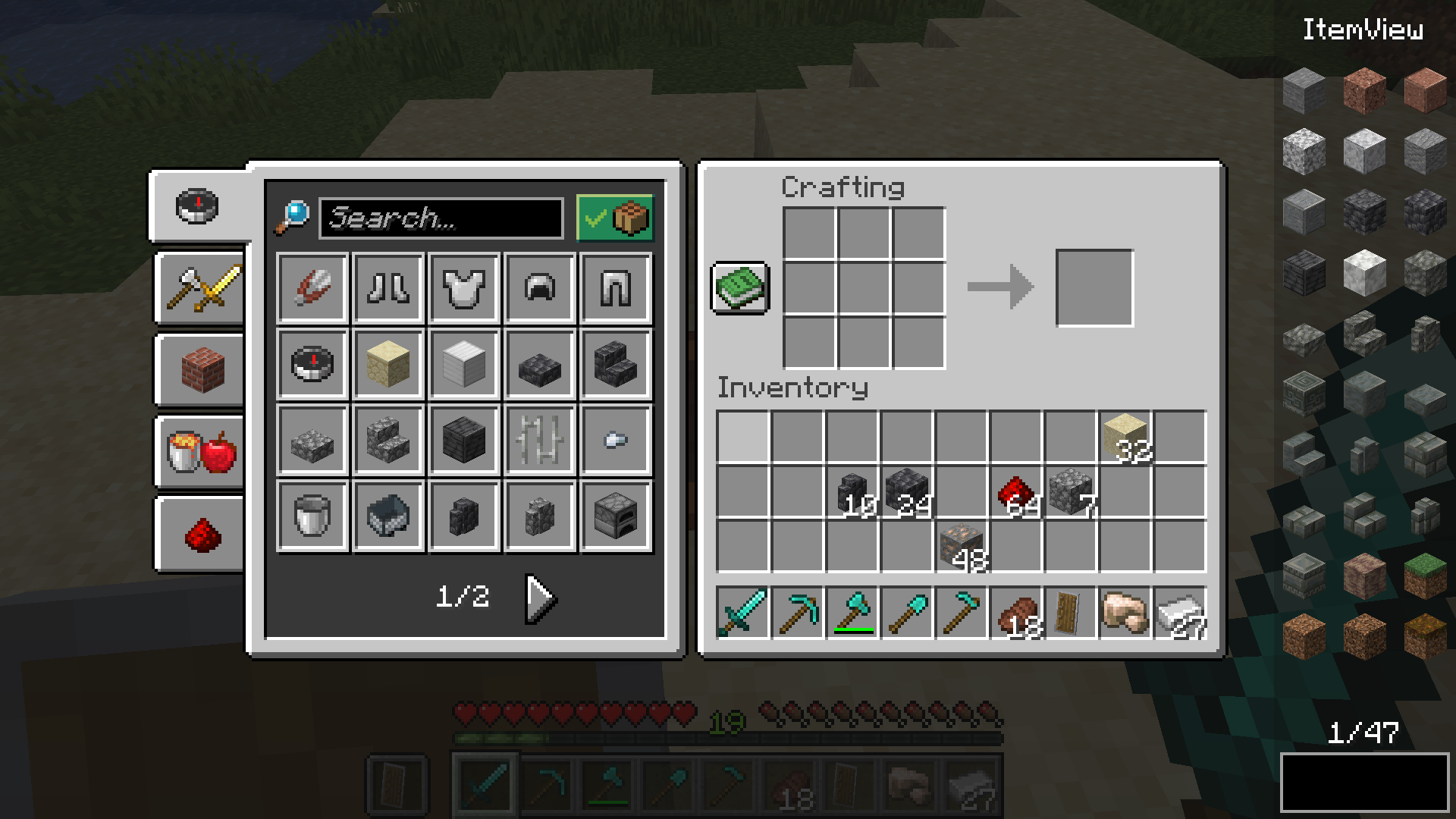
Item Overlay
Crafting Recipes
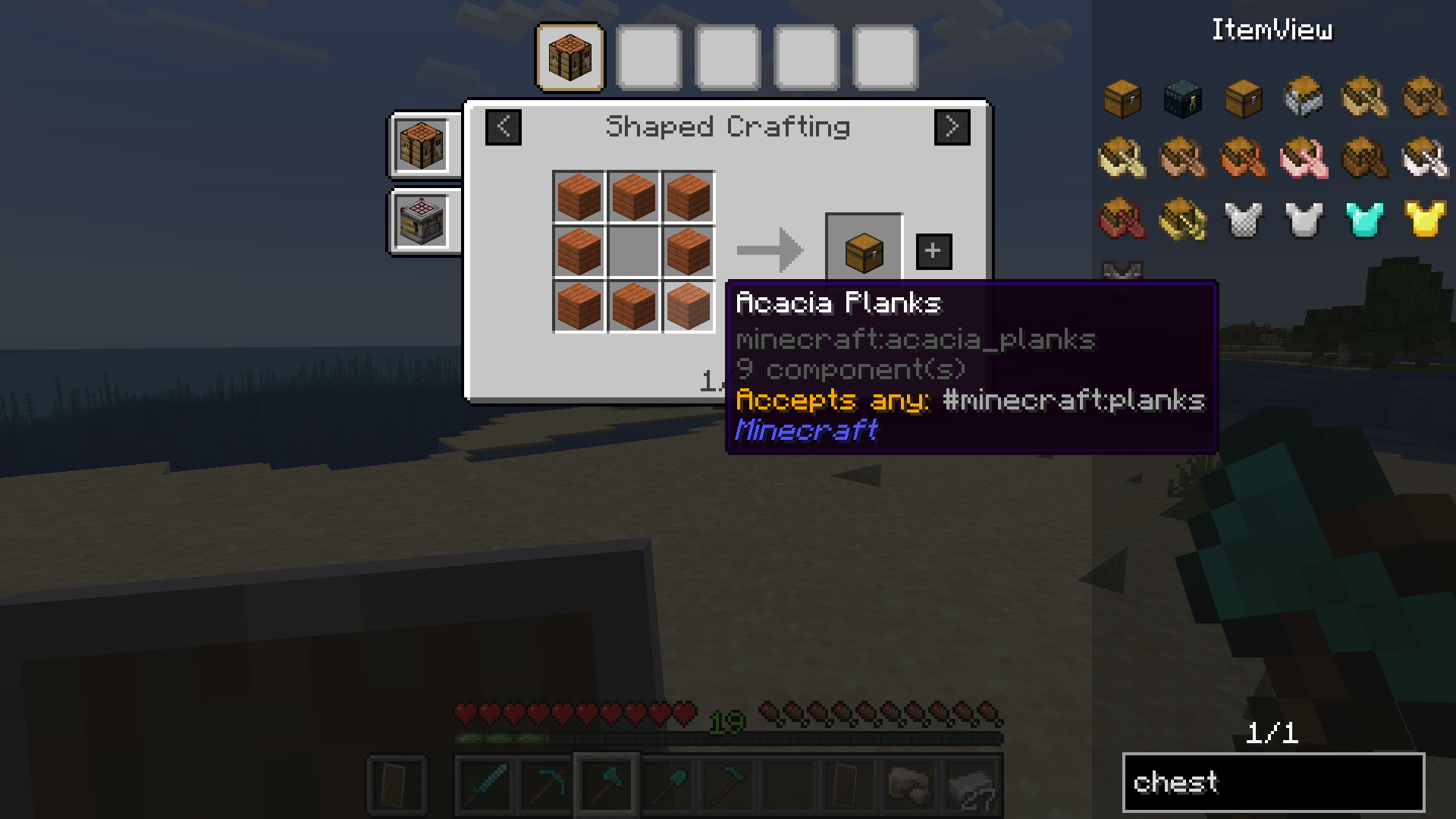
Tag support
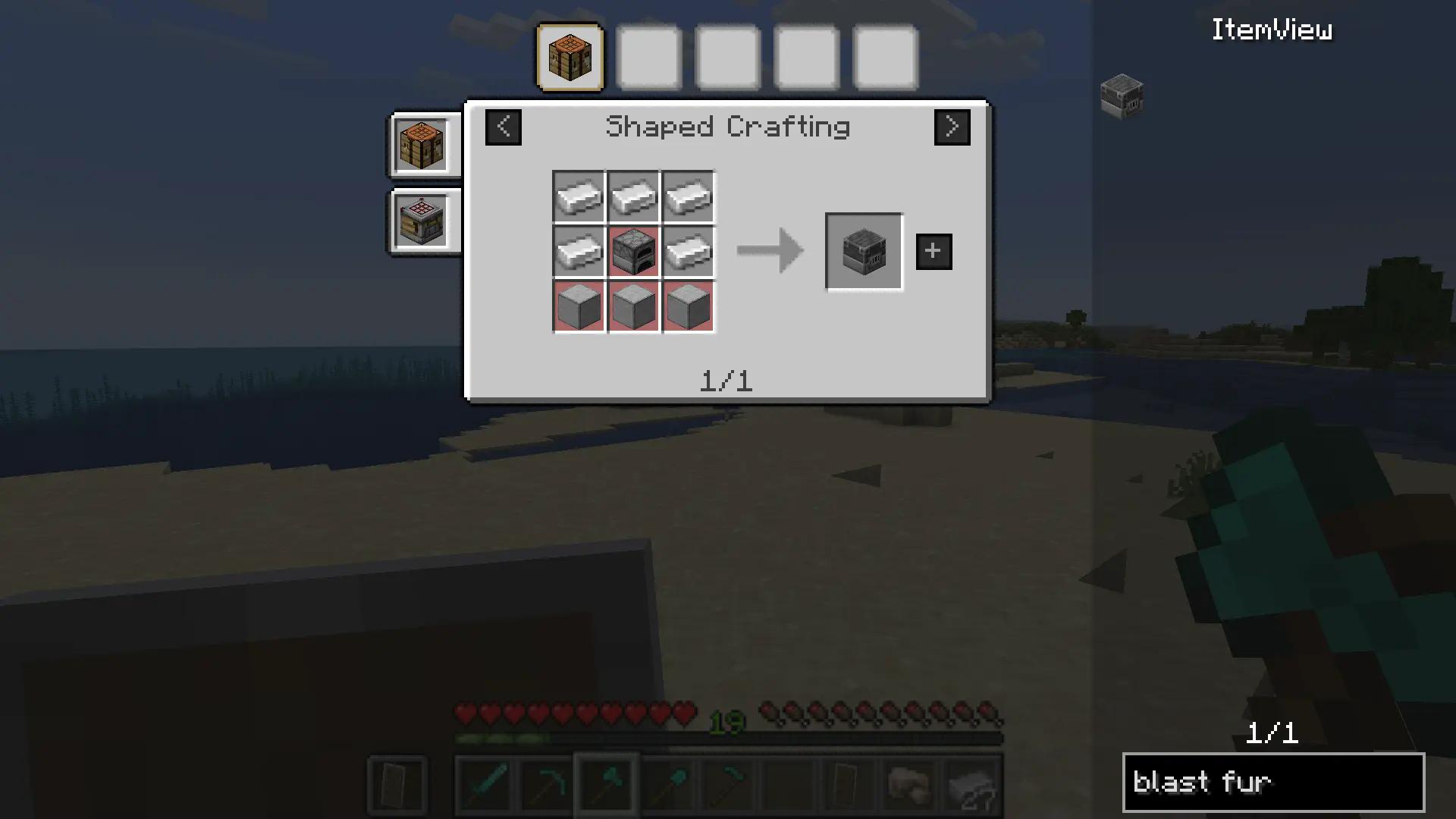
Ingredient highlighting
 Bookmarks
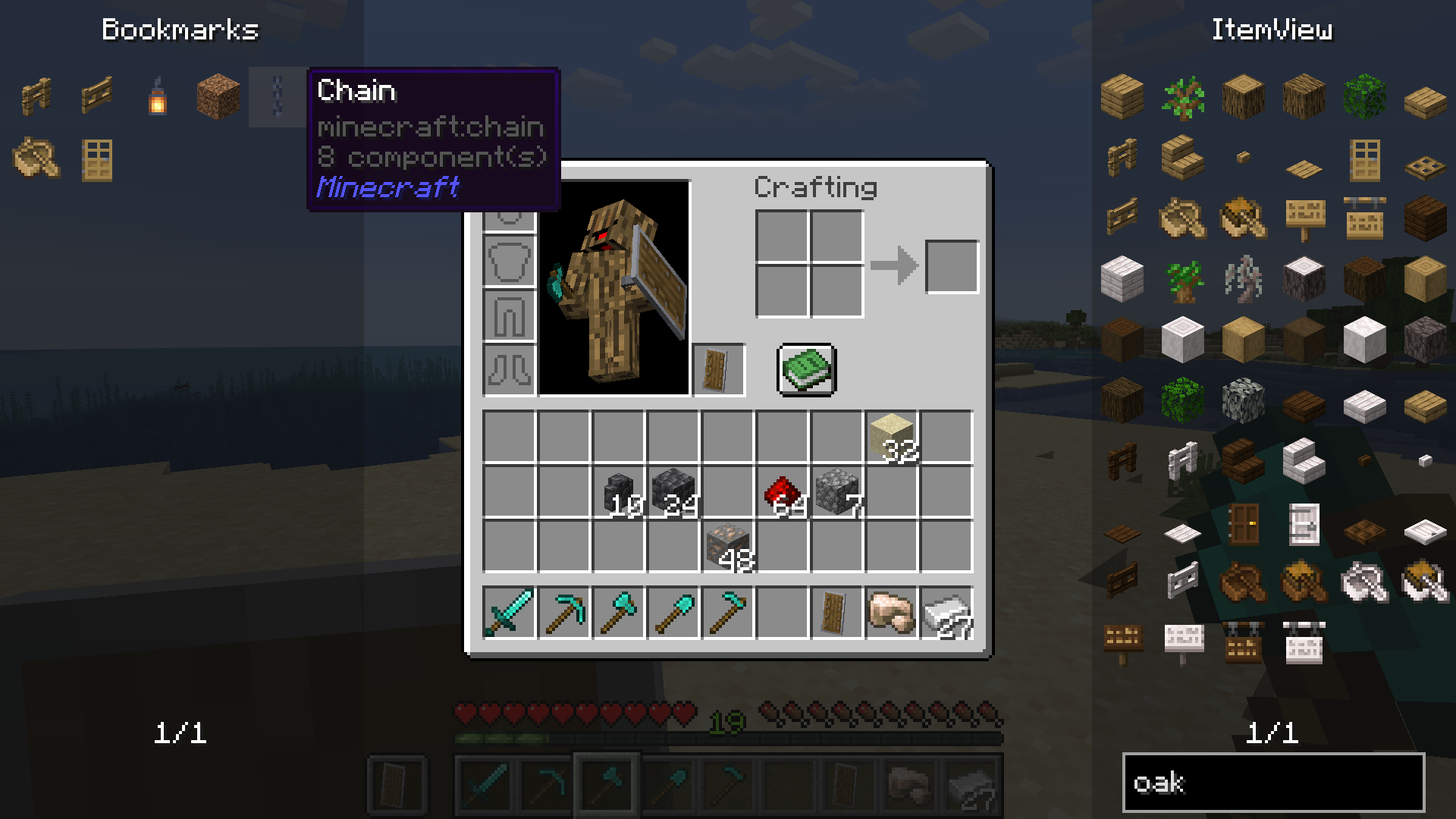
Dynamic Resizing
常见问题
Extended ItemView (EIV) 支持哪些 Minecraft 版本?
Extended ItemView (EIV) 支持 Minecraft Java 版 1.21.4–26.1.2,共 8 个版本,可用的加载器:Fabric / Forge / NeoForge。下载时注意选择和你游戏版本一致的文件。
Extended ItemView (EIV) 怎么安装?
先用 PCL2 或 HMCL 启动器安装对应版本的 Fabric / Forge / NeoForge,再把下载的 .jar 文件放进游戏目录的 mods 文件夹,重新启动游戏即可。开启了版本隔离的,mods 文件夹在 versions/版本名 下面。运行环境:客户端和服务端都要装。
2Bad4Mods 的其他作品
查看全部 →
Advancement Progress
A mod that shows you the progress of your advancements!

LifeCompat
A Compatibility Mod designed to simplify essential Modding Processes like events, bucket compatibility, and Energy

Skylife
A Skyblock with the goal to make everything different (at least a bit)
评论
登录后评论和评分