
Dragon Client V4
Say goodbye to lag and frame rate drops as you explore vast landscapes, engage in thrilling battles, and construct magnificent structures.
截图
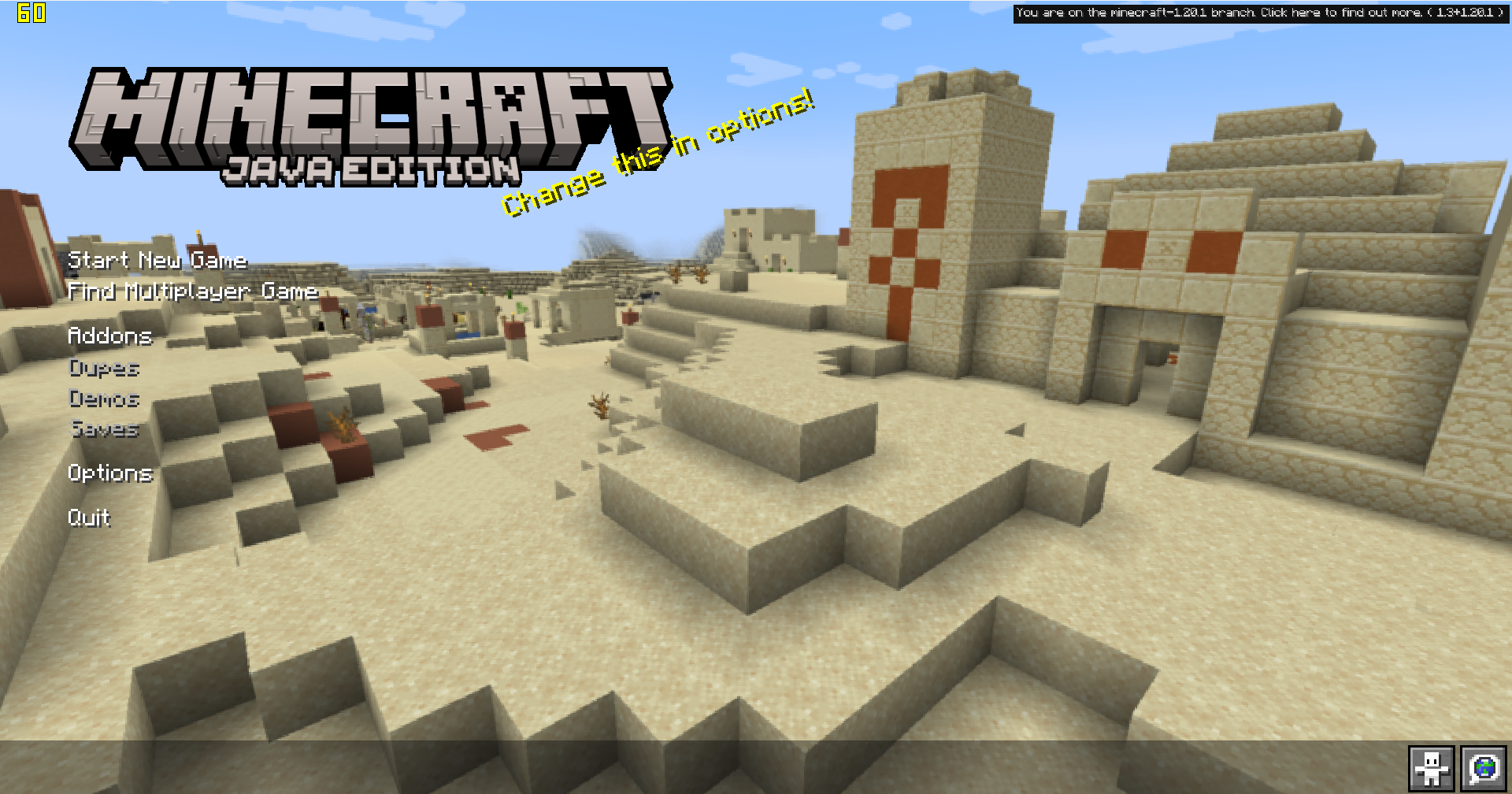
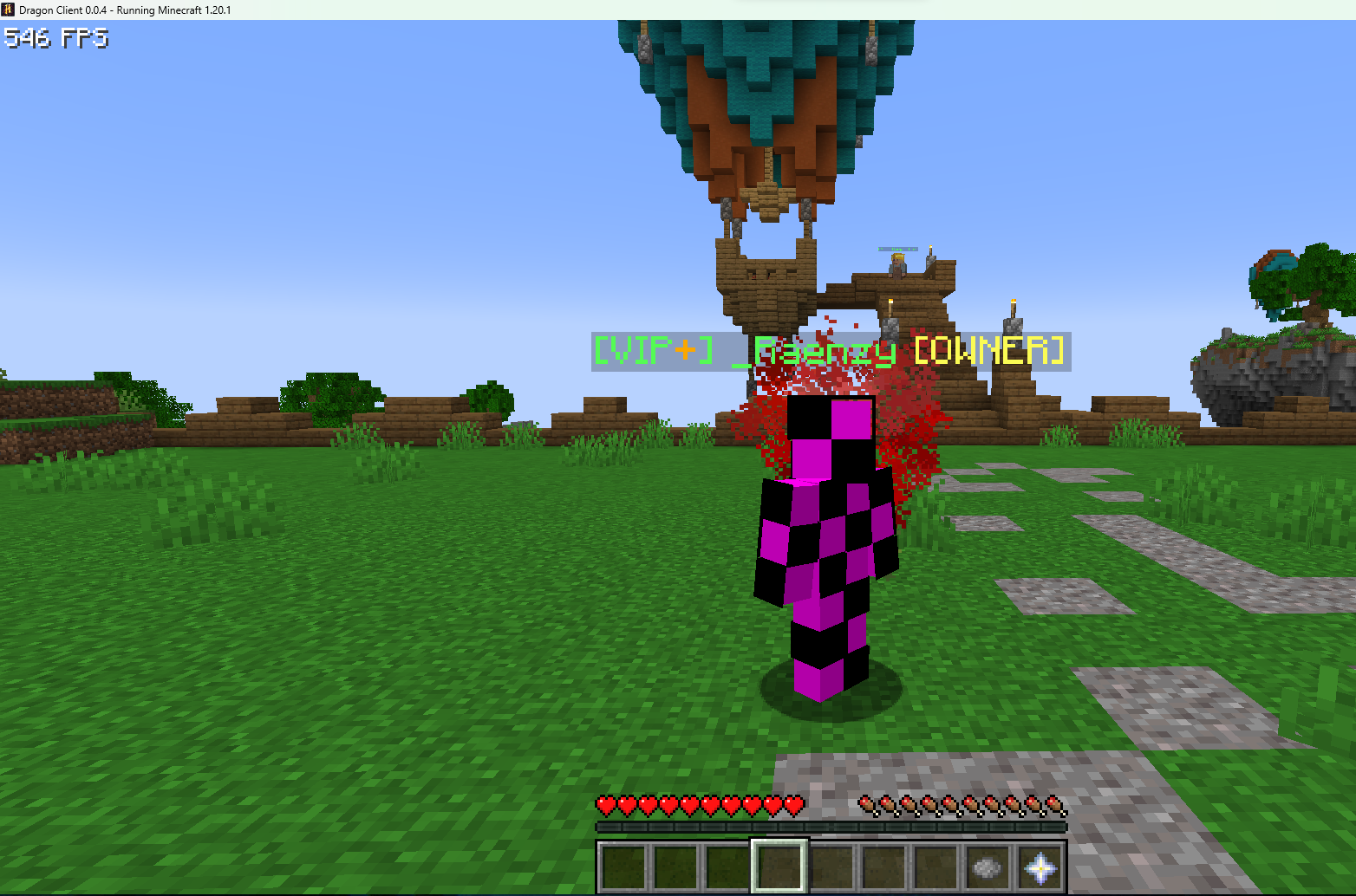

介绍
Dragon Client V4 places performance at the forefront of its design philosophy. Say goodbye to lag and frame rate drops as you explore vast landscapes, engage in thrilling battles, and construct magnificent structures. This modpack introduces a range of performance-enhancing mods, ensuring smooth gameplay and reduced system resource consumption, allowing you to fully immerse yourself in the world of Minecraft.
But Dragon Client V4 doesn’t stop at performance improvements. It also offers visually stunning menus and user interfaces that will captivate your senses. Immerse yourself in a world of beauty with meticulously designed menus that combine style and functionality. Enjoy a clean, intuitive interface that provides easy access to essential features, allowing you to navigate your Minecraft journey with ease and efficiency.
Customization is key, and Dragon Client V4 delivers an array of options to tailor your Minecraft experience to your preferences. Customize and personalize your menus, hotkeys, and settings to suit your unique playstyle. Whether you’re a builder, explorer, or redstone enthusiast, this modpack empowers you to create a Minecraft experience that is truly your own.
包含的模组 75 个
 Advancement Plaques
 Alacrity
 Architectury API
 AutoModpack
 Balm
 Cloth Config API
 Collective
 Command Macros
 Concurrent Chunk Management Engine (Fabric)
 Console Sounds
 Cosmetica
 Custom Client Brand
 Custom Window Title
 DarkKore
 Dashboard
 Debugify
 Default Options
 Dynamic App Icon
 Dynamic Crosshair
 Dynamic FPS
 Endless Music
 实体剔除
 Fabric API
 Fabric Language Kotlin
 Fabrication & Forgery
 Faithful 64x
 FastAnim
 FerriteCore
 Forge Config API Port
 Freecam
 Full Brightness Toggle
 Game Menu Remove GFARB
 GMod Title Screen
 Iceberg
 kennytvs-epic-force-close-loading-screen-mod-for-fabric
 KronHUD
 Krypton
 LambDynamicLights - Dynamic Lights
 LazyDFU
 锂
展开全部 75 个
 Main Menu Credits
 模组菜单
 ModernFix
 Modpack Manager
 NarrusYeetus
 Not Enough Crashes
 Now Playing
 Noxesium
 Old Walking Animaton
 oωo (owo-lib)
 Quality of Life (QoL) Fixes
 Reese's Sodium Options
 Reimagined World Menu
 Remove Reloading Screen
 ReplayMod
 Reply Mod
 Resourcify
 REI物品管理器
 Show Me Your Skin!
 Shulker Box Tooltip
 Skin Shuffle
 钠
 Sodium Extra
 SomeOrdinaryTweaks
 Spectral
 Splash Changer
 Toggle Item Frames
 Totem Party Popper
 Unloaded Activity
 Very Many Players (Fabric)
 Video Tape
 VTDownloader
 YetAnotherConfigLib (YACL)
 You Died
 Youtuber Mod
绿色边框的模组本站有收录,点进去看中文介绍;其余跳转到 Modrinth。
常见问题
Dragon Client V4 支持哪些 Minecraft 版本?
Dragon Client V4 基于 Minecraft Java 版 1.20.1,使用 Fabric 加载器。
Dragon Client V4 怎么安装?
点本页「前往下载」拿到整合包文件(Modrinth 的是 .mrpack,CurseForge 的是 .zip),在 PCL2 或 HMCL 启动器里选择「导入整合包」,启动器会自动装好 Minecraft、加载器和全部模组。这个整合包有 75 个模组,建议在启动器里给游戏分配 4–6 GB 内存。
Dragon Client V4 开服需要多大内存?
推荐服务器内存 12 GB。在线人数多、或者建了大量机器和区块加载器时,可以再加 2–4 GB。
怎么和朋友一起玩 Dragon Client V4?
点本页的「一键开服」,选好配置后会自动安装 Dragon Client V4 的服务端,几分钟就能开好。把服务器地址发给朋友,大家用同一个版本的整合包连进去就行。

评论
登录后评论和评分