
The Ultimate Creator
🎥 The BEST modpack for content creators with the best performance optimizations and useful camera tools. Useful for beautiful cinematic videos and screenshots. Super handy for YouTube, TikTok, Instagram, Twitch, Facebook...
截图


介绍
<img src="https://cdn.modrinth.com/data/OtVXjkRn/images/4a479ac76616da353417b0f48ece74ab4471b104.png
This modpack is made for creating the best videos in minecraft which makes it super useful for content creators. The modpack contains mods to make your Minecraft more beautiful, useful tools to record videos, mods for better communication with others and mods to improve your performance and give you further distance, so you can be the director in your own movie! The mods are all client-side so you could use them on multiplayer and singleplayer. All this on the latest Minecraft version, 1.20.2! Replay Mod and EBE will be included when updated to 1.20.2.
More info here comming soon…
Optimization
Of course, good performance is important in Minecraft, especially when creating content, you shouldn’t miss a frame! There are many mods in the modpack that improve your performance. Some mods such as sodium will provide more fps. And other mods like lithium for example will provide chunks that load faster and an overall smooth experience. Nvidium is also included in the mod pack, which ensures incredibly high fps with a high render distance for people with an NVIDIA 16 graphics card or newer. If you do not have this, the mod will disable itself. There is much more that I will not explain separately here, but it will help you get the best performance in Minecraft. All performance mods are below.
<img src="https://lh3.googleusercontent.com/pw/ADCreHdbAfWbrW0MczNd0UYDXSgLMnhA46DWDE9EISpa-grOrtZjfxlpswqp6GBgYkJpNf30hBzBMi4_E3khEW6oLWWRykt2hcmp80TBzbDQgbPxApc6NfdLxZ-spyzX_HGDteWrD28JzFgGqHjbrs3FlwzB=w1560-h878-s-no-gm?authuser=0
200+ fps with 64 chunks render distance on a RTX 2060!
Optimization mods:
- Concurrent Chunk Management
- Debugify
- Enttity Culling
- FerriteCore
- Indium
- Language Reload
- LazyDFU
- Lithium
- Methane
- ModernFix
- Nvidium
- Sodium
- Sodium Shadowy Path Block
- Server Pinger Fixer
- ThreadTweak
- Lazy Language Loader
- Client Side Noteblocks
- Async Pack Scan
Quality Of Life
…
Quality Of Life mods:
- AppleSkin
- Better Mount HUD
- Better Selection
- Better Suggestions
- BetterHandBobbing
- Boat
- Chat Notify
- Controlling
- Draggable Lists
- Essential Mod
- Edgeless Chat Screen
- KeybindsGalore
- MixinTrace
- Mod Menu
- More Chat History
- No Weather Effects
- Raised
- Recursive Resources
- Reese’s Sodium Options
- Restore Chat Links
- Server Pack Unlocker
- Show Yourself
- Sodium Extra
- Splasher
- Status Effect Bars
- Suggestion Tweaker
- Title Fix Mod
- Toggle Scoreboard
- Tooltip Scroll
- WI Zoom
- Wider Tab
Content creation mods
…
Content creation mods:
- 3D Skin Layers
- BactroMod
- Better Clouds
- Biome Fog
- Blur
- Bobby
- Bounced
- Camera Utils
- Capes
- Continuity
- Creator Overlays
- Do a Barrel Roll
- Eating Animation
- Euphoria Patches
- Explosive Enhancement
- Falling Leaves
- Freecam (Modrinth Edition)
- Gamma Utils
- Iris Shaders
- Isometric Renders
- LambDynamicLights
- Make Bubbles Pop
- Not Enough Animations
- PanoramicShot
- Particle Rain
- Partcle Tweaks
- Player Visibility
- Resourcify
- ScreenFX
- Show Me Your Skin
- Symbol Chat
- Telepistons
- Tiny Item Animations
- VTDownloader
- Vectorientations
- Visuality
- Wakes
- Wavey Capes
Sound mods
…
Content creation mods:
- AmbientSounds
- ImmersiveThunder
- Presence Footsteps
- Quality Sounds
- Sonance
Resourcepack Mods
There are some mods needed for adding resourcepack functions like optifine.
Resource Packs mods:
- Chime
- FabricSkyboxes
- Entity Model Features
- Entity Texture Features
Libraries
…
library mods:
- Architectury
- Cloth Config API
- CreativeCore
- Fabric API
- Fabric Language Kotlin
- LibJF
- Searchables
- YetAnotherConfigLib
- owo-lib
Resource Packs and Shaders
…
Resource Packs and Shaders:
- Complementary Shaders – Reimagined
- Embrace Pixels
- Fresh Animations
- No World Border
- Ore Variants
- Torchcraft Lobby Panorama
Support
If you have any problems, ideas, or other feedback about this project, please contact me via discord or email. You can contact me on Discord by sending a friend request, so you can send me a message.
Discord: tibodp
Mail: [email protected]
🌟 My other projects:
包含的模组 118 个,另有 2 个其他文件
 Client Side Noteblocks
 3D皮肤层
 [EMF] Entity Model Features
 [ETF] Entity Texture Features
 AmbientSounds
 苹果皮
 Architectury API
 Async Pack Scan
 BactroMod
 Better Clouds
 Better Mount HUD
 Better Selection
 Better Suggestions
 Boat Item View
 Bobby
 Borderless Mining
 Bounced
 Camera Utils
 Capes
 Chat Notify
 Chime
 Chromakey Blocks
 Cloth Config API
 Complementary Shaders - Reimagined
 Complementary Shaders - Unbound
 Concurrent Chunk Management Engine (Fabric)
 Continuity
 Controlling
 CreativeCore
 Creator Overlays
 Debugify
 Do a Barrel Roll
 Draggable Lists
 Dynamic FPS
 Eating Animation
 Elytra Physics
 Embrace Pixels
 Enhanced Block Entities
 实体剔除
 Essential Mod
展开全部 118 个
 Euphoria Patches
 Explosive Enhancement
 Fabric API
 Fabric Language Kotlin
 Falling Leaves
 FerriteCore
 Freecam
 Fresh Animations
 Gamma Utils (Fullbright)
 Hide Scoreboard When F3
 ImmediatelyFast
 ImmersiveThunder
 Indium
 Iris Shaders
 Isometric Renders
 KeybindsGalore (HVB007)
 Krypton
 LambDynamicLights - Dynamic Lights
 Language Reload
 lazy-language-loader
 LazyDFU
 LibJF
 锂
 Make Bubbles Pop
 MixinTrace
 模组菜单
 ModernFix
 More Chat History
 MRU
 No Weather Effects
 No Worldborder
 Not Enough Animations
 Nuit
 Nvidium
 Ore Variants
 oωo (owo-lib)
 PanoramicShot
 Particle Rain
 Particle Tweaks
 Player Visibility
 Presence Footsteps
 Quality Sounds
 Raised
 Recursive Resources
 Reese's Sodium Options
 ReplayMod
 Resourcify
 Restore Chat Links
 ScreenFX
 Searchables
 Server Pack Unlocker
 Server Pinger Fixer
 Show Me Your Skin!
 Show Yourself
 Smoke Suppression
 Smooth Swapping
 钠
 Sodium Extra
 Sodium Shadowy Path Blocks (SSPB)
 Sounds
 Splasher!
 Status Effect Bars
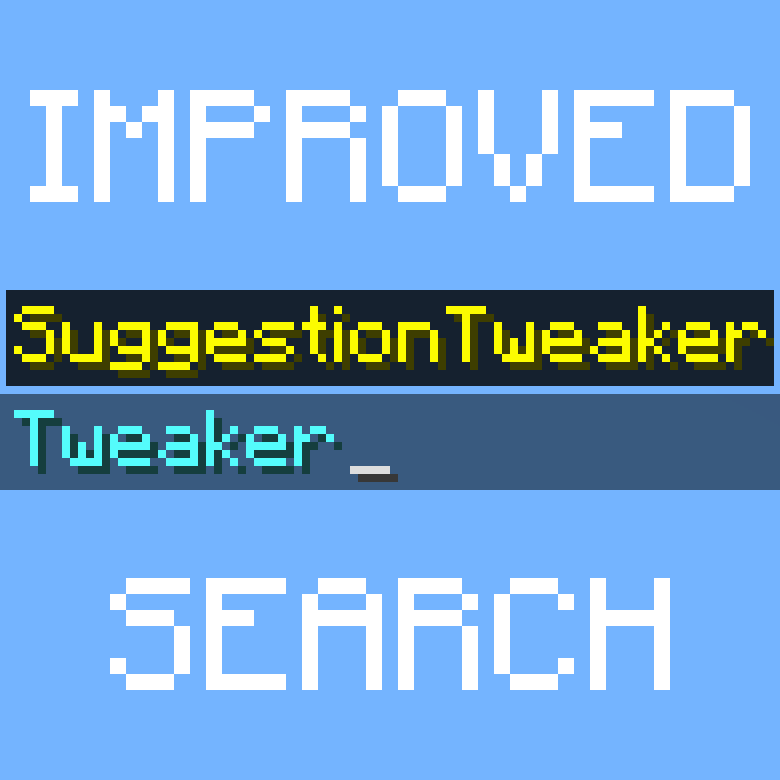 Suggestion Tweaker
 Symbol Chat
 Telepistons
 ThreadTweak
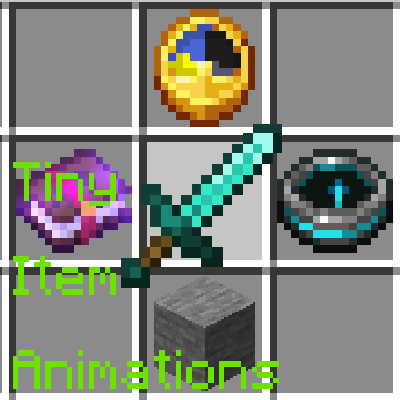 Tiny Item Animations
 Title Fix Mod
 Toggle Scoreboard
 Tooltip Scroll
 Torchcraft Lobby Panorama
 Vectorientation
 Visuality
 VTDownloader
 Wakes
 Wavey Capes
 Wider Tab
 YetAnotherConfigLib (YACL)
绿色边框的模组本站有收录,点进去看中文介绍;其余跳转到 Modrinth。
常见问题
The Ultimate Creator 支持哪些 Minecraft 版本?
The Ultimate Creator 基于 Minecraft Java 版 1.20.2,使用 Fabric 加载器。
The Ultimate Creator 怎么安装?
点本页「前往下载」拿到整合包文件(Modrinth 的是 .mrpack,CurseForge 的是 .zip),在 PCL2 或 HMCL 启动器里选择「导入整合包」,启动器会自动装好 Minecraft、加载器和全部模组。这个整合包有 118 个模组,建议在启动器里给游戏分配 4–6 GB 内存。
The Ultimate Creator 开服需要多大内存?
推荐服务器内存 12 GB。在线人数多、或者建了大量机器和区块加载器时,可以再加 2–4 GB。
怎么和朋友一起玩 The Ultimate Creator?
点本页的「一键开服」,选好配置后会自动安装 The Ultimate Creator 的服务端,几分钟就能开好。把服务器地址发给朋友,大家用同一个版本的整合包连进去就行。
Tibo 的其他作品
查看全部 → No Worldborder
This pack removes the worldborder texture so that it is invisible. Useful for taking screenshots of, for example, builds that have a border.
Torchcraft Lobby Panorama
A cool menu panorama with shaders from the Torchcraft Minecraft server lobby!
Chromakey Blocks
A resource pack for adding chromakey blocks in Minecraft! This makes it easy to take out the background from screenshots or videos like a greenscreen. This changes glowstone to green, sea lanterns to blue, and shroomlights to red.

Vuurwerkshow Panorama
🎇 A panorama resource pack for the 2023-2024 New Year's Eve fireworks show on the Torchcraft server!
评论
登录后评论和评分