
Vanilla Uplift
Vanilla Minecraft, done right. Smooth performance, fluid animations, and quality of life tweaks that make every moment feel better, no bloat, no gimmicks, just the game you love, refined.
截图


介绍

Vanilla Uplift 🌿
Vanilla Uplift is built on one simple idea, Minecraft’s vanilla experience is already great, but it just needs a little help getting out of its own way. This isn’t about reinventing the game with new dimensions, bosses, or crafting trees. It’s about taking the game you already know and making every second of it feel smoother, more alive, and more responsive.💨
Under the hood, this pack leans heavily on performance focused mods that cut stutter and boost your framerate without touching vanilla mechanics, so builds render faster, chunks load quicker, and your world stays exactly as it should look. Layered on top of that are animation mods that bring subtle life to water, foliage, player movement, and mob behavior.
Then there’s the quality of life layer, inventory tweaks, better maps, clearer UI feedback, smarter crafting, and dozens of small conveniences that quietly remove friction from everyday play. Nothing here changes what Minecraft is, it just changes how it feels to play it.
Rounding it out, the pack ships with a curated resource pack selection to sharpen textures without breaking the vanilla art style, so the whole experience feels cohesive from the moment you load in. 🎮
Primarily a client side experience, a couple of mods offer extra features if the server also runs those mods, but everything works fine on vanilla servers too
📥 Installation guide
Pick whichever method matches your setup. Click a section below to expand it.
Modrinth App (recommended)
- Download and install the Modrinth App if you don’t already have it.
- Open the app and log in with your Microsoft account.
- Go to Discover Content, search for Vanilla Uplift, and click Install.
- The app will automatically set up the correct Minecraft version, mod loader, and all mods for you.
- Launch the instance and you’re ready to play. ✅
Other launchers (Prism Launcher, MultiMC, ATLauncher, etc.)
- Download the
.mrpackfile for this pack from the Versions tab on this page. - Open your launcher and look for an Add Instance or Import option (most modern launchers support this directly).
- Select the downloaded
.mrpackfile, or drag it straight into the launcher window if it supports that. - Let the launcher resolve and download the mod loader, Minecraft version, and all mods automatically.
- Launch the instance once to confirm everything works.
Manual installation (using a .mrpack-to-.zip converter)
- Download the
.mrpackfile from the Versions tab on this page. - Search online for an “mrpack to zip converter” — several free browser-based tools let you upload a
.mrpackfile and convert it into a standard.zipcontaining all mods and overrides. - Once converted, set up a Fabric profile for the matching Minecraft version using the Fabric installer.
- Extract the converted
.zipand copy the mods, configs, and resource packs into your instance’s game directory. Then launch as normal.
包含的模组 93 个,另有 1 个其他文件
 Invisible Item Frames
 (Bee's) Fancy Crops
 3D crops Revamped
 3D Ladders
 3D皮肤层
 [EMF] Entity Model Features
 [ETF] Entity Texture Features
 [Particle Effects] Particles Updated
 Action Stuff Tools (batrider's Better Tools)
 Animated Items
 苹果皮
 Architectury API
 Better Lanterns
 Better Statistics Screen
 Blur+
 Camera Utils
 Chat Animation [Smooth Chat]
 Chat Heads
 Cherished Worlds
 CICADA
 Cloth Config API
 Collective
 Complementary Shaders - Unbound
 Continuity
 Cubes Without Borders
 Cut Through
 Dynamic FPS
 简易铁砧
 Easy Magic
 Enchantment Outlines
 实体剔除
 Euphoria Patches
 Explosive Enhancement
 Fabric API
 Fabric Language Kotlin
 Falling Leaves
 Fast Better Grass
 FerriteCore
 Forge Config API Port
 Fresh Animations
展开全部 93 个
 Fresh Animations: Extensions
 Fresh Animations: Player Extension
 Fresh Food
 Fzzy Config
 Geophilic
 ImmediatelyFast
 InvMove
 Iris Shaders
 kennytvs-epic-force-close-loading-screen-mod-for-fabric
 Krypton
 LambDynamicLights - Dynamic Lights
 Language Reload
 LibJF
 Litematica
 锂
 Low On Fire
 Main Menu Credits
 Make Bubbles Pop
 MaLiLib
 模组菜单
 Motschen's Better Leaves
 鼠标微调
 MRU
 No Resource Pack Warnings
 Not Enough Animations
 Particle Effects
 Particle Interactions
 Pick Up Notifier
 Punchy!
 Puzzles Lib
 RAY's 3D Rails
 Recolourful Containers GUI + HUD
 Respackopts
 Shulker Box Tooltip
 Sit
 Smooth Gui
 Smooth Scrolling
 钠
 Sodium Extra
 Sound Physics Remastered
 Sounds
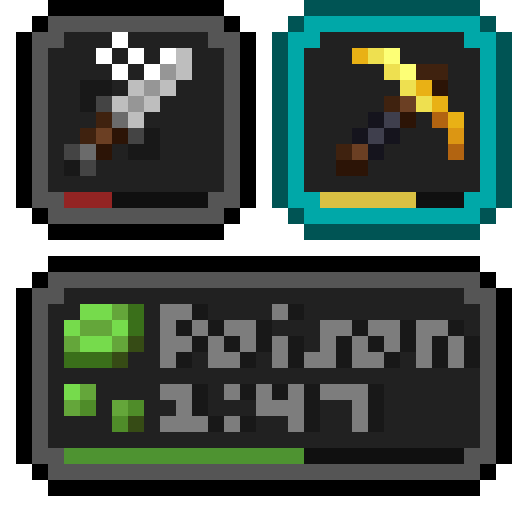 Status Effect Bars
 Subtle Effects
 TCDCommons API
 Text Formatting Everywhere
 Text Placeholder API
 Vanilla Refresh
 Visuality
 voxy
 Wakes
 Weskerson's 3D Items
 YetAnotherConfigLib (YACL)
 Zoomify (Zoom)
绿色边框的模组本站有收录,点进去看中文介绍;其余跳转到 Modrinth。
常见问题
Vanilla Uplift 支持哪些 Minecraft 版本?
Vanilla Uplift 基于 Minecraft Java 版 26.2,使用 Fabric 加载器。
Vanilla Uplift 怎么安装?
点本页「前往下载」拿到整合包文件(Modrinth 的是 .mrpack,CurseForge 的是 .zip),在 PCL2 或 HMCL 启动器里选择「导入整合包」,启动器会自动装好 Minecraft、加载器和全部模组。这个整合包有 93 个模组,建议在启动器里给游戏分配 4–6 GB 内存。
Vanilla Uplift 开服需要多大内存?
推荐服务器内存 12 GB。在线人数多、或者建了大量机器和区块加载器时,可以再加 2–4 GB。
怎么和朋友一起玩 Vanilla Uplift?
点本页的「一键开服」,选好配置后会自动安装 Vanilla Uplift 的服务端,几分钟就能开好。把服务器地址发给朋友,大家用同一个版本的整合包连进去就行。
评论
登录后评论和评分