
介绍
Raven Client has been archived in favor of the upcoming OptiFine for Fabric v5!




Before using Raven Client, learn how to configure it below!
Guide
First of all, do not disable/delete any mods. They are all required, but can be turned off if you follow the steps below.
- Run Minecraft
- Click
Mods - Hover over
ModSets - Click the
Configureicon - Disable/enable any features you want from there.
Note: if you disable or delete any mods, you won’t be able to open the ‘ModSets’ configuration menu. If you want a mod to be able to be toggled, request a feature here.
What is this?
Raven Client is built directly off of my modpack OptiFine for Fabric. It includes extra features that are essential for gameplay such as low fire, low shield, no darkness, connecting to any server version, and so much more!
Why Raven Client instead of others?
Raven Client is modular. This means that it is VERY customizable. Only essential mods are enabled by default, and the more game-changing ones are left disabled. This allows for a wide range of playstyles, from a beginner to Minecraft, to a long time player, to someone switching clients!
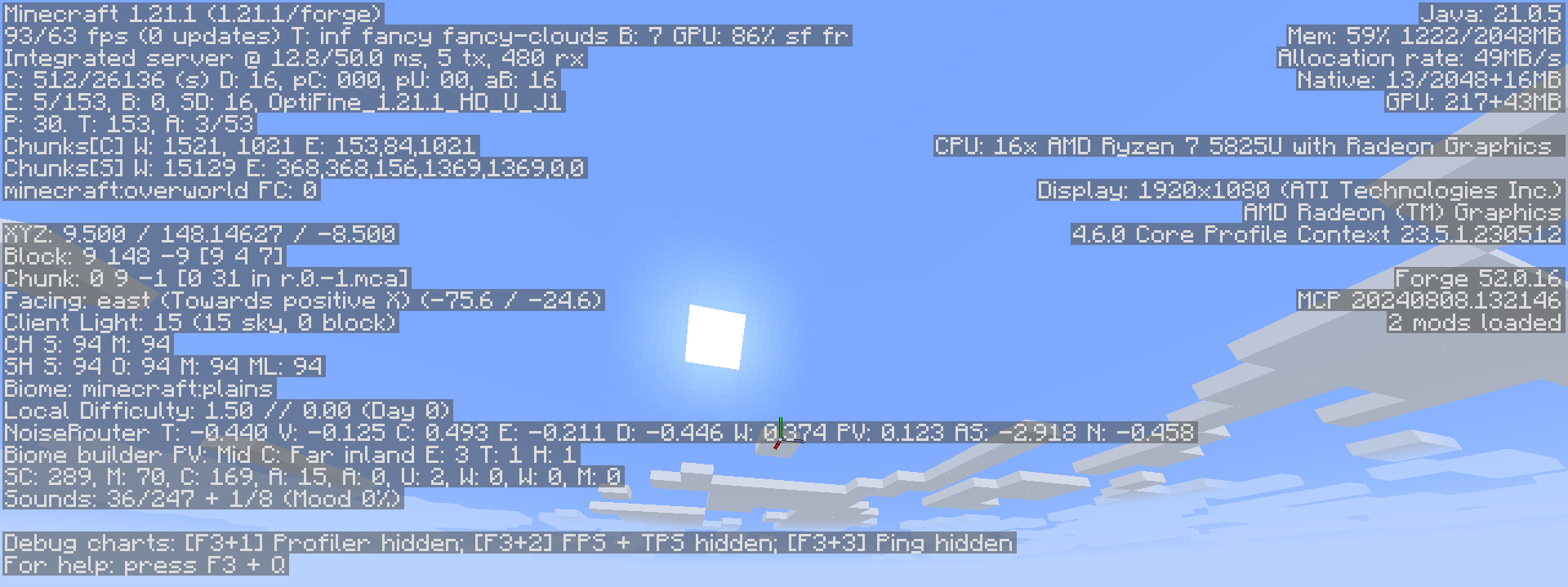
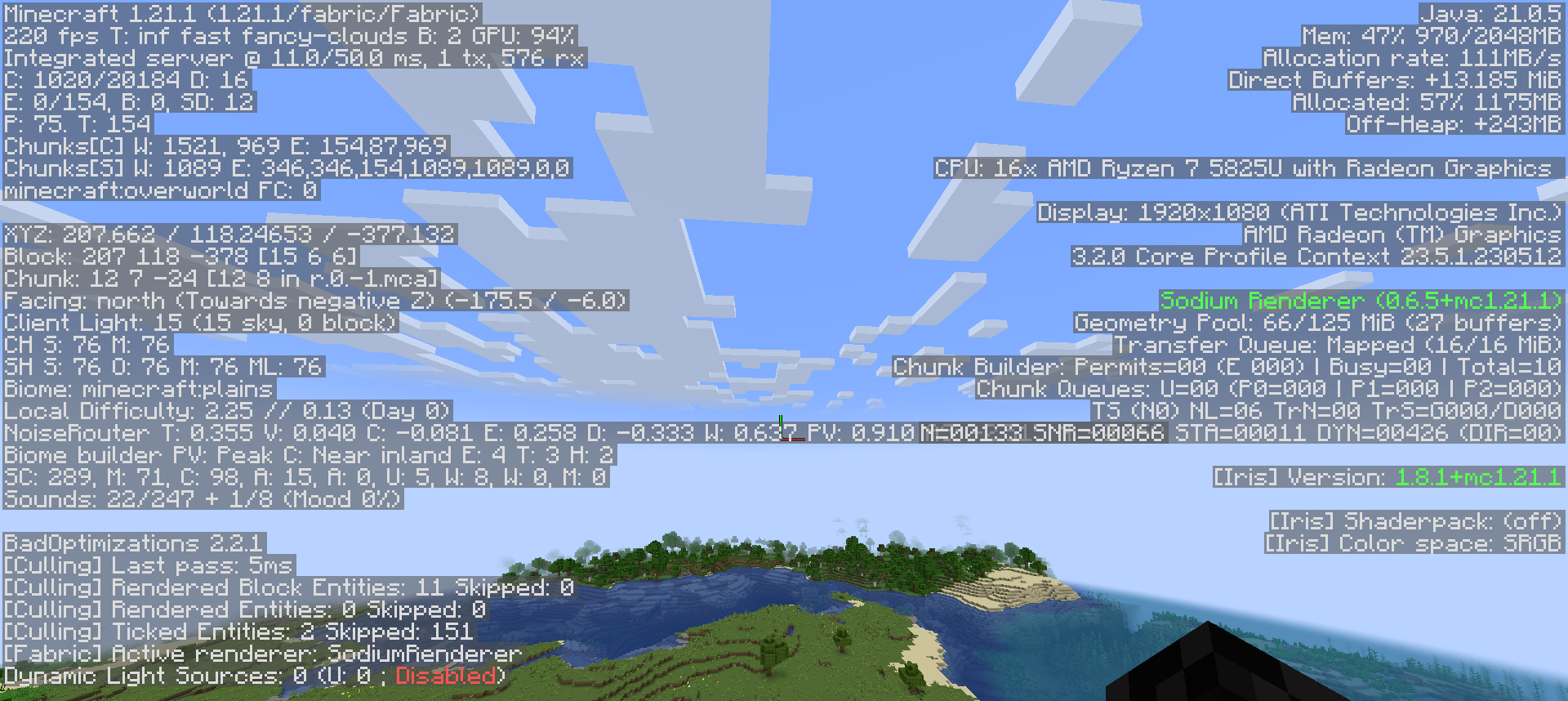
Raven Client is also extremely performance focused. When using Raven Client, I get over 2x the FPS than when using OptiFine!
Here is how many FPS I get using OptiFine:
Here is how many FPS I get using Raven Client:


Something wrong? Want a feature? Go to the official bug tracker! My goal is to make _Raven Client_ the best it can be. Whether that means adding a mod or fixing a bug, I am happy to help in any way I can.
包含的模组 147 个
 3D Skin Layers
 [EMF] Entity Model Features
 [ETF] Entity Texture Features
 Allow Portal GUIs
 Animated Ore with Frames
 Animated Rainbow XP Bar
 Anvian's Lib
 苹果皮
 Architectury API
 Async
 Async Pack Scan
 Auth Me
 BactroMod
BadOptimizations
 Balm
 Better Biome Reblend
 Better Clouds
 Better Grass (OptiFine)
 Better Name Visibility
 Bundle Inventory
 Capes
 Chunks fade in
 CICADA
 CleanCut
 Clearviews
 Cloth Config API
 Collective
 Collision Fix
 Compact Chat
 Concurrent Chunk Management Engine (Fabric)
 Continuity
 Controlling
 CreativeCore
 Cull Leaves
 Custom Scoreboard
 Dark Loading Screen
 Dark Smooth GUI
 Do a Barrel Roll
 Double Hotbar
 Drippy Loading Screen
展开全部 147 个
 Dynamic Brightness
 Effect Timer Plus
 Elytra Pitch
ElytraMace
 Enhanced Block Entities
 实体剔除
 Fabric API
 Fabric Language Kotlin
 FancyMenu
 Fast IP Ping
 Fast Items
 FastQuit
 FerriteCore
 Fishing Rod Fix
 Fog
 Forge Config API Port
 Freelook
 Frostbyte's Improved Inventory
 Frostbyte's Maximum Mobility
 Fzzy Config
 Higher Chat (chat above armor bar)
 hotbar Sodium
 Iceberg
 iChunUtil
 ImmediatelyFast
 Inventory Blur
 InvMove
 Iris Shaders
 It's All Connected (CTM)
 JJElytraSwap
 Jump Over Fences
 KeepThatInventoryOpen
 Kinecraft
 Konkrete
 Krypton
 Language Reload
 Lavaworks
 libIPN
 LibJF
 锂
 Location Copy
 MaLiLib
 Melody
 Mod Loading Screen
 模组菜单
 Model Gap Fix
 Modern World Creation
 ModernFix
 ModListMemory
 More Chat History
 More Culling
 MRU
 Noisium
 Not Enough Crashes
 OptiGUI
 oωo (owo-lib)
 Palladium
 PartialHearts
 Particle Core
 Polytone
 Prism
 Puzzles Lib
 Reconnect
 Recursive Resources
 Reese's Sodium Options
 Remember My Txt
 Remove Reloading Screen
 ResourcePackCached
 Resourcify
 ScalableLux
 Sciophobia
 Seamless
 Searchables
 Server Pinger Fixer
 ShatterLib | OctoLib
 Shut Up Dead Entities
 Slot Cycler
 Smooth Hotbar
 Smooth Screen
 Smooth Scrolling
 Smooth Skies
 Sneaky Screens
 钠
 Sodium Core Shader Support
 Sodium Dynamic Lights
 Sodium Extra
 Sodium Extra Information
 Sodium Extras
 Sodium Fullbright
 Sodium Options API
 Sodium Options Mod Compat
 Sodium Shadowy Path Blocks (SSPB)
 Sound Physics Remastered
 Stronghold Finder
 TCDCommons API
 Titlebar Changer
 ToadLib
 TxniLib
 Vanilla Fullbright
 Very Many Players (Fabric)
 ViaFabricPlus
 ViaVersion
 View Bobbing Options
 Wavey Capes
 YetAnotherConfigLib (YACL)
 Your Options Shall Be Respected (YOSBR)
 Zoomify (Zoom)
绿色边框的模组本站有收录,点进去看中文介绍;其余跳转到 Modrinth。
iFamished 的其他作品
查看全部 →
OptiFine for Fabric
OptiFine features for Fabric — powered by Fabric optimization and modern Minecraft performance mods. High FPS even on low‑end systems. Shaders! 26.3: Wilderness Bound alpha!

OptiFine for NeoForge
OptiFine features for NeoForge!

New Moon
Performance enhancements for Lunar Client.
评论
登录后评论和评分