截图
介绍
OptiTech
1.20 versions require Java 21 to run, make sure to set it in your Java settings!!\
If you don’t know how or need a tutorial, watch this video: How to set Java 21 on Modrinth
Please read Custom Keybinds.txt before playing!! (located in the files)
As per description, OptiTech is a relatively simple client-side modpack for technical minecraft players, specificially focused on redstone. Featuring the best optimization mods and a collection of hand picked mods focused on making your work with redstone easier. As a bonus, offers full compat with optifine resource packs and shader packs and any QOL mod you’d ever need.
Main Features:
Optimization mods
- Sodium (game rendering)
- Lithium (game logic)
- ModernFix (everything)
- Noisium (terrain/world gen)
- FerriteCore (memory)
- Memory Leak Fix
- Enhanced Block Entities
- Faster Random
- Immediately Fast (screen rendering)
- Krypton (network)
- C2me (chunk gen / load)
- BadOptimizations (miscellaneous)
- More Culling (block rendering)
- LazyDFU (game load)
- Exordium (gui and hud rendering)
- Palladium (miscellaneous)
- Client Side Noteblocks
- Async Pack Scan (to help Respackopts)
- Thread Tweak (tweaks MC thread)
- Fey Tweaks (signs and beacons)
- Particle Core
- Async Locator
- Clumps (experience orbs)
Redstone mods
- World Edit (copy/paste, stacking, so much more)
- Axiom (easy to use tools and more)
- Reden (undo/redo of actions)
- Carpet (full control over game elements)
- G4mespeed (tick manipulations + animations)
- SubTick (finer tick stepping control, 1.20.1 only)
- BlockEventSeparator (separate block events in real time)
- Litematica (schematics)
- Tweakeroo (tweaks such as fly speed, flexible placement, freecam)
- Scheduled Tick Visualizer (render ScheduledTick in real time)
- Pistorder (shows block movement of pistons)
- Register Reader (used for reading registers in computational builds)
- Technical Utilities (WorldEdit and Litematica utilities)
- Redstone Tools (redstone QOL mod, 1.20.4 only)
- Redstone Multimeter (block changes visual tracking)
- Redstone Helper (bunch of redstone tools)
Cool + QOL mods
- Iris Shaders (shaderpack support)
- Item Swapper (ability to quickly and easily swap items based on type)
- Isometric Renders (make cool 3D renders of your builds)
- Command Block IDE
- NBT Autocomplete
- Suggestion Tweaker
- More Chat History
- e4mc (open your world for other people to join easily)
- Gamma Utils (fullbright + night vision)
- Command Keys (make any custom macro)
- Lamb Dynamic Lights or Sodium Dynamic Lights
- Mouse Tweaks
- Rebind All The Keys
- Zoomify (fully customizeable zoom)
- Advancement Info
- Auth Me
- Dust’s Keymap or Keymap Maintained (one of my favorite mods, lets you easily see what keys are going to what. it can be toggled off and isn’t on 1.20.4 sadly)
- Backtro Mod (full control over fog + qol)
- Respackopts (change resource pack settings)
Extra / Other mods
- All Optifine format support mods (for resource packs, animations, etc)
- GUI extras (AppleSkin & Detail Armor Bar)
- Privacy mods (No Chat Reports & No Telemetry)
- Log and debugging (LogBegone, MixinTrace, LogCleaner)
Resource packs
Extras:
- Isometric Renders comes pre-installed with ffmpeg, meaning you can make cool animated renders
- Custom organized keybinds and mod settings tuned for easy use
- Comes with Complimentary Reimagined shaders installed
To install the modpack, download the Modrinth app and either find it in the “discover content” category and click install, or download it from the wesite and open it with the Modrinth app.
Currently actively maintained for Minecraft Java versions 1.20.1, 1.20.4, 1.21.1
Generative AI was not and is not used in the making of this modpack.
包含的模组 92 个,另有 1 个其他文件
 Client Side Noteblocks
 [EMF] Entity Model Features
 [ETF] Entity Texture Features
 Advancements Reloaded (AdvancementInfo)
 Amecs Reborn
 Animatica
 苹果皮
 Architectury API
 Async Pack Scan
 Auth Me
 Axiom
 BactroMod
BadOptimizations
 Block Event Separator
 Capture & Playback
 Carpet
 Carpet TIS Addition
 CIT Resewn
 Cloth Config API
 Clumps
 Command Block IDE
 Command Keys
 Concurrent Chunk Management Engine (Fabric)
 Continuity
 Detail Armor Bar
 e4mc
 Enchant Icons
 Enhanced Block Entities
 实体剔除
 Exordium
 Fabric API
 Fabric Language Kotlin
 Fast IP Ping
 Faster Random
 FerriteCore
 FeyTweaks
 Fzzy Config
 G4mespeed
 Gamma Utils (Fullbright)
 ImmediatelyFast
展开全部 92 个
 Indium
 Iris Shaders
 Isometric Renders
 ItemSwapper
 Krypton
 LibJF
 Litematica
 Litemoretica
 锂
 Log Begone
 Log Cleaner
 MaLiLib
 MattPack
 MixinTrace
 模组菜单
 ModernFix
 More Chat History
 More Culling
 鼠标微调
 NBT Autocomplete
 No Chat Reports
 No Telemetry
 Noisium
 OptiGUI
 oωo (owo-lib)
 Palladium
 Particle Core
 Pistorder
 Rainbow Redstone
 RebindAllTheKeys
 Reden
 Redstone Helper
 Redstone Multimeter Fabric
 Redstone Tweaks
 Reese's Sodium Options
 Respackopts
 ScheduledTickVisualizer
 SchematicPreview
 钠
 Sodium Dynamic Lights
 Sodium Extra
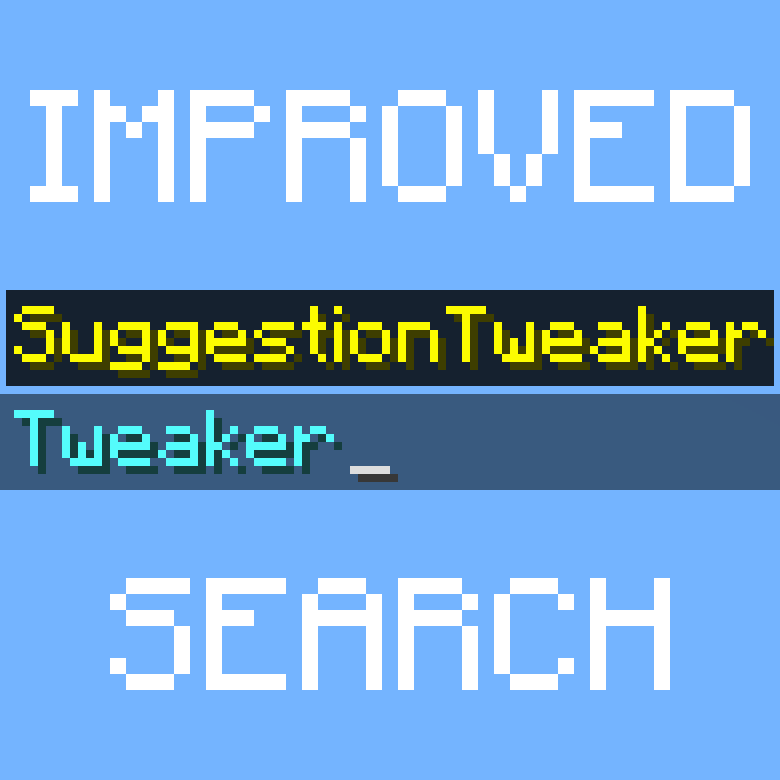 Suggestion Tweaker
 Technical Utilities
 Text Placeholder API
 ThreadTweak
 ToadLib
 TweakerMore
 Tweakeroo
 WorldEdit
 Wueffis RegReader for Computational Redstone
 YetAnotherConfigLib (YACL)
 Zoomify (Zoom)
绿色边框的模组本站有收录,点进去看中文介绍;其余跳转到 Modrinth。
常见问题
Opti Tech 支持哪些 Minecraft 版本?
Opti Tech 基于 Minecraft Java 版 1.21.1、1.20.4、1.20.1,使用 Fabric 加载器。
Opti Tech 怎么安装?
点本页「前往下载」拿到整合包文件(Modrinth 的是 .mrpack,CurseForge 的是 .zip),在 PCL2 或 HMCL 启动器里选择「导入整合包」,启动器会自动装好 Minecraft、加载器和全部模组。这个整合包有 92 个模组,建议在启动器里给游戏分配 4–6 GB 内存。
Opti Tech 开服需要多大内存?
推荐服务器内存 12 GB。在线人数多、或者建了大量机器和区块加载器时,可以再加 2–4 GB。
怎么和朋友一起玩 Opti Tech?
点本页的「一键开服」,选好配置后会自动安装 Opti Tech 的服务端,几分钟就能开好。把服务器地址发给朋友,大家用同一个版本的整合包连进去就行。
评论
登录后评论和评分