
截图

介绍
What is this?
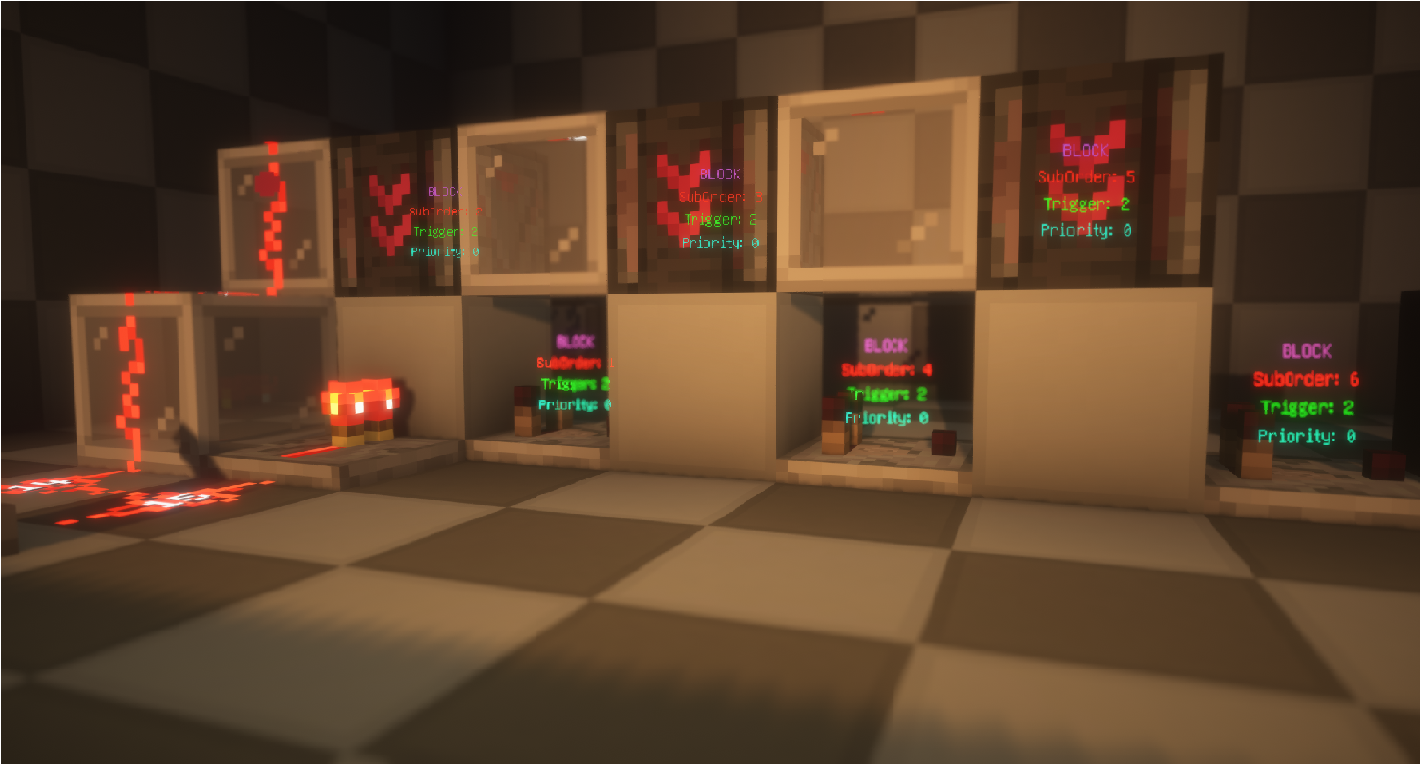
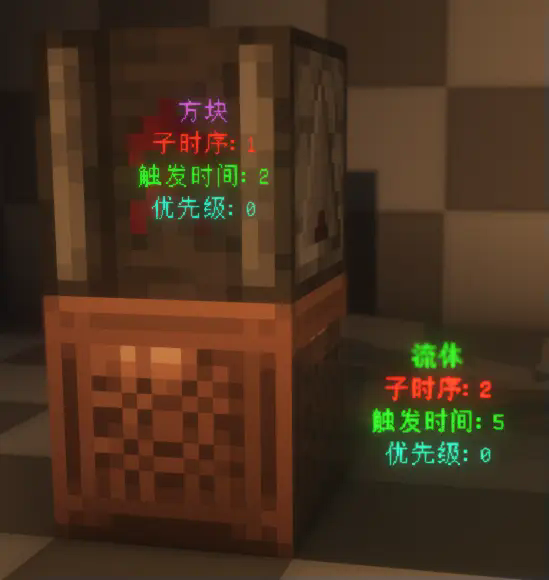
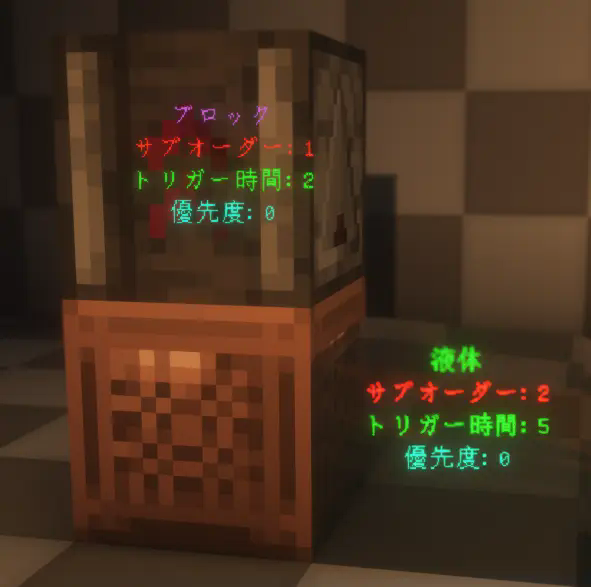
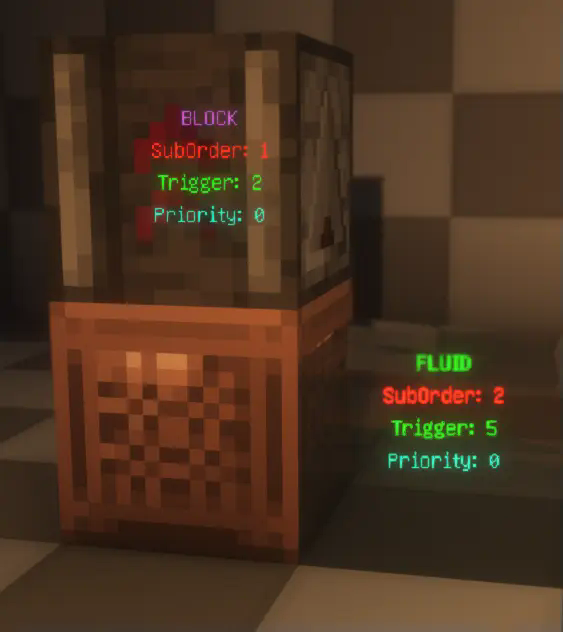
This is a visualization mod that renders detailed information about ScheduledTicks in the world, including their type, trigger time, order, and priority.
How to Use?
First, make sure to install YACL and Mod Menu, and ensure this mod is installed on both the server and the client.
Then, enter the world, open the settings menu, navigate to Mod Menu, find this mod, and click on its settings. Enable “Main Render” to start visualizing ScheduledTicks.

Related Commands and Settings
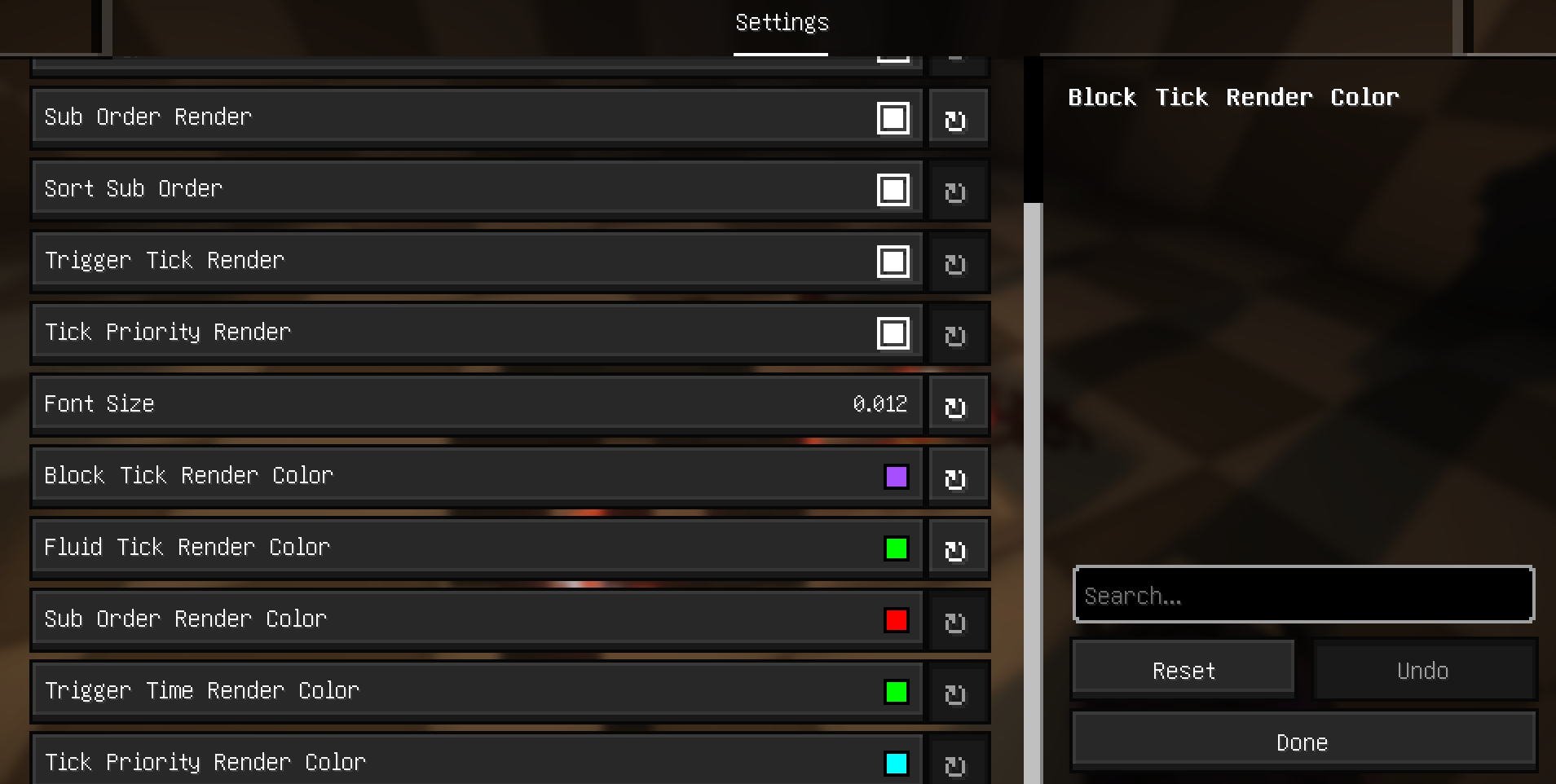
Settings are already explained in the configuration menu and won’t be elaborated on here. However, it’s worth noting that to prevent the server from sending ScheduledTick data for distant areas (very far away) to the client, the server will check whether any players are within range (default is 20 blocks). This range can be adjusted using the command:
/gamerule scheduledTickInformationRange <int>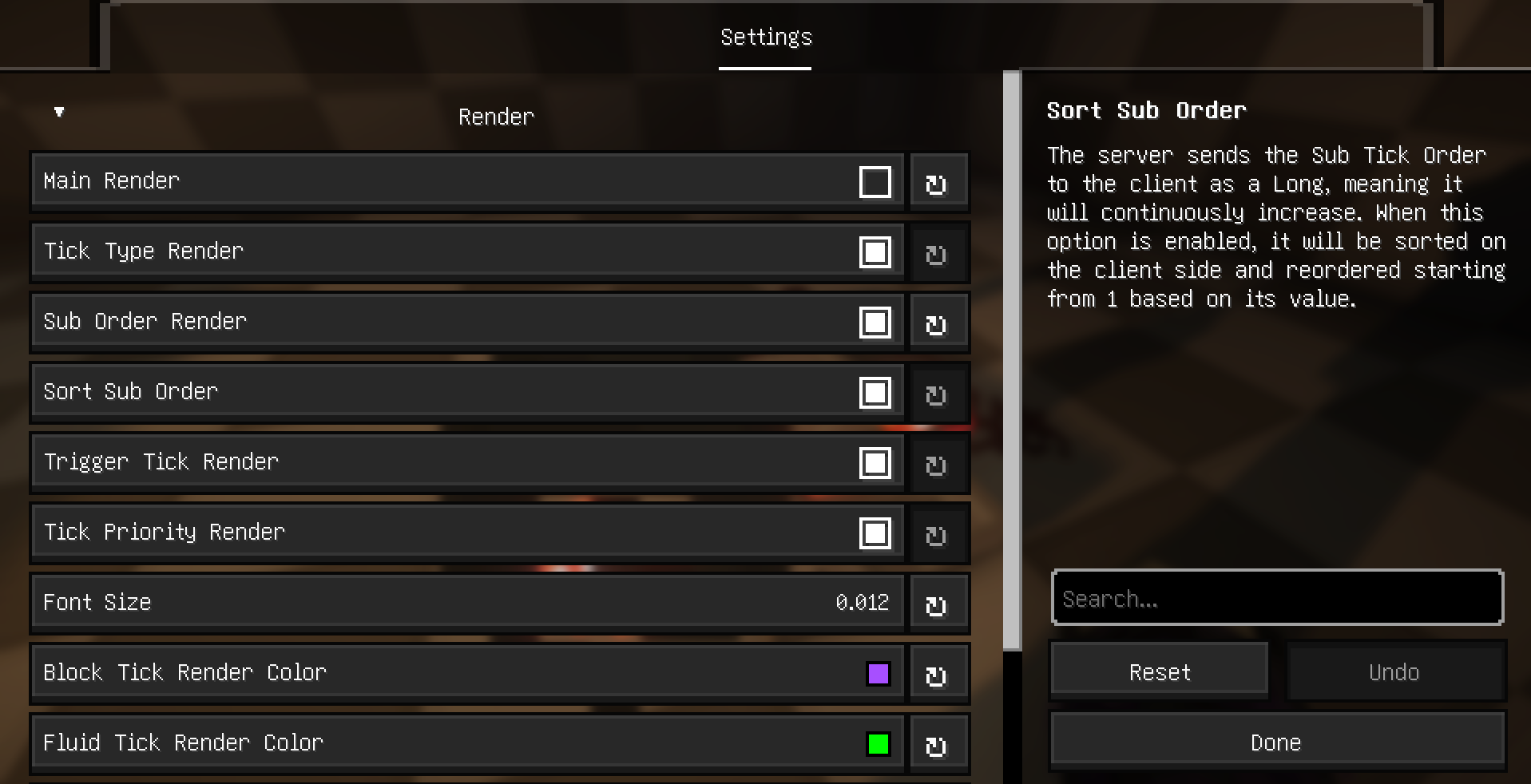
Additional Explanation and Supported Languages
Explanation
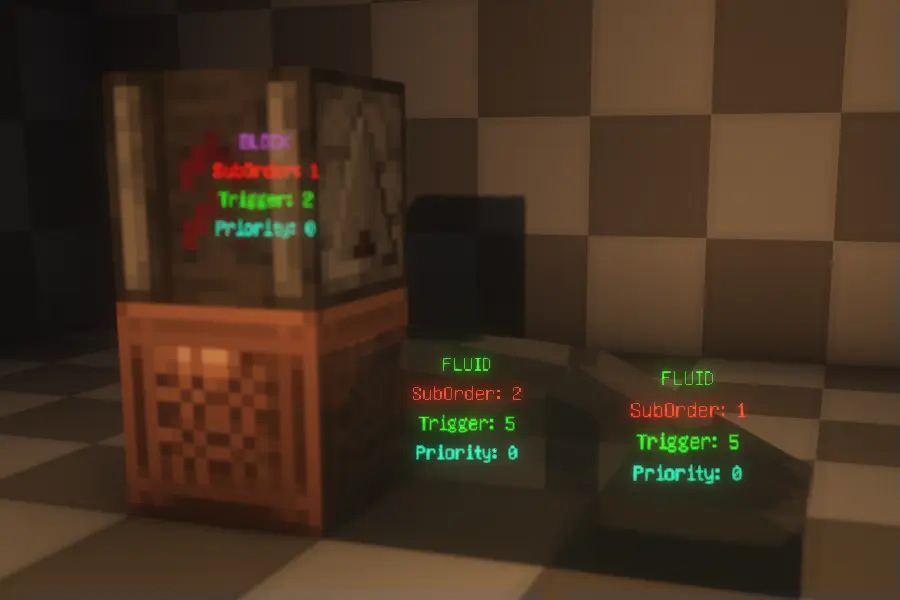
- Type: Displays the type of the ScheduledTick, indicating whether it’s a block tick or a fluid tick.
- SubOrder: Shows the execution order of the ScheduledTick within the current tick, i.e., the sequence among multiple ScheduledTicks.
- Trigger: Indicates how many ticks remain until the ScheduledTick is triggered.
- Priority: Displays the priority level of the ScheduledTick. For more details, refer to this .
Supported Languages:
The mod currently supports multiple languages, including English, Simplified Chinese, Traditional
(Taiwan and Hong Kong), and Japanese.
常见问题
ScheduledTickVisualizer 支持哪些 Minecraft 版本?
ScheduledTickVisualizer 支持 Minecraft Java 版 1.20.1–26.2,共 21 个版本,可用的加载器:Fabric。下载时注意选择和你游戏版本一致的文件。
ScheduledTickVisualizer 怎么安装?
先用 PCL2 或 HMCL 启动器安装对应版本的 Fabric,再把下载的 .jar 文件放进游戏目录的 mods 文件夹,重新启动游戏即可。开启了版本隔离的,mods 文件夹在 versions/版本名 下面。运行环境:客户端和服务端都要装。
ryan100c 的其他作品
查看全部 →
CarpetGUI
An easy to use GUI for CarpetMod

Flashback-Iris-SkyColorOverrideCompat
Flashback sky color override compat for IrisShaders.
Flashback-Iris-SkyColorOverrideCompat
Flashback sky color override compat for IrisShaders.

KeepMyModMenuScroll(KMMMS)
This mod keeps your mod menu page scroll after you leave the mod menu screen
评论
登录后评论和评分