
截图
介绍
Commanders Utilities
아래로 스크롤하면 한국어 설명이 있습니다.
A modpack for command, datapack and map developers.
This aims to provide enhanced development environment with fps boosts.
Features
- FPS boost
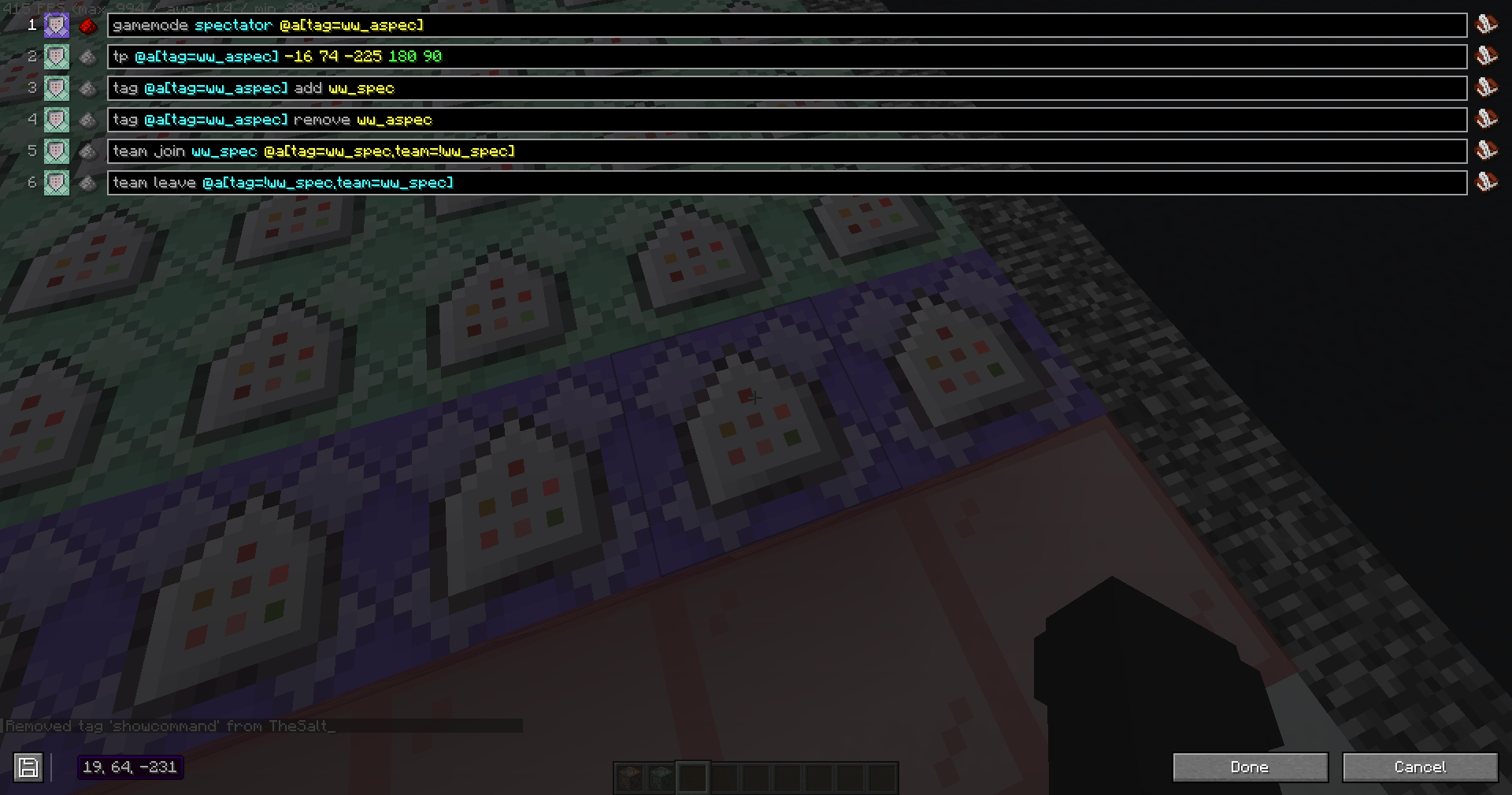
- Multiple command lines in command block
- Fix minecraft’s bugs
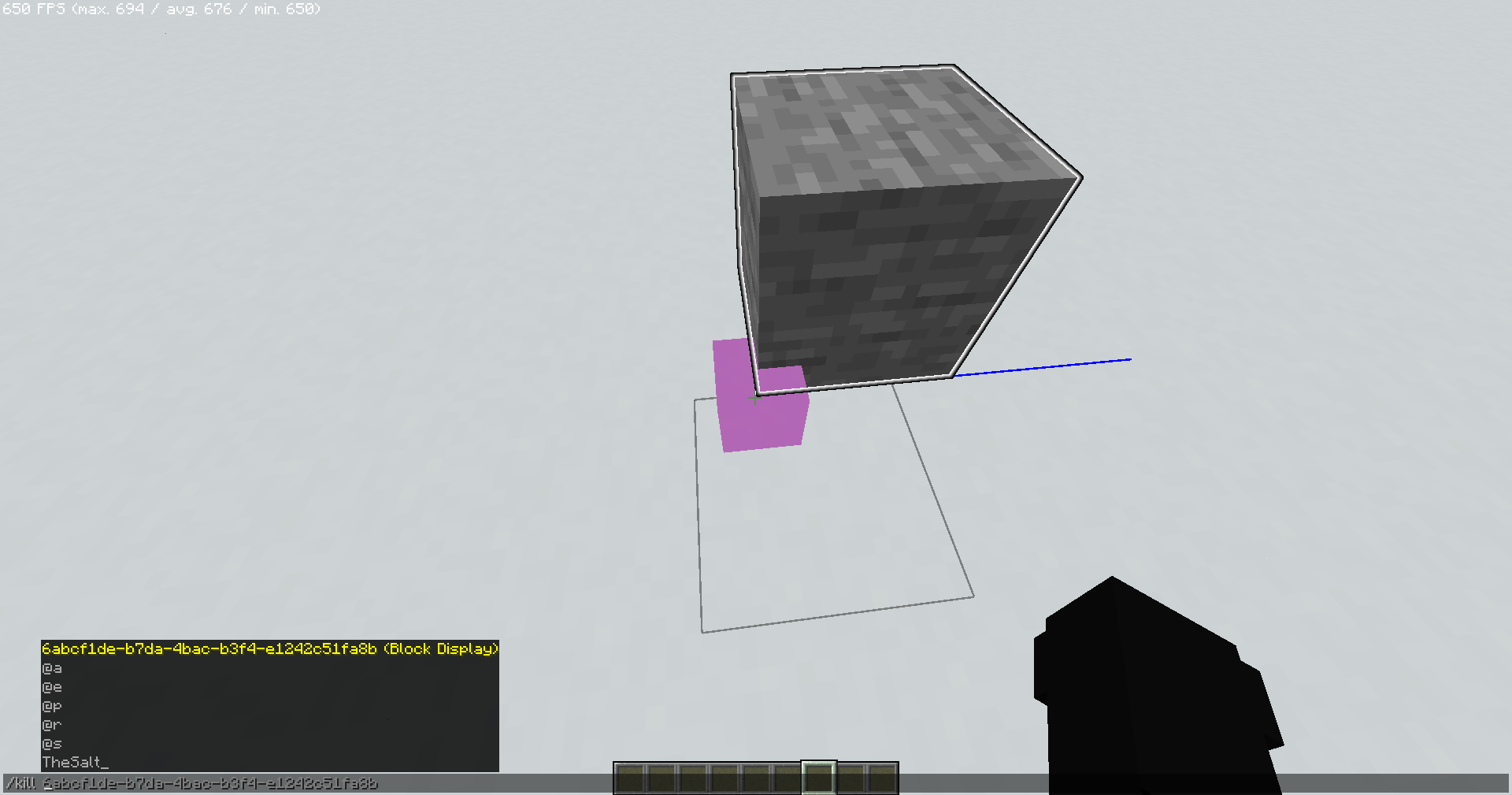
- Enhanced entity UUID autocomplete
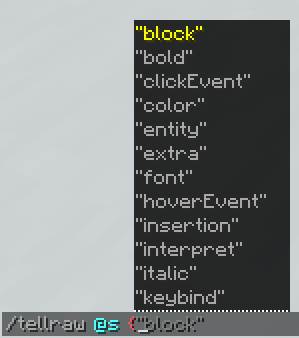
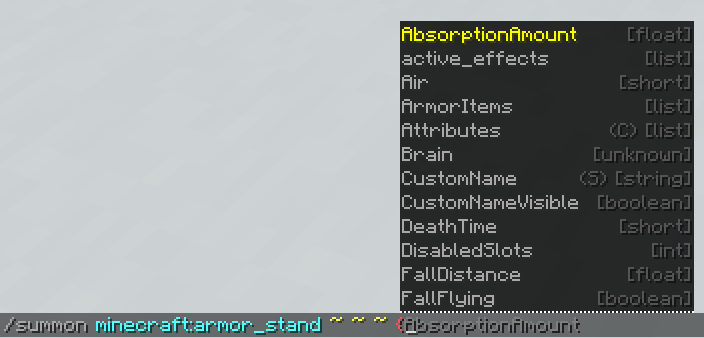
- NBT/JSON autocomplete
- NBT editor
- Multi-version connecting
- Enhanced debug features
- Smooth UI
- Carpet mod
and more…
How to Install
Modrinth App
Just click Install button!
MultiMC, Prism Launcher
You need Java 21 to play the game.
- Click Add Instance
- Select Modrinth tab from the left
- Select “Commanders Utilities”
- Click OK
Minecraft Launcher (vanilla)
- Download and install Fabric Loader latest version.
- Open this site and enter
commanders-utilitiesin the input box labeled ‘Modrinth Project ID’. - Press the Download button below.
- Extract the zip and put them into
.minecraftfolder. (Overwrite if it already exists) - Launch the installed Fabric profile.
How to Update
Modrinth App
- Select existig instance
- Click
🔄 Update modpackon top right - Click
⇆
Commanders Utilities (KR)
이 모드팩은 커맨드, 데이터팩 및 맵 개발자를 위한 것으로,
최적화 및 더 편한 개발 환경을 제공하는 것을 목표로 합니다.
기능
- FPS 향상 및 기타 최적화
- 커맨드 블록 UI 변경
- 마인크래프트 버그 수정
- 엔티티 UUID 자동완성 강화
- NBT/JSON 자동완성
- NBT 편집기
- 상위 버전에서 하위 버전의 서버 접속
- 디버그 기능 추가
- 부드러운 UI
- Carpet 모드
기타 등등…
설치 방법
Modrinth App
설치 버튼을 클릭하기만 하면 됩니다!
MultiMC, Prism Launcher
게임을 플레이하려면 Java 21이 필요합니다.
- 인스턴스 추가 클릭
- 왼쪽에서 Modrinth 탭 선택
- “Commanders Utilities” 선택
- 확인 클릭
마인크래프트 런처 (바닐라)
- [Fabric Loader](최신 버전)를 다운로드하고 설치합니다.
- 이 사이트를 열고 ‘Modrinth Project ID’라는 입력란에
commanders-utilities를 입력하세요. - 아래의 다운로드 버튼을 클릭합니다.
- zip 파일을 추출하고
.minecraft폴더에 넣습니다. (이미 존재하는 경우 덮어쓰기) - 설치된 Fabric 프로필을 실행합니다.
업데이트 방법
Modrinth App
- 기존 인스턴스 선택
- 오른쪽 상단의
🔄 모드팩 업데이트클릭 ⇆클릭
包含的模组 75 个
 [EMF] Entity Model Features
 [ETF] Entity Texture Features
 AstraLex Shaders
 bad packets
 Better Highlighting
 Better Ping Display [Fabric]
 Better Statistics Screen
 Better Suggestions
 BetterF3
 Bobby
 BSL Shaders
 caramelChat
 Carpet
 Cloth Config API
 Codecium
 Command Block IDE
 Complementary Shaders - Reimagined
 Controlling
 Dark Loading Screen
 Debugify
 Dynamic FPS
 e4mc
 Enhanced Block Entities
 实体剔除
 Fabric API
 Fabric Language Kotlin
 Fabrishot
 Falling Leaves
 Fast IP Ping
 FastQuit
 FerriteCore
 Forge Config API Port
 ImmediatelyFast
 Iris Shaders
 Isometric Renders
 Just Zoom
 Konkrete
 Krypton
 Ksyxis
 Language Reload
展开全部 75 个
 锂
 MacOS Input Fixes
 MidnightLib
 模组菜单
 Model Gap Fix
 ModernFix
 More Chat History
 More Culling
 NBT Autocomplete
 NBT Tooltip
 Noxesium
 OptiGUI
 oωo (owo-lib)
 Reese's Sodium Options
 Remove Reloading Screen
 ReplayMod
 Rethinking Voxels
 Screencopy
 Searchables
 Server Pinger Fixer
 Smooth Scrolling
 钠
 Sodium Core Shader Support
 Sodium Extra
 Sodium Extra Information
 Solas Shader
 spark
 TCDCommons API
 ViaBackwards
 ViaFabric
 ViaRewind
 ViaVersion
 WorldEdit
 XXL Packets
 YetAnotherConfigLib (YACL)
绿色边框的模组本站有收录,点进去看中文介绍;其余跳转到 Modrinth。
常见问题
Commanders Utilities 支持哪些 Minecraft 版本?
Commanders Utilities 支持 Minecraft Java 版 1.20.4–1.21.4,共 4 个版本,可用的加载器:Fabric。下载时注意选择和你游戏版本一致的文件。
Commanders Utilities 怎么安装?
点本页「前往下载」拿到整合包文件(Modrinth 的是 .mrpack,CurseForge 的是 .zip),在 PCL2 或 HMCL 启动器里选择「导入整合包」,启动器会自动装好 Minecraft、加载器和全部模组。这个整合包有 75 个模组,建议在启动器里给游戏分配 4–6 GB 内存。
Commanders Utilities 开服需要多大内存?
推荐服务器内存 12 GB。在线人数多、或者建了大量机器和区块加载器时,可以再加 2–4 GB。
怎么和朋友一起玩 Commanders Utilities?
点本页的「一键开服」,选好配置后会自动安装 Commanders Utilities 的服务端,几分钟就能开好。把服务器地址发给朋友,大家用同一个版本的整合包连进去就行。
TheSalts 的其他作品
查看全部 →
TheSalt’s Text Effects
Add dynamic text animations to your Minecraft world!

End Planet
Add a beautiful blue planet in the sky of the end

Light Screen
This removes the vignette effect, making the screen appear brighter in dark environments and when using Night Vision.

EasySit
Sit anywhere!
评论
登录后评论和评分