
Jurodedu
A table sink(-ish) modpack revolving mostly around both having fun and an operational computer.
介绍
Jurodedu
_A modpack for 1.20.1 revolving around both having fun and an operational computer._
NOTE!!
The Fabric/1.20.1 version (v2) is DEPRECATED!
It remains here only for archival purposes and may be removed for organization.
You can find the old Jurodedu v2 code here
What is this?
Jurodedu is a dual-sided modpack; it must run on both the server and the client. If you want to host it yourself, but lack the system horsepower, e4mc is bundled with it, just Open to LAN and share the IP that pops up with any friends around the world!
Note that I would still recommend using a dedicated server, but if you don’t have enough RAM, one instance of Minecraft is always lighter than two…
What’s in this?
As of v3.0.0 (The “Neoforged” Update), the modpack mostly revolves on the Create mod and generally any mod you can find
For right now at least, Jurodedu aims to be a very “this isn’t very vanilla” collection. Veil Origins, Chipped, Create, Skin Restorer (for all the… not so legal players… or you just want to change your skin) and more come pre-installed!
NOTE: One player reported crashing due to the Skin Restorer mod. If you own Minecraft or have another way of showing your skin, uninstall the Skin Restorer mod if you crash.
My PC’s gonna get fried, 100+ mods?!

Relax! Most of the mods are either libraries or optimization mods! I’m able to get 60+ FPS on 10 chunk-render distance on 16 gigabytes of RAM, so you (hopefully) should be fine.
Besides there are actually only ~70+ mods, according to Mod Menu…

…so do what you will with that information.
Why the name Jurodedu?
The name “Jurodedu” is a corruption of two words run through a Caesar cipher.
Credits to…
- Packwiz, for their awesome CLI tool
- Fabulously Optimized, for their GitHub Workflow, which I used as a template. (hope that’s okay..?)
包含的模组 116 个
 3D皮肤层
 [ETF] Entity Texture Features
 Amendments
 苹果皮
 Architectury API
 Athena
BadOptimizations
 Balm
 Better Ping Display [Forge/NeoForge]
 BetterF3
 超多生物群系
 Blinking Ender Eyes
 Caelus API
 Chat Animation [Smooth Chat]
 Chat Heads
 Chipped
 Chunky
 Cloth Config API
 Clumps
 Collective
 Continuity
 CoroUtil
 机械动力
 Create Crafts & Additions
 Create Deco
 Create Nuclear
 Create: Copper & Zinc
 Create: Copycats+
 Create: Dragons Plus
 机械动力:附魔工业
 Create: Food
 Create: Hypertubes
 Create: New Age
 Create: Sophisticated Backpacks Compat
 Curios API
 Customizable Player Models
 Default Options
 Diagonal Fences
 Diagonal Walls
 Diagonal Windows
展开全部 116 个
 Dramatic Skys
 动态准星
 Dynamic FPS
 e4mc
 Elytra Slot
 Emotecraft
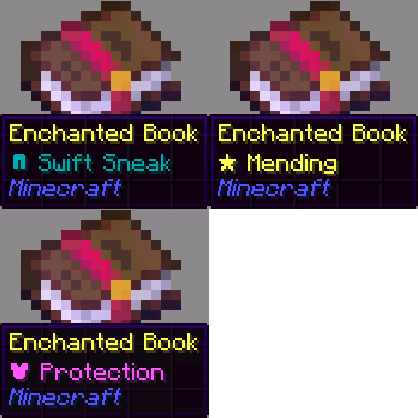 Enchant Icons
 Enchantment Outlines
 Enhanced Boss Bars
 实体剔除
 Even Better Enchants
 Falling Leaves
 Falling Leaves (NeoForge/Forge)
 农夫乐事
 Fast IP Ping
 FerriteCore
 Forgified Fabric API
 Fresh Animations
 Fresh Animations: Extensions
 Fresh Moves
 GlitchCore
 Handcrafted
 Iceberg
 Icons
 ImmediatelyFast
 Item Highlighter
 Jade 🔍
 旅行地图
 JEI物品管理器
 KotlinLangForge
 LambDynamicLights - Dynamic Lights
 锂
 Login Security - Panda
 Low Fire
 Low Shield
 模组菜单
 Model Gap Fix
 ModernFix
 Moonlight Lib
 More Culling
 Motschen's Better Leaves
 Neo Language Reload
 No Chat Reports
 Not Enough Animations
 Not Enough Crashes
 Ok Zoomer - It's Zoom!
 Ore Harvester
 oωo (owo-lib)
 ParCool!
 Power Coils
 Puzzles Lib
 Reese's Sodium Options
 Resourceful Lib
 Simple Voice Chat
 Sinytra Connector
 Skin Restorer
 Smooth Boot
 钠
 Sodium Extra
 精妙背包
 Sophisticated Backpacks Create Integration
 Sophisticated Core
 Sound Physics Remastered
 锦致装饰
 Supplementaries Squared
 TerraBlender
 Unique Dark
 Unique Dark Hotbar Add-On
 Unique Potions By Blond
 VeinMiner
 VinURL
 Visual: Armor Trims
 Visual: Paintings
 Visuality: Reforged
 What Are They Up To (Watut)
 创世神
左侧绿标的模组本站有收录,点进去看中文介绍;其余跳转到 Modrinth。
常见问题
Jurodedu 支持哪些 Minecraft 版本?
Jurodedu 基于 Minecraft Java 版 1.21.1、1.20.1,使用 Fabric / NeoForge 加载器。
Jurodedu 怎么安装?
点本页「前往下载」拿到整合包文件(Modrinth 的是 .mrpack,CurseForge 的是 .zip),在 PCL2 或 HMCL 启动器里选择「导入整合包」,启动器会自动装好 Minecraft、加载器和全部模组。这个整合包有 116 个模组,建议在启动器里给游戏分配 4–6 GB 内存。
Jurodedu 开服需要多大内存?
推荐服务器内存 12 GB。在线人数多、或者建了大量机器和区块加载器时,可以再加 2–4 GB。
怎么和朋友一起玩 Jurodedu?
点本页的「一键开服」,选好配置后会自动安装 Jurodedu 的服务端,几分钟就能开好。把服务器地址发给朋友,大家用同一个版本的整合包连进去就行。
评论
登录后评论和评分