
截图

介绍
_Best Optimized_ contains Optimization mods capable of incredibely increment Minecraft FPS, making possible playing at hundreds of FPS even using the maximum Render Distance and Simulation DIstance of 32 Chunks, It also provides tons of Quality of Life mods which provide different features including:
–Better Settings Management
–Faster Loading Screens
–Better Mods Management
–Zoom
–Better Compatibility For Resource Packs
–Multiplayer
–Vanilla Minecraft Improvements
_And More_
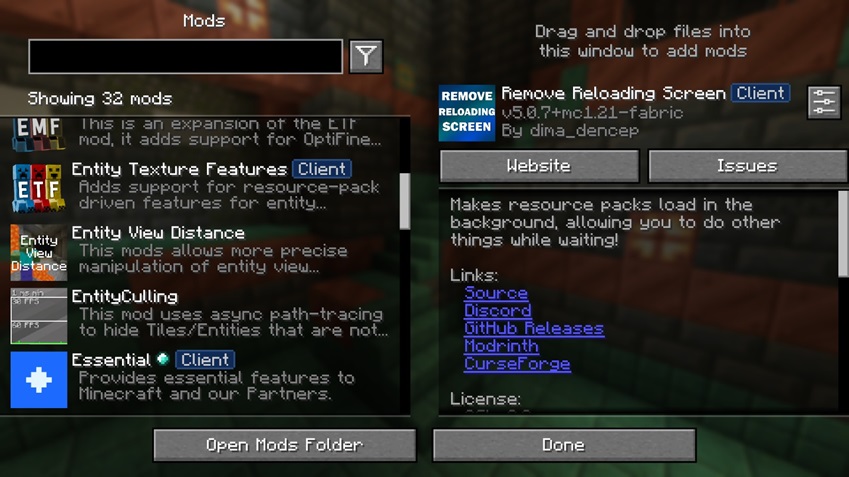
And of course, it is Perfect to Play with Shaders Without Lowering Render Distance
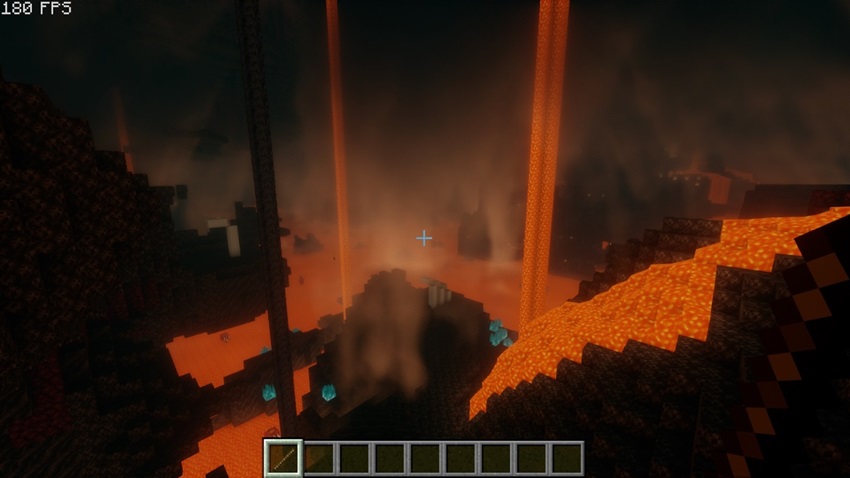
_Render Distance was still set to 32 Chunks in this picture_
CurseForge (Modrinth Version is better)
包含的模组 35 个
 [EMF] Entity Model Features
 [ETF] Entity Texture Features
BadOptimizations
 Cloth Config API
 Concurrent Chunk Management Engine (Fabric)
 Continuity
 Dynamic FPS
 Enhanced Block Entities
 实体剔除
 Entity View Distance
 Essential Mod
 Fabric API
 FastQuit
 FerriteCore
 FPS Reducer
 ImmediatelyFast
 Indium
 Iris Shaders
 Just Zoom
 Konkrete
 锂
 模组菜单
 Model Gap Fix
 ModernFix
 More Culling
 Noisium
 Noxesium
 Reese's Sodium Options
 Remove Reloading Screen
 钠
 Sodium Extra
 Text Placeholder API
 ThreadTweak
 Very Many Players (Fabric)
 ViaFabricPlus
绿色边框的模组本站有收录,点进去看中文介绍;其余跳转到 Modrinth。
常见问题
Best Optimized 支持哪些 Minecraft 版本?
Best Optimized 基于 Minecraft Java 版 1.21.1、1.21,使用 Fabric 加载器。
Best Optimized 怎么安装?
点本页「前往下载」拿到整合包文件(Modrinth 的是 .mrpack,CurseForge 的是 .zip),在 PCL2 或 HMCL 启动器里选择「导入整合包」,启动器会自动装好 Minecraft、加载器和全部模组。这个整合包有 35 个模组,建议在启动器里给游戏分配 4–6 GB 内存。
Best Optimized 开服需要多大内存?
推荐服务器内存 12 GB。在线人数多、或者建了大量机器和区块加载器时,可以再加 2–4 GB。
怎么和朋友一起玩 Best Optimized?
点本页的「一键开服」,选好配置后会自动安装 Best Optimized 的服务端,几分钟就能开好。把服务器地址发给朋友,大家用同一个版本的整合包连进去就行。
bo_bo 的其他作品
查看全部 →
Golem Spawn Fix
铁傀儡生成修复

Wither Spawn Animation
凋灵生成时播放的动画

Golem Spawn Animation
铁傀儡或雪傀儡生成时播放的动画

Wither Spawn Fix W.S.A. Compatible
修复凋灵生成问题,兼容 Wither Spawn Animation。
评论
登录后评论和评分