
Vanilla Optimized Plus
This modpack will allow you to immerse yourself in Minecraft in new colors.
截图


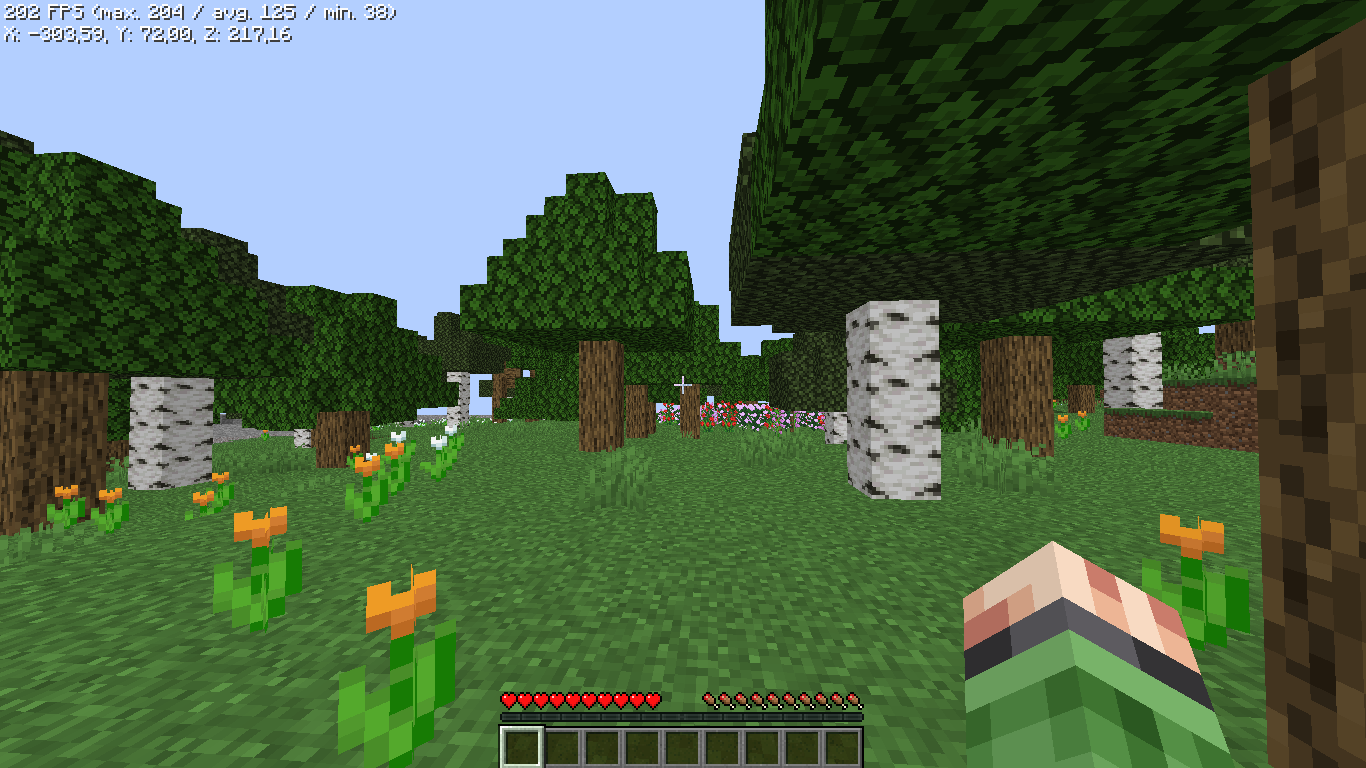
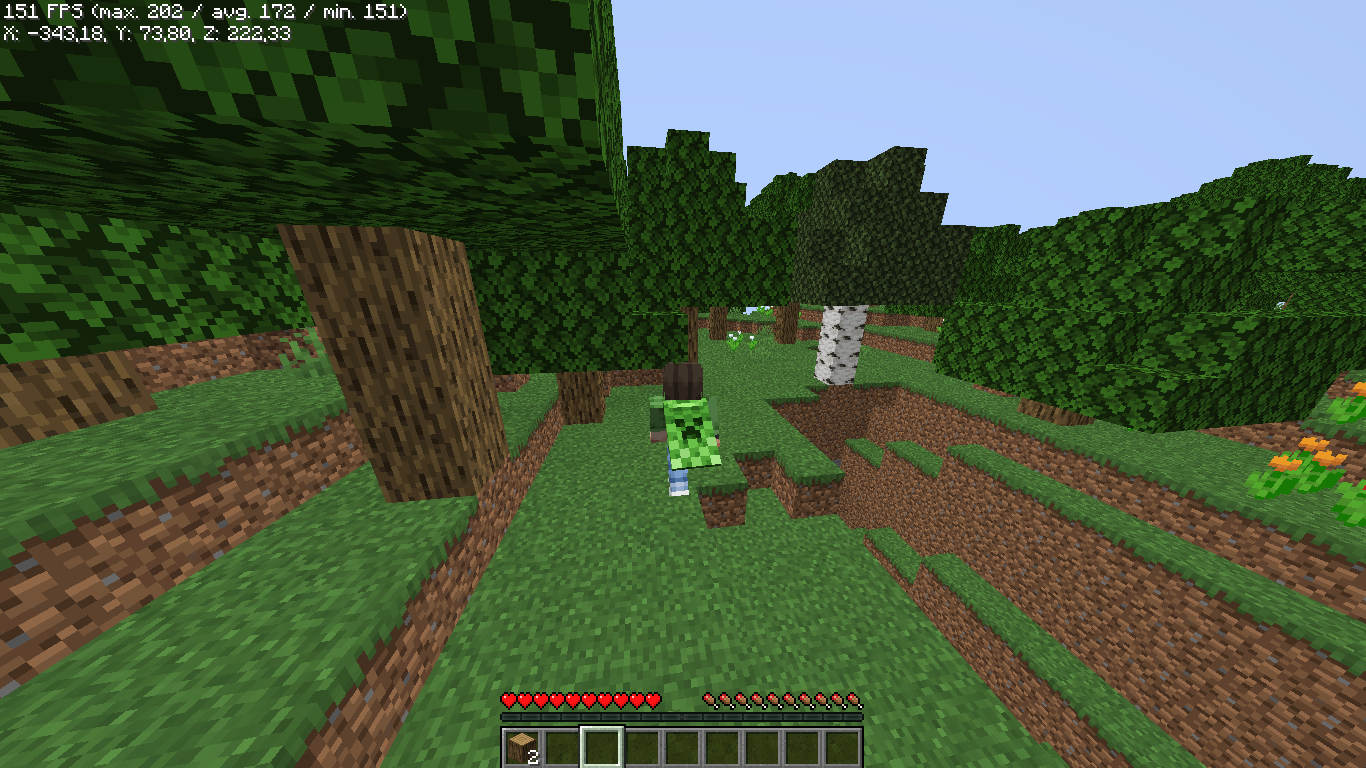

介绍
**✨ Vanilla Optimized Plus – What is it?**
RU: Vanilla Optimized Plus – это модпак созданный обычным игроком на слабом устройстве. Он поставил задачу создать модпак, который улучшает игру и её оптимизирует, а главное, чтобы она была доступна для всех игроков без исключений. Большинство модов улучшают игру и делают её комфортной, отлично подходит для игры на ванильных проектах
EN: Vanilla Optimized Plus is a modpack created by an ordinary player on a weak device. He set the task of creating a modpack that improves and optimizes the game, and most importantly, that it is accessible to all players without exception. Most mods improve the game and make it comfortable, great for playing on vanilla projects.
**⚡ Advantages of the mod pack:**
RU: Модпак был нацелен на максимальное повышение производительности, улучшения геймплея для игры на ванильных проектов. Большое количество модов на оптимизацию помогут насладиться игрой, а приятные дополнения помогут вам в игре.
EN: The modpack was aimed at maximizing performance, improving gameplay for playing on vanilla projects. A large number of optimization mods will help you enjoy the game, and nice additions will help you in the game.
**⚙️ How to install?**
RU: Вы можете установить сборку через любой из 4 лаунчеров: ATLauncher, MultiMC, Prism Launcher и Modrinth App. Существует 2 способа установки сборок. Сначала вам нужно открыть загруженный файл в вашем лаунчере или добавить его через панель добавления сборок. Во-вторых, вам нужно открыть панель добавления сборок, выбрать метод Modrinth, затем найти сборку в строке поиска и нажать OK, после чего сборка сама установится в вашем лаунчере.
EN: You can install the build through any of the 4 launchers: ATLauncher, MultiMC, Prism Launcher and Modrinth App. There are 2 ways to install assemblies. First, you need to open the downloaded file in your launcher or add it via the Add assemblies panel. Secondly, you need to open the panel for adding assemblies, select the Modrinth method, then find the assembly in the search bar and click OK, after which the assembly will install itself in your launcher.
**🍙Frame Rate Per second**
- FPS: Max | Avg | Min
- FPS: 253 | 146 | 40
**🛠️Test Configuration:**
– Version: 1.21.1
– CPU: AMD Ryzen 3 3200U
– GPU: AMD Radeon(TM) Vega 3 Graphics
– RAM: 16 GB DDR4 (6 GB for Minecraft)
– Convenient settings for my game
包含的模组 96 个
 [EMF] Entity Model Features
 [ETF] Entity Texture Features
 Animated Items
 苹果皮
 Axiom
BadOptimizations
 Balm
 Better Biome Blend
 Better Block Entities
 Better Mount HUD
 BetterGrassify
 Blur+
 Bookshelf
 Chat Animation [Smooth Chat]
 Chat Heads
 Chat Tools
 Client Sort
 Cloth Config API
 Concurrent Chunk Management Engine (Fabric)
 Crash Assistant
 Cull Leaves
 Cut Through
 Dark Coffee GUI
 Debugify
 Dynamic Crosshair
 Emotecraft
 Enchantment Descriptions
 实体剔除
 Entity View Distance
 Fabric API
 Fabric Language Kotlin
 Fast Better Grass
 Fast IP Ping
 Fast Item Frames
 Fast Noise
 FerriteCore
 Forge Config API Port
 Fzzy Config
 GUI Overhaul
 Icons
展开全部 96 个
 ImmediatelyFast
 Iris Shaders
 Jade 🔍
 JEI物品管理器
 kennytvs-epic-force-close-loading-screen-mod-for-fabric
 Krypton
 LambDynamicLights - Dynamic Lights
 Language Reload
 Litematica
 锂
 MaLiLib
 模组菜单
 ModernFix-mVUS
 More Chat History
 More Culling
 鼠标微调
 New Glowing Ores
 No Chat Reports
 No Resource Pack Warnings
 Not Enough Animations
 Overgrown Flowery GUI
 Packet Fixer
 Particle Core
 Particle Rain
 Player Animation Library
 Presence Footsteps
 Prickle
 Puzzles Lib
 Recolourful Containers GUI + HUD
 Recolourful Containers GUI + HUD (DARK)
 Reese's Sodium Options
 Rethoughted GUI
 ScalableLux
 Server Pinger Fixer
 Server Resourcepack Checker
ServerAddressSpaceFix
 Shulker Box Tooltip
 Simple Voice Chat
 Smooth Scrolling
 钠
 Sodium Extra
 Sodium Shadowy Path Blocks (SSPB)
 Sound Physics Remastered
 Stellar GUI Buttons
 Text Placeholder API
 Translations for Sodium
 Translucent GUI
 Transparent Inventorys (GUI & HUD)
 Unique Dark
 Unique Dark Refined
 Vibrant Fog
 Visuality
 Xaero的小地图
 Xaero的世界地图
 YetAnotherConfigLib (YACL)
 Zoomify (Zoom)
绿色边框的模组本站有收录,点进去看中文介绍;其余跳转到 Modrinth。
常见问题
Vanilla Optimized Plus 支持哪些 Minecraft 版本?
Vanilla Optimized Plus 支持 Minecraft Java 版 1.16.5–26.1.2,共 14 个版本,可用的加载器:Fabric / Forge / Quilt。下载时注意选择和你游戏版本一致的文件。
Vanilla Optimized Plus 怎么安装?
点本页「前往下载」拿到整合包文件(Modrinth 的是 .mrpack,CurseForge 的是 .zip),在 PCL2 或 HMCL 启动器里选择「导入整合包」,启动器会自动装好 Minecraft、加载器和全部模组。这个整合包有 96 个模组,建议在启动器里给游戏分配 4–6 GB 内存。
Vanilla Optimized Plus 开服需要多大内存?
推荐服务器内存 12 GB。在线人数多、或者建了大量机器和区块加载器时,可以再加 2–4 GB。
怎么和朋友一起玩 Vanilla Optimized Plus?
点本页的「一键开服」,选好配置后会自动安装 Vanilla Optimized Plus 的服务端,几分钟就能开好。把服务器地址发给朋友,大家用同一个版本的整合包连进去就行。
评论
登录后评论和评分