
Optimization Q
作者:OPuntime
Optimizations and Quality mods/settings for your minecraft client and internal server
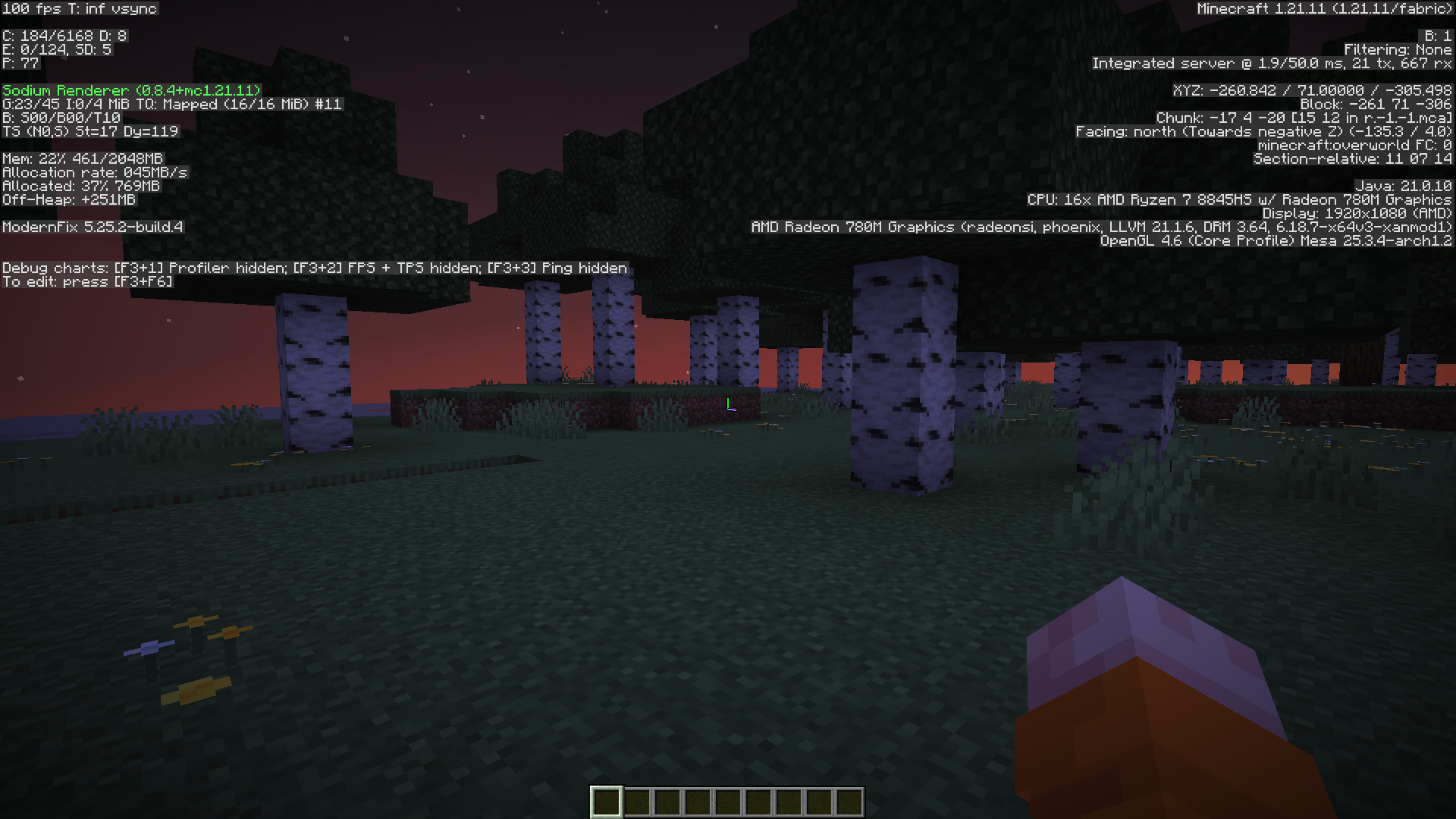
截图

介绍
中文介绍正在准备中,下面暂时显示原文。
OPtimization Q
This modpack’s purpose is to give players enjoyable expirience in minecraft on the latest versions. Carefully taken and tested OPtimization mods on vanilla and after, a toping consisting of Quality mods and resource packs for You.
Features:
- Fast updates
- Lightweight and Better Optimizations
- Supports for Iris Shaders
- Dynamic Lights
- Smooth Gui/Hotbar/Swapping items
Installation
- Modrinth Launcher – Find the project in modpacks section and click “Install”
- Prism Launcher – Add Instance -> ( on the left side) Modrinth -> Search “OPtimization Q” -> Select it -> Press ok
- Other launchers – Download from site -> visit this site -> convert mrpack to zip -> unpack zip file into instance or .minecraft
Personal Recomendations
- Try Not to use Grallvm jdk for the game
- Try Not to overload modpack with +500 mods ( if you are making your own modpack )
- Try to use optimization flags for jdk25 such as
-XX:+UseZGC -XX:+UseCompactObjectHeadersor for jdk21:
-XX:+UseZGC -XX:+ZGenerational包含的模组 54 个
 [EMF] Entity Model Features
 [ETF] Entity Texture Features
 AmbientSounds
 苹果皮
 Architectury API
 Better Advancements
 Better Mount HUD
 Better Resolution
 Chat Animation [Smooth Chat]
 Chat Heads
 Cherished Worlds
 Cloth Config API
 Clumps
 Complementary Shaders - Reimagined
 Configurable
 Countered's Smooth Steps
 CreativeCore
 Dynamic Crosshair
 e4mc
 Fabric API
 Fabric Language Kotlin
 Fancy Toasts | Better Advancements
 Fresh Animations
 Fresh Animations: Player Extension
 Fzzy Config
 Inventory Particles
 InvMove
 Iris Shaders
 锂
 MidnightLib
 模组菜单
 MossyLib
 鼠标微调
 MRU
 Neruina - Ticking Entity Fixer
 Not Enough Animations
 Noxesium
 Packet Fixer
 Particle Core
 Particle Effects
展开全部 54 个










绿色边框的模组本站有收录,点进去看中文介绍;其余跳转到 Modrinth。
常见问题
Optimization Q 支持哪些 Minecraft 版本?
Optimization Q 支持 Minecraft Java 版 1.20.1–26.3,共 6 个版本,可用的加载器:Fabric / NeoForge / Quilt。下载时注意选择和你游戏版本一致的文件。
Optimization Q 怎么安装?
点本页「前往下载」拿到整合包文件(Modrinth 的是 .mrpack,CurseForge 的是 .zip),在 PCL2 或 HMCL 启动器里选择「导入整合包」,启动器会自动装好 Minecraft、加载器和全部模组。这个整合包有 54 个模组,建议在启动器里给游戏分配 4–6 GB 内存。
Optimization Q 开服需要多大内存?
推荐服务器内存 12 GB。在线人数多、或者建了大量机器和区块加载器时,可以再加 2–4 GB。
怎么和朋友一起玩 Optimization Q?
点本页的「一键开服」,选好配置后会自动安装 Optimization Q 的服务端,几分钟就能开好。把服务器地址发给朋友,大家用同一个版本的整合包连进去就行。
评论
登录后评论和评分