
LessGrind+
A vanilla+ mod pack aimed at improving basic game play mechanics that reduce unnecessary grind and make the game feel more interesting.
截图

介绍
A Vanilla+ modpack with three goals in mind.
- Reduce _needless_ grind in Minecraft. It isnt a fast track to the end game, but a reduction to some tedious repetitive aspects of the game that get annoying.
- Extra adventure. Addition structures, biomes, dimensions and resource packs that add to the experience.
- Keep that classic Minecraft feel. We know its modded, but this _could_ be in the base game.
All the mods, data packs and resource packs will be listed in the below categories explaining their purpose for being included.
You can find information for Previous Versions at the github page.
Current Version 2.0.3+26.1.2
Reduce _Needless_ Grind
Gameplay Changes
- Wind Boost Enchantment Happy Ghasts are so cute! But sooo sloooow. Ever wish you could speed them up? Well now you can! You can now enchant their harness with Wind Boost to make the Happy Ghasts Faster!
- Quick Right-Click Place, use, break. Place, use… break. Place… use.. break. Tired of having to Place, use then break things out of your inventory? Well, now you can right click into the air with your crafting bench to use it! No placing necessary!
More Blocks!
This also words with:
- Beds
- Cartography Tables
- Crafting Tables
- Ender Chests
- Grindstones
- Shulker Boxes
- Smithing Tables
- Stonecutters
- Gravestones Dying sucks, losing your items sucks worse and “keep inventory” is cheating. The solution, graves! Now when you fail to survive, a grave will spawn to keep your items safe for you to find them. You can also craft decorative ones for your pet graveyard.
- Simple Voice Chat Communicate with each other _right from inside minecraft_! Location based voice communication is now possible.
More Info & Keybinds
Press the V to configure Voice chat. You can setup push to talk or voice detection and also configure the volumes for individual players.
Press the X key to Mute/Unmute.
Press the G to create and join groups. Groups allows you to communicate without needing to be in range of each other.
- Zoomify Yep… lets you see things further away with the C key. Get it “c”…
- LambDynamicLights – Dynamic Lights Do we really _always_ need to place down torches to see, and waste coal? Not with this mod! Just hold a torch or other _glowy items_ in your hand!
- Fortunate Ancient Debris What’s the point in a fortune pickaxe if it doesn’t work when gathering netherite? Well… now it does.
More Info
Ancient Debris now drops netherite scrap, how much it drops is affected by the fortune enchantment. You can still get the Ancient Debri’s block with silk touch.
For Balance: Because fortune now works, it will take 5 netherite scrap to make one ingot of netherite instead of 4, and you do not get XP from mining Ancient Debris.
- Trade Cycling Everyone rolls villagers to get the trades that they want. Placing, breaking and re-placing their workstations is a hassle. Now there is a button that does it for you!
More Info
When you trade with a villager that nobody has traded with before there is now a button that rolls their trades. This is so you don’t have to keep placing and breaking workstation blocks. Once you trade with the villager, the button goes away.
- Scaffolding Drops Nearby Do you hate that when you break scaffolding you have to run around and pick it all up? Well now, when you break it all the blocks will drop right where you are! No more running around playing “find the scaffolding”.
- Boat Item View Ever try and follow a map or compass while in a boat? Well, now you can continue to see them while the boat is moving! Congrats, you unlocked “holding things in your lap”.
- No Animal Tempt Delay Animals are no longer picky about their food! They will always follow you when you hold it, no more waiting for that cow to examine the wheat before deciding to follow you.
- GravelMiner Strip mining and run into a section of gravel. Tired of using the “break block and quickly place torch” trick? Now breaking a block under falling gravel _(or sand)_ will instantly break all the falling gravel _(or sand)_ above it! No torch required.
- AppleSkin Makes the food related HUD show you more information such as your saturation level, and how much hunger a piece of food will fill up.
- Better Spawner Control Is there enough light to keep this mob spawner turned off? Well, guess no more! Places 5 torches on the spawner, four sides and the top, will disable the spawner. No more guess work so you can make your mob farms in peace.
- Harvest With Ease Farming is difficult. First you have to break the crop.. then replant. What if there was a tool to make this easier? Your hoe is now upgraded! Right clicking a crop with a hoe will now harvest and replant the crop for you!
More Info
The better your hoe the faster you can farm!
- Wood, stone and copper will harvest and replant 1 crop at a time.
- Iron will harvest and replant in a 3×3 area.
- Gold will harvest and replant in a 5×5 area.
- Diamond will harvest and replant in a 7×7 area.
- Netherite will harvest and replant in a 9×9 area.
All the harvest crops will come to you automatically!
- No Feather Trample Farming is difficult as it, why make _walking_ hard? Now, if your boots have Feather Falling, you can no longer trample your crops!
- Health Enchantment Want your late game gear to make you healthier? Well, now with this enchantment your gear can give you more hearts!
- Cubes Without Borders Borderless fullscreen in minecraft. Now, when you tab to chrome to look up that cool restone tutorial, your full-screen minecraft window will still be visible!
- Better Statistics Screen Now it’s easier to find out how many times creepers have snuck up on you!
- No Enderman Grief Now they can’t pickup blocks and destroy the environment.
- Better Cauldrons
- Cauldron Concrete Powder Making concrete from powder sucks. Now just fill a cauldron will water and drop the concrete powder (in item form) into the cauldron. It will turn into concrete!
- Cauldron Mud Nobody has time to stand around right clicking dirt with water bottles. Just fill a cauldron with water, and drop the dirt (in item form) into the cauldron. Now you have mud.
- Block/Item Washing Have something that’s dyed a color, and you need it back to what it was pre-dyed? Just throw it in the cauldron!
- Double Shulker Shell Drops Shulkers have two shells… now they always drop both.
- Dragon Drops Elytra Just like it sounds.
- Mini Blocks & Mini Blocks: Items Edition Take any block or item and put it in a stonecutter. Now you have a mini version of it to decorate with!
- Just Mob Heads Now every mob has a chance to drop it’s head when you kill it.
- Cycle Paintings Want a specific painting? Place a painting on the wall, then right click it while holding another painting, to cycle through the options! No more place, breaking, placing, breaking…
- Silent Mobs/Minecarts Captured Mobs too loud? Now if you use a nametag to name them “silent” they will stop making noise!
Crafting and Smelting Changes
- Better Crafts: Dispenser Crafting Dispensers is annoying because of the bow, and .. dang I just made another stack of droppers. Well now! Put the dropper in the crafting grid with a bow, and you got a brand new dispenser!
- Make a Dye Out Of It Why are different colored dye’s so hard to get in minecraft? Well now mising colors works the same (or close enough) to the real world! Not only can you now make Glow Ink Sacs by combining Inc sacs with something glowy, you can now combine different dyes together, along with new sources of dye around the world! Full list of the recipe changes can be found on the Make a Dye Out Of It Wiki Page
- Better Unpackables
- Unpacking: This could also go under inventory management. This allows certain blocks to be “unpacked” back into their components, such as turning packed ice back into ice, or Glowstone blocks back into Glowstone dust! For a list of all unpacking recipes visit the Better Unpackables Unpacking Recipes Wiki Page.
- Back to Blocks: Stairs, slabs, walls and carpets can no be converted back into their full blocks!
- Craftable Horse Armor Now you can always protect your horse!
- Better Craftables Some things in minecraft should just be craftable or smeltable! This mod adds a bunch of quality of life crafting and smelting recipes.
View Recipes
- Craftable Coral Blocks (Makes coral renewable by bonemealing the blocks to get the fans) & Bells
- Craftable Gravel
- Powered Rails from Copper! Gold is precious why waste it on slow minecarts.
- Universal Dyeing: Any colored glass, wool or terracota can now be dyed into any other color. Hurray!
- Smelt Raw Ore Blocks directly into a full block of the ore. Raw Iron Ore -> Iron Block. Blast furnaces are now useful!
- Rotten Flesh now smelts into leather, it smells funny but gets the job done.
- All Crafting Recipes
- All Smelting Recipes
- Vanilla Tweaks
- Dropper to Dispenser: Crafing Dispensers is annoying because of the box. Now you can place a dropper in the middle of the crafting grid, with the bow recipe around it, to create dispensers.
- Straight to Shapeless: Craft items such as bread, paper and shulkerboxes in your 2×2 crafging grid.
- Unpackable Nether Wart: Now Nether War Blocks can be “unpacked” back into Nether Wart.
Inventory Management
- Mouse Tweaks Inventory management is a pain. This at least makes it a little more bearable. Using your scrollwheel while hovering over items, will now move them into and out of open inventories!
More Info
Better Right Mouse Button: Now if you are holding a stack of items, while the right mouse button is held down, if you drag over a slot multiple times, an item will be put there multiple times. Helps with putting recipes in crafting benches.
Better Left Mouse Button: Now if you left click an item, and continue holding down left click while you drag your mouse across the inventory. Items of the same type will be picked up and added to the stack you picked up. If you hold down shift while dragging, items of the same type will be “shift clicked”. Easily pickup and move items. If you hold down left mouse button without picking up and item, and hold down shift, every item you “drag over” will be “shift clicked”.
- ItemSwapper Doing a lot of building, with a lot of different blocks? Wish you could easily swap tools/weapons without having to open your inventory? Well now you can! Hold down the R key to open an interface that allow you to swith the block/tool/weapon in your hand from another in your inventory. With intuitive groups, stone blocks will show other stone like blocks in your inventory. Tools with show tools, etc.
- Bundles Beyond Bundles are very useful! However, only being able to see the first 12 items in them… that isn’t. Now you can see everything in the bundle. You’re welcome.
- Peek Placing down a shulker box to see what’s in it is boring. Now you can however over it in the inventory! Also, why walk around opening a bunch of boxes to see what’s in them, now an item or name is displayed on the box in the world, so you can get an idea of what’s inside!
More Info
Not Just Shulker Boxes! You can also see how many bees are inside a bee nest, or view the coordinates of compases.
The shulker box will display on it’s top the item that you have the most of in the shulker box. No need to place signs or item frames in your storage system!
- Sort It Out! Sorts your inventory, so you don’t have to!
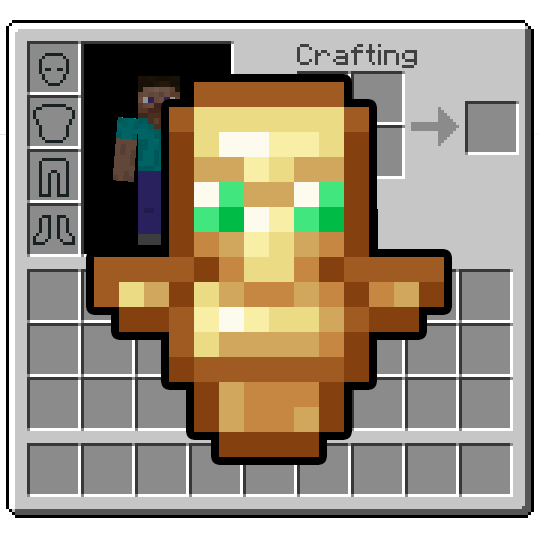
- Inventory Totem Totem’s of undying no longer need to be held in your hand to work! Now you can keep holding your pickaxe _and_ your torches!
- Stack Refill Placing a bunch of blocks and constantly needing to open the inventory to get more? Well not anymore! Once you use the last block, if more of it exists in your inventory it will automatically appear in your hand!
More Info
This also works to replace tools/weapons when they break, potions when you throw them and food when you eat. Now you can keep just the important things in your hotbar.
- PorcuPack Have different types of arrows? Or infinity and only need one? Why take up inventory space! If you have any arrows put them in bundles, you can use them with your bow or crossbow without having to take them out first!
Now.. Where is that again?
- JourneyMap See what the world looks like around you, see where you died, find your dog and locate players.
More Info
There will be a circular minimap in the upper left hand corner to help you navigate! You can turn this on or off by pressing the Z key on your keyboard. Pressing the M key on the keyboard opens up the world map, allowing you to pan around and zoom in and out.
By default the map will only show the location of death points, waypoints, players and mobs that are tameable like dogs… so you can remember where you sat them down.
- Locator Heads The player locator bar is great… except that you can’t tell whose dot belongs to who. Well… Now we put their heads on the bar! It’s not morbid it’s useful!
New Useful Items
- Storage Sacks Vanilla-style bundle upgrades! Storage Sacks adds a collection of bundle upgrades that can hold more items, but are filtered to a specific resource type.
- Jake’s Build Tools Useful tools for building and exploration!
More Info
- Mining Helmet – A glowing hat that also protects the player from falling blocks and anvils!
- Block Wrench – A tool that can rotate any rotatable block! Even ones with inventories!
- Void Bundle – A bundle that deletes any item put inside it! The last item destroyed can be retrieved by right clicking with it in the player’s hand!
- Item Magnet – Attracts items in a 7 block radius towards the player when in their mainhand or offhand! Can also be used in item frames!
- Experience Flask – A method of storing experience! Can be filled with experience and then smashed to get it back!
- Tape Measure – A tool for measuring distances between blocks!
- Rope Ladder – A new type of ladder that places ladders below it!
- Trowel – Places blocks randomly from the player’s hotbar, great for texturing!
- Chisel – Replaces a block with the block in the slot to the right of it!
- Hardhat – A snazzy hat that increases the player’s reach by 2 and protects them from falling blocks and anvils!
- Void Bucket – A bucket that destroys any liquid put inside of it!
- Grass Starter – Can turn dirt into grass and vice versa!
Visit the Wiki for more information.
Note:Hammer, and Mob Bag are disabled on multiplayer.
- Tree Axes By Juix Hate cutting down trees? Well, craft an axe with _blocks_ instead of _ingots_ to get an axe powerful enough to cut down the entire tree at once!
- Hammers by Juix Digging tunnels, it’s important but time consumming. Let these hammers help! Make a “pickaxe” with blocks instead of ingots, and now you can crush blocks in a 3×3 area. Who needs a tunnel bore, when you can be the tunnel bore!
- Trading Post We all enslav… I mean employ… villagers. Walking around to each one to train takes up valuable time. Now with the Trading Post you can trade with all nearby villagers from one spot!
More Info
Villagers must be within 24 blocks horizontally and 16 blocks vertically in order for their trades to show up in the trading post. When you trade with them, the XP from the trade will appear at the trading post.
- Teleporters Ender pearl statis chambers are easy to build, however choosing which one to activate requires complicated redstone. Teleporters remove that grind.
- Animal Feeding Trough Wish animals were smart enough to feed themselves? Well now they can! Put down a feeding trough, and fill it with food. Animals will eat and multiply on their own as long as the trough has food. Farming is now simpler than ever!
- Invisible Frames Now item frames can be made invisible without commands! Allowing for decorating or organizing storage rooms. Simply right click on the item frame while sneaking.
Adventure!
- True Ending – Ender Dragon Overhaul The Ender Dragon just got stronger! New attacks, more health and end crystals guarded by phantoms! Now this is a fight… wait.. is that Boss Music!
- Incendium The nether update enhanced! With new biomes, structures, items, and mobs including a new boss!
More Info
8 New Biomes
9 Themes Structures
31 Custom Items
34 Custom Mobs, Including 1 Boss
39 New Advancements to try and earn!
- Dungeons And Taverns A mod that adds a bunch of vanilla like structures around the world to discover, as well as 17 new enchantments found in structures that can be located by trading with Librarian villagers found throughout the world!
Additional Dungeons and Taverns Addon Mods
- Structory A pack that adds structures through the world, some of which have a focus on storytelling! Also includes is the addon Structory Towers.
- Luki’s Grand Capitals Makes default minecraft villages and related structures more appealing!
- Luki’s Crazy Chambers Minecraft’s trial chambers are amazing! This adds even more fun and trial to them! Watch out for the lava.
- AdoraBuild: Structures Add’s over 100 new biome specific structures to discover, and some new advancements!
- Hopo Better Underwater Ruins Makes exploring the oceon fun! New underwater ruins to discover including underwater cities and fossils! More chances for archeology.
- Hopo Better Mineshaft Who needs to strip mine when there are already mineshafts to explore! More than 50 different rooms across different variants of mineshafts to discover. With mobs to fight and loot to obtain.
- Hopo Better Ruined Portals Piglins didn’t just build portals! Find other ruins and structures left behind by when they invaded the overworld in the past.
- Dungeons+ Makes minecrafts default dungeons feel less boring! Also adds new dungeons to explore… and turn into farms.
- Moog’s End Structures More structures to discover while exploring the end! Some of them bring additional challenges to overcome.
- Trek Adds over 150 custom structures to discover and explore! From simple campires to floating water islands and mansions, you will always have something new to discover.
- Explorify A small collection of vanilla like structures to discover all throughout your minecraft world.
Because It’s Pretty
- Scholar Books are now easier to write in, and format! Text can now be bold or _italic_. Books themselves can be dyed different colors!
- Armor Statues Armor stands are now posable, can have arms and even be made invisible! Now this is decorating.
More Info
Shift right click an armor stand with an empty hand to open the interface. Now you can adjust the armorstand however you want! Pre-built poses also make it easy to quickly do things like, place an item on the ground or show off your cool sword that you got exploring the nether!
Terrain and Rendering Changes
- Geophilic Couldn’t decide if this went here or under adventure. It’s a mod that modifies the vanilla terrain in subtle ways to give it more character while staying true to minecrafts roots.
- Unnamed Desert Adds 8 structure types / 35 total variants to the desert and badlands biomes to enhance the feel of vanilla world generation. Again, could have also gone under adventure.
- Distant Horizons Creates and stores LOD’s which are lower detailed terrain chunks. This allows the minecraft world to be visible much farther away, without turning your PC into a space heater!
More Info
Terrain that is farther away will have lower detail than terrain close up. While you some things will be hard to make out, the general feel of the terrain is there making the world feel much bigger and allowing you to tell what biomes they are. This allows you to see way off in the distance without having to fully load all the minecraft chunks. Terrain is also cached on your computer so that you can see further than the server render distance.
- [\[ETF\] Entity Texture Features](https://modrinth.com/mod/entitytexturefeatures) Emissive, Random & Custom texture support for entities in resourcepacks.
- [\[EMF\] Entity Model Features](https://modrinth.com/mod/entity-model-features) Allows for custom entity models, which makes all the cool animations possible!
- 3D Skin Layer’s Makes skins look cleaner.
Resource Packs
- Fresh Animations and Fresh Animations: Extensions Make the game feel more lively by overhauling the mob’s with new looks and way better animations. Is that villager giving you the side eye… why yes, they can do that now.
- Continuity Connected textures.
- Recolourful Containers GUI + HUD Each container or useable block such as a crafting table now gets a makeover! Easily tell what you are interacting with.
- Even Better Enchants Now it’s possible to tell enchanted books apart when you buy them from villagers! Each enchantment get’s it’s own aesthetic book design.
- Vignette Removed Removes the black gradient around the edge of the screen and the red ting when you are near the world border.
- Vanilla Tweaks Lot’s of changes from Vanilla Tweaks that just make sense!
Texture Changes
- Red Iron Golem Flowers: Puts the red flowers back on the Iron Golem texture.
- Visual Waxed Copper (Items): Now you can tell if your copper items are waxed just by looking at them in your inventory.
- Different Stems: Pumpkin and watermelon now have different stems so you can tell what you planted.
- Age 25 Kelp: Fully grown kelp will now have pink flowers on top so you know that it won’t grow any further.
- Sticky Piston Sides: The side of the sticky piston now has green goo, so you can tell if it’s sticky even if there is a block attached to it.
- Directional Hoppers: The top of hoppers now has a subtle arrow, so you can see which way they point without having to look at the bottom.
- Directional Dispensors and Droppers: Now have an arrow on the side so you can tell which way they face.
- Directional Observers: Now have an arrow on the side so you can tell which way they face.
- Music Disc Redstone Preview: Now you can see how strong a redstone signal music discs will output when using a comparator!
- Visual Honey Stages: You can now tell what level of honey is in bee nests and hives by looking at them. It changes as they fill up.
- Visual Note Block Pitch: Tells you what note the Note Block is set to on the side of it. Now it’s easier to make music.
- Lower Fire: When your on fire, it takes up less of your screen.
- Lower Shield: Holding a shield now takes up less of your screen.
Resource Pack’s for Mods
These packs are included so that tools, weapons and items added by mods or datapacks can display properly.
Mods Pack is For
- Sparkles: Stardust Labs Resourcepack This is the resourcepack for the Incendium mod.
Make Minecraft go Vroom (Performance Mods)
- Sodium “Sodium is a powerful optimization mod for the Minecraft client, which greatly improves frame rates and micro-stutter, while fixing many graphical issues in Minecraft.”
- FerriteCore Help reduce minecrafts memory usage.
- Particle Core Optimize how minecraft handles particles.
- Alternate Current Makes minecrafts redstone more optimized. As a side affect, strange “location based” redstone quirks are remmoved. Meaning redstone always updates and functions as expected.
- Entity Culling If you can’t see it, the game shouldn’t render it.
- Immersive Optimization Better “tick scheduling” to increase performance by slowing down the tick-rate of entities not in line of site, or farther away.
- Clumps XP orbs are everywhere. Too many of them creates lag. This clumps them together into bigger chunks for less lag.
- Lithium Makes minecraft work better. More details on the mod page, it’s really amazing!
- Concurrent Chunk Management Engine Better chunk generation.
- ModernFix-mVUS or ModernFix Depending on minecraft release. ModernFix is an all-in-one mod that improves performance, reduces memory usage, and fixes many bugs in modern Minecraft versions.
- ServerCore A mod that aims to optimize the minecraft server and works on both dedicated servers and singleplayer! Includes several patches & optimizations to improve performance and reduce lagspikes, which shouldn’t make any noticeable changes during gameplay. There are also some additional features enabled that can heavily reduce lag, but have a slight impact on gameplay
Credits:
Vanilla Tweaks: https://vanillatweaks.net/
Library and Helper Mods
- Fabric API
- Cloth Config Api
- Collective
- JamLib
- Text Placeholder API
- Architectury API
- CompatDatapacks
- Balm
- Puzzles Lib
- PheumonoCore
- YetAnotherConfigLib (Yacle)
- Forge Config API Port
- Fzzy Config
- Mod Menu Makes it possible to configure mods in game.
- TCDCommons API
- Configured Defaults Makes it possible to set default configs for all the mods. So that default keybinds and other settings are a thing, and not annoying for everyoen to setup on their own.
- Simple Datapacks Automatically adds and activates datapacks in any new world created!
- Moog’s Structure Lib
- Cobweb
- Fabric Language Kotlin
- Sparse Structures Makes sure that all the structures generated in the world, because we have added so many of them, do not spawn too close to each other.
包含的模组 119 个,另有 1 个其他文件
 3D Skin Layers
 [EMF] Entity Model Features
 [ETF] Entity Texture Features
 Actually Harvest
 AdoraBuild: Structures
 Alternate Current
 Animal Feeding Trough
 苹果皮
 Architectury API
 Armor Statues
 Balm
 Better Cauldrons
 Better Craftables
 Better Spawner Control
 Better Statistics Screen
 Better Unpackables
 Boat Item View
 Bundles Beyond
 Cloth Config API
 Clumps
 Collective
 CompatDatapacks
 Concurrent Chunk Management Engine (Fabric)
 Configured Defaults
 Continuity
 Craftable Horse Armor
 Cubes Without Borders
 Cycle Paintings
 DeCubed Dungeons (Formerly Dungeons+)
 遥远的地平线
 Double Shulker Shell Drops
 Dragon Drops Elytra
 Dungeons and Taverns
 Dungeons and Taverns Ancient City Overhaul
 Dungeons and Taverns Desert Temple Overhaul
 Dungeons and Taverns Jungle Temple Overhaul
 Dungeons and Taverns Nether Fortress Overhaul
 Dungeons and Taverns Ocean Monument Overhaul
 Dungeons and Taverns Pillager Outpost Overhaul
 Dungeons and Taverns Stronghold Overhaul
展开全部 119 个
 Dungeons and Taverns Swamp Hut Overhaul
 Dungeons and Taverns Woodland Mansion Overhaul
 Dyes Reimagined
 实体剔除
 Even Better Enchants
 Explorify
 Fabric API
 Fabric Language Kotlin
 FerriteCore
 Forge Config API Port
 Fortunate Ancient Debris
 Fresh Animations
 Fresh Animations: Extensions
 Fzzy Config
 Geophilic
 GravelMiner
 Gravestones
 Hammers by Juix
 Health Enchantment
 Hopo Better Mineshaft
 Hopo Better Ruined Portals
 Hopo Better Underwater Ruins
 Immersive Optimization
 Incendium Legacy
 Inventory Totem
 Invisible Frames
 ItemSwapper
 Jake's Build Tools
 JamLib
 旅行地图
 Juix Resources
 Just Mob Heads
 LambDynamicLights - Dynamic Lights
 锂
 Locator Heads
 Luki's Crazy Chambers
 Luki's Grand Capitals
 MES - Moog's End Structures
 Mini Blocks
 Mini Blocks: Items Edition
 模组菜单
 ModernFix-mVUS
 Moog's Structure Lib (moogs_structures)
 鼠标微调
 No Animal Tempt Delay
 No Enderman Grief
 No Feather Trample
 Particle Core
 Peek
 PneumonoCore
 Puzzles Lib
 Quick Right-Click
 Recolourful Containers GUI + HUD
 Scaffolding Drops Nearby
 Scholar
 ServerCore
 Silent Mobs/Minecarts
 Simple Datapacks
 Simple Voice Chat
 钠
 Sort It Out!
 Sparkles: Stardust Labs Resourcepack
 Sparse Structures
 Stack Refill
 Storage Sacks
 Structory
 Structory: Towers
 TCDCommons API
 Teleporters By Juix
 Text Placeholder API
 Trade Cycling
 Trading Post
 Tree Axes By Juix
 Trek
 True Ending - Ender Dragon Overhaul
 Vignette Removed
 Wind Boost Enchantment
 YetAnotherConfigLib (YACL)
 Zoomify (Zoom)
绿色边框的模组本站有收录,点进去看中文介绍;其余跳转到 Modrinth。
常见问题
LessGrind+ 支持哪些 Minecraft 版本?
LessGrind+ 基于 Minecraft Java 版 26.2、26.1.2、1.21.11,使用 Fabric 加载器。
LessGrind+ 怎么安装?
点本页「前往下载」拿到整合包文件(Modrinth 的是 .mrpack,CurseForge 的是 .zip),在 PCL2 或 HMCL 启动器里选择「导入整合包」,启动器会自动装好 Minecraft、加载器和全部模组。这个整合包有 119 个模组,建议在启动器里给游戏分配 4–6 GB 内存。
LessGrind+ 开服需要多大内存?
推荐服务器内存 12 GB。在线人数多、或者建了大量机器和区块加载器时,可以再加 2–4 GB。
怎么和朋友一起玩 LessGrind+?
点本页的「一键开服」,选好配置后会自动安装 LessGrind+ 的服务端,几分钟就能开好。把服务器地址发给朋友,大家用同一个版本的整合包连进去就行。
评论
登录后评论和评分