
Convenience at it’s finest
Mod-pack made just for all the best QoL mods I could find. This aims to fix tedious features in-game without adding anything new.
截图

介绍
All the convenience mods, and the finest ones of course!
If you hate the inconveniences of features in Minecraft (like me) then you should download this mod-pack!
It removes many and will remove more tedious things so all that’s left is the fun of Minecraft. Litterally, it doesn’t add anything other than QoL!
I went through Modrinth looking for QoL mods, when I found one, I searched for a better version of it.
When I was done with that, I played the game, and evertime I came across something tedious or annoying, I added the best mod I could find to fix that. It didn’t take too long until there was an abundance of them.
You of course can’t use this mod-pack when joining servers, and if you want to combine this with an actual mod-pack, just move the contents of the mods/texture-pack folder.
Mods:
- Mod menu
- See your mods in title/pause menu
- Essential
- Multiplayer
- Jade
- Tells you what you’re looking at
- Bridging mod
- Press keybind (“,”) to toggle reaching around blocks
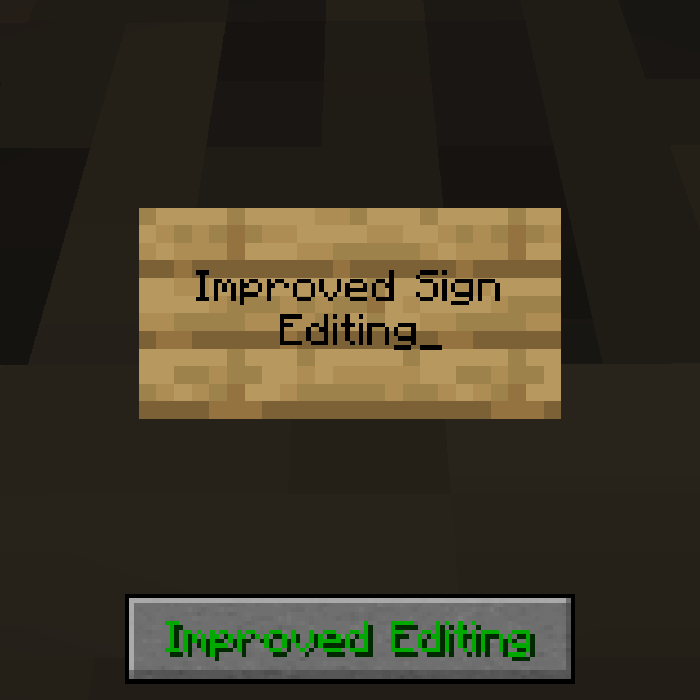
- Improved sign editing
- Auto selects new or old lines when editing text
- Continuity
- Connected textures
- Presence footsteps
- Immersive footsteps
- Lamb’s dynamic lights
- Items that would intuitively glow, now glow when held or dropped (also works on mobs)
- Inventory interactions
- Animations and movement on items in GUIs
- Inventory particles
- Particles emit off of items in GUIs
- Slot Cycler
- Access all items in you inventory by selecting the hotbar slot under it and cycling through your inventory
- Shulkerbox tooltip
- See what’s in a container without placing it
- Bundles beyond
- Easy to use bundles
- Inventory profiles next
- Sorting, autofilling emptied stacks in hotbar, and quickly moving mass items
- Auto Tools
- Automatically selects the best tool for the block
- Infinite Inventory
- Shift + click an item in inventory to transfer to infinite inventory (close menu to gain back the functionality of shift + click)
- Apple skin
- Show saturation on HUD and show values on items
- Experience progress
- See your progress on your XP (Idk if this is compatible with Fixed Levels mod)
- Hudless
- Removes HUD from screen when not used
- Simple death improvements
- No splatter, permanence, lava/void gaurd, explosion resistance, keep more experience, customizeable keep inventory
- Convenient mobGriefing
- The mob griefing gamerule is now split into 4, 1 for negative, 1 for minor, and 2 for wither and dragon
- Carry on
- Shift + RC certain mobs/blocks to pick them up (stacking mobs)
- Trade Picker
- When you RC a villager for the first time or after the level up, you get to choose from their possible trades
- Infinite trading
- Trades are unlimeted, also customize which types of villagers are infinite
Fixed Levels- Customized XP level requirement
- Bottle your XP
- Crouch + RC with bottle to create Bottle o’ Enchanting (Idk if this is compatible with Fixed Levels mod)
- Better than mending
- Crouch + RC tool with mending to mend
- Extended bone meal
- Bone meal works on more things
- Silkier touch
- Silk touch works on more things
- Universal enchants
- Removes most enchantment incompatibility and makes some enchantments work on more tools
- Anvils too expensive fix
- There is no limit to how costly an anvil use can be
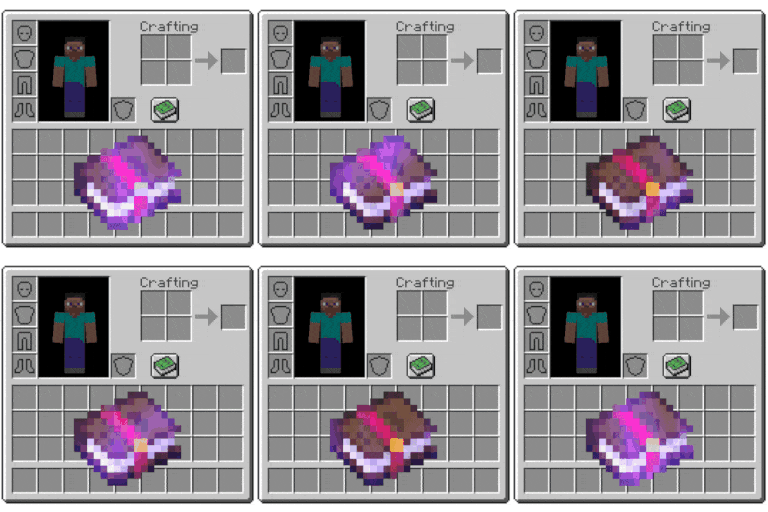
- Inventory mending
- Anytime you gain XP, it will mend all items in inventory
- Inventory totem
- Don’t need to hold totems for them to work
- Controlify
- Map your buttons to your keybinds
- Crawl
- Press keybind (tab?) to crawl
- Omnidirectional movement
- Sprint in all directions
- Liteminer
- Break groups of the same block, and in specific patterns too
- Breaking Bedrock
- Break bedrock with high level tools
- Recast
- Automatically recast fishing rod when caught something
- Better conduit/beacon placement
- RC beacon/conduit with block to autoplace, and crouch + RC to place all in hand
- Replanting crops
- Replants crops with drops when hit, crouch to disable
- PB warps
- Use “/warp” to see your warps, and “/warps” to create, remove, or modify
- Inv View
- Operators can manage other players inventories
- Hand over your items
- Crouch + RC a player with every item you want to give to them, then Crouch + RC with no item to confirm
- Full bright toggle
- Press keybind (“P”?) to light everything up
Texture packs:
- Enchanted books: recovered
- Enchanted books are discernable
- Recolorful containers
- Puts style in your GUI
- Primes textures
- Almost everything is HD
- Fresh animations
- Regular
- Extension
- Player
- Immersive mobs
Depending on which mod-pack version/game version you are getting, some of these may or may not be on it.
If you want to help by suggesting mods for this pack (or even better, creating mods for it) then you can do it in the Discord. I would GENUINELY appreciate it.
(Modpack will be updated once it stops being buggy and accepts mrpack files again.)
包含的模组 75 个
 3D crops Revamped
 [EMF] Entity Model Features
 [ETF] Entity Texture Features
 Anvil Restoration
 Anvil Too Expensive Fix
 苹果皮
 AutoTools
 Better Beacon Placement
 Better Conduit Placement
 Better Than Mending
 Blasting Raw Metal Blocks
 Bottle Your Xp
 Bridging Mod
 Bundles Beyond
 Click Villagers
 Cloth Config API
 Clumps
 Collective
 Compact Help Command
 Continuity
 Controlify (Controller support)
 Crawl
 Cycle Paintings
 Deimos
 Dismount Entity
 Enchanted Books: Re-covered
 Enchanted Golden Apple Addition
 Essential Mod
 Extended Bone Meal
 Fabric API
 Fabric Language Kotlin
 Fixed Anvil Repair Cost
 Fixed Levels
 Forge Config API Port
 Fresh Animations
 Fresh Animations: Extensions
 Fresh Animations: Player Extension
 Full Brightness Toggle
 Fzzy Config
 Hand Over Your Items
展开全部 75 个
 Improved Sign Editing
 Infinite Inventory Mod
 Infinite Trading
 Inventory Mending
 Inventory Particles
 Inventory Profiles Next
 Inventory Totem
 Jade 🔍
 Keep My Soil Tilled
 LambDynamicLights - Dynamic Lights
 libIPN
 模组菜单
 MossyLib
 NBT Autocomplete
 Ore Harvester
 pbwarps
 Polymer
 Presence Footsteps
 Prime's HD Textures FREE [32x]
 Puzzles Lib
 Quick Right-Click
 Recast
 Recolourful Containers GUI + HUD
 移除重载屏幕
 Replanting Crops
 潜影盒提示
 Silk
 Silkier Touch
 Simple Death Improvements
 Text Placeholder API
 TNT Breaks Bedrock
 树木收割机
 Universal Enchants
 Wandering Trader May Leave
 YetAnotherConfigLib (YACL)
左侧绿标的模组本站有收录,点进去看中文介绍;其余跳转到 Modrinth。
常见问题
Convenience at it’s finest 支持哪些 Minecraft 版本?
Convenience at it’s finest 基于 Minecraft Java 版 26.1.2、1.21.11,使用 Fabric 加载器。
Convenience at it’s finest 怎么安装?
点本页「前往下载」拿到整合包文件(Modrinth 的是 .mrpack,CurseForge 的是 .zip),在 PCL2 或 HMCL 启动器里选择「导入整合包」,启动器会自动装好 Minecraft、加载器和全部模组。这个整合包有 75 个模组,建议在启动器里给游戏分配 4–6 GB 内存。
Convenience at it’s finest 开服需要多大内存?
推荐服务器内存 12 GB。在线人数多、或者建了大量机器和区块加载器时,可以再加 2–4 GB。
怎么和朋友一起玩 Convenience at it’s finest?
点本页的「一键开服」,选好配置后会自动安装 Convenience at it’s finest 的服务端,几分钟就能开好。把服务器地址发给朋友,大家用同一个版本的整合包连进去就行。
评论
登录后评论和评分