
Thallium
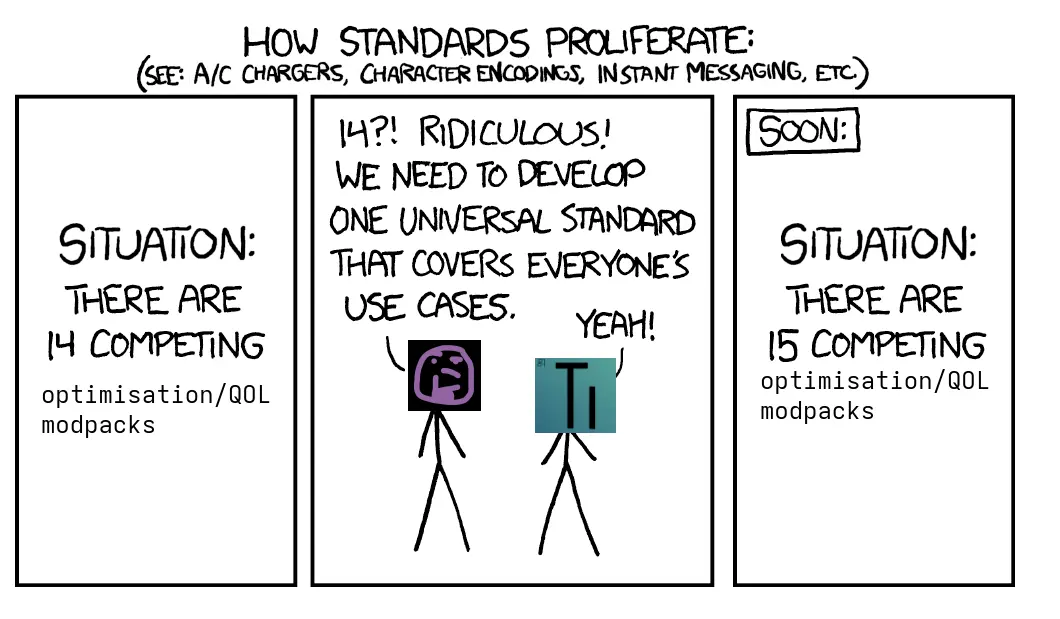
Yet another modpack that adds many client-side features/tweaks while increasing performance and remaining compatible with vanilla servers.
截图

介绍
Thallium
Thallium is yet another modpack that adds many client-side features/tweaks while increasing performance, remaining compatible with vanilla servers and frequently updating.
Thallium is 100% compatible with vanilla worlds, servers and mechanics.
- Mods marked with ⭐ are considered important or extra good.
- Mods marked with ⚠️ could get you banned from servers that disallow that mod.
Features
- 3D Skin Layers: Makes skin layers render in 3D.
- ⭐ AppleSkin: Provides information about food and shows your saturation.
- Armor HUD: Shows information about your armour on the HUD.
- Better Mount HUD: Improves the HUD when riding an entity.
- Better Statistics Screen: Improves the statistics menu.
- Blur+: Improves the vanilla blur effect.
- Chat Animation: Adds an animation when chat messages appear.
- Chat Heads: Shows the player’s head next to their chat messages.
- Cherished Worlds: Allows you to favourite/pin worlds and servers.
- ⭐ Controlling: Adds a search bar to the key binds menu.
- Cubes Without Borders: Allows you to play in borderless/windowed fullscreen mode.
- ⭐ Distant Horizons: Allows you to see very far but is disabled by default.
- Enchantment Descriptions: Adds descriptions to enchantment books.
- facebar: Adds the player’s head on the locator bar instead of boring colours.
- ⚠️ _Full Brightness Toggle: Adds the ability to press
F7to toggle fullbright._ - ⭐ Inventory Profiles Next: Adds inventory sorting.
- Language Reload: Redesigns the language menu and improves the performance of loading languages.
- Make Bubbles Pop: Makes bubbles pop when they reach the surface of the water.
- Model Gap Fix: Removes tiny gaps that you can see in items when you’re holding them.
- More Chat History: Allows you to scroll up in the chat.
- Mouse Tweaks: Makes it easier to move items in the inventory with the mouse.
- ⭐ Resourcify: Adds the ability to download resource packs, shader packs and worlds from Modrinth and Curseforge in-game.
- Server Country Flags: Shows what country servers are located in inside of the multiplayer menu.
- ⭐ Shulker Box Tooltip: Allows you to see the contents of a shulker box without placing it down.
- Sound Physics Remastered: Makes sounds more realistic.
- Status Effect Bars: Adds progress bars to status effects to see how long they will last.
- ⭐⚠️ _ViaFabricPlus: Allows you to join servers on older versions of Minecraft._
- ⭐⚠️ _Xaero’s Minimap: Adds a minimap to the top left of your screen that can be toggled with
Right ALT._ - ⭐⚠️ _Xaero’s World Map: Adds a fullscreen map that you can open by pressing
M._
Features from OptiFine
- Capes: Allows you to use capes from OptiFine, LabyMod and MinecraftCapes.
- Continuity: Adds support for OptiFine’s connected textures, emissive textures and custom block layers.
- Cull Leaves: Adds the Smart Leaves feature from OptiFine. Use Puzzle to enable this.
- Entity Model Features: Adds support for OptiFine’s custom entity models.
- Entity Texture Features: Adds support for many custom entity texture features.
- ⭐ Iris Shaders: Adds support for shader packs.
- LambdaBetterGrass: Adds OptiFine’s better grass. Use Puzzle to enable this.
- ⭐ LambDynamicLights: Adds OptiFine’s dynamic lights. Use Puzzle to enable this.
- Optiboxes: Adds support for OptiFine skies.
- OptiGUI: Enables customisation of GUI with resource packs
- ⭐ Puzzle: Adds a button in the options screen to configure mods that add OptiFine features.
- ⭐ Zoomify: Adds the ability to hold
Cto zoom in.
Performance Mods
- Clumps: Groups XP orbs together.
- Concurrent Chunk Management Engine (C2ME): Uses multiple CPU threads to improve the speed of chunk generation.
- Dynamic FPS: Reduces Minecraft’s resource usage while Minecraft isn’t focused.
- Entity Culling: Stops entities that can’t be seen from being rendered.
- Fast IP Ping: Improves speed of pinging servers when using a literal IP address.
- ⭐ FerriteCore: Reduces memory usage.
- ImmediatelyFast: Improves speed of immediate mode rendering.
- Krypton: Optimises the networking stack.
- ⭐ Lithium: Optimises many different game mechanics.
- More Culling: Improves performance of culling.
- ⭐ ScalableLux: Re-writes the lighting engine to be faster.
- ⭐ Sodium: Re-writes the rendering engine and gives huge performance gains.
- Very Many Players: Improves performance on servers with a lot of players connected.
Resource Packs
- Chat Reporting Helper: Simply explains chat reporting.
- ⭐ Unique Dark Refined: Adds dark mode.
- Even Better Enchants: Adds unique item icons for every enchantment book.
- Low On Fire: Makes fire smaller on your screen.
- Small Shield & Totem: Makes the shield and totem of undying smaller.
- Translations for Sodium: Adds more language support for Sodium.
包含的模组 84 个
 3D皮肤层
 [EMF] Entity Model Features
 [ETF] Entity Texture Features
 苹果皮
 Architectury API
 Armor Hud
 Better Mount HUD
 Better Statistics Screen
 Blur+
 Capes
 Chat Animation [Smooth Chat]
 Chat Heads
 Chat Reporting Helper
 Cherished Worlds
 Cloth Config API
 Clumps
 Collective
 Complementary Shaders - Reimagined
 Complementary Shaders - Unbound
 Concurrent Chunk Management Engine (Fabric)
 Continuity
 Controlling
 Cubes Without Borders
 Cull Leaves
 Custom Window Title
 遥远的地平线
 Dynamic FPS
 Enchantment Descriptions
 实体剔除
 Even Better Enchants
 Fabric API
 Fabric Language Kotlin
 facebar
 Fast IP Ping
 FerriteCore
 Full Brightness Toggle
 ImmediatelyFast
 Inventory Profiles Next
 Iris Shaders
 Krypton
展开全部 84 个
 LambdaBetterGrass
 LambDynamicLights - Dynamic Lights
 Language Reload
 libIPN
 锂
 Low On Fire
 Main Menu Credits
 Make Bubbles Pop
 MidnightLib
 模组菜单
 More Chat History
 More Culling
 鼠标微调
 No Chat Reports
 OptiGUI
 Prickle
 Puzzle
 Reese's Sodium Options
 Resourcify
 ScalableLux
 Searchables
 Server Country Flags
 Server Pinger Fixer
 Shader Panorama For 1.21.9~10:The Copper Age
 Shulker Box Tooltip
 Skyboxify
 Small Shield & Totem
 钠
 Sodium Extra
 Sodium Shadowy Path Blocks (SSPB)
 Sound Physics Remastered
 Status Effect Bars
 TCDCommons API
 Text Placeholder API
 Translations for Sodium
 Unique Dark Refined
 Very Many Players (Fabric)
 ViaFabricPlus
 Xaero的小地图
 Xaero的世界地图
 XaeroPlus
 YetAnotherConfigLib (YACL)
 Your Options Shall Be Respected (YOSBR)
 Zoomify (Zoom)
绿色边框的模组本站有收录,点进去看中文介绍;其余跳转到 Modrinth。
常见问题
Thallium 支持哪些 Minecraft 版本?
Thallium 基于 Minecraft Java 版 1.21.11、1.21.10,使用 Fabric 加载器。
Thallium 怎么安装?
点本页「前往下载」拿到整合包文件(Modrinth 的是 .mrpack,CurseForge 的是 .zip),在 PCL2 或 HMCL 启动器里选择「导入整合包」,启动器会自动装好 Minecraft、加载器和全部模组。这个整合包有 84 个模组,建议在启动器里给游戏分配 4–6 GB 内存。
Thallium 开服需要多大内存?
推荐服务器内存 12 GB。在线人数多、或者建了大量机器和区块加载器时,可以再加 2–4 GB。
怎么和朋友一起玩 Thallium?
点本页的「一键开服」,选好配置后会自动安装 Thallium 的服务端,几分钟就能开好。把服务器地址发给朋友,大家用同一个版本的整合包连进去就行。
Raixu27 的其他作品
查看全部 →
Farm 3×3
Harvest 3x3 areas of crops when holding a hoe!
Farm 3×3
Harvest 3x3 areas of crops when holding a hoe!

Farm 3×3 Farmer’s Delight Compatibility
Provides compatibility with Farm 3x3 and Farmer's Delight.

Farm 3×3 Farmer’s Delight Compatibility
Provides compatibility with Farm 3x3 and Farmer's Delight.
评论
登录后评论和评分