
SmoothCraft
A fast and simple modpack to boost your fps and enhance your gameplay.
截图
介绍
SmoothCraft
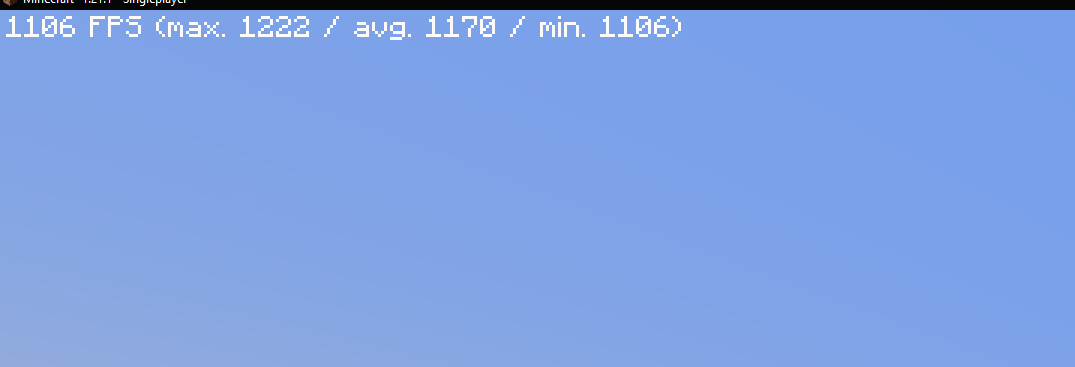
The SmoothCraft mod pack is meticulously designed to deliver an optimized Minecraft experience, focusing on enhancing performance and ensuring smooth gameplay. Through extensive research and testing, SmoothCraft consistently outperforms many other optimization solutions, making it a top choice for players seeking a seamless experience.
SmoothCraft prioritizes maintainability and simplicity, which means it does not include unnecessary quality-of-life or visual enhancements by default. Players are encouraged to add any additional mods they desire to customize their experience.
This design allows for rapid updates, ensuring the mod pack can incorporate the latest performance enhancements and quickly adapt to new Minecraft versions, often within hours of their release. I am dedicated to keeping SmoothCraft at the forefront of optimization.
Included Mods (29)
- AppleSkin – Visualizes hunger and saturation levels for better food management.
- BadOptimizations – Reduces unnecessary calculations to enhance performance.
- BetterF3 – Customizes the F3 debug screen for improved readability.
- C2ME – Optimizes chunk rendering and loading for better performance.
- Cloth Config – Provides configuration settings for other mods.
- Clumps – Merges XP orbs into clumps, reducing lag.
- Continuity – Adds support for connected textures, enhancing visuals.
- Distant Horizons – Enables LOD rendering for distant terrain.
- Enhanced Block Entities – Optimizes block entity rendering for performance.
- Entity Culling – Culls entities outside the player’s view to boost FPS.
- Entity Texture Features – Supports additional textures for mobs and entities.
- FerriteCore – Reduces RAM usage for block states, optimizing memory.
- ImmediatelyFast – Enhances performance by optimizing immediate mode rendering.
- Indium – Improves rendering support for Sodium and Iris mods.
- Iris – Adds stunning shader support to enhance visuals.
- Lithium – Enhances server-side physics and game logic for better performance.
- ModernFix – Optimizes chunk loading and game internals.
- ModMenu – Adds a mod options menu for better mod management.
- More Culling – Extends culling optimizations for efficient rendering.
- NoChatReports – Disables chat reporting for enhanced privacy.
- OkZoomer – Provides customizable zoom functionality.
- Reese’s Sodium Options – Customizes Sodium mod settings.
- Sodium – Significantly improves rendering performance.
- Sodium Extra – Adds extra performance improvements to Sodium.
- Sodium Culling – Optimizes chunk and entity culling further.
- Sound Physics Remastered – Enhances sound propagation for realism.
- ThreadTweak – Optimizes multi-threading for better performance.
- VMP – Boosts chunk rendering performance in multiplayer.
- Yet Another Config Lib – Lightweight configuration library for various mods.
Installation Guide for SmoothCraft
There are two easy ways to install the SmoothCraft mod pack:
Method 1: Using Modrinth
- Download the Modrinth App
- Visit the Modrinth website and download the Modrinth app.
- Open the SmoothCraft MRPack
- Launch the Modrinth app and open the SmoothCraft.mrpack file.
- Run the Instance
- After the pack is loaded, run the instance directly through the Modrinth app. You’re good to go! Enjoy your optimized Minecraft experience!
Method 2: Using ZIP Conversion
- Convert MRPack to ZIP
- Go to Jamie’s MRPack to ZIP converter and upload your SmoothCraft.mrpack file.
- Download the Converted ZIP
- After the conversion is complete, download the ZIP file.
- Install the Mods
- Extract the contents of the downloaded ZIP file.
- Drag and drop the mods, configs, and other necessary files into your Minecraft folder (typically located at
C:\Users\<YourUsername>\AppData\Roaming\.minecrafton Windows).
- Launch Minecraft
- Start Minecraft and enjoy your optimized gameplay with the SmoothCraft mod pack!
包含的模组 34 个
 [ETF] Entity Texture Features
 苹果皮
BadOptimizations
 BetterF3
 Cloth Config API
 Clumps
 Concurrent Chunk Management Engine (Fabric)
 Continuity
 遥远的地平线
 Enhanced Block Entities
 实体剔除
 Fabric API
 Fabric Language Kotlin
 FerriteCore
 ImmediatelyFast
 Indium
 Iris Shaders
 锂
 模组菜单
 ModernFix
 More Culling
 No Chat Reports
 Noisium
 Ok Zoomer - It's Zoom!
 Reese's Sodium Options
 钠
 Sodium Extra
 Sodium Leaf Culling
 Sodium Options API
 Sound Physics Remastered
 Text Placeholder API
 ThreadTweak
 Very Many Players (Fabric)
 YetAnotherConfigLib (YACL)
绿色边框的模组本站有收录,点进去看中文介绍;其余跳转到 Modrinth。
常见问题
SmoothCraft 支持哪些 Minecraft 版本?
SmoothCraft 基于 Minecraft Java 版 1.21.1,使用 Fabric 加载器。
SmoothCraft 怎么安装?
点本页「前往下载」拿到整合包文件(Modrinth 的是 .mrpack,CurseForge 的是 .zip),在 PCL2 或 HMCL 启动器里选择「导入整合包」,启动器会自动装好 Minecraft、加载器和全部模组。这个整合包有 34 个模组,建议在启动器里给游戏分配 4–6 GB 内存。
SmoothCraft 开服需要多大内存?
推荐服务器内存 12 GB。在线人数多、或者建了大量机器和区块加载器时,可以再加 2–4 GB。
怎么和朋友一起玩 SmoothCraft?
点本页的「一键开服」,选好配置后会自动安装 SmoothCraft 的服务端,几分钟就能开好。把服务器地址发给朋友,大家用同一个版本的整合包连进去就行。
评论
登录后评论和评分