
Pixel’s Optimizations
All the performance mods i could find to sqeeze all possible fps out of your pc
截图
介绍
What does this modpack do?
This is a modpack designed to squeeze as much FPS out of YOUR PC. This mod pack has all the optimizations you can think of including Vulkan mod, Entity culling and Concurrent Chunk Management Engine and MANY others.
YOUR PC’s GPU OR INTERGRATED GRAPHICS NEED TO SUPPORT VULKAN 1.2 OR NEWER FOR THIS MODPACK TO WORK
How do i check if my GPU or Intergrated Graphics Support Vulkan?
- Step 1 – Open task manager on windows
- Step 2 – Click on the performance tab
- Step 3 – Click on your GPU (If you have two check your main gpu most of the time its GPU 0)
- Step 4 – Go to https://vulkan.gpuinfo.org/ and input your gpu’s name into the box above device
- Step 5 – If the version that shows up is 1.2 or above then your gpu is compatible but if it says a version under 1.2 (ex. 1.1) then your gpu is not compatible. (If it says 1.2 and the mod pack doesnt work try updating your GPU drivers and try again)
How to i install this?
- Step 1 – Download the modpack
- Step 2 – Download the modrinth app if you havent already
- Step 3 – Open click the modpack file
- Step 4 – Then ur done
If you are crashing randomly : Remove GPUBooster (or GPU Tape in 1.21.10 and under) since it might be conflicting with Vulkan Mod’s rendering
- Step 1 – Go to your Modrinth instance that you have this modpack on
- Step 2 – search for GPUBooster (or GPU tape on 1.21.10 and under)
- Step 3 – Click the trash bin icon next to GPUBooster (or GPU tape on 1.21.10 and under)
- Step 4 – A menu should pop up saying you should create a back up (this is optional)
- Step 5 – After, press the red “delete 1 project” button and you are done!
FAQ
Can i add/remove mods?
- Yes, but the the added mods must be compatible with Vulkan Mod (Mods like Iris Shaders and Essentials that require OpenGL will NOT work) (Check the full mod list in the Vulkan Mod discord – https://discord.gg/FVXg7AYR2Q)
Updates
The upkeeping of this modpack depends on the mod creators that create the mods in this modpack. If the mods are not updated by the mod creators i cannot update this modpack or i will create a newer version without the outdated mod
FABRIC API ALREADY INSTALLED
(1.21.10 list)
(CHECK THE MODS LIST OF THE VERSION YOU DOWNLOADED IN THE MODRINTH APP)
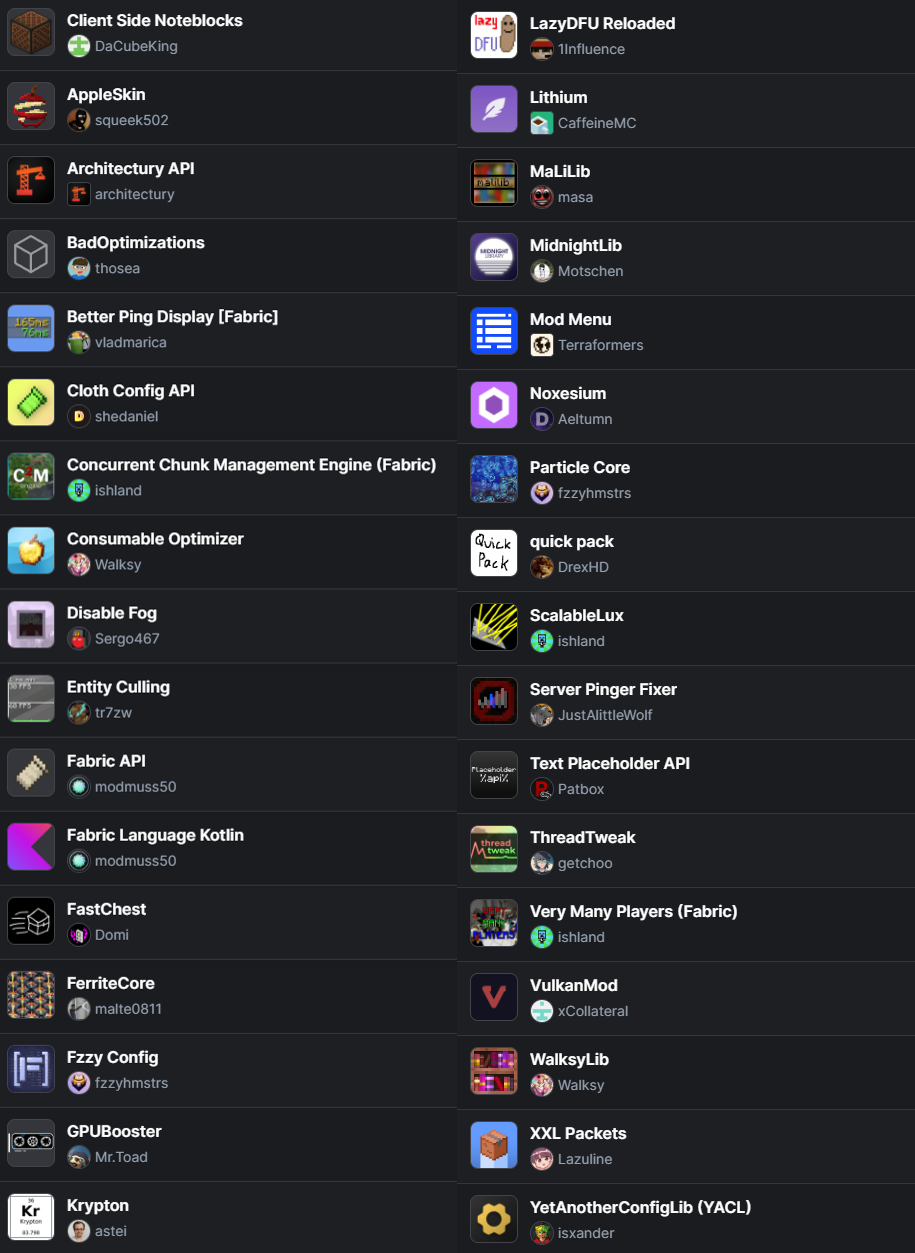
包含的模组 31 个
 苹果皮
 Architectury API
BadOptimizations
 Cloth Config API
 Concurrent Chunk Management Engine (Fabric)
 Consumable Optimizer
 Disable Fog
 实体剔除
 Fabric API
 Fabric Language Kotlin
 FastChest
 FerriteCore
 Fzzy Config
 GPUBooster
 Krypton
 锂
 MaLiLib
 MidnightLib
 模组菜单
 Noxesium
 Particle Core
 quick pack
 ScalableLux
 Server Pinger Fixer
 Text Placeholder API
 ThreadTweak
 Very Many Players (Fabric)
 VulkanMod
 WalksyLib
 XXL Packets
 YetAnotherConfigLib (YACL)
绿色边框的模组本站有收录,点进去看中文介绍;其余跳转到 Modrinth。
常见问题
Pixel’s Optimizations 支持哪些 Minecraft 版本?
Pixel’s Optimizations 基于 Minecraft Java 版 1.21.11、1.21.10、1.21.9,使用 Fabric 加载器。
Pixel’s Optimizations 怎么安装?
点本页「前往下载」拿到整合包文件(Modrinth 的是 .mrpack,CurseForge 的是 .zip),在 PCL2 或 HMCL 启动器里选择「导入整合包」,启动器会自动装好 Minecraft、加载器和全部模组。这个整合包有 31 个模组,建议在启动器里给游戏分配 4–6 GB 内存。
Pixel’s Optimizations 开服需要多大内存?
推荐服务器内存 12 GB。在线人数多、或者建了大量机器和区块加载器时,可以再加 2–4 GB。
怎么和朋友一起玩 Pixel’s Optimizations?
点本页的「一键开服」,选好配置后会自动安装 Pixel’s Optimizations 的服务端,几分钟就能开好。把服务器地址发给朋友,大家用同一个版本的整合包连进去就行。
评论
登录后评论和评分