
截图
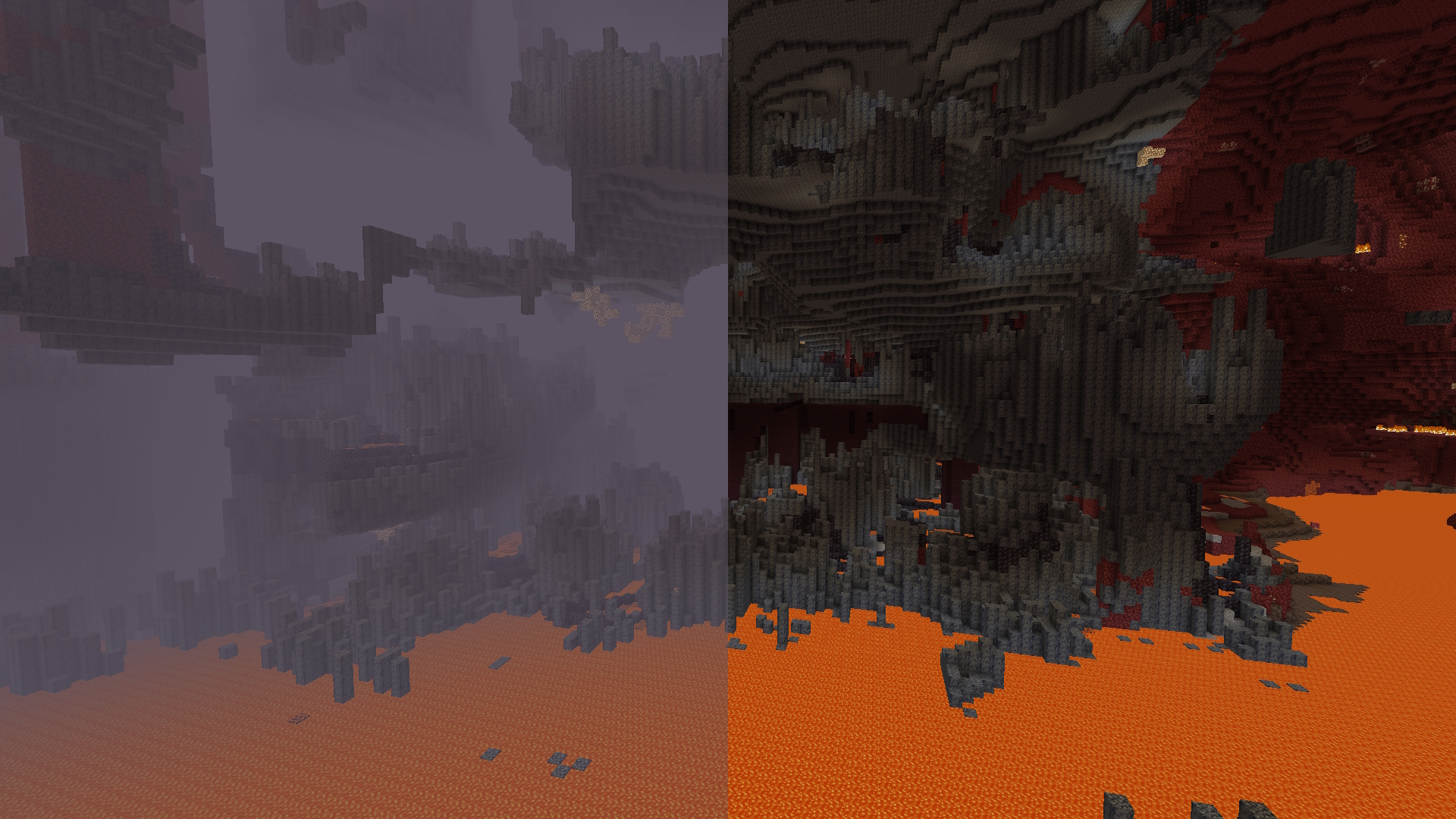
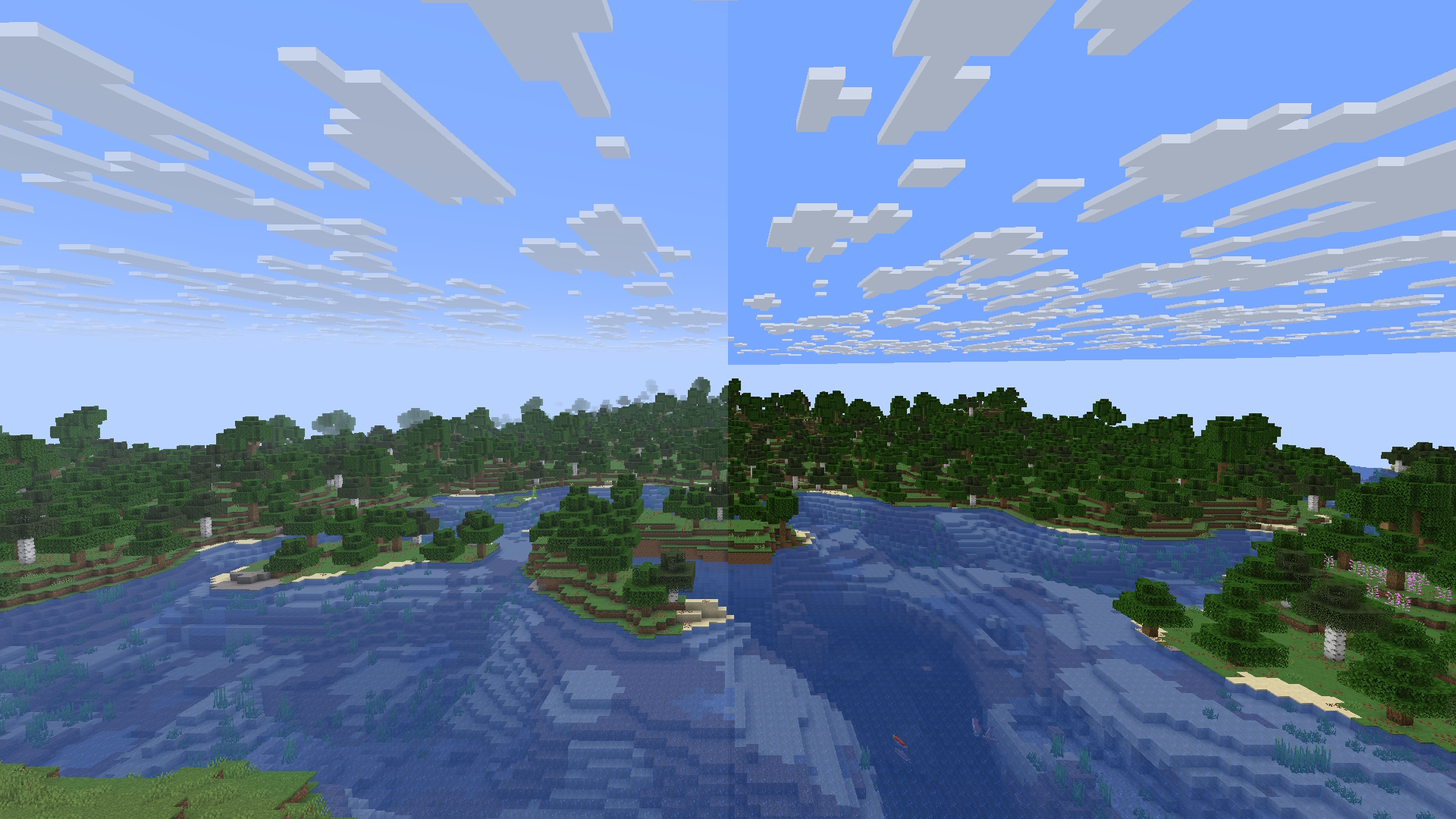
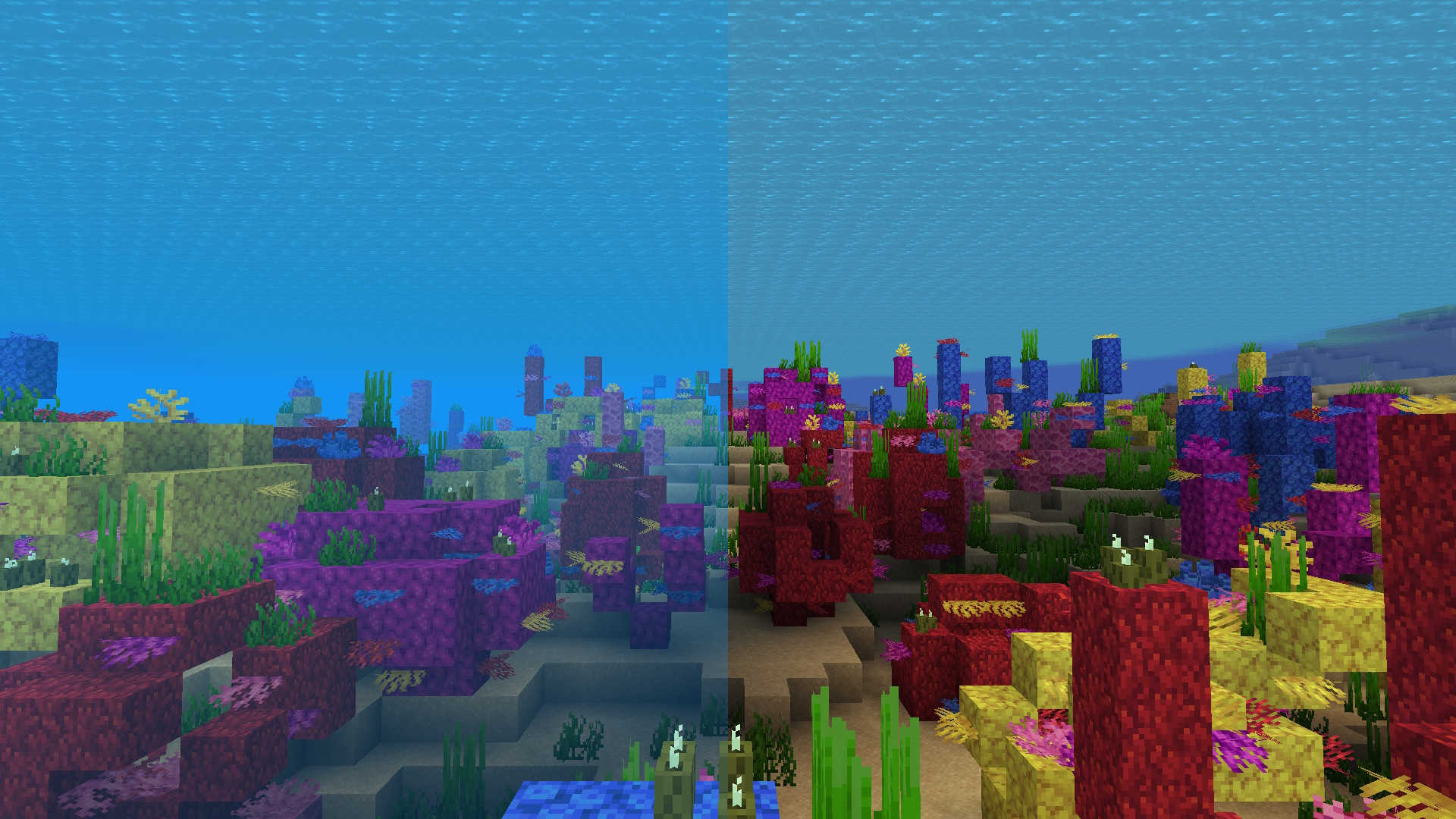
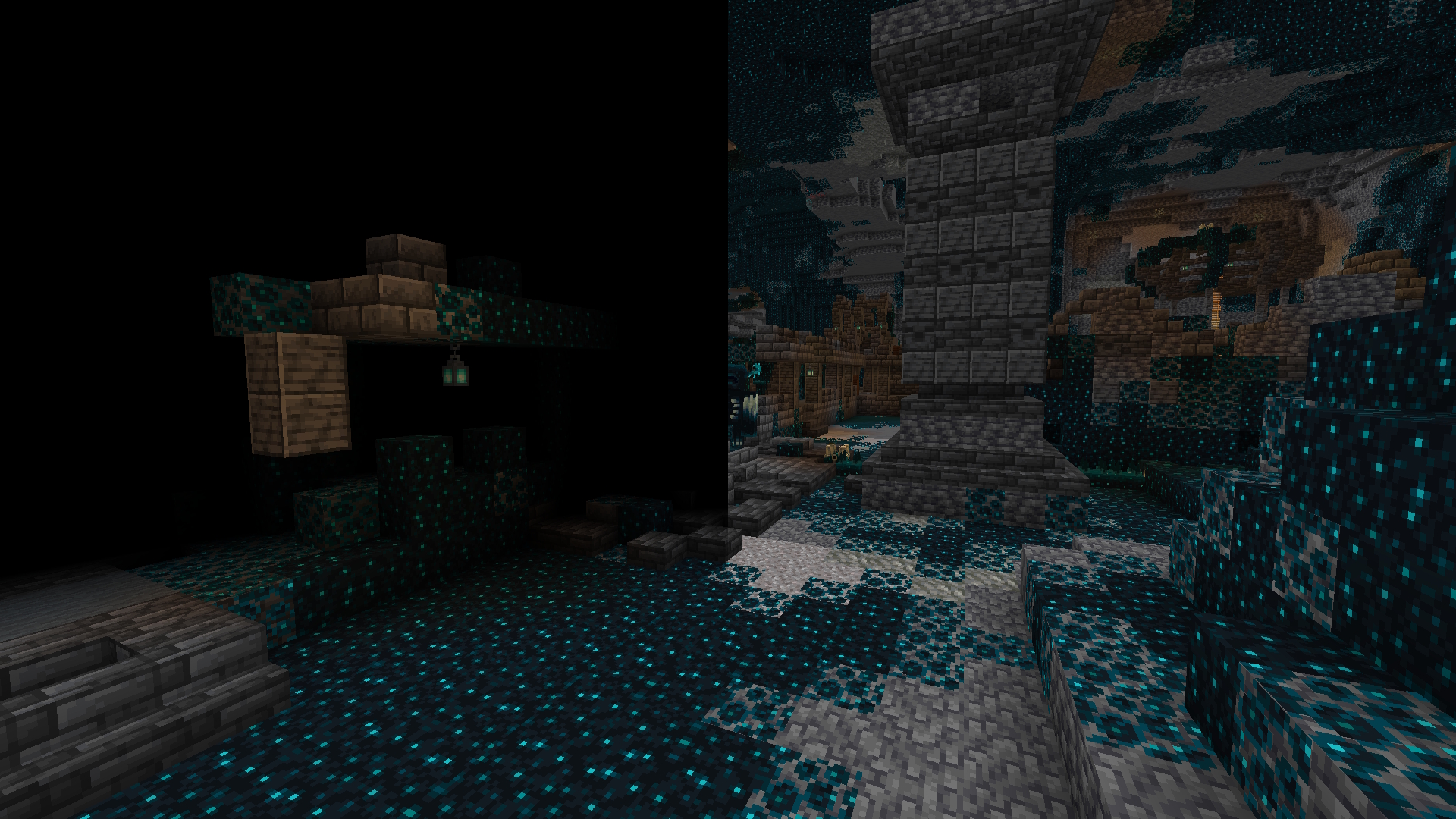
介绍
Disable Fog
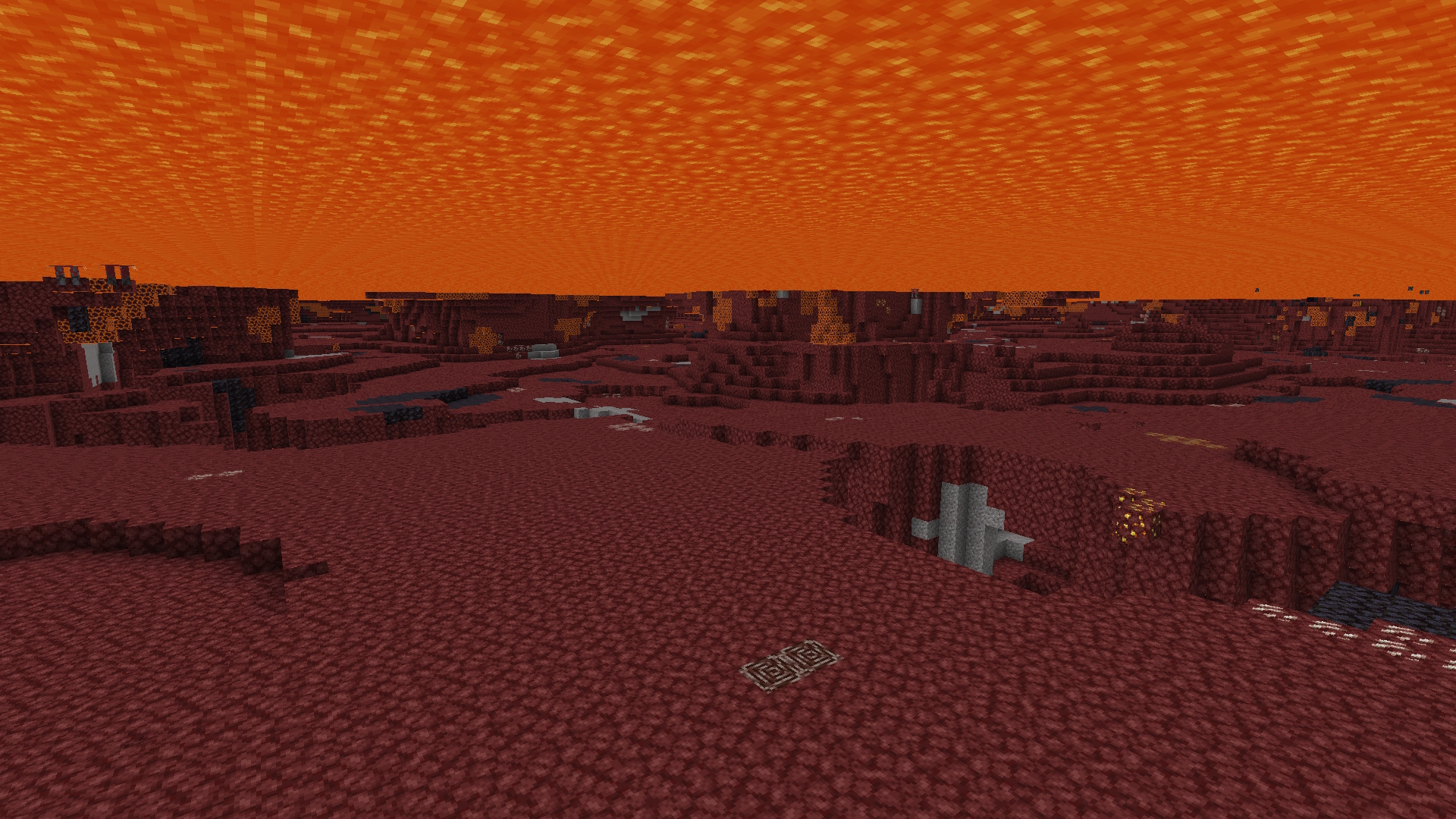
This is a client mod that allows you to selectively disable certain types of fog in minecraft.
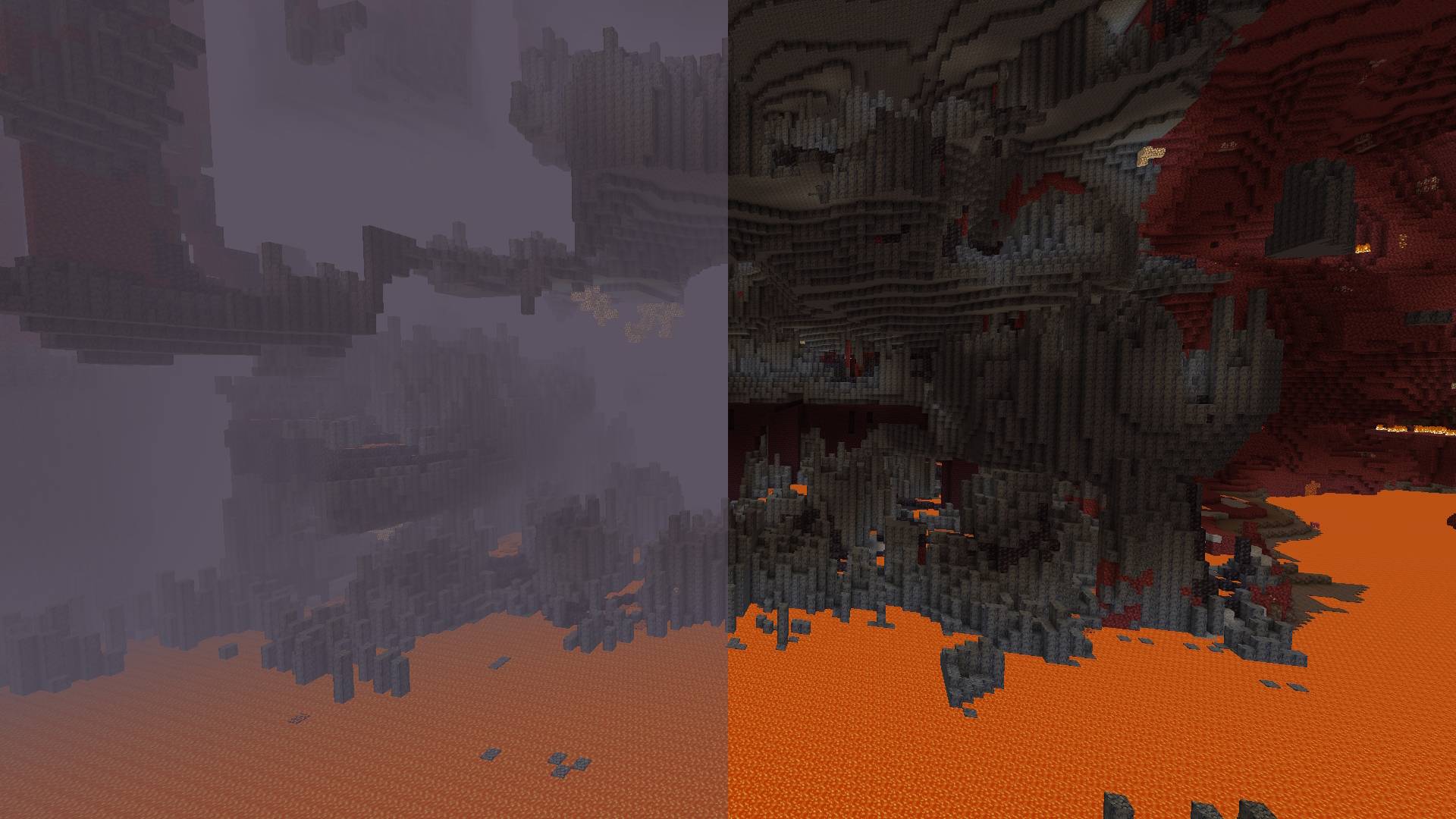


Toggleable Fog Types:
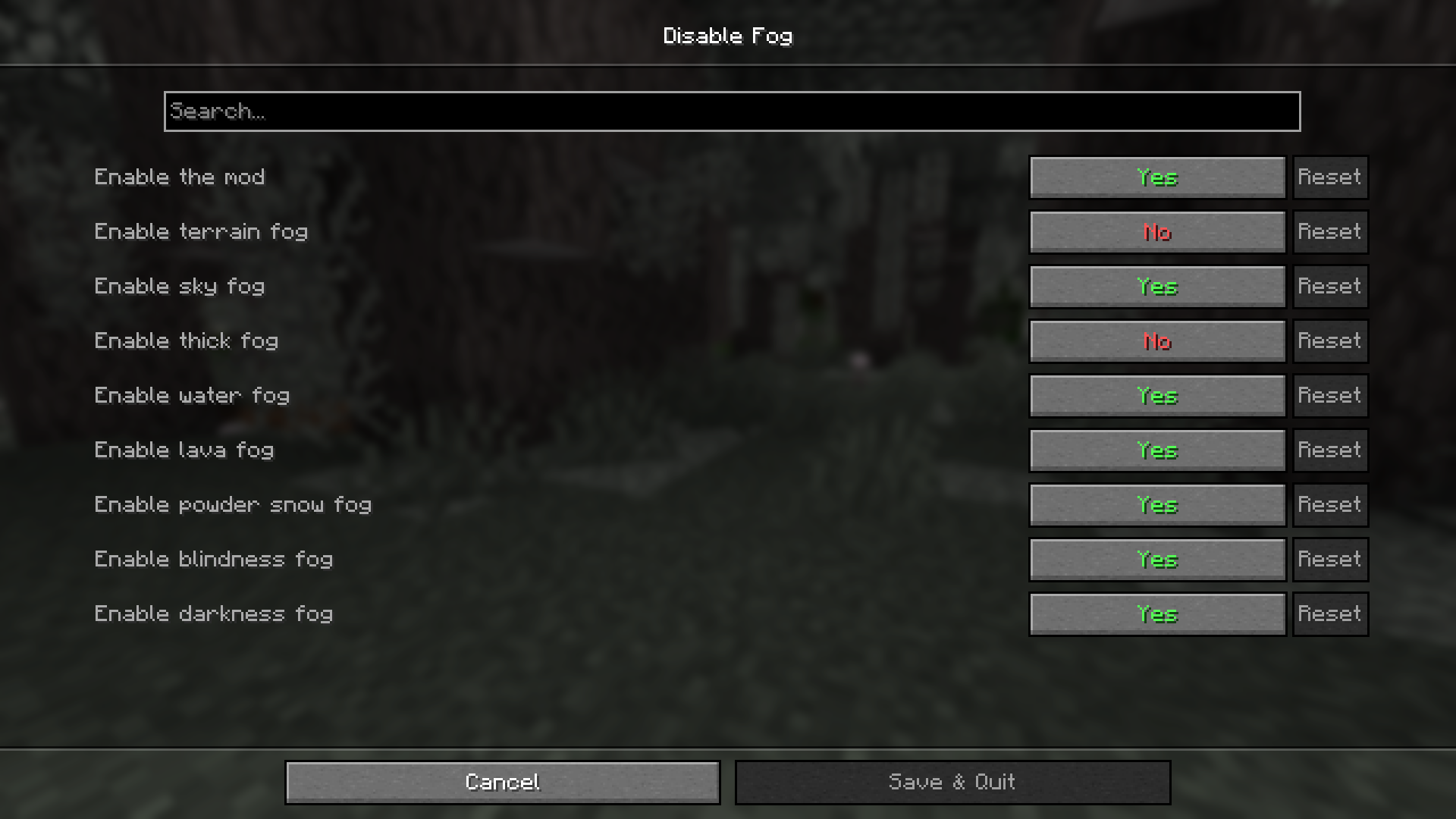
- Terrain Fog: Remove the fog that depends on the drawing distance, which hides the boundaries of the chunks.
- Atmospheric Fog: Remove sky fog in the Overworld and thick fog in the Nether.
- Lava Fog: Remove fog in lava for clearer vision.
- Water Fog: Clear underwater fog for better visibility.
- Powder Snow Fog: Eliminate fog effects in powder snow.
- Blindness Fog: Disable fog caused by the blindness effect.
- Darkness Fog: Remove fog from the darkness effect (e.g., from wardens).
By default, the mod disables terrain fog and atmospheric fog. All other fog types can be configured individually, including per-dimension overrides.
Configuration:
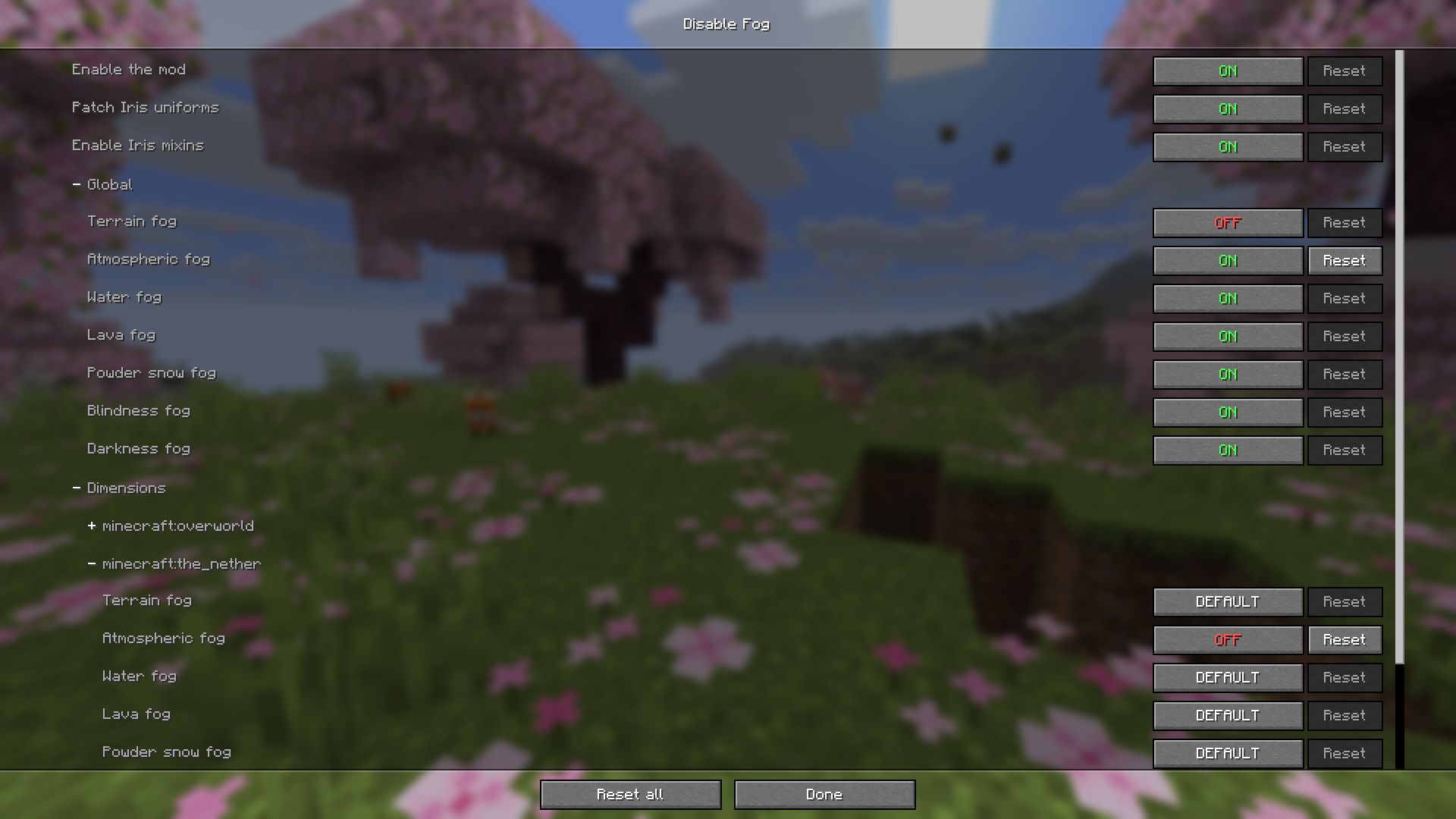
Starting from version 2.0.0, the mod includes a built-in configuration screen available on all mod loaders — no additional mods required.
For Fabric and Quilt:
- Install ModMenu to access the configuration screen in-game.
For Forge and NeoForge:
- No additional mods required. Select the mod from the mod list and click the “Config” button.
Per-Dimension Settings:
Each dimension can independently override the global fog settings. If a dimension setting is set to DEFAULT, it inherits the value from the global configuration. Dimensions added by other mods are supported automatically.
⚠️ Note for versions below 2.0.0:
Built-in configuration is available starting from version 2.0.0. On older versions, install ClothConfig and ModMenu to configure the mod in-game.
常见问题
Disable Fog 支持哪些 Minecraft 版本?
Disable Fog 支持 Minecraft Java 版 1.20.1–26.3,共 18 个版本,可用的加载器:Fabric / Forge / NeoForge / Quilt。下载时注意选择和你游戏版本一致的文件。
Disable Fog 怎么安装?
先用 PCL2 或 HMCL 启动器安装对应版本的 Fabric / Forge / NeoForge / Quilt,再把下载的 .jar 文件放进游戏目录的 mods 文件夹,重新启动游戏即可。开启了版本隔离的,mods 文件夹在 versions/版本名 下面。运行环境:仅客户端。
评论
登录后评论和评分