
Optimized Features
Optimizes your game to the maximum while adding useful features, animations and aesthetics.
截图




介绍

Introducing Optimized Features!
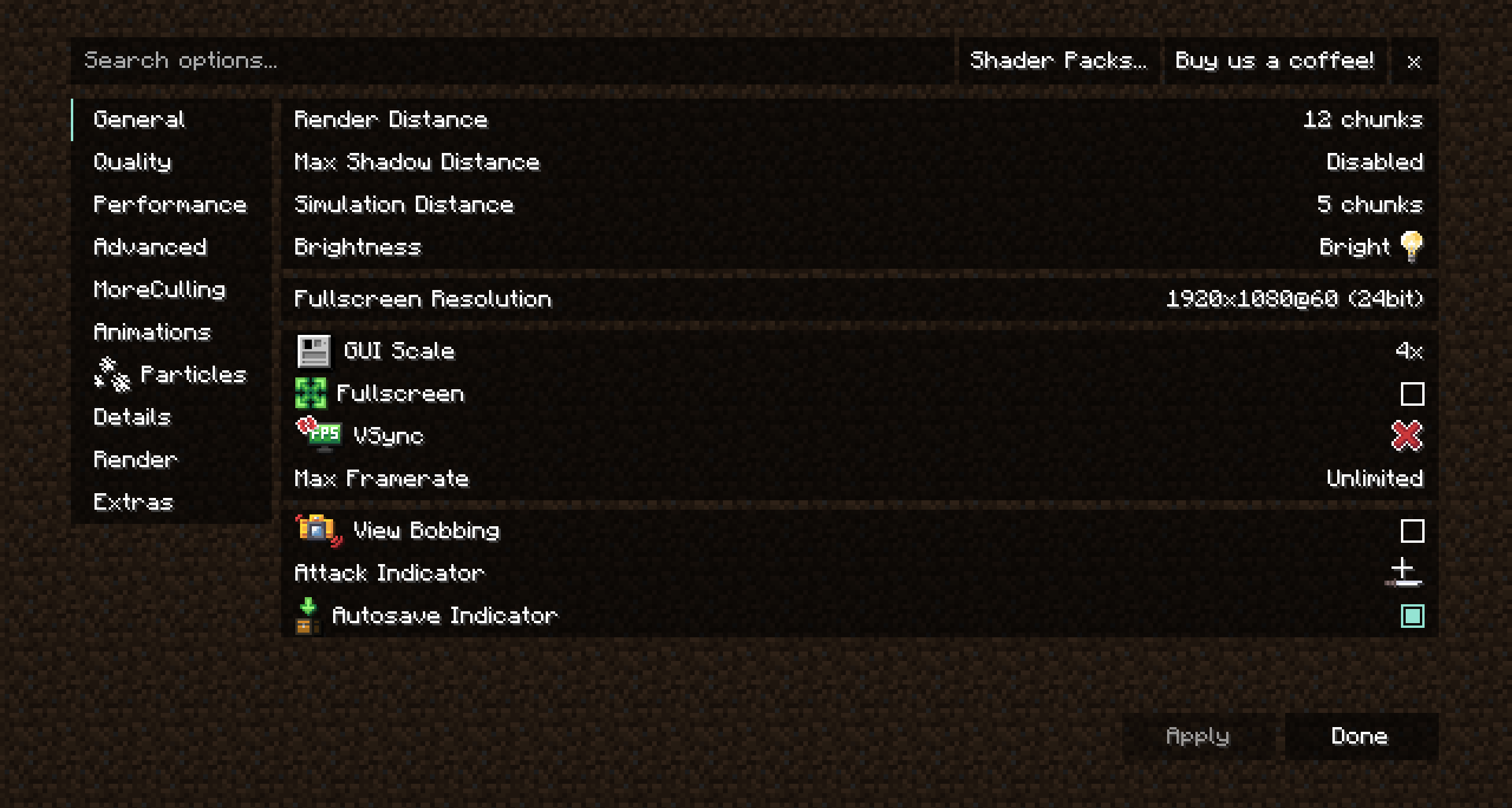
Explore the unparalleled Minecraft optimization modpack! Encounter seamless gameplay, lightning-quick loading speeds, and a performance surge that will elevate your gaming experience to new heights! This modpack not only elevates performance but also incorporates shader compatibility, zoom features, cohesive textures, world map and minimap, animations, blinking to your skins, particles, ability to play with friends without making a server, cosmetics, and many more features.
Why Optimized Features?
The goal of Optimized Features is to:
- perfect the already existing game
- make the game playable for players who have potato PCs and want to use shaders
- make the game more beautiful
Works Anywhere
This modpack works anywhere because all the mods are client side. You can even use this modpack in different launchers.
Support or Issues?
If you have any problems, feature suggestions or other you can join my helpful Discord.
Thanks
Big thanks to Julian499 for the support.
Mods
- Ash API
- Auto HUD
- Axiom
- BadOptimizations
- Better Mount HUD
- BetterF3
- Bobby
- Bounced
- Camera Utils
- Chat Animation
- Chat Heads
- Cloth Config API
- Concurrent Chunk Management Engine (Fabric)
- Continuity
- CustomSkinLoader
- Dynamic FPS
- ESSENTIAL Mod
- Effect Timer Plus
- Enhanced Block Entities
- Entity Culling
- Fabric API
- Fabric Language Kotlin
- FerriteCore
- Flashback
- ImmediatelyFast
- Indium
- Iris
- Iris Shaders
- LambDynamicLights
- Lithium
- Memory Leak Fix
- Mod Menu
- ModernFix
- More Culling
- No Chat Reports
- Noisium
- Not Enough Animations
- Presence Footsteps
- Real Camera
- Reese’s Sodium Options
- Shuffle
- Sodium
- Sodium Extra
- Status Effect Bars
- ThreadTweak
- Very Many Players (Fabric)
- Visuality
- Wavey Capes
- Xaero’s Minimap (Fair-Play)
- Xaero’s World Mao
- YetAnotherConfigLib
- Zoomify
- [EMF] Entity Model Features
- [ETF] Entity Texture Features
Resource Packs
- Fresh Animations
- Fresh Moves
- Icons
- Unique Dark
Shaders
- Aurora’s Shaders
- Complementary Shaders – Reimagined
- MakeUp – Ultra Fast
- Miniature Shader
- RenderPearl
- Vanilla Plus Shader
包含的模组 62 个,另有 2 个其他文件
 [EMF] Entity Model Features
 [ETF] Entity Texture Features
 Ash API
 Aurora's Shaders
 Auto HUD
 Axiom
BadOptimizations
 Better Mount HUD
 BetterF3
 Bobby
 Bounced
 Camera Utils
 Chat Animation [Smooth Chat]
 Chat Heads
 Cloth Config API
 Complementary Shaders - Reimagined
 Concurrent Chunk Management Engine (Fabric)
 Continuity
 CustomSkinLoader
 Dynamic FPS
 Effect Timer Plus
 Enhanced Block Entities
 实体剔除
 Essential Mod
 Fabric API
 Fabric Language Kotlin
 FerriteCore
 Flashback
 Fresh Animations
 Fresh Moves
 Icons
 ImmediatelyFast
 Indium
 Iris Shaders
 LambDynamicLights - Dynamic Lights
 锂
 MakeUp - Ultra Fast
 Memory Leak Fix
 Miniature Shader
 模组菜单
展开全部 62 个
 ModernFix
 More Culling
 No Chat Reports
 Noisium
 Not Enough Animations
 Real Camera
 Reese's Sodium Options
 RenderPearl
 Shuffle
 钠
 Sodium Extra
 Status Effect Bars
 ThreadTweak
 Unique Dark
 Vanilla Plus Shader
 Very Many Players (Fabric)
 Visuality
 Wavey Capes
 Xaero的小地图
 Xaero的世界地图
 YetAnotherConfigLib (YACL)
 Zoomify (Zoom)
绿色边框的模组本站有收录,点进去看中文介绍;其余跳转到 Modrinth。
常见问题
Optimized Features 支持哪些 Minecraft 版本?
Optimized Features 基于 Minecraft Java 版 1.21.3、1.20.4,使用 Fabric 加载器。
Optimized Features 怎么安装?
点本页「前往下载」拿到整合包文件(Modrinth 的是 .mrpack,CurseForge 的是 .zip),在 PCL2 或 HMCL 启动器里选择「导入整合包」,启动器会自动装好 Minecraft、加载器和全部模组。这个整合包有 62 个模组,建议在启动器里给游戏分配 4–6 GB 内存。
Optimized Features 开服需要多大内存?
推荐服务器内存 12 GB。在线人数多、或者建了大量机器和区块加载器时,可以再加 2–4 GB。
怎么和朋友一起玩 Optimized Features?
点本页的「一键开服」,选好配置后会自动安装 Optimized Features 的服务端,几分钟就能开好。把服务器地址发给朋友,大家用同一个版本的整合包连进去就行。
Alexander499 的其他作品
查看全部 →
Lower Defaults (Shield & Fire)
Lowers fire, shield and totem for a visible view! Makes totem smaller on pop.

Outline Ores
Adds outlines to all ores.

Pizza Gapples
This pack replaces golden apples with pizza! 🍕

Rice Bowl 🍚
This pack replaces the Golden Apple and the Enchanted Golden Apple with a beautiful Rice Bowl.
评论
登录后评论和评分