
截图


介绍
What is EZ Optimization?
EZ Optimization is the ultimate Minecraft mod pack made for players who want smooth performance, higher FPS, and all the essential PvP features in one place. This pack focuses on giving you a lag-free and clean experience without any unnecessary mods. Whether you’re a competitive PvP player or just want a faster, more stable game, EZ Optimization brings everything you need together in one simple setup.
⚙️ Performance and FPS Boost
This mod pack includes all the best optimization mods that boost FPS, reduce lag spikes, and make your game run smoothly on almost any PC. From rendering improvements to memory management, every mod is picked carefully to deliver the best experience possible. You’ll notice smoother gameplay, faster loading, and more stable frames — perfect for PvP or survival.
🛡️ All Essential PvP Features
EZ Optimization also includes must-have PvP mods like Toggle Sprint, Better Hit Detection, Armor Status, and FPS Display. Everything is pre-configured to help you focus on your fights, practice combos, and perform better in PvP battles.
🚀 Simple, Lightweight, and Ready to Play
Unlike heavy mod packs, EZ Optimization is lightweight, easy to install, and beginner-friendly. Just install, launch, and enjoy the smoothest Minecraft experience ever — optimized, clean, and ready for battle.
包含的模组 52 个,另有 1 个其他文件
 苹果皮
 Architectury API
BadOptimizations
 Better Ping Display [Fabric]
 Bobby
 Chat Heads
 Chunky
 Cloth Config API
 Collective
 Compact Chat
 Concurrent Chunk Management Engine (Fabric)
 Continuity
 Crosshair Addons Public
 实体剔除
 Essential Mod
 Fabric API
 Fabric Language Kotlin
 FerriteCore
 Freecam
 Full Brightness Toggle
 Health Indicators
 ImmediatelyFast
 In-Game Account Switcher
 Iris Shaders
 Marlow's Crystal Optimizer
 模组菜单
 More Culling
 鼠标微调
 No Chat Reports
 Player Kits
 Ravenclaw's Ping Equalizer
 Reese's Sodium Options
 Resourcify
 Save and Load Inventories
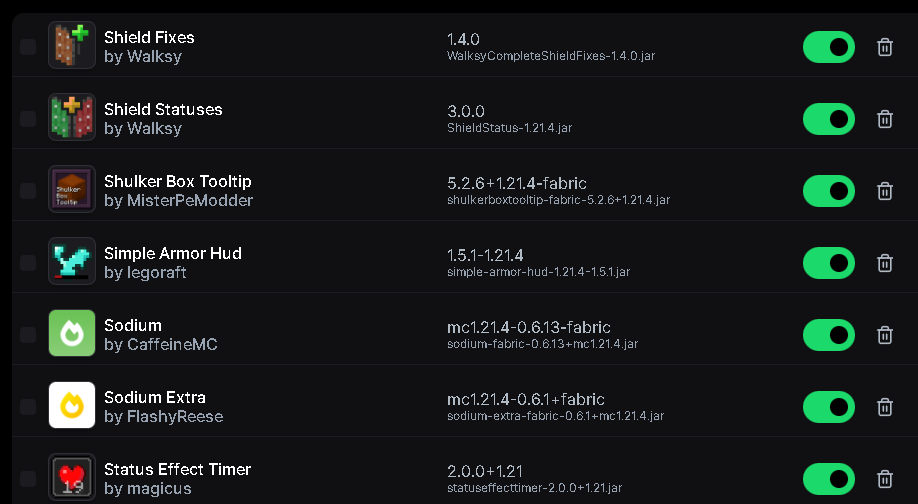
 Shield Fixes
 Shield Statuses
 Shulker Box Tooltip
 Simple Voice Chat
 钠
 Sodium Extra
展开全部 52 个








绿色边框的模组本站有收录,点进去看中文介绍;其余跳转到 Modrinth。
常见问题
Ez Optimizer 支持哪些 Minecraft 版本?
Ez Optimizer 支持 Minecraft Java 版 1.21.1–1.21.11,共 4 个版本,可用的加载器:Fabric。下载时注意选择和你游戏版本一致的文件。
Ez Optimizer 怎么安装?
点本页「前往下载」拿到整合包文件(Modrinth 的是 .mrpack,CurseForge 的是 .zip),在 PCL2 或 HMCL 启动器里选择「导入整合包」,启动器会自动装好 Minecraft、加载器和全部模组。这个整合包有 52 个模组,建议在启动器里给游戏分配 4–6 GB 内存。
Ez Optimizer 开服需要多大内存?
推荐服务器内存 12 GB。在线人数多、或者建了大量机器和区块加载器时,可以再加 2–4 GB。
怎么和朋友一起玩 Ez Optimizer?
点本页的「一键开服」,选好配置后会自动安装 Ez Optimizer 的服务端,几分钟就能开好。把服务器地址发给朋友,大家用同一个版本的整合包连进去就行。
mrnanzo 的其他作品
查看全部 →
mrnanzo pvp essntials !
A clean and optimized Minecraft resource pack made for smooth PvP and SMP gameplay. It features Low Shield, Purple Fire, Custom Tool Models, Animated Items, Custom Mace Models, Clean Enchantment Glint, Dark GUI, FPS Boost, and much more.

Mace Overlay
A clean mace overlay texture pack with distinct designs for each variant. Density mace features a green style, while Breach mace uses a bold yellow look, improving visibility and giving a sharper, more defined PvP experience.

Faded by mrnanzo
A clean white-themed Minecraft PvP texture pack designed for better visibility and smoother gameplay. Features low fire, custom armor and tool models, a small crosshair, outlined cobwebs, and a minimal design for a cleaner PvP experience.

Nanzo Dark GUI !
A clean dark transparent GUI texture pack that gives Minecraft a smooth, modern, and cool look 🌙✨ Designed for better visibility and minimal distraction, it creates a calm gameplay experience while keeping the interface stylish, simple, and easy to use 🎮
评论
登录后评论和评分