
BioTechnica Challenge
BioTechnica Challenge is a Minecraft event like a Terminator (the opposite of the Manhunt). This modpack was made to simplify the setup of this type of event.
截图
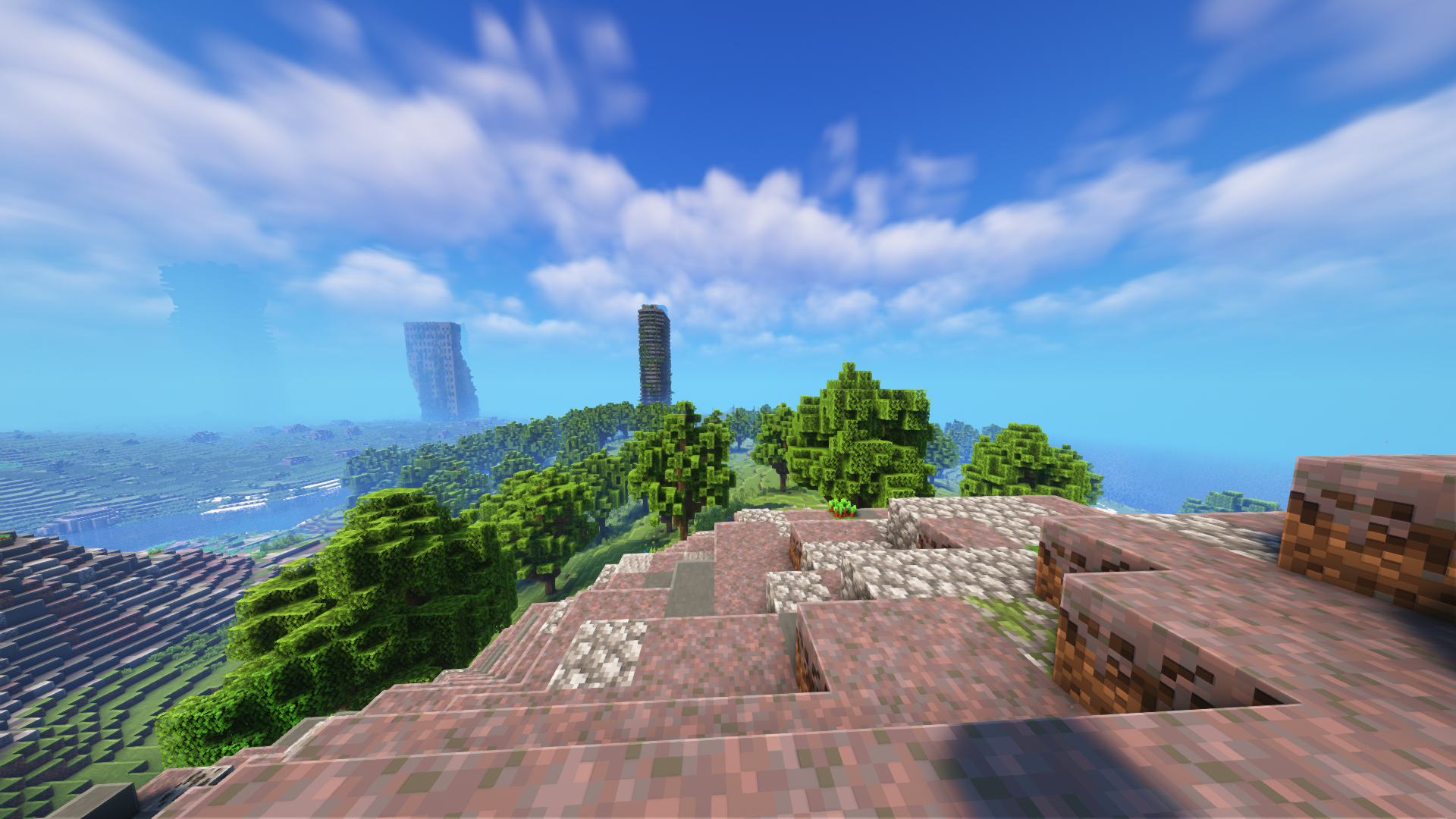


介绍
Presentation
BioTechnica Challenge is a Minecraft event like a Terminator (the opposite of the Manhunt).
This event can be streamed or recorded and uploaded to a streaming plateform: it’s pretty fun to watch this type of content.
You can also add semi-rp to take away some of the boring aspects of survival on Minecraft.
The rules of this event
- Several players (the heros) with one life against one speedrunner (the hunter) with multiple life
- The goal of the heros is to kill the Ender Dragon and to build a house with farms and redstone systems
- The goal of the hunter is to kill the heros
Play
To play with this modpack, you must install it on the server-side and on the client-side.
Client Side
To install it on the client-side, install it as a normal Modrinth modpack.
Follow these instructions if you don’t know how to install it.
If you don’t know wich launcher used, I recommend you to use the PrismLauncher.
Server Side
There are two ways to install the modpack on the server side: Docker and mrpack-install.
After installing the server, don’t forget to setup Simple Voice Chat by editing the file config/voicechat/voicechat-server.properties (necessary if you are using Docker or a custom setup) and to look at the Player Tracking Compass mod.
Docker
Follow these steps to install it with Docker:
- Install Docker
- Clone the repo
git clone https://github.com/anhgelus/biotechnica-challenge.git - Go into the folder called “docker” inside the cloned repo
cd biotechnica-challenge/docker - Rename the
.env.exampleinto.envmv .env.example .env - Setup the environment variables inside the
.env
MODPACK_LINK– Direct link to download the modpack (get it from Modrinth). It should look like thishttps://cdn.modrinth.com/data/t8UHSB82/versions/IDTqzFur/BioTechnica-Challenge-0.6.0.mrpack(outdated link here but the latest should look very similar to this)EULA– Accept the Minecraft’s EULAMEMORY– The memory used by the server (at least 2G)
- And start the container !
docker compose up -d --build
mrpack-install
Follow these steps to install the modpack with mrpack-install:
- Install mrpack-install
- Get a direct link to download the modpack. It should look like this
https://cdn.modrinth.com/data/t8UHSB82/versions/IDTqzFur/BioTechnica-Challenge-0.6.0.mrpack. - Run
mrpack-install LINK_TO_THE_MODPACK. It will create a folder calledmc - Go into this folder
cd mc - Start the server with
java -jar quilt-server-launch.jar nogui.
Generating the server with Docker but running it outside of Docker
You don’t want to install mrpack-install?
Just follow the steps to install it with Docker and stop it when Minecraft server start (you can see when it starts with docker compose logs).
It will create a folder called minecraft-data and follow these steps:
- Give you the own of the folder
chown -R user:user minecraft-data - Go into this folder
cd minecraft-data - Start the server with
java -jar quilt-server-launch.jar nogui.
Credits
Thanks to
- @SuperNoobYT for the configuration of CraftPresence!
- @aypierre42 for the configuration of the Complementary Shader
包含的模组 50 个,另有 2 个其他文件
 3D皮肤层
 AdvancementInfo
 AntiGhost
 苹果皮
 Auto HUD
 Better Mount HUD
 BetterF3
 Blur+
 Camera Overhaul
 Capes
 Chunky
 CIT Resewn
 Cloth Config API
 Collective
 Continuity
 CraftPresence
 Debugify
 Disable Custom Worlds Advice
 遥远的地平线
 Dynamic Crosshair
 Dynamic FPS
 实体剔除
 Fabric Language Kotlin
 Falling Leaves
 FerriteCore
 Global Packs
 Indium
 Iris Shaders
 Krypton
 LambDynamicLights - Dynamic Lights
 锂
 Make Bubbles Pop
 Memory Leak Fix
 MidnightControls
 模组菜单
 鼠标微调
 Not Enough Animations
 Player Tracking Compass
 Presence Footsteps
 Quilted Fabric API (QFAPI) / Quilt Standard Libraries (QSL)
展开全部 50 个







左侧绿标的模组本站有收录,点进去看中文介绍;其余跳转到 Modrinth。
常见问题
BioTechnica Challenge 支持哪些 Minecraft 版本?
BioTechnica Challenge 基于 Minecraft Java 版 1.19.4,使用 Quilt 加载器。
BioTechnica Challenge 怎么安装?
点本页「前往下载」拿到整合包文件(Modrinth 的是 .mrpack,CurseForge 的是 .zip),在 PCL2 或 HMCL 启动器里选择「导入整合包」,启动器会自动装好 Minecraft、加载器和全部模组。这个整合包有 50 个模组,建议在启动器里给游戏分配 4–6 GB 内存。
BioTechnica Challenge 开服需要多大内存?
推荐服务器内存 12 GB。在线人数多、或者建了大量机器和区块加载器时,可以再加 2–4 GB。
怎么和朋友一起玩 BioTechnica Challenge?
点本页的「一键开服」,选好配置后会自动安装 BioTechnica Challenge 的服务端,几分钟就能开好。把服务器地址发给朋友,大家用同一个版本的整合包连进去就行。
anhgelus 的其他作品
查看全部 →
Teams
为 Minecraft 添加实用的团队功能

Day Counter Enhanced
记录在一个世界中度过的天数,适用于服务器!

Nohtis Apohcalyps
在多人游戏中,努力在最真实、最沉浸的僵尸末日中生存下去。

The Last Crafter Of Us
我们最后的工匠!僵尸末日
评论
登录后评论和评分