Limn – Colored Block Outlines
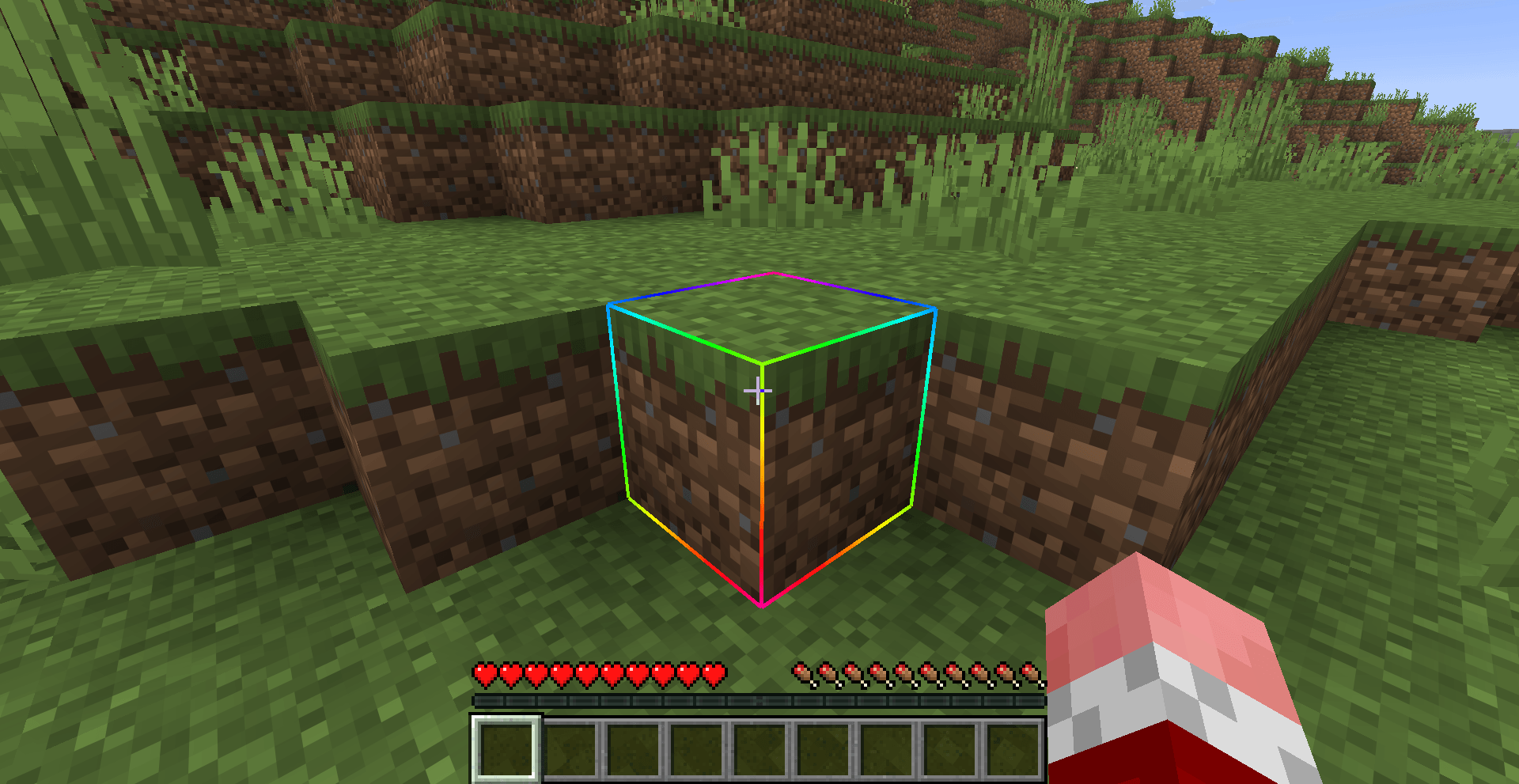
Recolor the box drawn around the block you're looking at: any solid color you like, or a Rainbow that flows along the edges. Adjust opacity and line thickness . Client-side only, works with Mod Menu.
截图
介绍
Limn
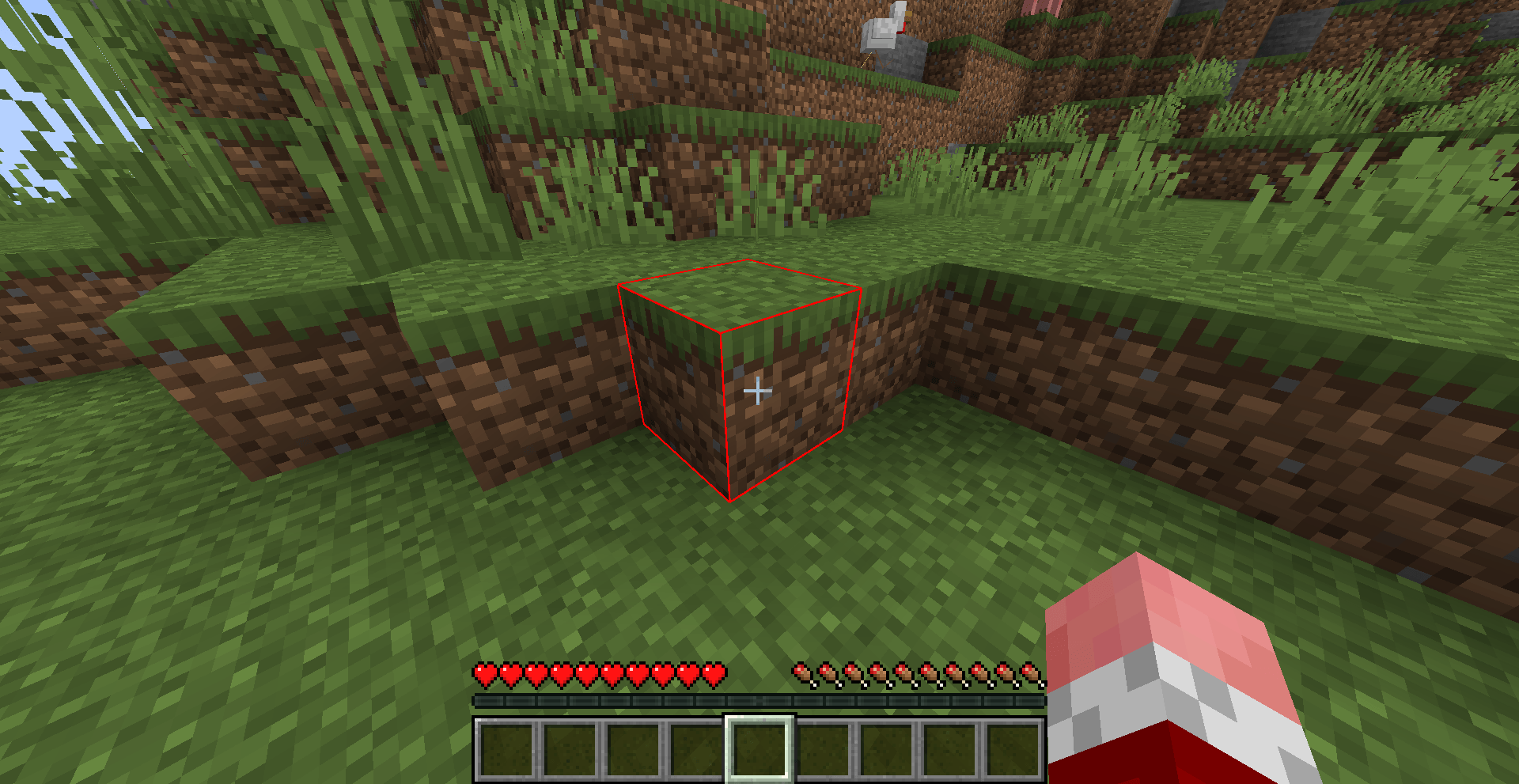
Recolor the box drawn around the block you are looking at. Pick any color with the RGB sliders, switch to Rainbow for hues that flow along the edges, let a Chase light run around the block, or watch the outline turn red as you mine.
Limn is a small client-side mod for Fabric, NeoForge and Forge. Nothing needs to be installed on the server.
Outline styles
- Solid Color – any color and opacity you like.
- Rainbow – the outline cycles through every hue and flows along the edges.
- Chase (new in 1.1.0) – a bright band of your color sweeps across a dimmer outline.
- Mining Progress (new in 1.1.0) – the outline starts in your color and fades to red as the block breaks, so you can see how far along you are without looking at the cracks.
Also
- Opacity works in every style.
- Animation Speed and Spread control how fast Rainbow and Chase move and how much they change across one block.
- Line Width makes the outline thicker or thinner than vanilla, from 0.5x to 4x. This needs Minecraft 1.21.11 or newer; older versions of the game cannot draw the outline at any other thickness, so the slider is grayed out there.
- Visual only – it changes how the outline is drawn, not what you can target.
Supported versions
| Loader | Minecraft versions |
|---|---|
| Fabric | 1.18.2, 1.19.2, 1.20 to 26.3 |
| NeoForge | 1.21 to 26.3 |
| Forge | 1.16.5, 1.18.2, 1.19.2, 1.20.1 |
Install
Fabric: put Fabric API and the Fabric Limn jar for your version in your mods folder. Add Mod Menu to get the settings screen (Mods > Limn > Configure).
NeoForge and Forge: put the Limn jar for your loader and version in your mods folder. No other mods are needed. The settings screen is in Mods > Limn > Config.
Settings
| Setting | Range | Default | What it does |
|---|---|---|---|
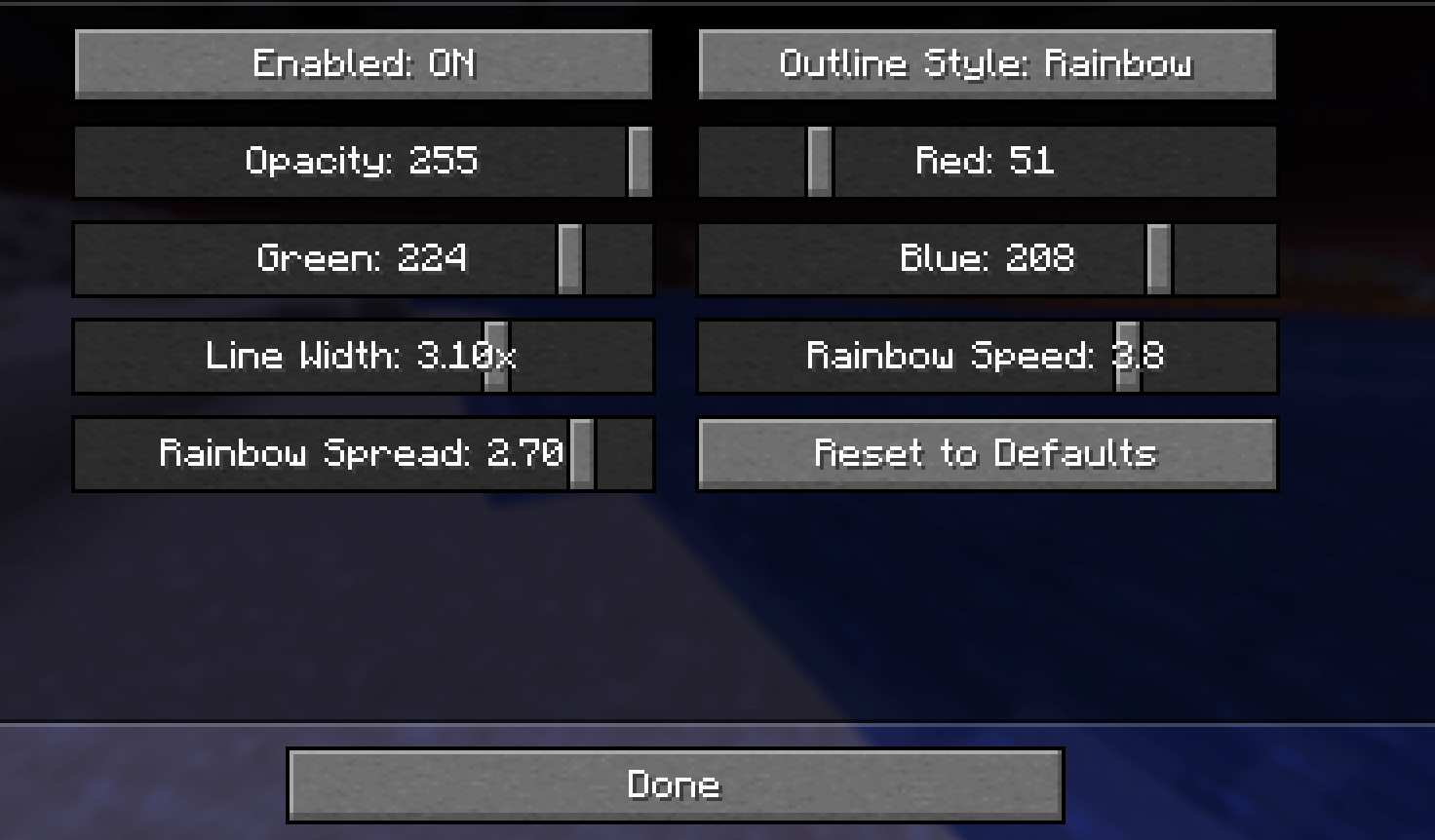
| Enabled | on / off | on | Whether the custom outline replaces vanilla’s |
| Outline Style | Solid Color / Rainbow / Chase / Mining Progress | Solid Color | Which look is drawn |
| Opacity | 1 – 255 | 255 | How opaque the outline is, in every style |
| Red, Green, Blue | 0 – 255 | teal | The outline color. Rainbow ignores it |
| Line Width | 0.5x – 4x | 1x | Thickness compared with vanilla (Minecraft 1.21.11 and newer) |
| Animation Speed | 0.1 – 5 | 1 | How fast Rainbow and Chase move |
| Animation Spread | 0 – 3 | 1 | How much Rainbow and Chase change across one block |
Changes apply straight away and are saved when you close the screen. Reset to Defaults puts everything back.
On Fabric without Mod Menu, edit config/limn.json in your game folder and restart the game. mode is one of Solid Color, Rainbow, Chase or Mining Progress.
Source and issues
GitHub – MIT licensed. Bug reports and suggestions are welcome on the issue tracker.
常见问题
Limn – Colored Block Outlines 支持哪些 Minecraft 版本?
Limn – Colored Block Outlines 支持 Minecraft Java 版 1.16.5–26.3,共 27 个版本,可用的加载器:Fabric / Forge / NeoForge。下载时注意选择和你游戏版本一致的文件。
Limn – Colored Block Outlines 怎么安装?
先用 PCL2 或 HMCL 启动器安装对应版本的 Fabric / Forge / NeoForge,再把下载的 .jar 文件放进游戏目录的 mods 文件夹,重新启动游戏即可。开启了版本隔离的,mods 文件夹在 versions/版本名 下面。
comedy 的其他作品
查看全部 →
Starlit – Better Sky, Stars, Auroras, Galaxies, Shooting Stars, Planets.
A better night sky: thousands of colored twinkling stars, the Milky Way, nebulae, galaxies, shooting stars, meteor showers, comets and northern lights, plus sunsets, halos and rainbows by day. Client-side, for Fabric, NeoForge and Forge. Shader Compatible!
Heartline – Health Bars & Damage Numbers
Health bars above every mob, damage numbers with gold crits and combo stacking, and a target panel that shows how many hits are left. 11 bar styles, pet alerts, fully configurable. Client-side, Fabric, NeoForge and Forge.

Identify – What Am I Looking At?
Point at anything to see what it is, from blocks, mobs and crops to machine info from 25 mods. Client-side.
Swinging Hanging Signs
Hanging signs sway in the wind, swing harder in rain and thunderstorms, and get pushed around when players, mobs or minecarts brush past them, then slowly settle again. Client-side, works on any server.
评论
登录后评论和评分