
Identify – What Am I Looking At?
Point at anything to see what it is, from blocks, mobs and crops to machine info from 25 mods. Client-side.
截图
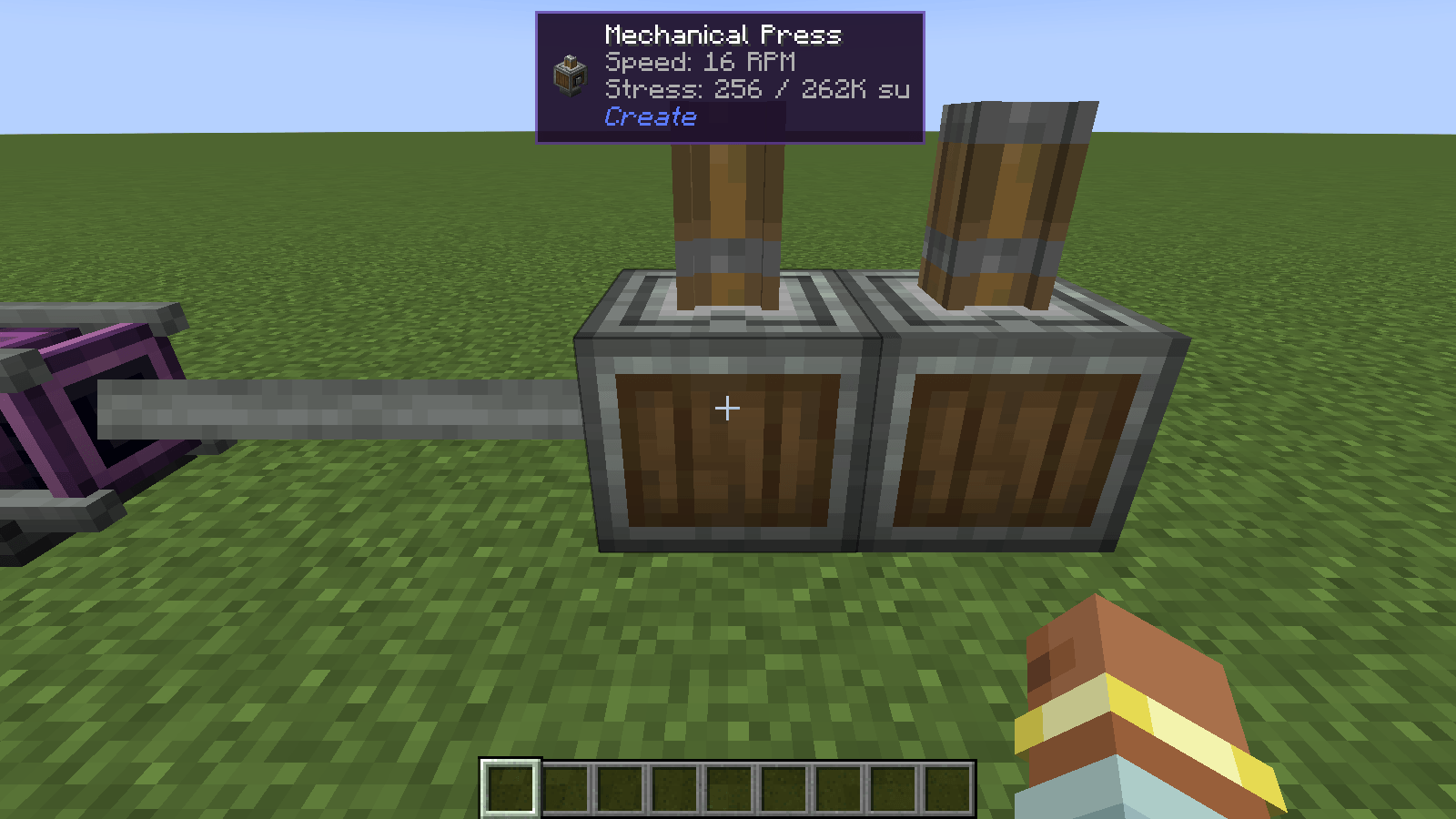
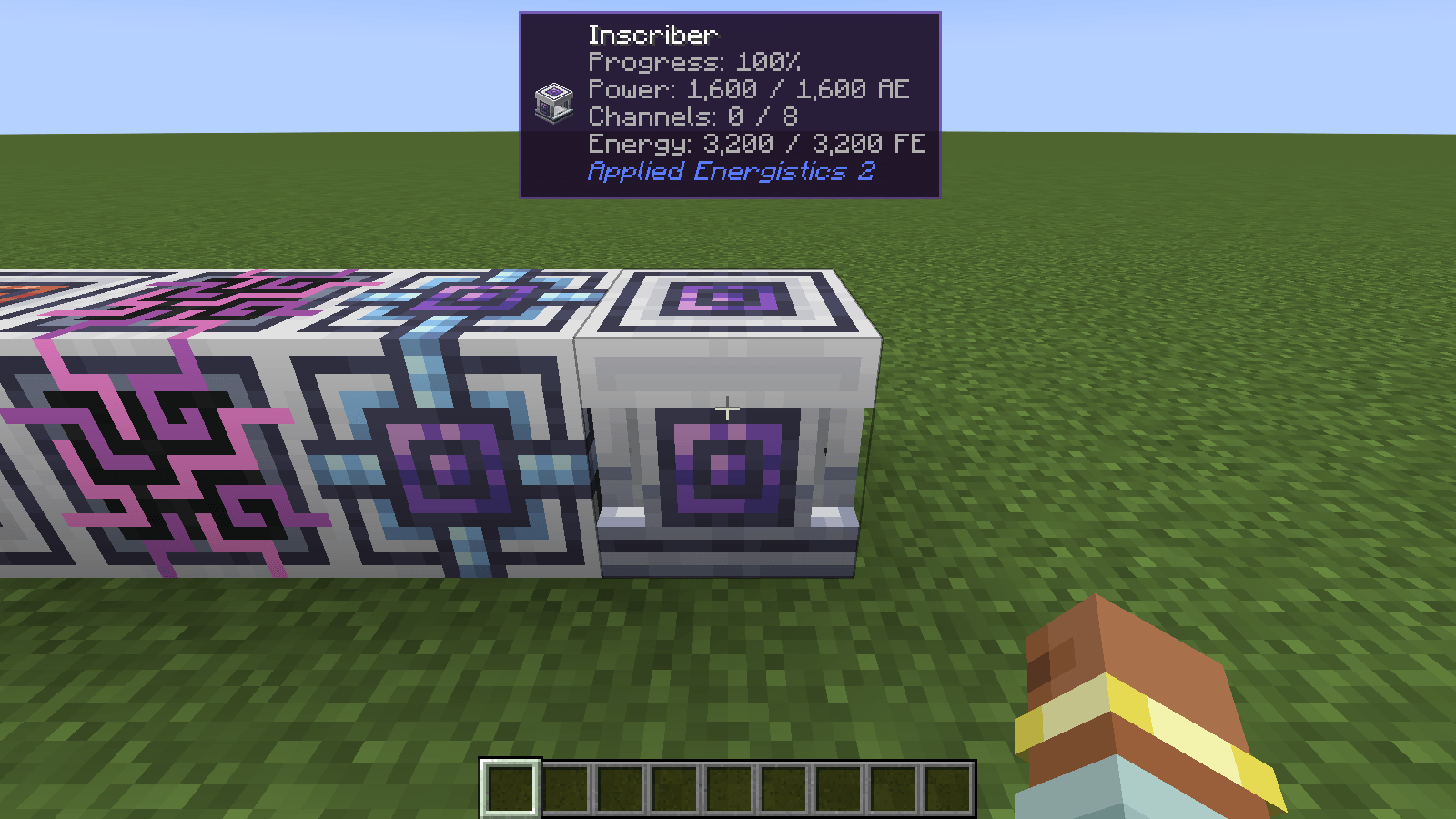
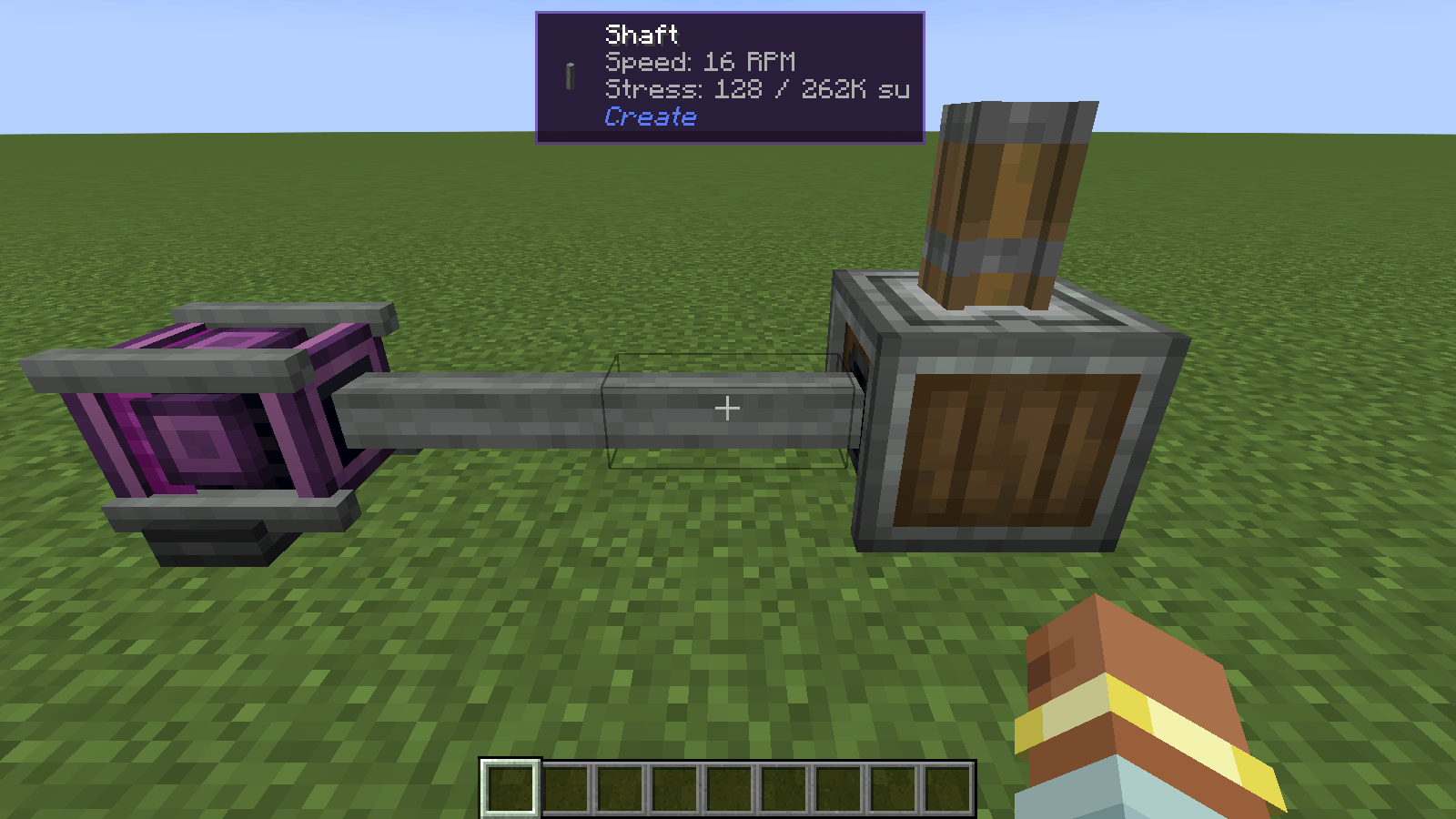
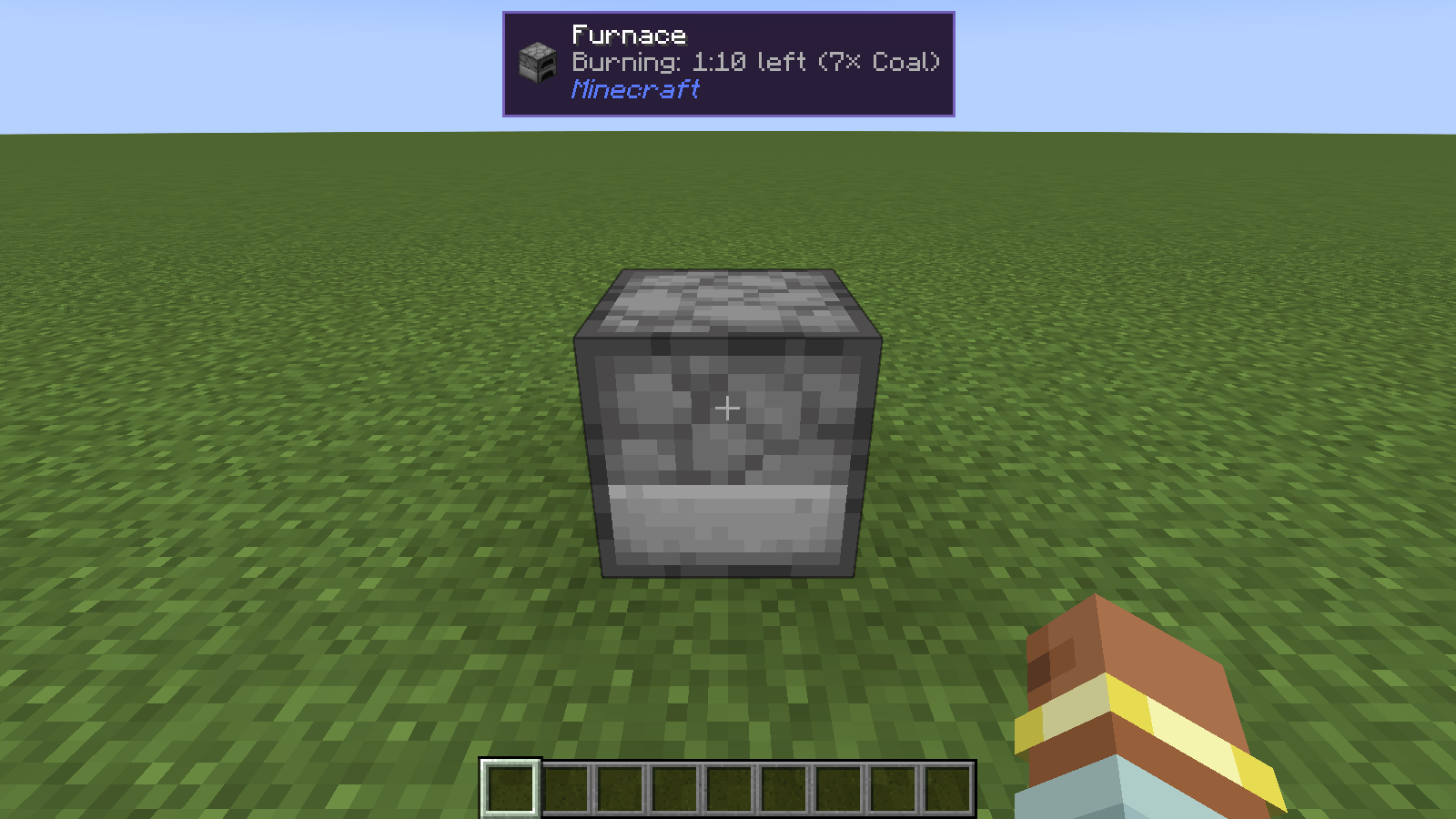
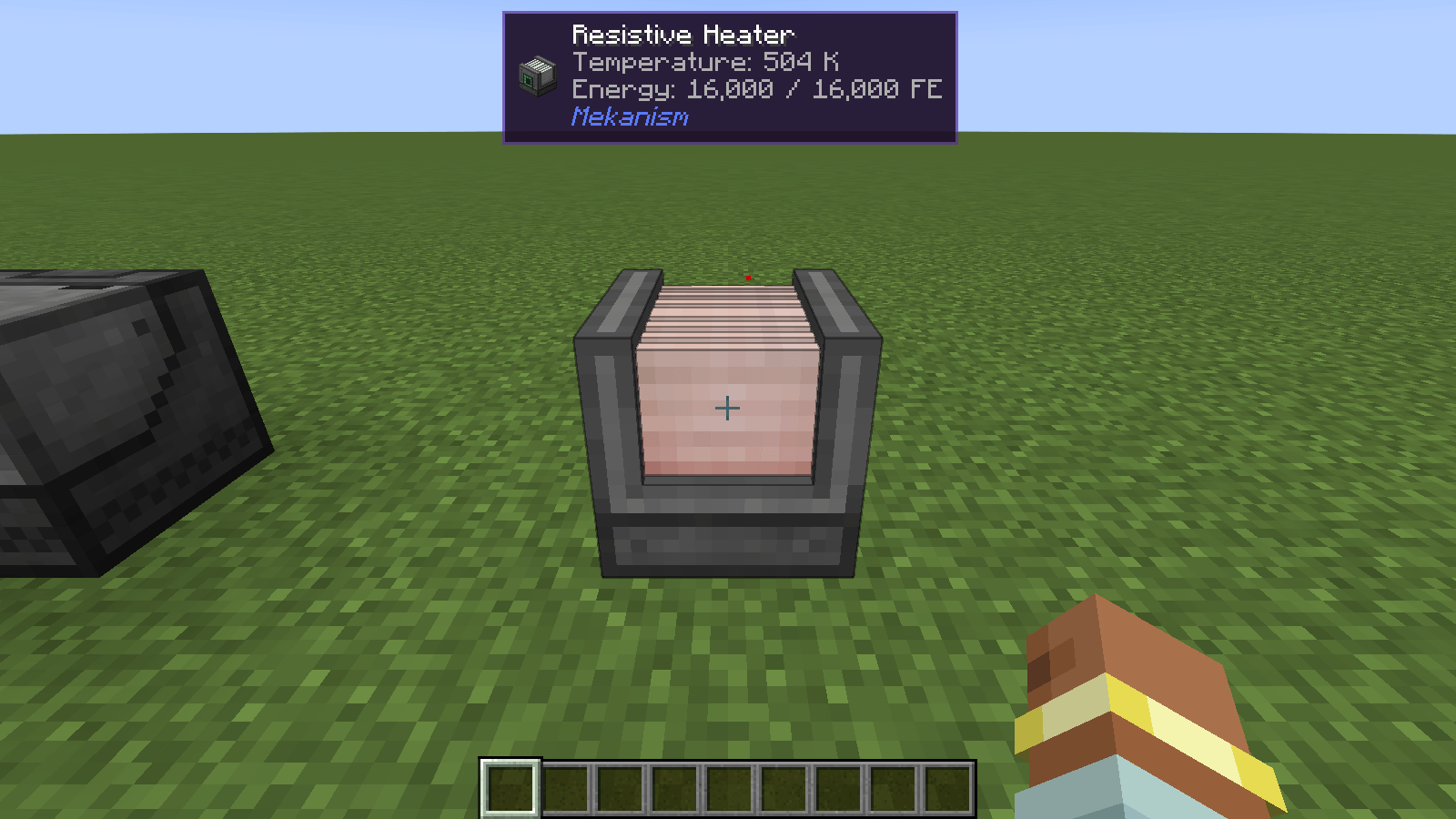
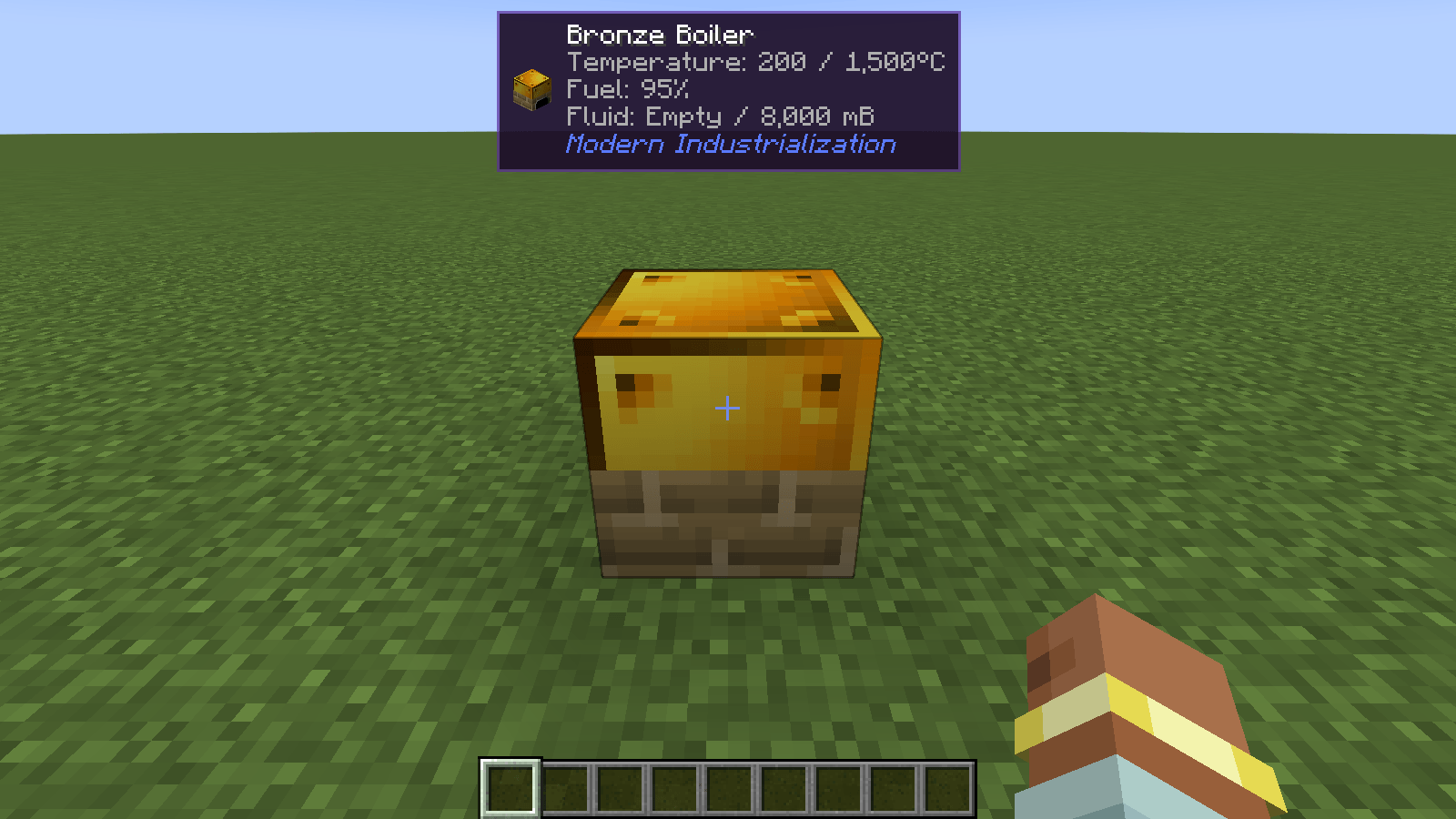
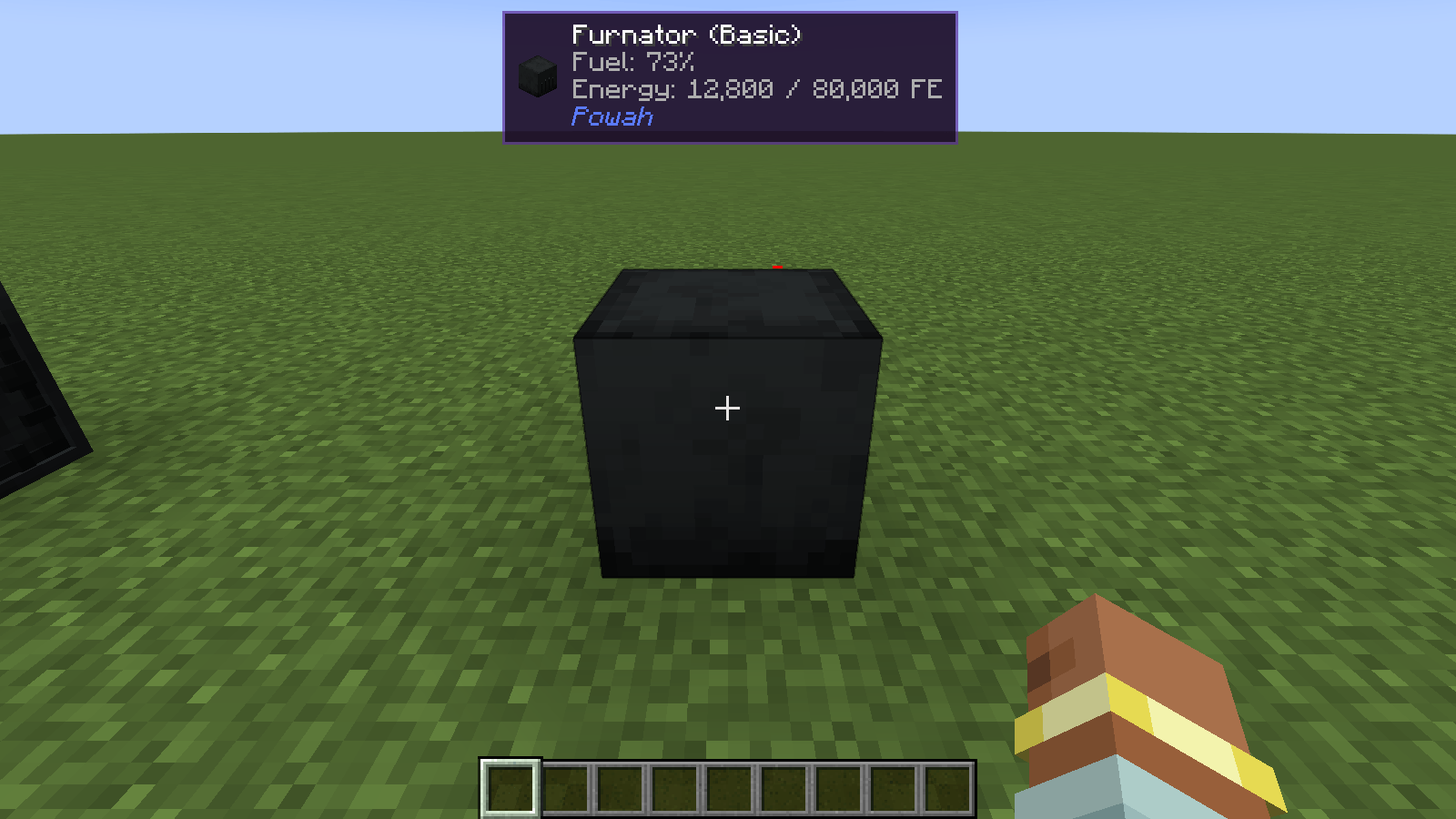
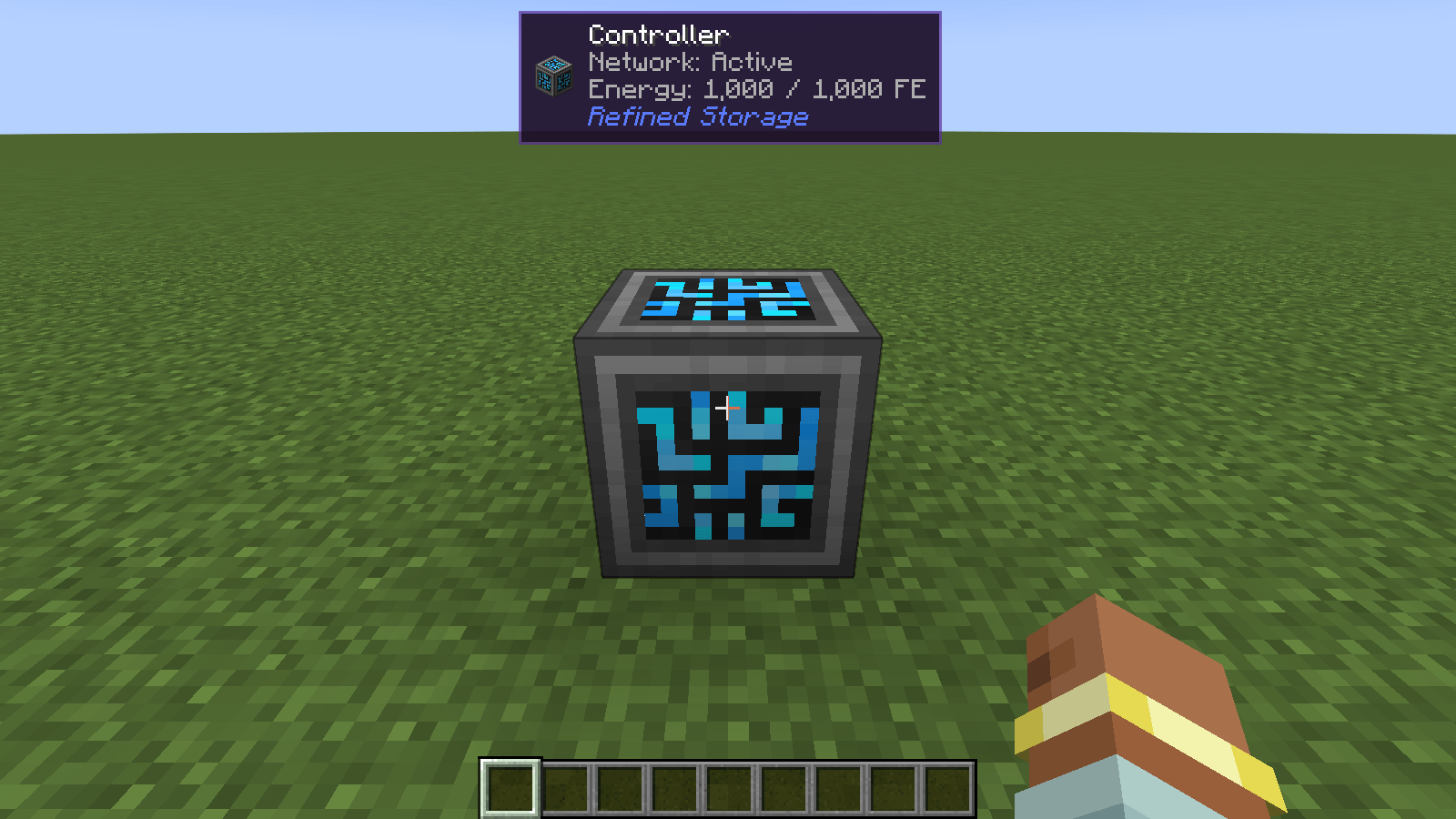
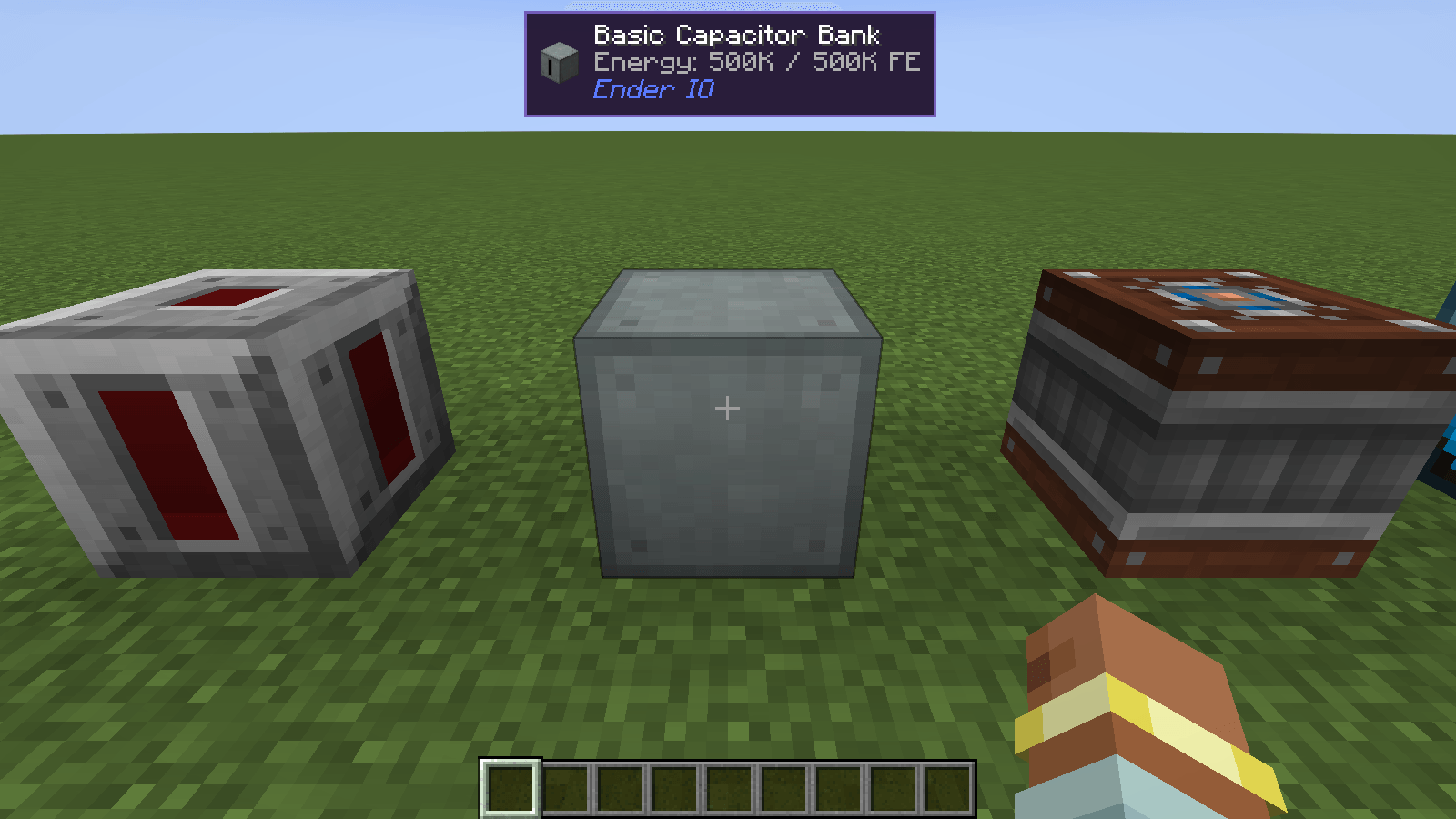
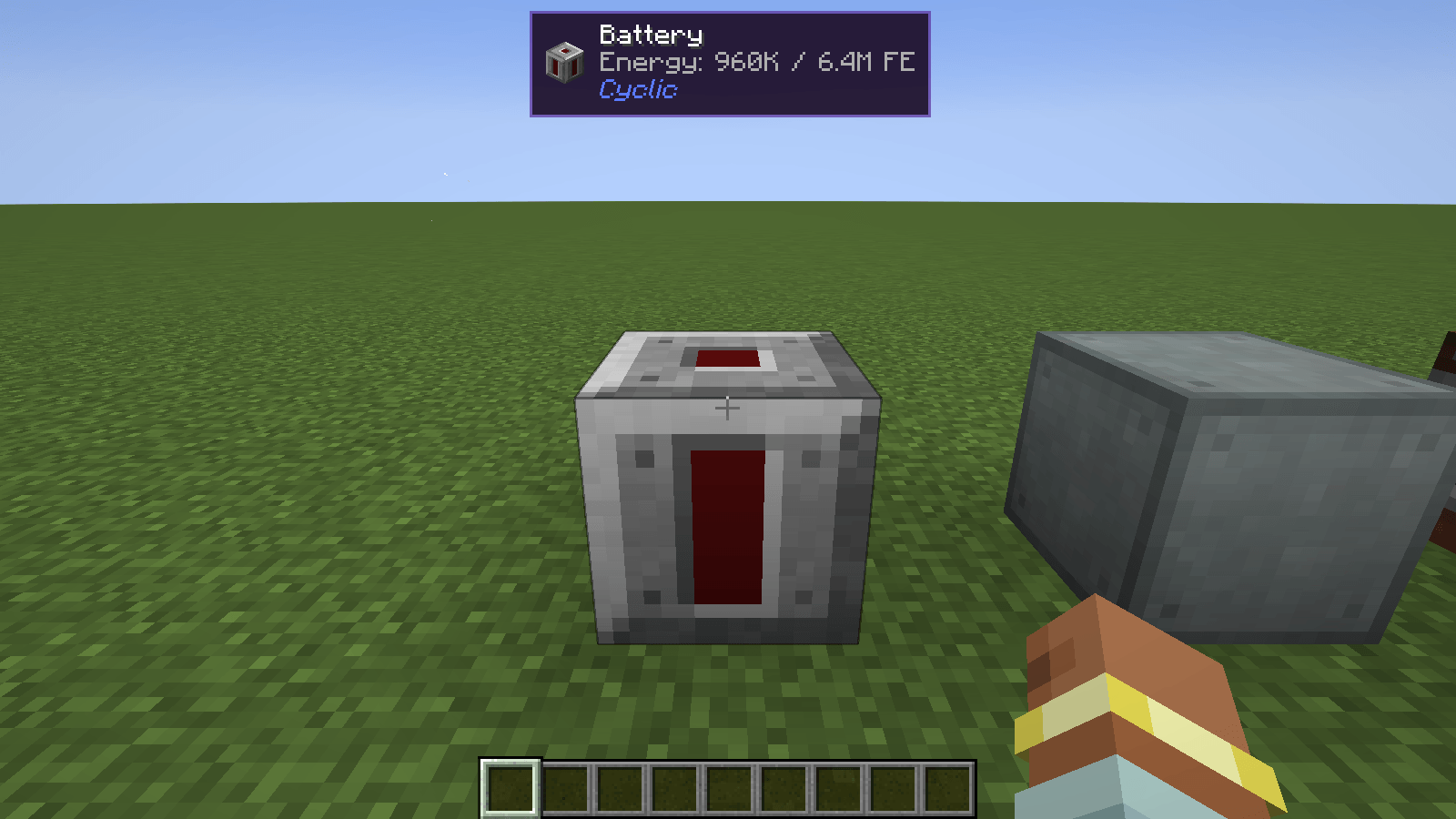
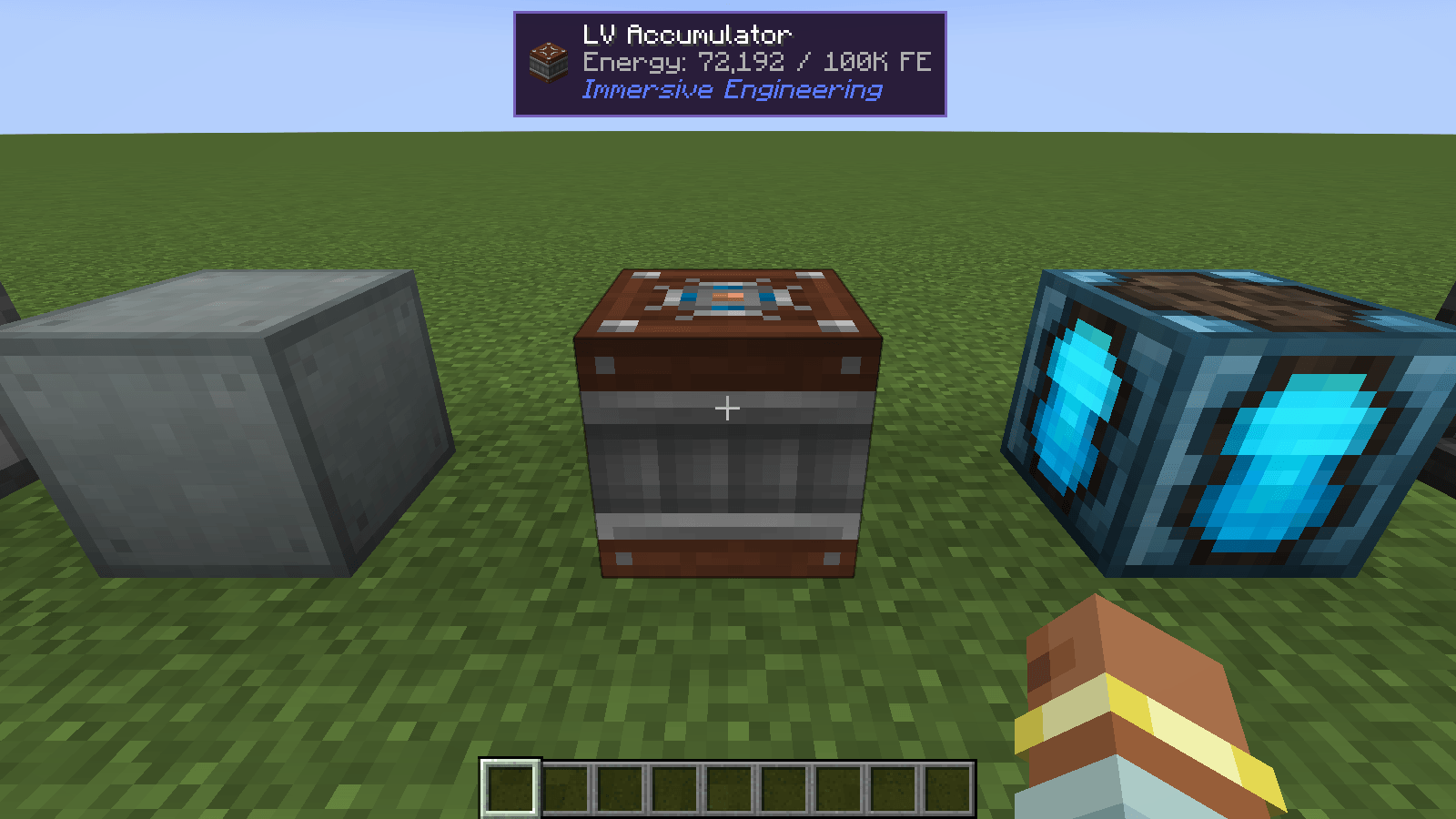
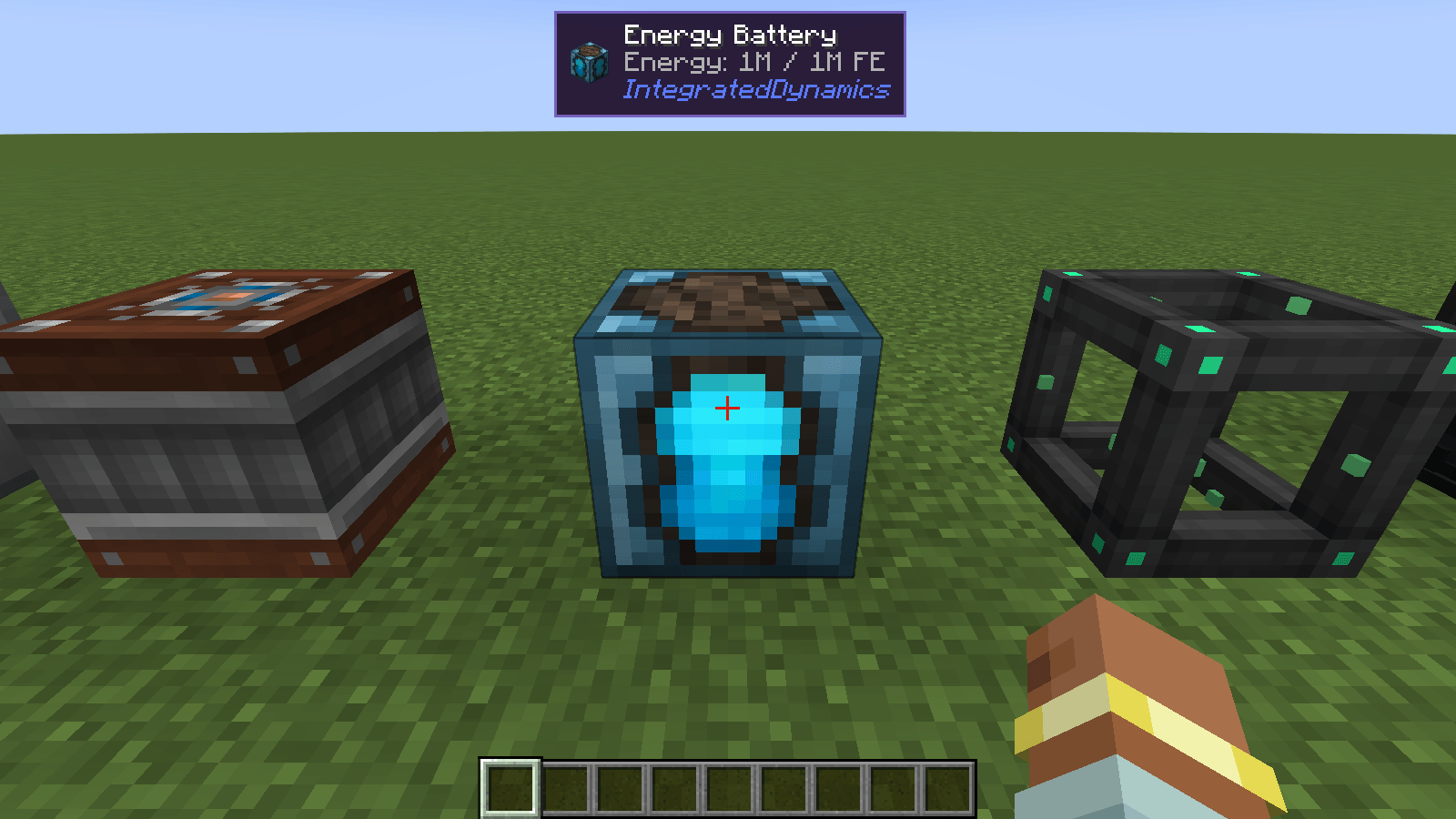
介绍
Identify is a small client-side mod for Minecraft on Fabric, NeoForge or Forge, compatible with Mod Menu (Fabric) / the built-in config screen (NeoForge and Forge).
Supported versions: 1.18.2, 1.19.2, 1.20.1 and 1.21 to 26.x on Fabric, 1.21 to 26.x on NeoForge, and 1.12.2, 1.16.5, 1.18.2, 1.19.2 and 1.20.1 on Forge.
Features
- Block and entity panel – the icon, name, and owning mod of whatever is under your crosshair, out to a configurable range.
- Mob intel – health with armor, baby grow-up and breeding timers, a pet’s owner, a villager’s profession and level, a horse’s speed and jump height, active effects, and the item a mob is holding. The panel shows at most four detail lines, so it stays compact.
- Block details – crop growth, redstone power, the best tool (and tier) to mine the block, what a spawner spawns, a beacon’s tier, range and effects, honey, composter and cauldron levels, repeater delay, comparator mode, note block pitch, respawn anchor charges, and the disc in a jukebox.
- Machine details – furnace, smoker and blast furnace progress, fuel and output, brewing progress, campfire cook time, and a lectern’s open page.
- Modded machines – energy, fluids and progress for Create, Mekanism, Applied Energistics 2, Thermal, Immersive Engineering, Botania, Farmer’s Delight and 18 more mods. Stored energy and fluids also show for blocks from other mods.
- Item tooltips – remaining durability with a percentage, hunger and saturation for food, and how many items a fuel smelts.
- Equipment comparison – hold Shift over armor or a weapon to see how it compares with what you have equipped, such as
+2 Armor, +2 Toughness. - Placement – two sliders move the panel anywhere on screen, from the top-left corner to the bottom-right corner, at any GUI scale.
- Configurable – toggle blocks, entities, icon, details, best tool, mod name, and item comparison, and adjust range and position.
- Key binds – optional keys to show or hide the whole panel, only block info, or only entity info. They start unbound; set them under Options > Controls > Key Binds > Identify.
- Client-side only – there is nothing to install on a server.
Some information depends on where you play:
- Machine progress, exact grow-up and breeding timers, and other mobs’ active effects come from the integrated server, so they are available in singleplayer and on a LAN host. On other servers a baby animal is shown as just “Baby”.
- A pet’s owner is looked up in the player list, so the name only shows while the owner is online. Otherwise the panel shows “Tamed”.
Install
Fabric
- Install Fabric Loader for your version of Minecraft.
- Put Fabric API and the Fabric Identify jar for your version in your
modsfolder. - Start the game.
Optional: add Mod Menu to get a settings screen (Mods > Identify > Configure).
NeoForge
- Install NeoForge for your version of Minecraft.
- Put the NeoForge Identify jar for your version in your
modsfolder. - Start the game. The settings screen is available from the mod list (Mods > Identify > Config).
Forge
- Install Forge for your version of Minecraft.
- Put the Forge Identify jar for your version in your
modsfolder. - Start the game. The settings screen is available from the mod list (Mods > Identify > Config).
Mod compatibility
Identify shows extra lines for these mods:
- Applied Energistics 2
- Ars Nouveau
- Blood Magic
- Botania
- Create
- Cyclic
- Ender IO
- Farmer’s Delight
- Immersive Engineering
- Industrial Foregoing
- Integrated Dynamics
- Mekanism
- Modern Industrialization
- Mystical Agriculture
- Occultism
- Oritech
- PneumaticCraft: Repressurized
- Powah
- Productive Bees
- Refined Storage
- Sophisticated Storage
- Storage Drawers
- Tech Reborn
- Thermal Series
- Tinkers’ Construct
Blocks from any other mod that store energy (FE or Team Reborn Energy) or fluids show those too.
常见问题
Identify – What Am I Looking At? 支持哪些 Minecraft 版本?
Identify – What Am I Looking At? 支持 Minecraft Java 版 1.12.2–26.3,共 22 个版本,可用的加载器:Fabric / Forge / NeoForge。下载时注意选择和你游戏版本一致的文件。
Identify – What Am I Looking At? 怎么安装?
先用 PCL2 或 HMCL 启动器安装对应版本的 Fabric / Forge / NeoForge,再把下载的 .jar 文件放进游戏目录的 mods 文件夹,重新启动游戏即可。开启了版本隔离的,mods 文件夹在 versions/版本名 下面。
comedy 的其他作品
查看全部 →
Starlit – Better Sky, Stars, Auroras, Galaxies, Shooting Stars, Planets.
A better night sky: thousands of colored twinkling stars, the Milky Way, nebulae, galaxies, shooting stars, meteor showers, comets and northern lights, plus sunsets, halos and rainbows by day. Client-side, for Fabric, NeoForge and Forge. Shader Compatible!
Heartline – Health Bars & Damage Numbers
Health bars above every mob, damage numbers with gold crits and combo stacking, and a target panel that shows how many hits are left. 11 bar styles, pet alerts, fully configurable. Client-side, Fabric, NeoForge and Forge.

Limn – Colored Block Outlines
Recolor the box drawn around the block you're looking at: any solid color you like, or a Rainbow that flows along the edges. Adjust opacity and line thickness . Client-side only, works with Mod Menu.
Swinging Hanging Signs
Hanging signs sway in the wind, swing harder in rain and thunderstorms, and get pushed around when players, mobs or minecarts brush past them, then slowly settle again. Client-side, works on any server.
评论
登录后评论和评分