Heartline – Health Bars & Damage Numbers
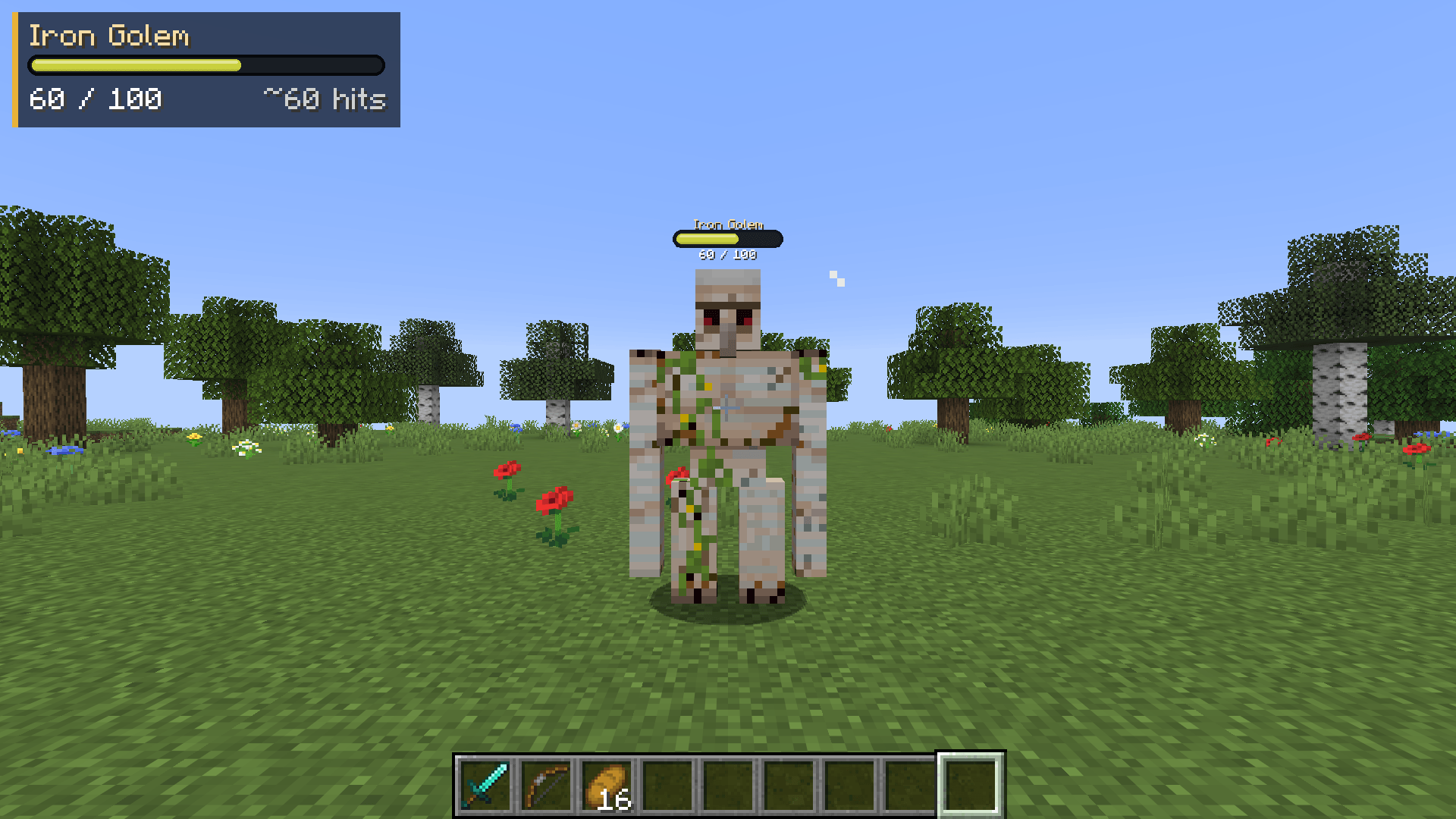
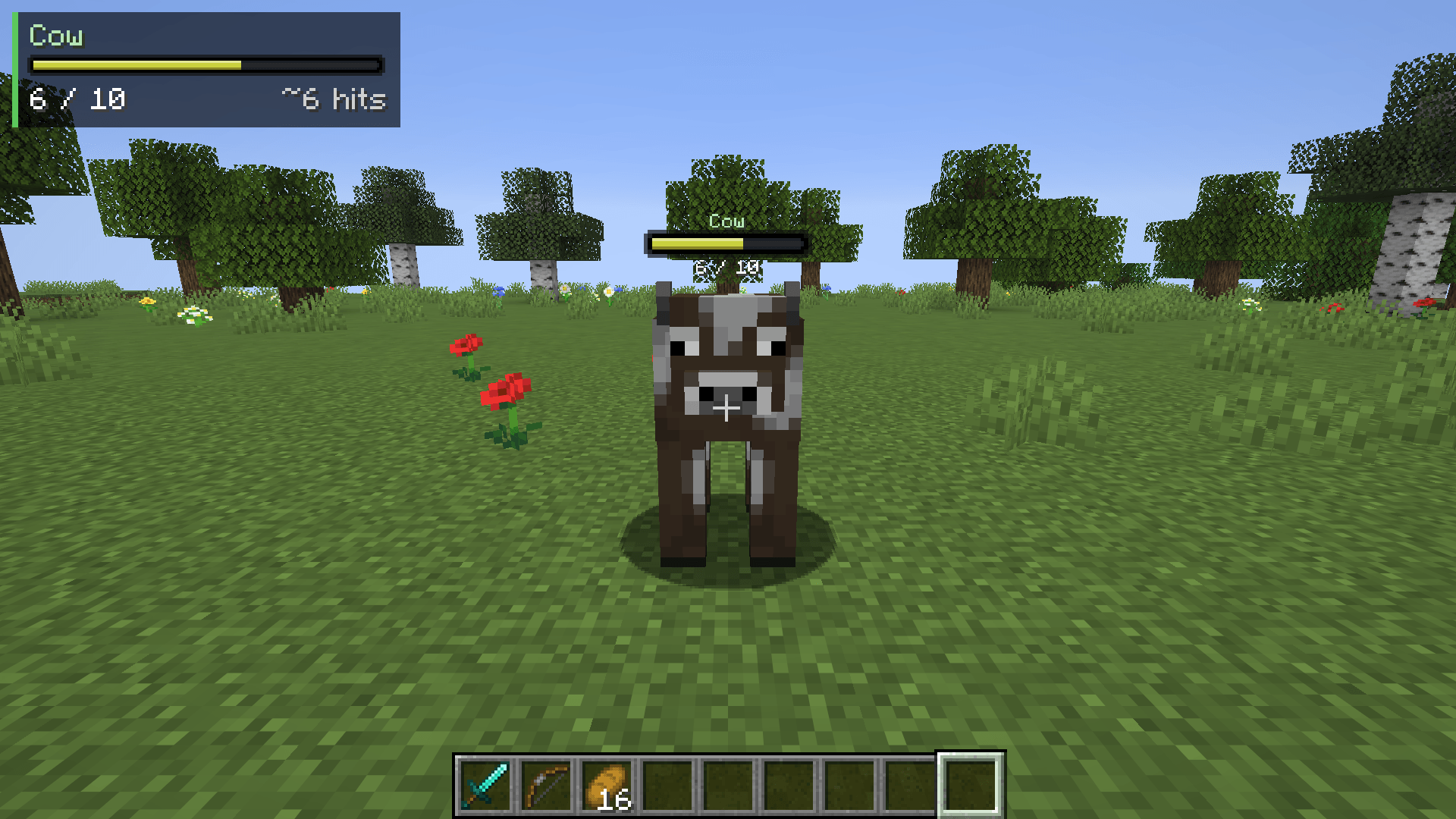
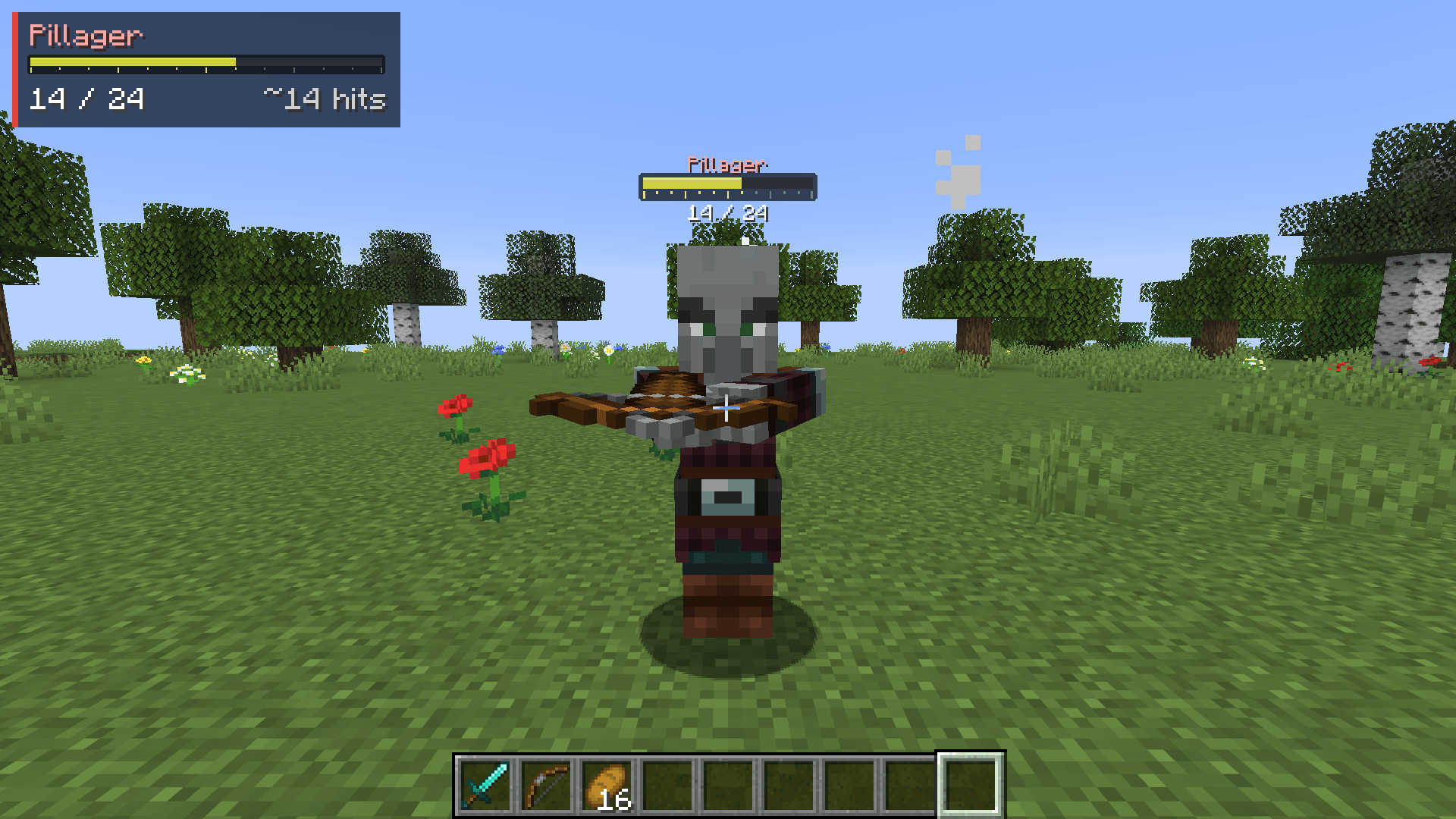
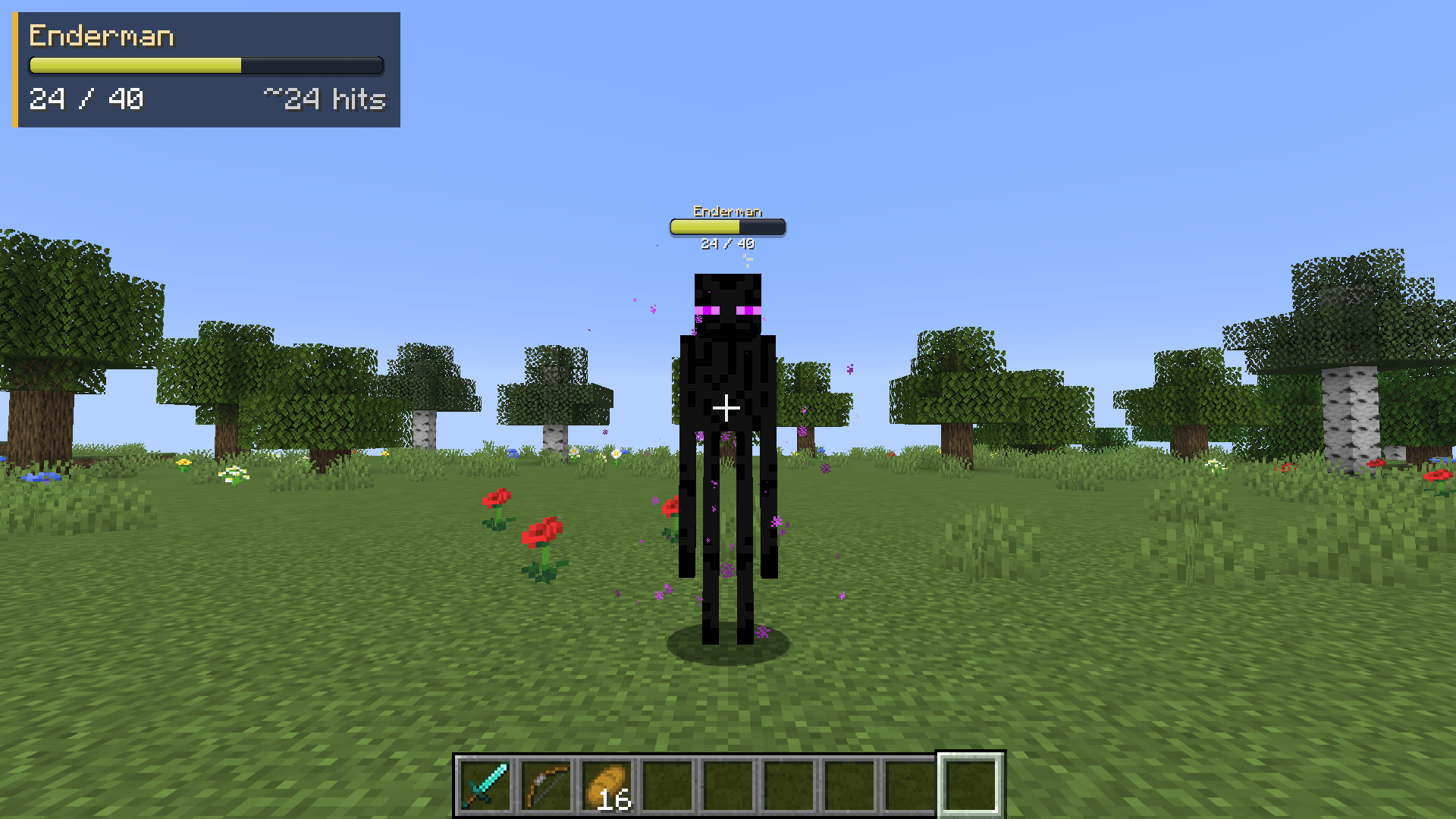
Health bars above every mob, damage numbers with gold crits and combo stacking, and a target panel that shows how many hits are left. 11 bar styles, pet alerts, fully configurable. Client-side, Fabric, NeoForge and Forge.
截图
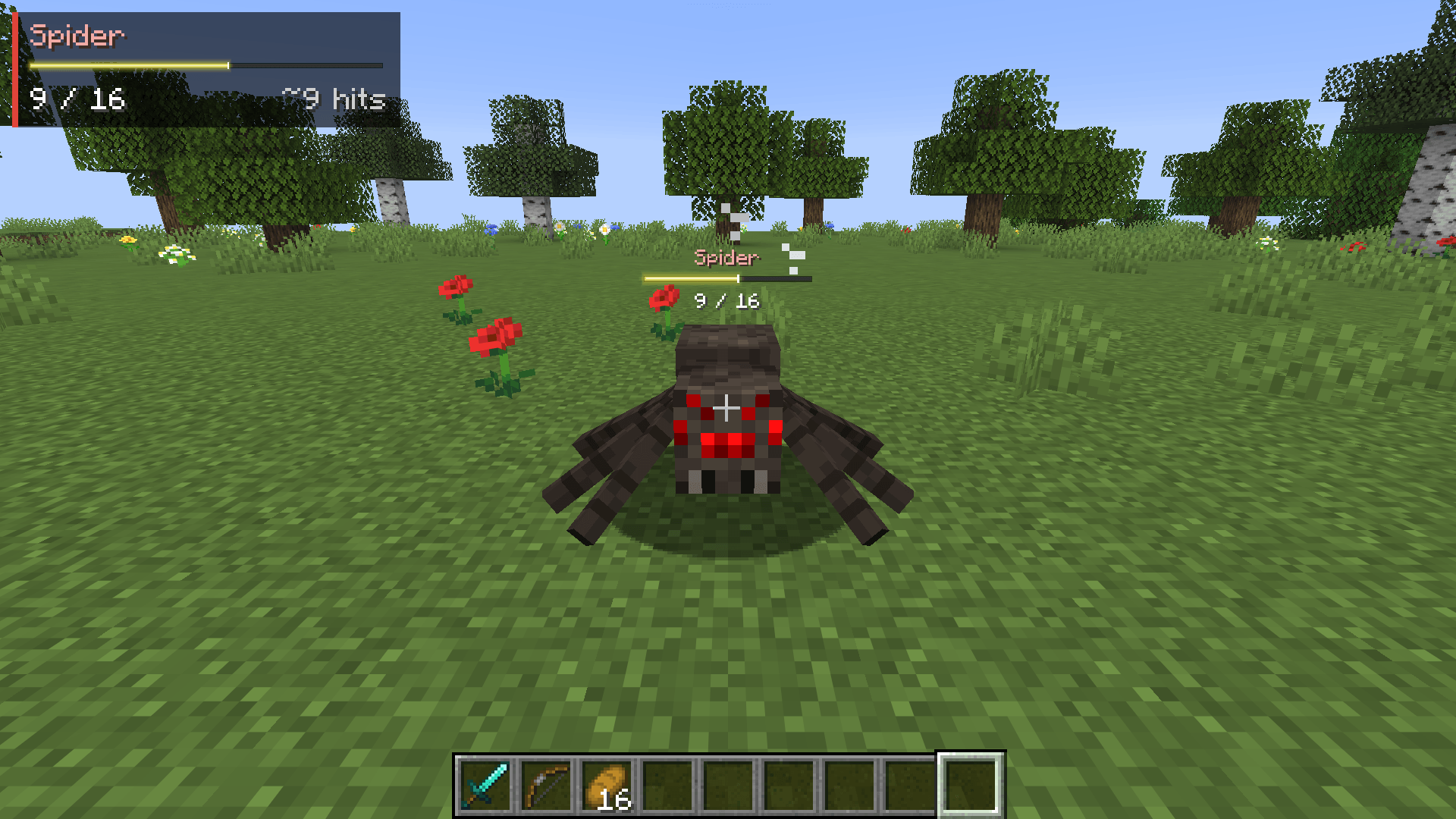
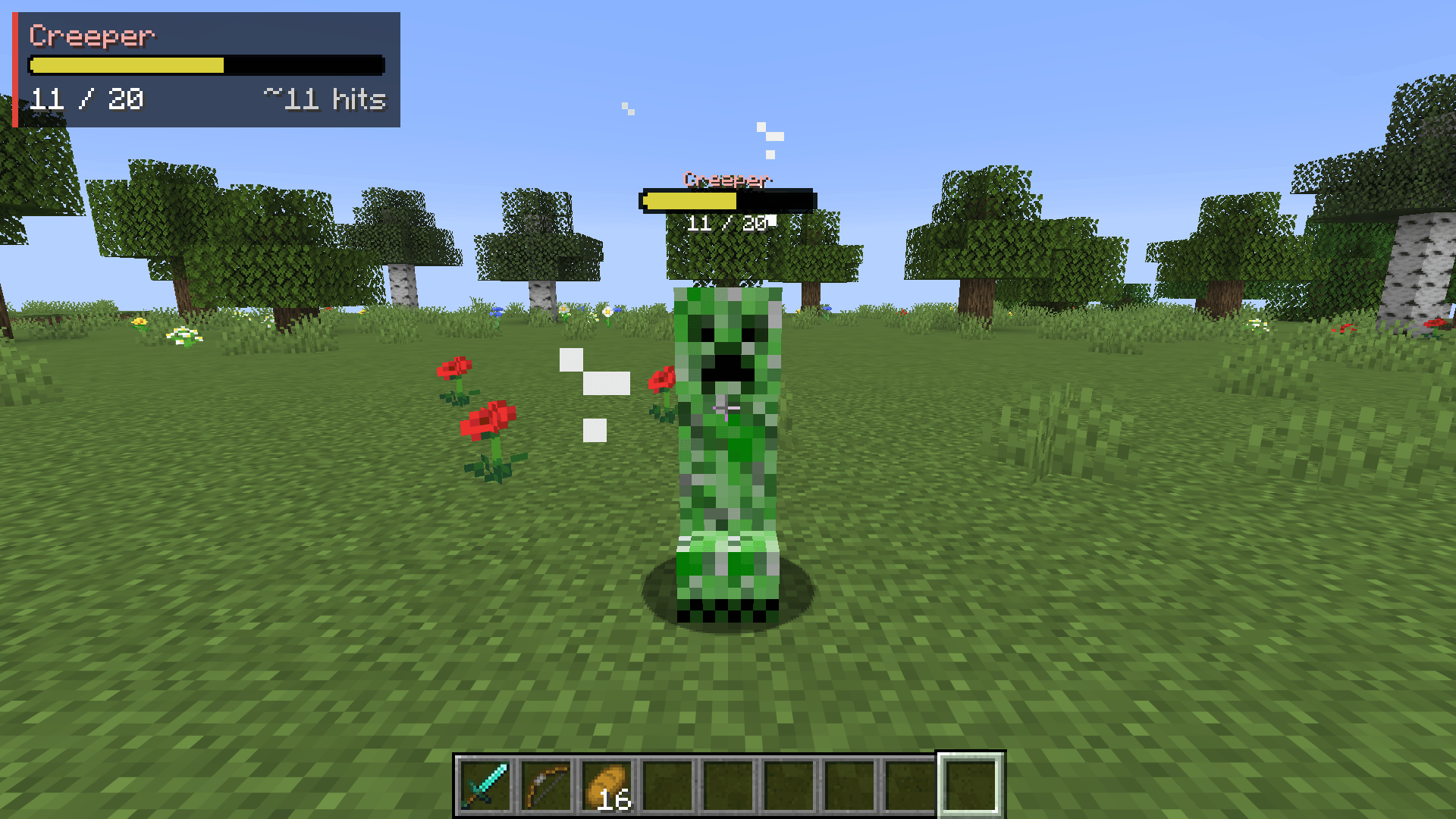
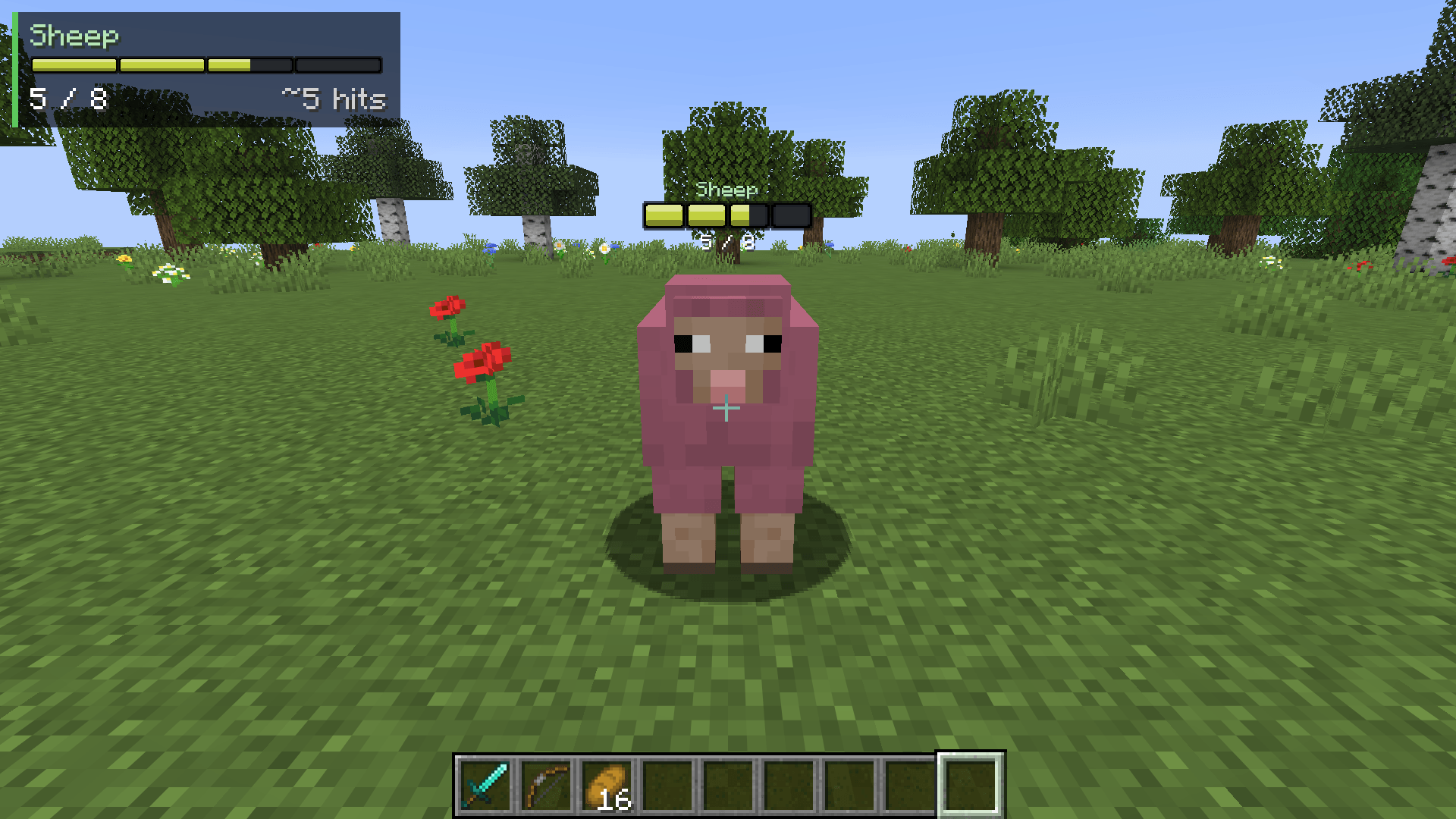
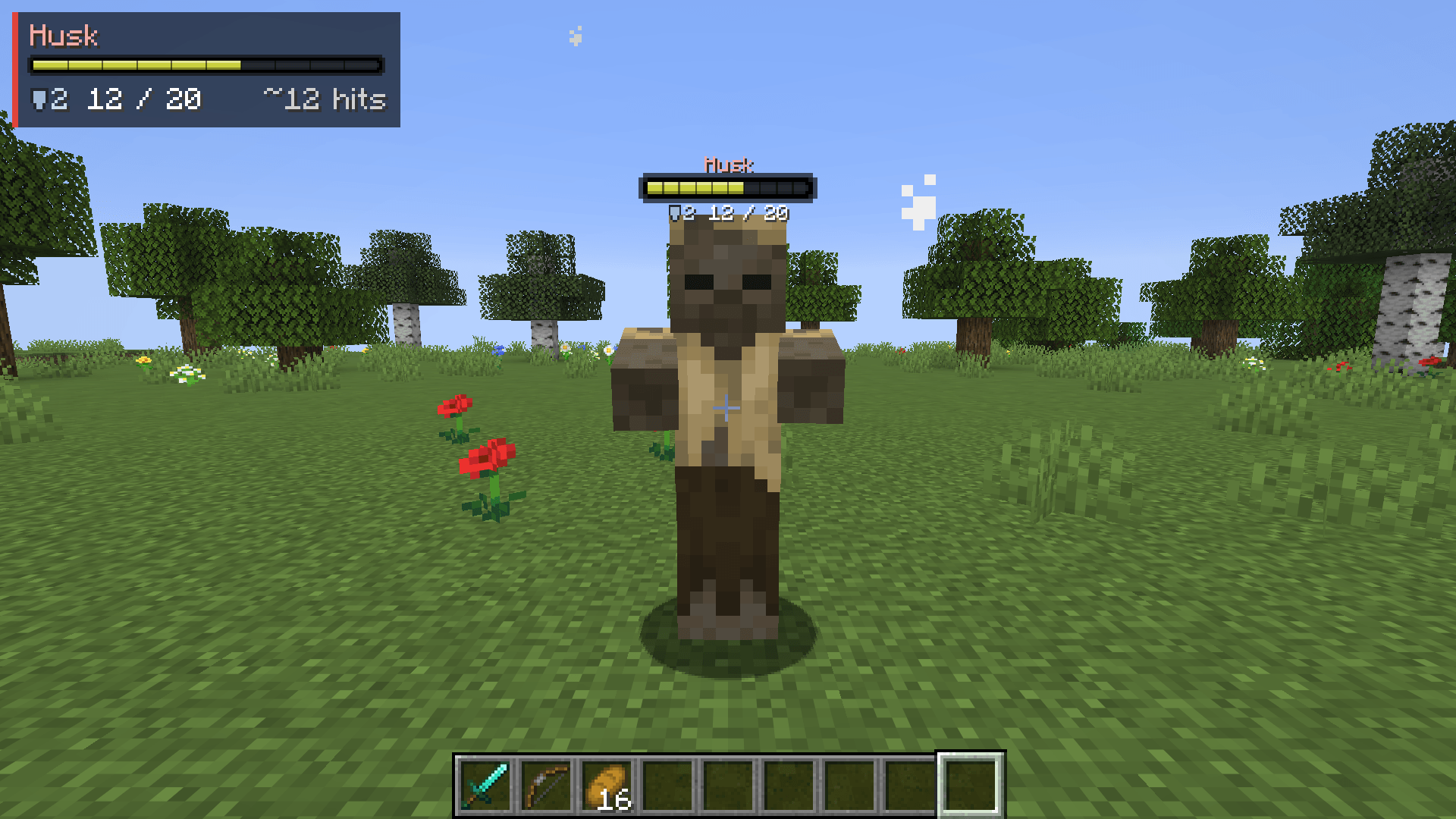
介绍
Heartline
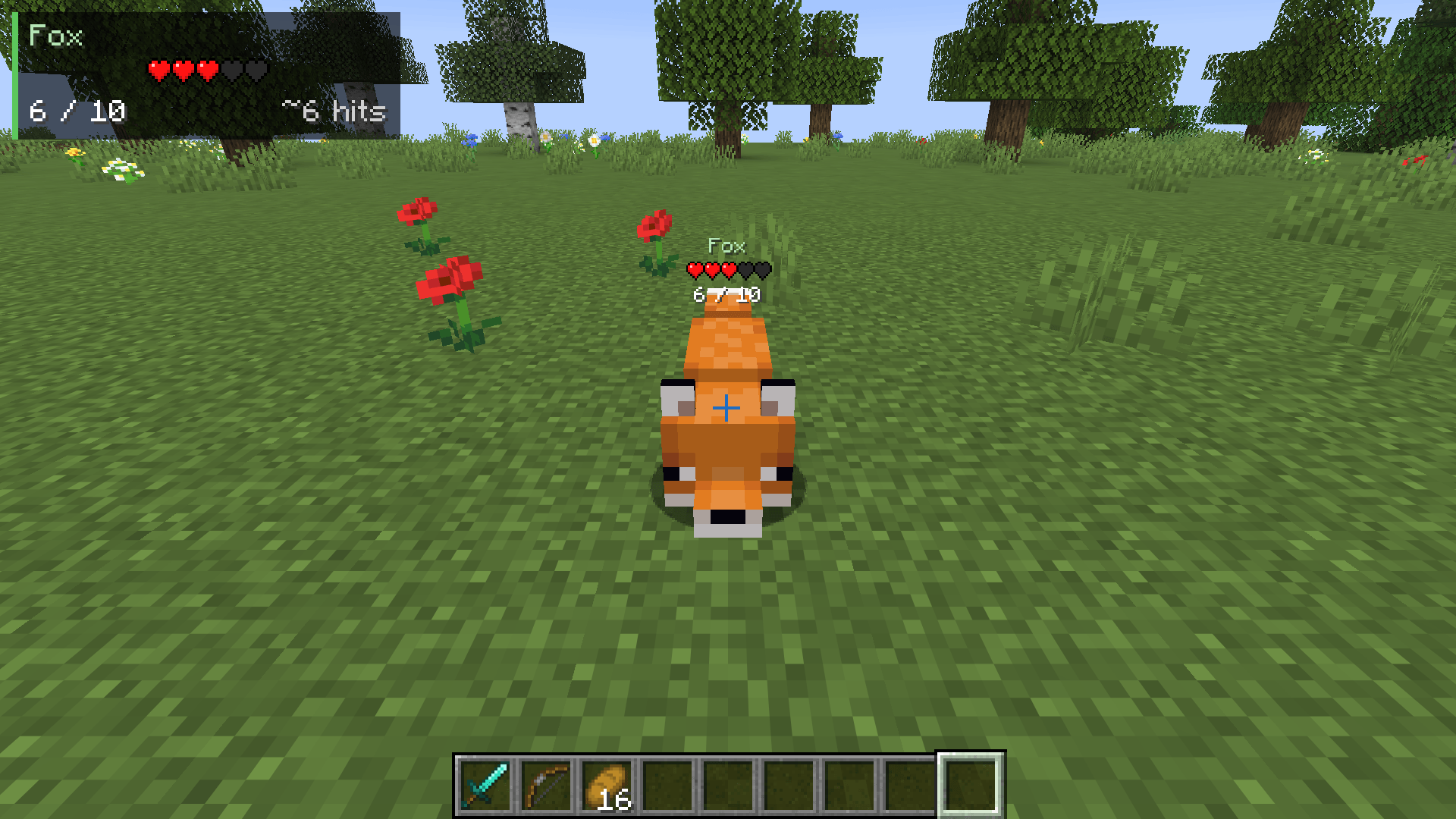
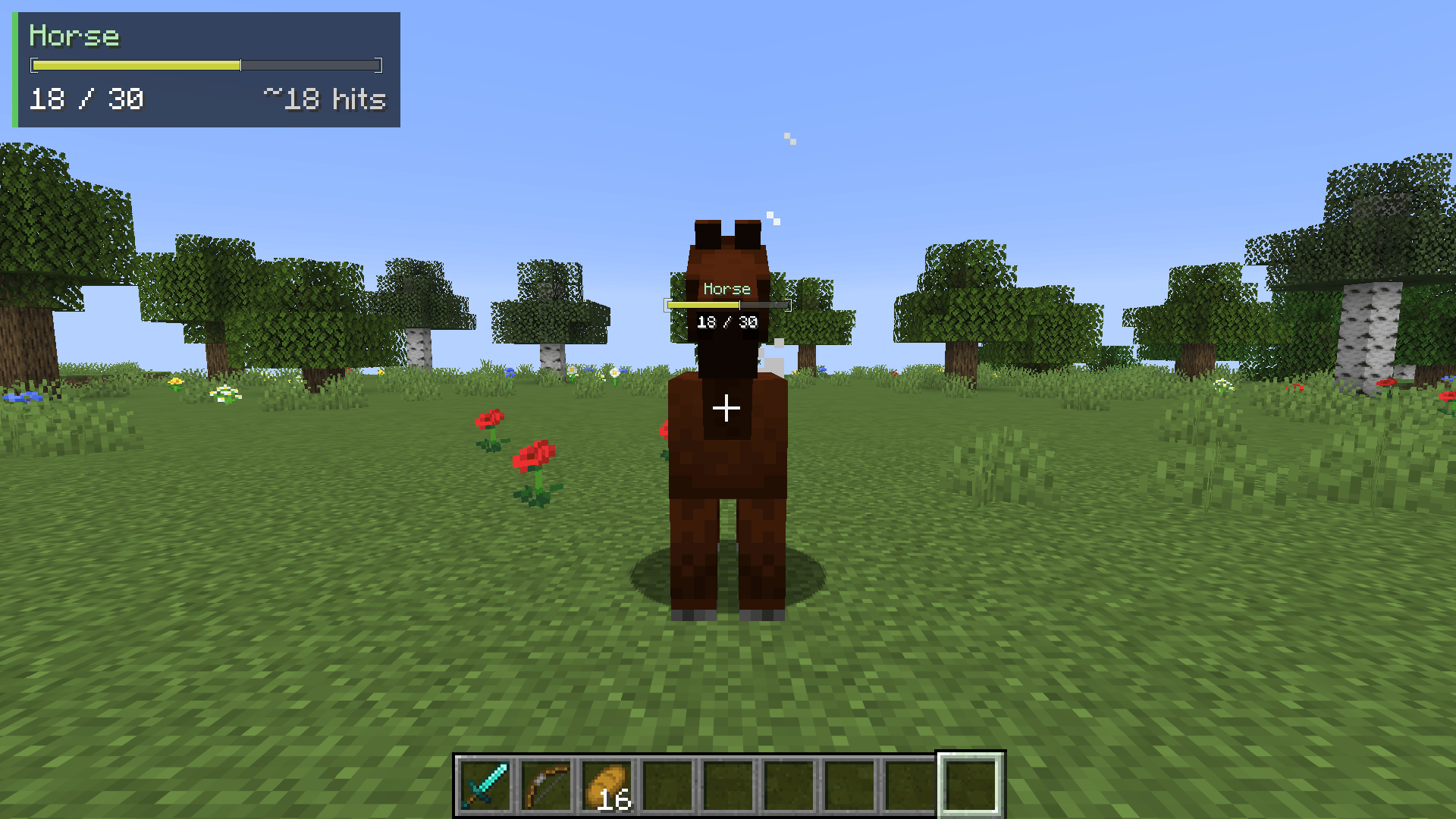
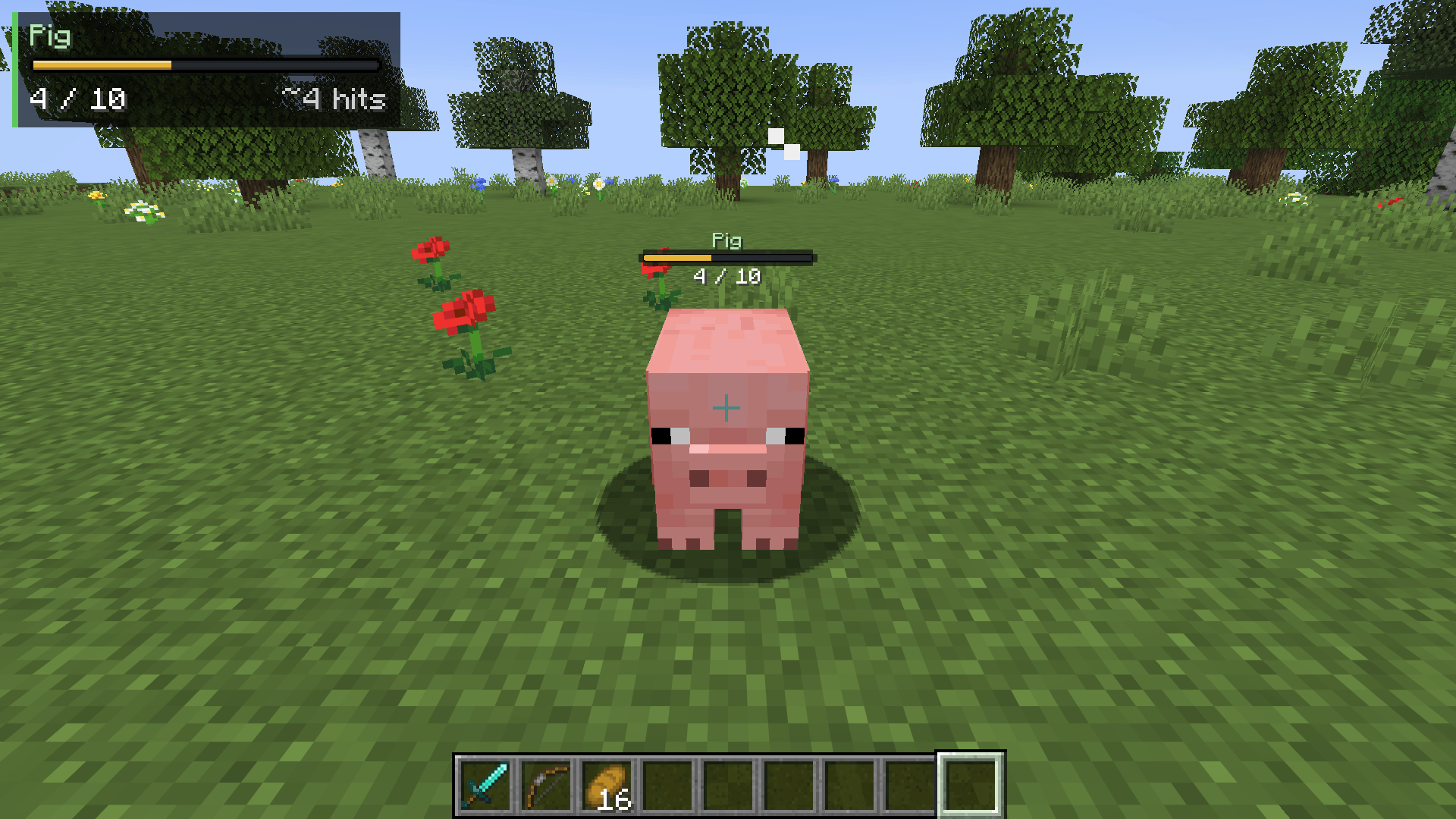
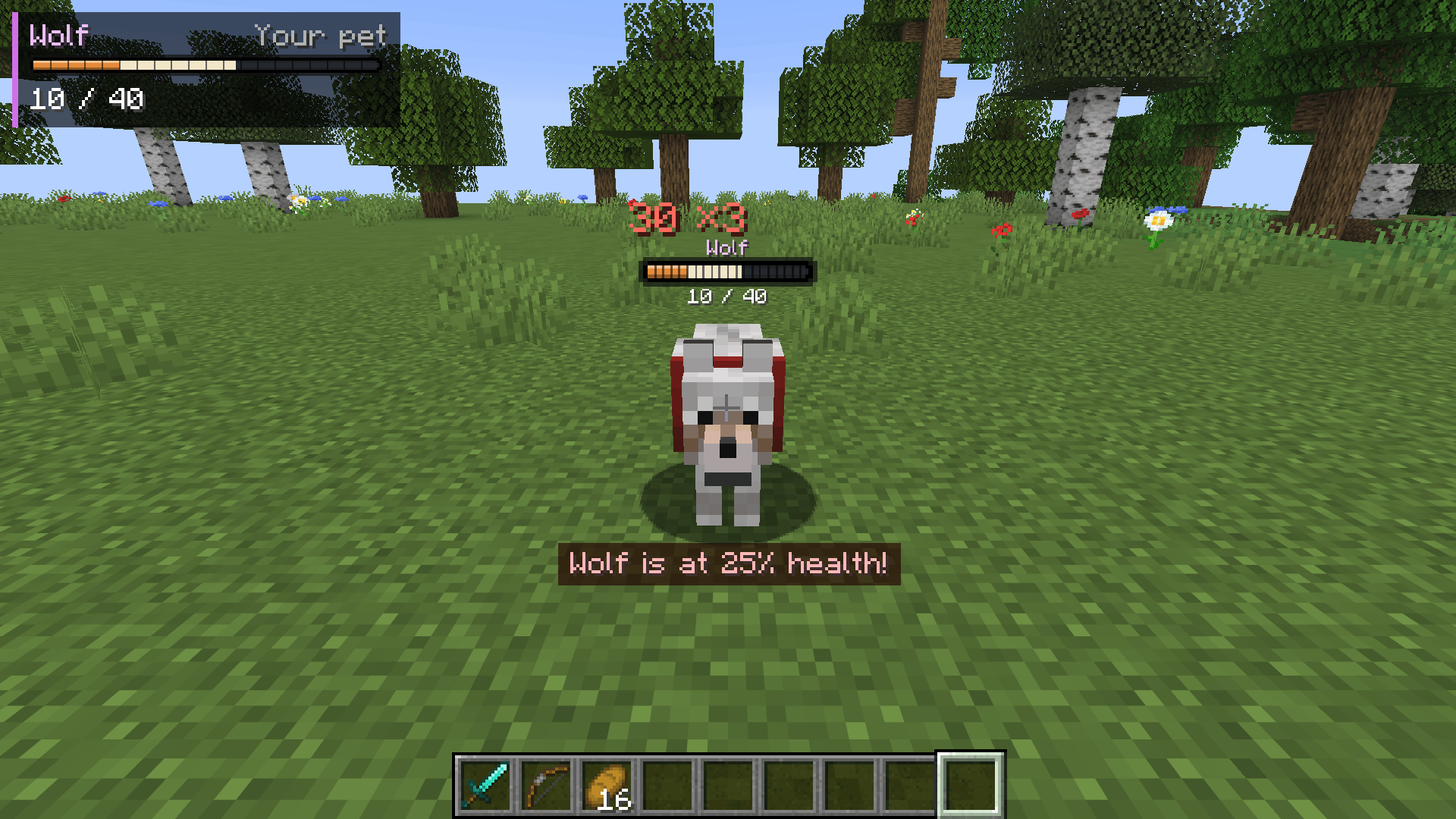
See every mob’s health at a glance. Heartline puts a clean health bar above each mob, pops up damage numbers when you hit, and shows a target panel that tells you how many more hits a mob takes with whatever you’re holding.
Heartline is a client-side mod for Minecraft on Fabric, NeoForge and Forge, so it works on any server. It is compatible with Mod Menu on Fabric.
Supported versions: 1.18.2, 1.19.2 and 1.20 to 26.3 on Fabric, 1.21 to 26.3 on NeoForge, and 1.16.5, 1.18.2, 1.19.2 and 1.20.1 on Forge.
Features
- Health bars above mobs – drawn flat on your screen, so they stay sharp and readable at any distance.
- 10 bar styles – Flat, Segmented (one notch per heart), Slim, Pip, Outline, Glass, Neon, Capsule, Gauge (a tick per heart) and Bracket.
- Colors by health or by mob type – green to yellow to red as a mob gets hurt, or red hostile, yellow neutral, green passive, blue players, purple pets and bosses.
- Damage trail – the health a hit took stays visible for a moment, then drains away, so you can see how much each hit did. The bar flashes white on a hit and glows green on a heal.
- Damage numbers – numbers float up beside the mob. Your critical hits show in gold with a “!”, heals show in green.
- Combos – quick hits on the same mob stack into one growing number with a hit count, like “20.3 x3”, instead of a pile of small numbers.
- Target panel – name, health, armor and a hits-to-kill estimate for the mob you’re looking at or fighting. The estimate updates the moment you switch items, and turns gold at “1 more hit!”. Put it top left, top center, top right or next to your crosshair.
- Pet alerts – your tamed pets always show their bar, and a warning pops up when one gets low on health.
- Only when you want them – show bars always, only when a mob is hurt, only in combat, or only on the mob under your crosshair. Bars hide behind walls.
- Hide any mob type – type a mob’s name in the settings to find it in any mod, browse the list sorted by mod, or look at a mob and press a key.
- Client-side only – there is nothing to install on a server.
Install
Fabric
- Install Fabric Loader for your version of Minecraft.
- Put Fabric API and the Fabric Heartline jar for your version in your
modsfolder. - Start the game.
Optional: add Mod Menu to get a settings screen (Mods > Heartline > Configure).
NeoForge
- Install NeoForge for your version of Minecraft.
- Put the NeoForge Heartline jar for your version in your
modsfolder. - Start the game. The settings screen is in Mods > Heartline > Config.
Forge
- Install Forge for your version of Minecraft.
- Put the Forge Heartline jar for your version in your
modsfolder. - Start the game. The settings screen is in Mods > Heartline > Config.
Keys
Both keys are unbound by default. Set them in Options > Controls > Key Binds > Heartline, or from the Key Binds… button in Heartline’s settings.
| Key | What it does |
|---|---|
| Turn Heartline On/Off | Turns bars, panel and damage numbers on or off |
| Hide/Show Bars for Looked-At Mob | Hides the bars of the mob type under your crosshair, or shows them again |
Settings
| Setting | Range | Default | What it does |
|---|---|---|---|
| Heartline | on / off | on | Turns everything off at once: bars, panel and damage numbers |
| Bars Above Mobs | on / off | on | The bar above each mob. Turn off to use only the target panel |
| Show | Always / When Hurt / In Combat / Crosshair Only | When Hurt | When a mob’s bar shows. The mob under your crosshair always shows its bar |
| Range | 8 – 64 blocks | 24 | How far away bars still show |
| Hide Behind Walls | on / off | on | Hide the bars of mobs you can’t see |
| Style | Flat / Segmented / Slim / Pip / Outline / Glass / Neon / Capsule / Gauge / Bracket | Segmented | How the bar looks |
| Colors | By Health / By Mob Type | By Health | How the bar is colored |
| Bar Size | 0.5 – 2.0 | 1.0 | Makes the bars bigger or smaller |
| Bar Height | -0.5 – 1.5 blocks | 0.0 | Moves the bars up or down |
| Mob Names | on / off | on | Show the mob’s name above its bar |
| Health Text | 14 / 20, 70%, Hearts, Off | 14 / 20 | How the health under the bar reads |
| Armor | on / off | on | Show a shield with the mob’s armor points |
| Damage Trail | on / off | on | Show the health a hit took, then drain it away |
| Fade After | 1 – 30 s | 6 s | How long a bar stays after a mob was last hurt or healed to full |
| Hostile / Neutral / Passive Mobs, Players, Bosses | on / off | on | Which kinds of mobs get bars |
| Always Show My Pets | on / off | on | Your tamed pets always show their bars |
| Damage Numbers | on / off | on | Numbers float up when a mob gets hurt |
| Heal Numbers | on / off | on | Green numbers when a mob heals |
| Stack Combos | on / off | on | Quick hits add up into one number with a hit count |
| Number Size | 0.5 – 2.0 | 1.0 | Makes the damage numbers bigger or smaller |
| Target Panel | Top Left / Top Center / Top Right / Next to Crosshair / Off | Top Left | Where the target panel goes |
| Hits to Kill | on / off | on | Estimate how many more hits the mob takes with your held item |
| Pet Health Alert | on / off | on | Warn you when a tamed pet gets low on health |
| Alert Below | 10 – 60% | 30% | When the pet health alert shows |
Changes apply straight away and are saved when you close the screen. The screen also has a Reset to Defaults button, and a Hidden Mobs button: type a mob’s name to search every mod, or pick a mod to hide or show each of its mobs, or all of them at once.
The settings live in config/heartline.json in your game folder. If the file is broken, the game still starts with the defaults and your old file is kept as heartline.json.broken.
License
MIT
常见问题
Heartline – Health Bars & Damage Numbers 支持哪些 Minecraft 版本?
Heartline – Health Bars & Damage Numbers 支持 Minecraft Java 版 1.16.5–26.3,共 27 个版本,可用的加载器:Fabric / Forge / NeoForge。下载时注意选择和你游戏版本一致的文件。
Heartline – Health Bars & Damage Numbers 怎么安装?
先用 PCL2 或 HMCL 启动器安装对应版本的 Fabric / Forge / NeoForge,再把下载的 .jar 文件放进游戏目录的 mods 文件夹,重新启动游戏即可。开启了版本隔离的,mods 文件夹在 versions/版本名 下面。
comedy 的其他作品
查看全部 →
Starlit – Better Sky, Stars, Auroras, Galaxies, Shooting Stars, Planets.
A better night sky: thousands of colored twinkling stars, the Milky Way, nebulae, galaxies, shooting stars, meteor showers, comets and northern lights, plus sunsets, halos and rainbows by day. Client-side, for Fabric, NeoForge and Forge. Shader Compatible!

Identify – What Am I Looking At?
Point at anything to see what it is, from blocks, mobs and crops to machine info from 25 mods. Client-side.
Limn – Colored Block Outlines
Recolor the box drawn around the block you're looking at: any solid color you like, or a Rainbow that flows along the edges. Adjust opacity and line thickness . Client-side only, works with Mod Menu.
Swinging Hanging Signs
Hanging signs sway in the wind, swing harder in rain and thunderstorms, and get pushed around when players, mobs or minecarts brush past them, then slowly settle again. Client-side, works on any server.
评论
登录后评论和评分