Rot Client
Rot Client是一个适用于Minecraft 26.2的客户端Fabric模组,专为Hypixel SkyBlock玩家打造,提供高度可自定义且更简洁的界面、更好的信息、实用的HUD、自定义利润查找工具以及大量便捷功能。
截图
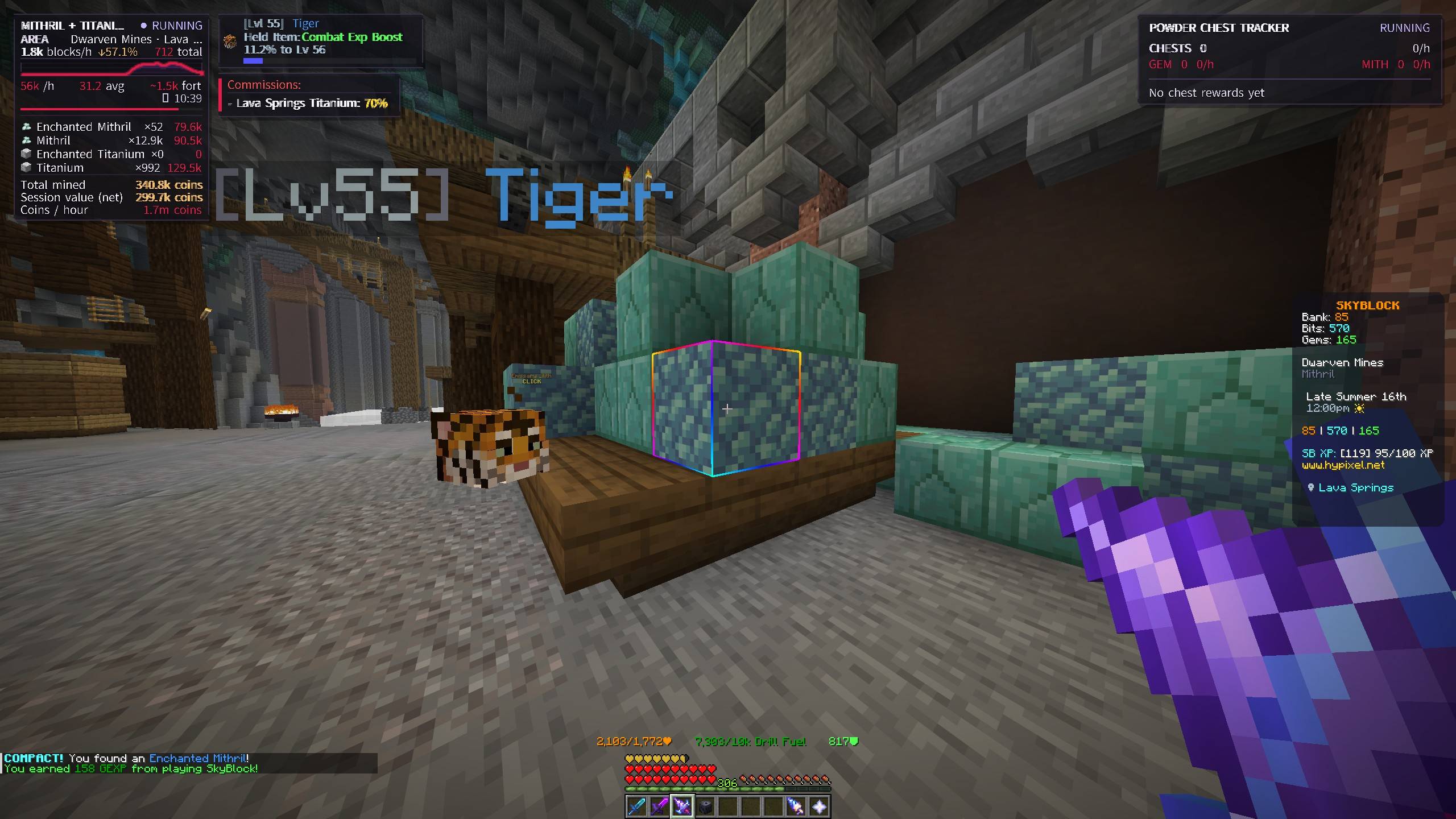
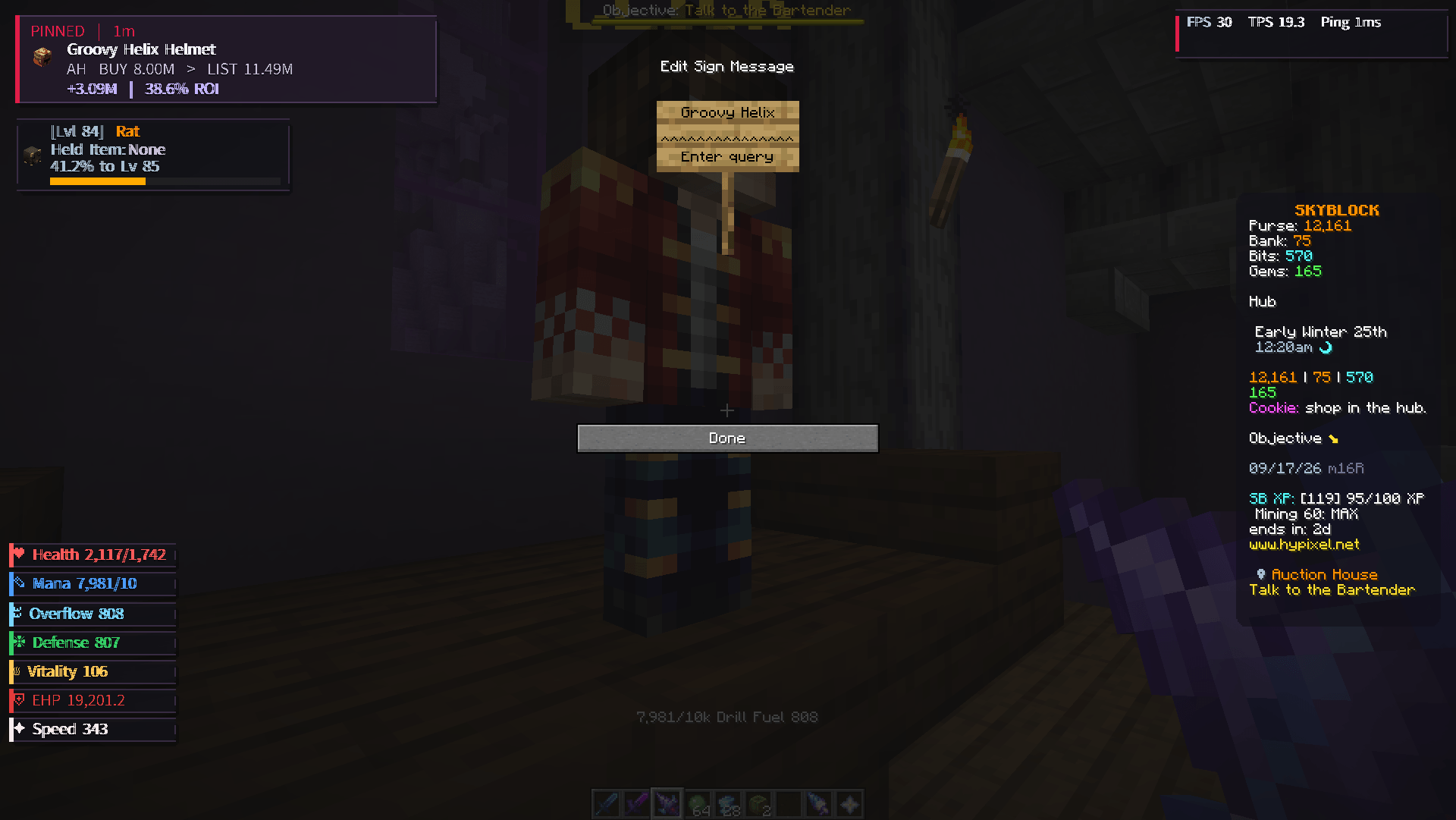
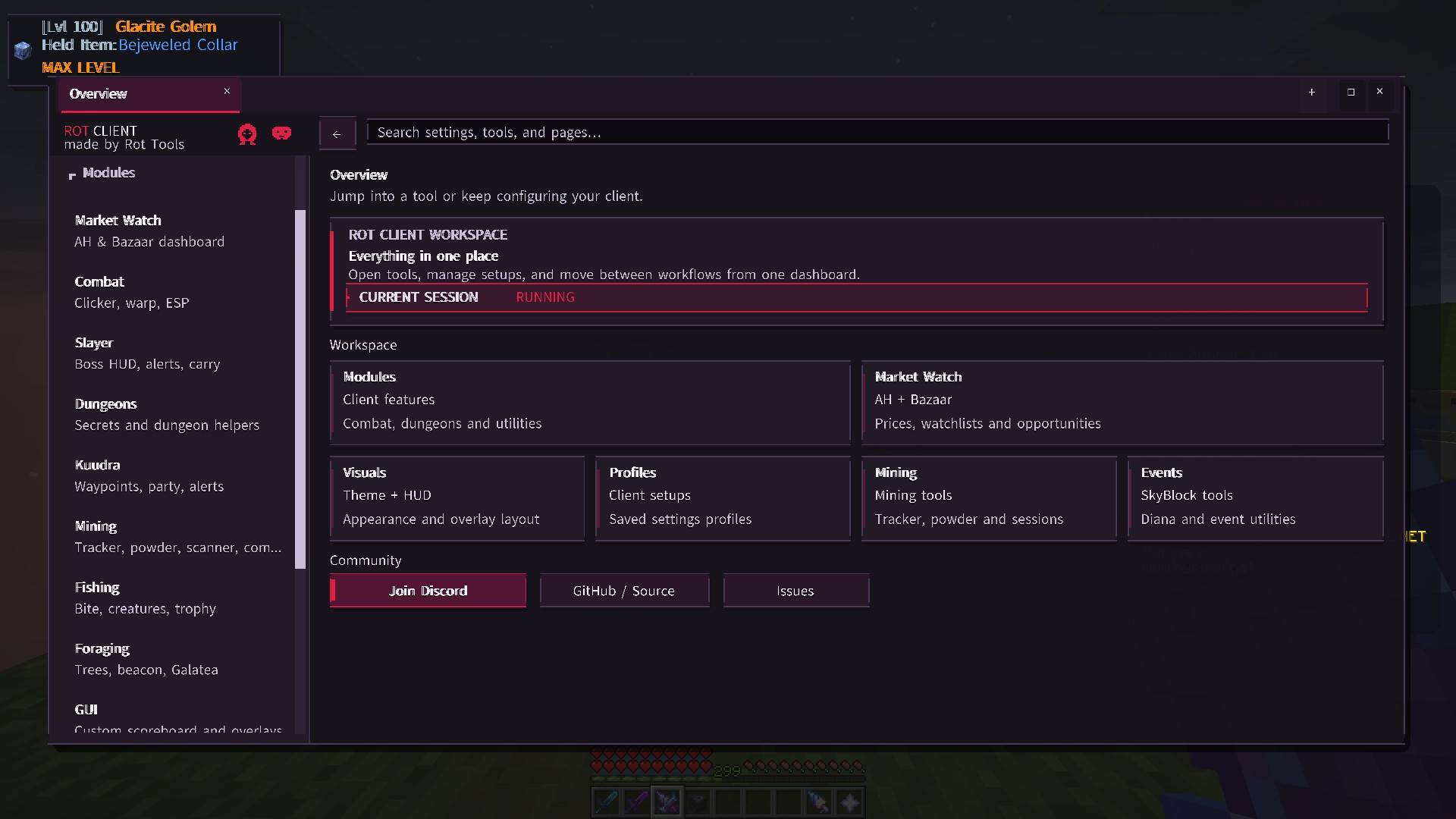
介绍
Rot Client
Rot Client is a client-side Fabric mod for Minecraft 26.2, built for Hypixel SkyBlock players who want a cleaner interface, better information, useful HUDs, market tools, and a wide range of quality-of-life features.
The mod combines mining and session tracking, our custom Market Watch and Profit Finder, dungeon and Slayer helpers, storage and inventory tools, visual improvements, waypoints, and configurable HUD elements all in one client.
Almost every part of Rot Client is highly customizable. You can adjust everything from the client’s colors and overall layout to individual HUD elements. HUDs can be moved, resized, reorganized, and customized internally, allowing you to control not only where an element appears on screen, but also how the information inside that element is arranged and displayed. This makes it possible to build a layout that fits your own playstyle and screen setup.
Rot Client is an independent project by Rot Tools and is not affiliated with, endorsed by, or approved by Hypixel.
Main Features
Market Watch
Monitor SkyBlock Auction House and Bazaar data directly in-game.
- Auction and Bazaar market data
- Custom alerts for items
- Alert history
- Seller and item information
- Lowest BIN and reference pricing
Profit Finder
Find profitable Auction House and Bazaar listings faster.
- Scans current BIN listings
- Compares listings against recent market reference prices
- Highlights underpriced items
- Shows estimated profit and possible margin
- Uses configurable deal thresholds
- Filters out weak or low-value opportunities
- Informational only — Rot Client never buys, bids, or trades automatically
Mining & Session Tracking
Track mining progress and session statistics.
- Material and gemstone tracking
- Mining HUD
- Current Session tracking
- Session History
- Pause / resume support
- Commission display
- Powder Chest Tracker
- Scatha alerts
- Glacite Mineshaft helpers
- Heart of the Mountain helpers
- Bazaar-based value estimates
Dungeon Helpers
- Explored dungeon map and HUD
- Passive terminal guidance
- Puzzle visual helpers
- F7 visual/mechanic helpers
- Spirit Leap overlay and manual player selection
- Party Finder information
- Dungeon carry tracking
- Chest and reward information
Slayer Helpers
- Slayer session statistics
- Boss and miniboss information
- Mechanic warnings
- Drop information
- Carry tracking
- Timers and alerts
- Depth-tested entity highlights
Kuudra
- Supply and pile waypoints
- Pearl waypoints
- Build and stun helpers
- Fight HUD information
- Static mechanic markers
- Depth-tested live-entity indicators
Fishing & Foraging
- Fishing timers
- Sea creature information
- Trophy fishing helpers
- Bait information
- Hotspot indicators
- Foraging tree helpers
- Beacon and temple helpers
- Quest and mechanic information
Inventory & Interface
- Storage Overlay
- Inventory Overlay
- Slot Binds
- Item protection
- Item tooltips
- Inventory Buttons
- Active pet highlighting
- Anvil helpers
- Calendar information
- Custom cursor
- Configurable Click GUI
HUD & Visuals
- HUD Elements Editor
- Custom scoreboard
- Player and performance HUDs
- Pet HUD
- Fullbright / night mode
- Viewmodel controls
- Item scale and presentation options
- Player size controls
- Legacy SkyBlock textures
- Configurable appearance and profiles
It also includes waypoints, local chat rules, emotes, typed shortcuts, Market Guard, sell protection and other client-side helpers.
Requirements
- Minecraft: 26.2
- Fabric Loader: 0.19.3 or newer
- Fabric API: 0.155.2+26.2 or newer
- Java: 25
- Mod Menu: Optional
Installation
- Install Fabric Loader for Minecraft 26.2.
- Install Fabric API.
- Download the latest
RotClientJAR. - Place it in your Minecraft
modsfolder. - Launch Minecraft.
Do not install the -sources.jar file.
Opening Rot Client
- Right Shift — Open the Rot Client dashboard
/rot— Open the dashboard/rot qol— Open the QoL module list/rot edit— Open the HUD Elements Editor/rot help— View available commands
Most modules can be enabled or configured individually.
Network Usage
Rot Client does not use telemetry, cloud sync or remote analytics.
Some optional features request public data from services used for SkyBlock information, including market prices, public player/profile information and item data.
Optional Discord webhook functionality is disabled unless explicitly configured by the user.
See the project’s Privacy documentation for more information.
Hypixel
Rot Client is a third-party modification and is not endorsed or approved by Hypixel.
Use of any Minecraft modification is ultimately the player’s responsibility. Server rules can change, so users should review Hypixel’s current modification rules before using third-party mods.
Source Code
Rot Client is developed publicly by Rot Tools.
GitHub: https://github.com/rot-tools/Rot-Client
License
Rot Client is released under the MIT License.
Third-party resources and attribution are documented in the repository.
常见问题
Rot Client 支持哪些 Minecraft 版本?
Rot Client 支持 Minecraft Java 版 26.1.2–26.2,共 2 个版本,可用的加载器:Fabric。下载时注意选择和你游戏版本一致的文件。
Rot Client 怎么安装?
先用 PCL2 或 HMCL 启动器安装对应版本的 Fabric,再把下载的 .jar 文件放进游戏目录的 mods 文件夹,重新启动游戏即可。开启了版本隔离的,mods 文件夹在 versions/版本名 下面。
comedy 的其他作品
查看全部 →
Starlit – Better Sky, Stars, Auroras, Galaxies, Shooting Stars, Planets.
打造更出色的夜空:数千颗彩色闪烁的星星、银河、星云、星系、流星、流星雨、彗星和极光;白天还有日落、光晕和彩虹。仅限客户端,支持 Fabric、NeoForge 和 Forge。兼容光影!
Heartline – Health Bars & Damage Numbers
在所有生物头顶显示血条,显示伤害数字、金色暴击和连击数;目标面板还会显示击杀还需命中几次。提供 11 种血条样式、宠物提醒,支持完全自定义。客户端模组,支持 Fabric、NeoForge 和 Forge。
Swinging Hanging Signs
吊挂式告示牌会随风摇晃,雨天和雷暴时摆动得更剧烈;玩家、生物或矿车擦过时也会被撞动,随后慢慢恢复平静。仅需客户端安装,可在任何服务器上使用。
Identify – What Am I Looking At?
指向任意目标即可查看其信息,包括方块、生物、作物,以及 25 个模组中的机器信息。客户端模组。
评论
登录后评论和评分