
McFish Pack
Enjoy minecraft Create with the best addons and decor mods, as well as ComputerCraft and more QoL changes.
截图


介绍
McFish Pack 🐟🍔
Enjoy minecraft Create with the best addons and decor mods, as well as ComputerCraft and more QOL changes like way stones, graves and a storage system and many mods to make your game look beautiful.
Don’t get overwhelmed from too many mods that all add huge complexity to your game. Just enjoy vanilla minecraft, maybe explore some mods like Create or just use the new decorative blocks to get creative.
What is in the modpack?
- ⚙️ Create: explore Create and many addons, so it doesn’t get boring
- Trains, Storage, Jetpack, Deco, Ore Excavation and more
- 💾 Tom’s Simple Storage: a simple mod to use a storage system
- 💻 Computer Craft: for all the nerds out there (not in 2.0)
- 🗼 Waystone: a new way to quickly get from point A to B
- 🌾 Farmer’s Delight & Let’s do Vinery: new recipes, food, and crops
- 💺 Decoration: some mod that add decor and many new building blocks
- 🔎 REI: makes it easy to find and explore all recipes
- 🏠 YUNG: many new and reworked structures to explore
- 🌄 Terralith: more beautiful terrain generation for your world
- 🎴 Graphic: mods and resource packs that make your minecraft look beautiful
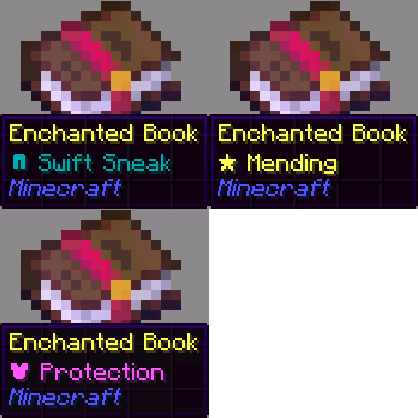
- many 3D blocks (liek ladder), better enchantment books, shaders…
- ⚡ Optimization: many mods to optimize your experience
- 👪 Essential Mod: easily play with friends without a server
Additional information
On the first start, make sure to activate all available resource packs.
If you want to play with Distant Horizons you have to download this version and add it manually to your mods folder.
If you want to play with friends and don’t have server use this mod. It makes it possible to open a server on your local computer and invite friends to your world.
How to install
Install on Modrinth App
or
- Download and install Prism Launcher)
- Login with your Microsoft account
- Create a new instance
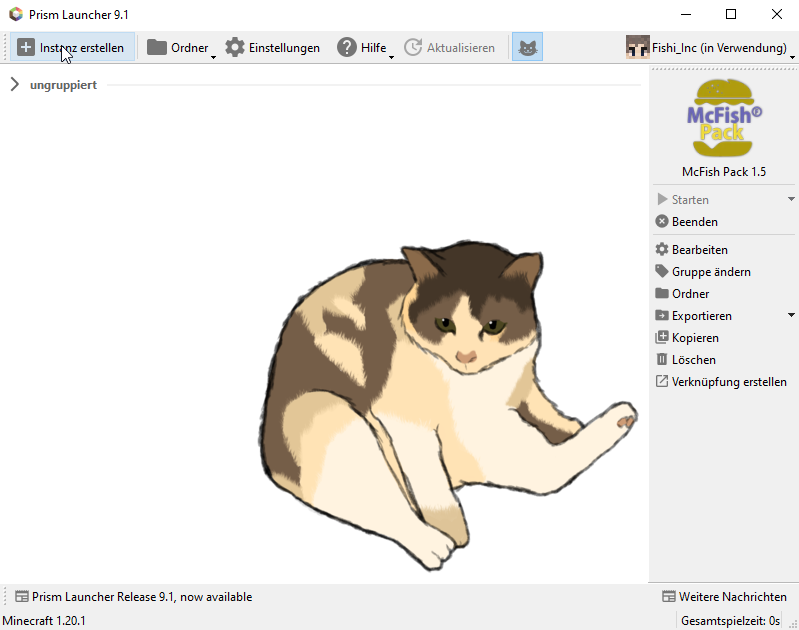
- Go to Modrinth and search for “Mc Fish”
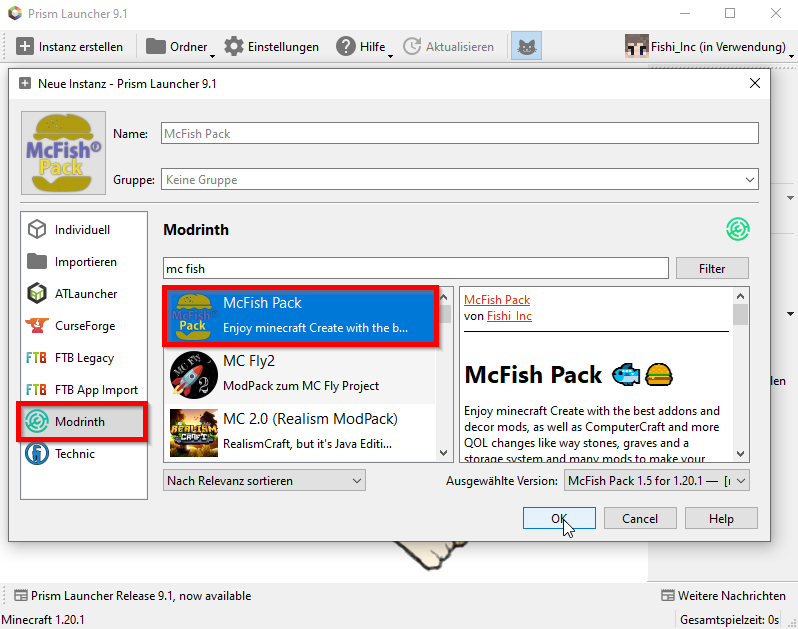
- Now you can install and run the modpack
Troubleshoot
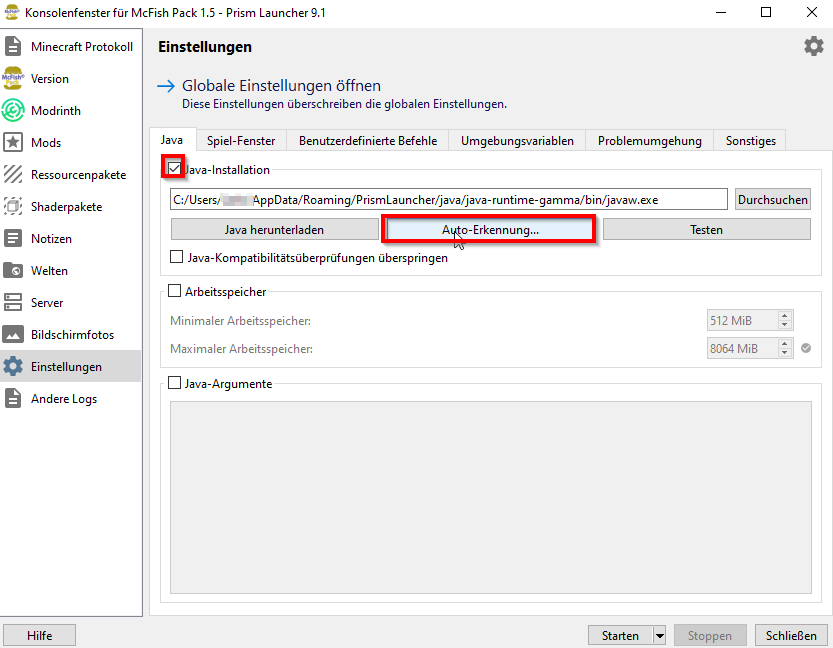
- Sometimes you may have a problem with your java version. If this happens, you can change your current version in the instance settings
包含的模组 105 个
 3D crops Revamped
 3D Ladders
 农夫乐事
 [DEPRECATED]Create Enchantment Industry - Fabric Legacy
 [Let's Do] API
 [Let's Do] Vinery
 Amendments
 苹果皮
 Architectury API
 Balm
 Better Combat
 Better Lanterns
 BetterF3
 Bibliophilia | Enchanted Books
 Carry On
 Cave Dust
 Chunk Loaders
 CIT Resewn
 Cloth Config API
 Clumps
 Continuity
 Controlling
 Corn Delight [Fabric/Quilt]
 Create Contraption Terminals
 Create Crafts & Additions
 Create Deco
 Create Deco Additions
 Create Fabric
 Create Jetpack
 Create Ore Excavation
 Create Slice & Dice
 Create Track Map
 Create: Bells & Whistles
 Create: Design n' Decor
 Create: Dreams & Desires
 机械动力:蒸汽与铁路
 Create: Storage
 Door Tweaks
 Durability Tooltip
 Dynamic FPS
展开全部 105 个
 Eating Animation
 Enchant Icons
 实体剔除
 Fabric API
 Fabric Language Kotlin
 Falling Leaves
 砍树
 Farmer's Delight Refabricated
 FerriteCore
 Forge Config API Port
 Geckolib
 Geophilic
 Iceberg
 ImmediatelyFast
 Immersive Paintings
 ImmersiveThunder
 Indium
 Iris Shaders
 Jade 🔍
 JamLib
 旅行地图
 Legendary Tooltips
 Light Overlay
 锂
 Macaw's Bridges
 Macaw's Doors
 Macaw's Fences and Walls
 Macaw's Trapdoors
 Memory Leak Fix
 模组菜单
 Moonlight Lib
 MRU
 Naturalist
 自然指南针
 OrthoCamera
playerAnimator
 Prism
 RAY's 3D Rails
 Remove Reloading Screen
 RightClickHarvest
 REI物品管理器
 Searchables
 Simple Voice Chat
 Simply Swords
 钠
 Sounds
 SuperMartijn642's Config Lib
 SuperMartijn642's Core Lib
 锦致装饰
 Terralith
 Tom's Simple Storage Mod
 传送石碑
 YetAnotherConfigLib (YACL)
 You're in Grave Danger
 YUNG's API
 YUNG's Better Desert Temples
 YUNG's Better Dungeons
 YUNG's Better End Island
 YUNG's Better Jungle Temples
 YUNG's Better Mineshafts
 YUNG's Better Nether Fortresses
 YUNG's Better Ocean Monuments
 YUNG's Better Strongholds
 YUNG's Better Witch Huts
 Zoomify (Zoom)
绿色边框的模组本站有收录,点进去看中文介绍;其余跳转到 Modrinth。
常见问题
McFish Pack 支持哪些 Minecraft 版本?
McFish Pack 基于 Minecraft Java 版 1.20.1,使用 Fabric 加载器。
McFish Pack 怎么安装?
点本页「前往下载」拿到整合包文件(Modrinth 的是 .mrpack,CurseForge 的是 .zip),在 PCL2 或 HMCL 启动器里选择「导入整合包」,启动器会自动装好 Minecraft、加载器和全部模组。这个整合包有 105 个模组,建议在启动器里给游戏分配 4–6 GB 内存。
McFish Pack 开服需要多大内存?
推荐服务器内存 12 GB。在线人数多、或者建了大量机器和区块加载器时,可以再加 2–4 GB。
怎么和朋友一起玩 McFish Pack?
点本页的「一键开服」,选好配置后会自动安装 McFish Pack 的服务端,几分钟就能开好。把服务器地址发给朋友,大家用同一个版本的整合包连进去就行。

评论
登录后评论和评分