
Unofficial Ayn Thor Pack
A modpack that adds QoL and performance changes to Ayn Thor users.
截图


介绍


- Vanilla+ Built for and Tested on a Max Ayn Thor
- Sort and Organize Your Inventory with One Click
- Adds Shaders and Better Lighting with Iris
- Fixes Annoying Issues Commonly Experienced on the Thor
- Adds Dual Screen Support (More info in Spoiler below)
- Ease of use Balancing like Graves and Optional Aim Assist
- And Much More!

The Unofficial Ayn Thor Pack (UATP) is a Vanilla+ modpack that takes the Minecraft you already know and brings it to your Ayn Thor in a way that makes it feel like Minecraft was built for the device. While this can be just dropped in and played (you may need to disable Iris for some renderers), there are a few optional setup steps outlined in the spoiler below.
Optional Setup
Dual Screen Support:
Download and install the second screen app APK from this link: https://github.com/exojosh/AynThorSecondScreen/releases/tag/v1.0.1
_(Since this is a sideloaded APK, you may need to enable “Install from Unknown Sources” for your file manager/browser, if you haven’t done so already.)_
Once installed, launch it on your second screen when the game starts. Make sure to set the foucs mode under the Ayn Button settings to “Top Screen”.
Launcher Settings:
I highly recommend ZalithLauncherV2. Below setup may be different if you use a different launcher.
- Controller Input: Go to “Global Settings” > “Gamepad” > “Gamepad Input” and select SDL Direct. Legacy4J adds direct controller support that works much better with the mods than Virtual Keys. (If ZalithLauncherV2 adds this to Version-Specific Settings in the future, set it there instead.)
- Memory Allocation: Go to “Global Settings” > “Game” > “Memory Allocation” and set it to a minimum of 5120MB. If you’re using a 16GB Thor, set it to 6144MB for a more stable 60FPS.
- Renderer Settings: Go to “Version-Specific Settings” > “Configuration” (or “Global Settings” > “Renderer” if you want this to apply to all instances) and configure the following:
- Renderer: MobileGlues (OpenGL 4.0, 1.17+)
- Vulkan Driver: Turnip 25.1.1 r28b sdk29
- Graphics API: OpenGL
If any of these options aren’t available yet, go to “Global Settings” > “Renderer” and use the download buttons next to each setting to install them first.
Please report any issues to ME prior to any mod authors.
包含的模组 62 个,另有 1 个其他文件
 1.21.6 Recipes Backport
 AmbientSounds
 苹果皮
 Async Logger
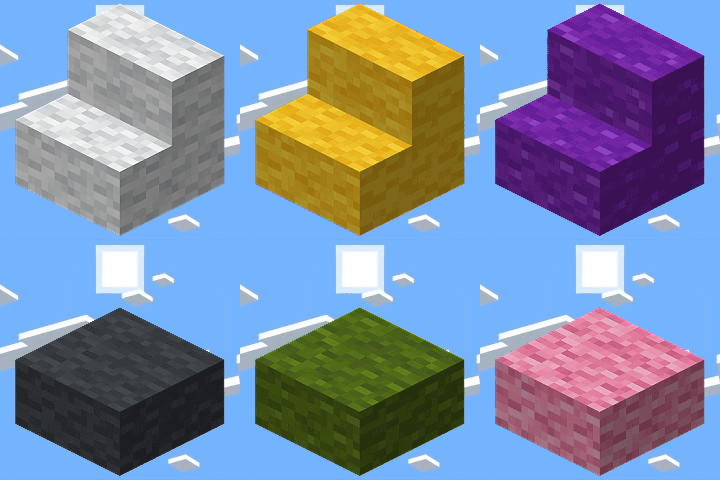 Backported Wool Stairs & Slabs
BadOptimizations
 Better Block Entities
 Better Statistics Screen
 BetterF3
 Boat Item View
 Cherished Worlds
 Cloth Config API
 Clumps
 Collective
 Concurrent Chunk Management Engine (Fabric)
 Continuity
 CreativeCore
 Crops Love Rain
 Cushion Backport
 Detail Armor Bar Reconstructed
 双开门
 Dynamic FPS
 E-LITE shaders (MakeUp edit)
 Elytra Trims
 实体剔除
 Fabric API
 Fabric Language Kotlin
 Factory API
 FerriteCore
 Forge Config API Port
 Healing Campfire
 ImmediatelyFast
 Inventory Profiles Next
 Iris Shaders
 Krypton
 Leaves Be Gone
 Legacy4J
 libIPN
 锂
 模组菜单
展开全部 62 个
 More Culling
 Motor Assistance
 鼠标微调
 Music Notification
 自然指南针
 Podium
 Polymer
 Polysit
 Puzzles Lib
 Reacharound
 Replanting Crops
 Respect My Trims
 钠
 Sodium Extra
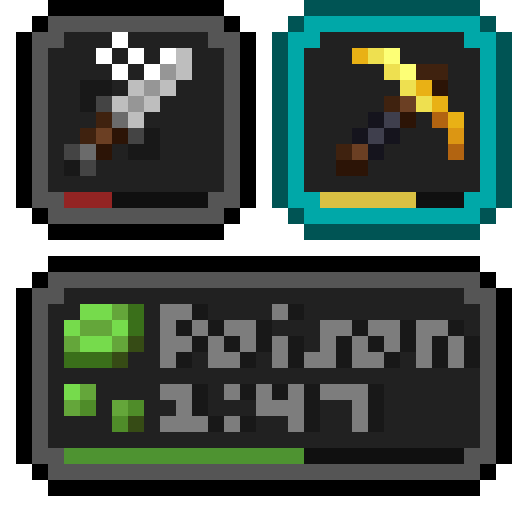 Status Effect Bars
 TCDCommons API
 Text Placeholder API
 Universal Graves
 VeinMiner
 World Play Time Reborn
 YetAnotherConfigLib (YACL)
 Zoomify (Zoom)
绿色边框的模组本站有收录,点进去看中文介绍;其余跳转到 Modrinth。
常见问题
Unofficial Ayn Thor Pack 支持哪些 Minecraft 版本?
Unofficial Ayn Thor Pack 基于 Minecraft Java 版 1.21.11,使用 Fabric 加载器。
Unofficial Ayn Thor Pack 怎么安装?
点本页「前往下载」拿到整合包文件(Modrinth 的是 .mrpack,CurseForge 的是 .zip),在 PCL2 或 HMCL 启动器里选择「导入整合包」,启动器会自动装好 Minecraft、加载器和全部模组。这个整合包有 62 个模组,建议在启动器里给游戏分配 4–6 GB 内存。
Unofficial Ayn Thor Pack 开服需要多大内存?
推荐服务器内存 12 GB。在线人数多、或者建了大量机器和区块加载器时,可以再加 2–4 GB。
怎么和朋友一起玩 Unofficial Ayn Thor Pack?
点本页的「一键开服」,选好配置后会自动安装 Unofficial Ayn Thor Pack 的服务端,几分钟就能开好。把服务器地址发给朋友,大家用同一个版本的整合包连进去就行。
RedOptic 的其他作品
查看全部 →
Apocalyptia: A Zombie Apocalypse Survival Pack
Apocalyptia is a zombie apocalypse mod pack where you can explore abandoned cities, start your own city, you can fight raiders, and slay zombies.
AIM – Awesomely Insane Modpack
AIM is a kitchen sink modpack created by me and a few friends for our private discord server that we believe others may enjoy.
Red’s Zombie Warfare
War, Zombies, and Nukes What else do you need?

Swatman Pack
Made for Swatmanjohn's modded twitch series
评论
登录后评论和评分