
截图

介绍
🎮 Steam Deck Optimized (Fabric)
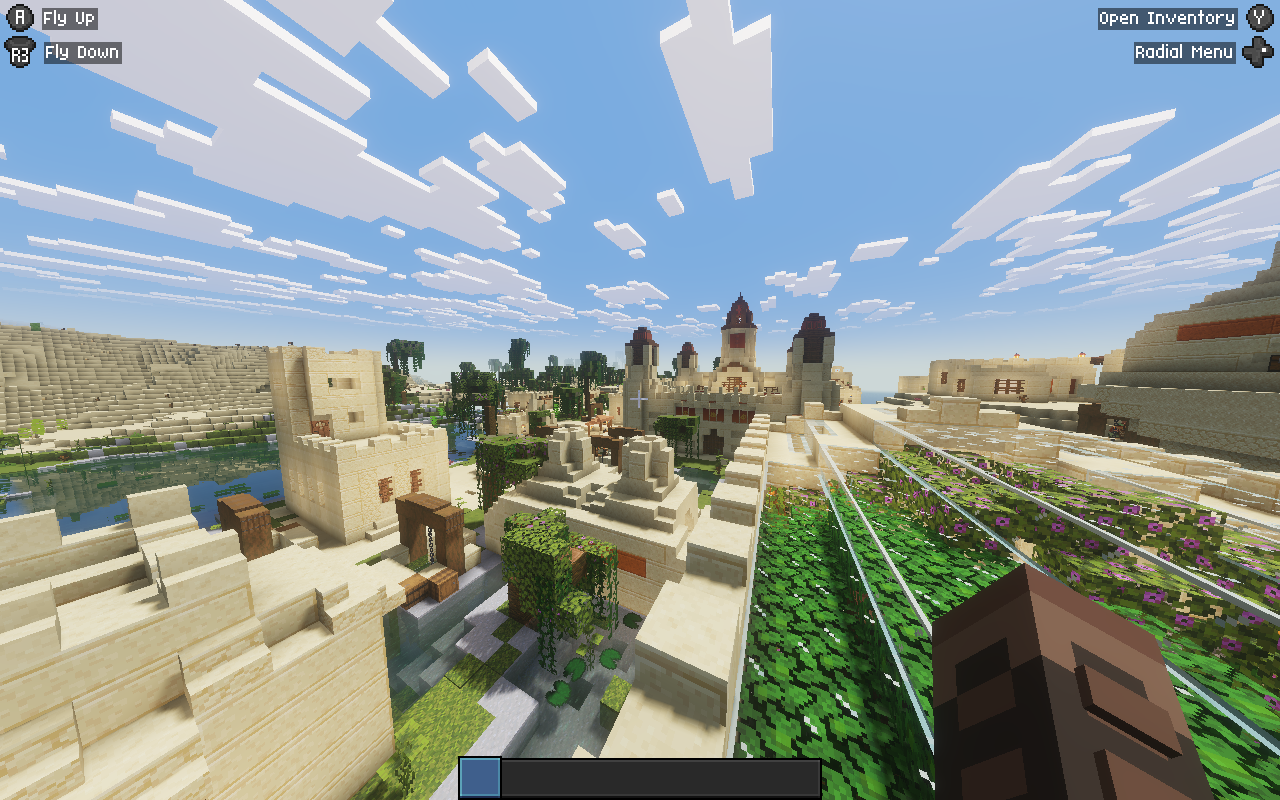
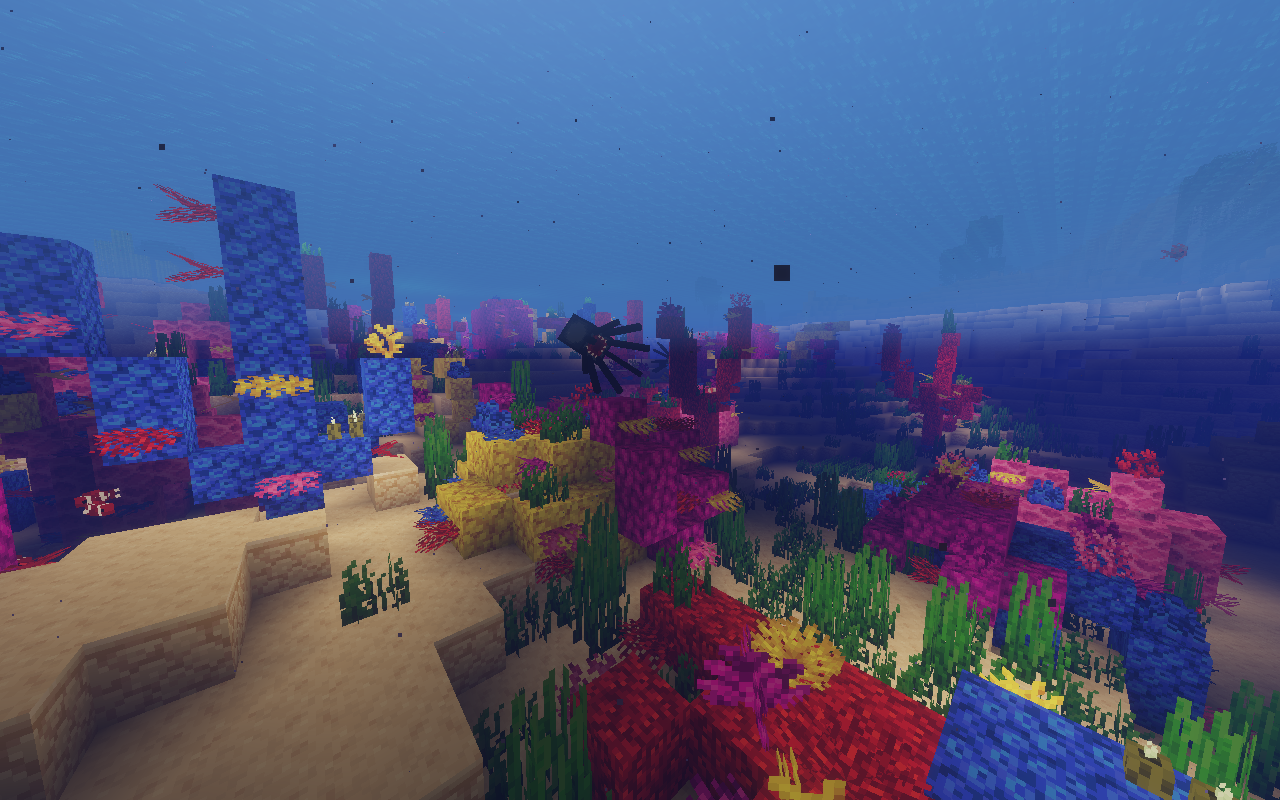
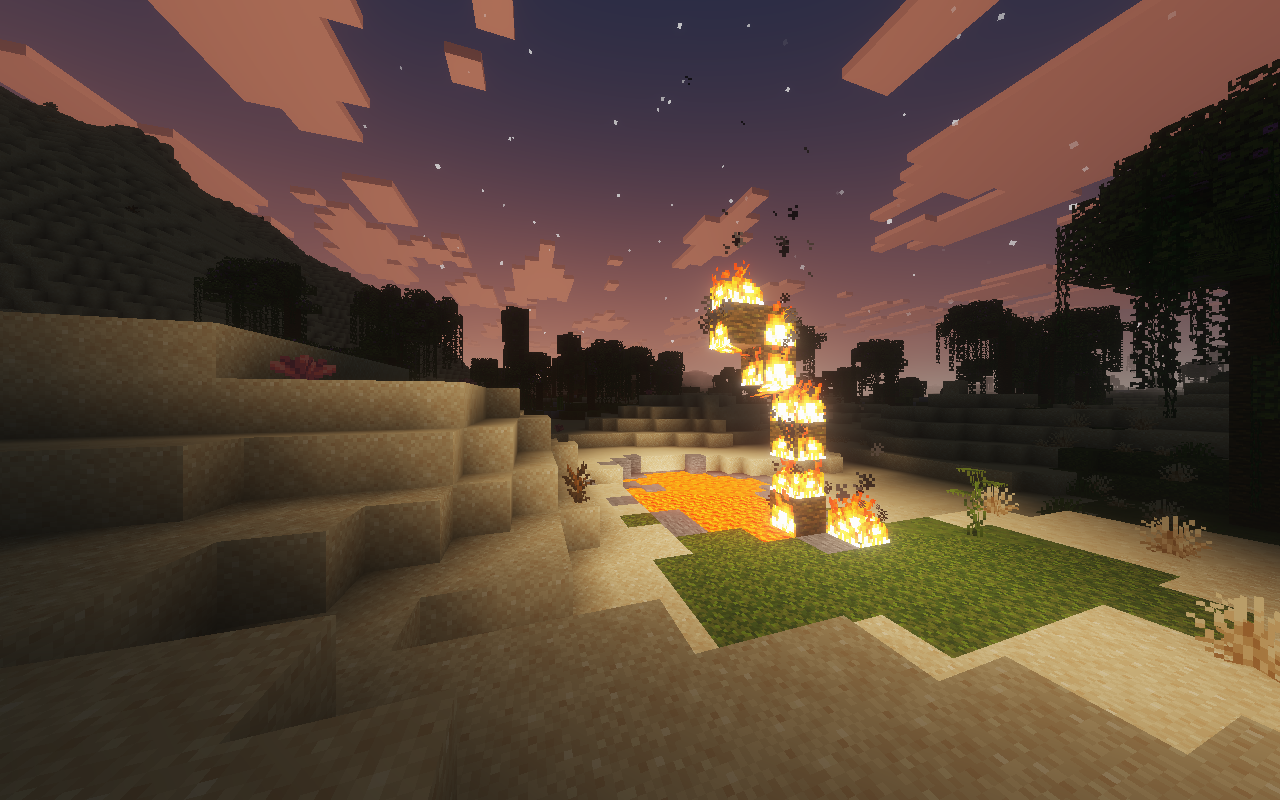
A lightweight Fabric modpack built specifically for the Steam Deck. Designed to deliver high FPS, full controller integration, sleek visuals with light shaders, and essential Quality-of-Life mods without killing your battery.
Features
- Vulkan Engine (
VulkanMod) – Uses Vulkan instead of OpenGL for massive performance gains on Steam Deck hardware. - Native Deck Controls (
Controlify) – Full controller support with native Steam Deck button glyphs and analog control. - Minimal Built-in Shaders (
Beryl) – Subtle lighting, dynamic shadows, and clean visuals with minimal performance hit. - Overhauled World Gen (
Terralith) – Beautiful vanilla-style terrain and biomes. - Dynamic Audio (
Sound Physics Remastered+AmbientSounds) – Realistic cave acoustics, echoes, and background ambience. - QoL Essentials – Dynamic lighting, 3D skin layers, AppleSkin, Jade, JEI, Xaero’s World Map, Zoomify, and more.
Performance (Steam Deck LCD 256GB)
- FPS: 70 – 100 FPS average (after ~5 minutes of chunk generation).
- Frametimes: Rock solid frametimes thanks to Lithium, C2ME, and ScalableLux.
- Battery: Optimized for low power usage compared to traditional Iris/OptiFine setups.
Mod List
Performance & Rendering
- VulkanMod & Vulkan Border Fix – Vulkan rendering backend for SteamOS.
- Beryl – Light shader support under Vulkan.
- C2ME – Multithreaded chunk loading.
- Lithium & BadOptimizations – Core game logic and server-side optimizations.
- Entity Culling & Clumps – Hides unseen entities and groups XP orbs.
- FerriteCore – Reduces RAM usage.
- ScalableLux & Noisium – Fast lighting and terrain calculations.
- Dynamic FPS – Reduces resource usage when unfocused.
Controls & UI
- Controlify – Deck controller integration & keybindings.
- Mod Menu, Cloth Config & YACL – In-game settings menus.
- BetterF3 – Cleaner debug screen.
- Jade & JEI – Item recipes and block info overlay.
- AppleSkin, Chat Heads & Blur – Food stats, player head icons, and menu blur.
Visuals, Sound & World
- Terralith – Custom world generation without adding new blocks.
- Sound Physics Remastered & AmbientSounds – Reverb, acoustics, and environmental audio.
- Continuity, Visuality & 3D Skin Layers – Connected textures, subtle particle effects, and 3D skins.
- LambDynamicLights – Handheld light sources (torches, lanterns).
- Xaero’s World Map – Fast and clean world map.
- Zoomify – Smooth zoom key.
How to Install
Since the modrinth launcher has a few issues on SteamOS, i reccomend using Prism Launcher:
- Switch to desktop mode
- install prism launcher via Discover (the build in app store)
- Import the .mrpack
- create a shortcut for the mincraft installation
Make sure the shortuct program is
flatpackand The arguments are"run" "org.prismlauncher.PrismLauncher" "--launch "YOUR_INSTALLATION NAME""
- Import the .desktop shortcut into steam
- Launch the game
Recommended Settings
The Modpack comes with preset settings for better performance. Feel free to change them
包含的模组 52 个
 3D皮肤层
 Advancement Plaques
 AmbientSounds
 苹果皮
BadOptimizations
 Beryl
 BetterF3
 Blur+
 Chat Animation [Smooth Chat]
 Chat Heads
 Cloth Config API
 Clumps
 Compact Font
 Concurrent Chunk Management Engine (Fabric)
 Continuity
 Controlify (Controller support)
 CreativeCore
 Dynamic FPS
 Enhanced Boss Bars
 实体剔除
 Even Better Enchants
 Fabric API
 Fabric Language Kotlin
 FerriteCore
 Iceberg
 Icons
 Jade 🔍
 JEI物品管理器
 LambDynamicLights - Dynamic Lights
 Legendary Tooltips
 锂
 Lithostitched
 Low On Fire
 Low Shield
 模组菜单
 MRU
 New Glowing Ores
 NoisiumForked
 Prism
 ScalableLux
展开全部 52 个










绿色边框的模组本站有收录,点进去看中文介绍;其余跳转到 Modrinth。
常见问题
Steam Deck Optimized 支持哪些 Minecraft 版本?
Steam Deck Optimized 基于 Minecraft Java 版 26.1.2,使用 Fabric 加载器。
Steam Deck Optimized 怎么安装?
点本页「前往下载」拿到整合包文件(Modrinth 的是 .mrpack,CurseForge 的是 .zip),在 PCL2 或 HMCL 启动器里选择「导入整合包」,启动器会自动装好 Minecraft、加载器和全部模组。这个整合包有 52 个模组,建议在启动器里给游戏分配 4–6 GB 内存。
Steam Deck Optimized 开服需要多大内存?
推荐服务器内存 12 GB。在线人数多、或者建了大量机器和区块加载器时,可以再加 2–4 GB。
怎么和朋友一起玩 Steam Deck Optimized?
点本页的「一键开服」,选好配置后会自动安装 Steam Deck Optimized 的服务端,几分钟就能开好。把服务器地址发给朋友,大家用同一个版本的整合包连进去就行。
评论
登录后评论和评分